From gradebook to dashboard
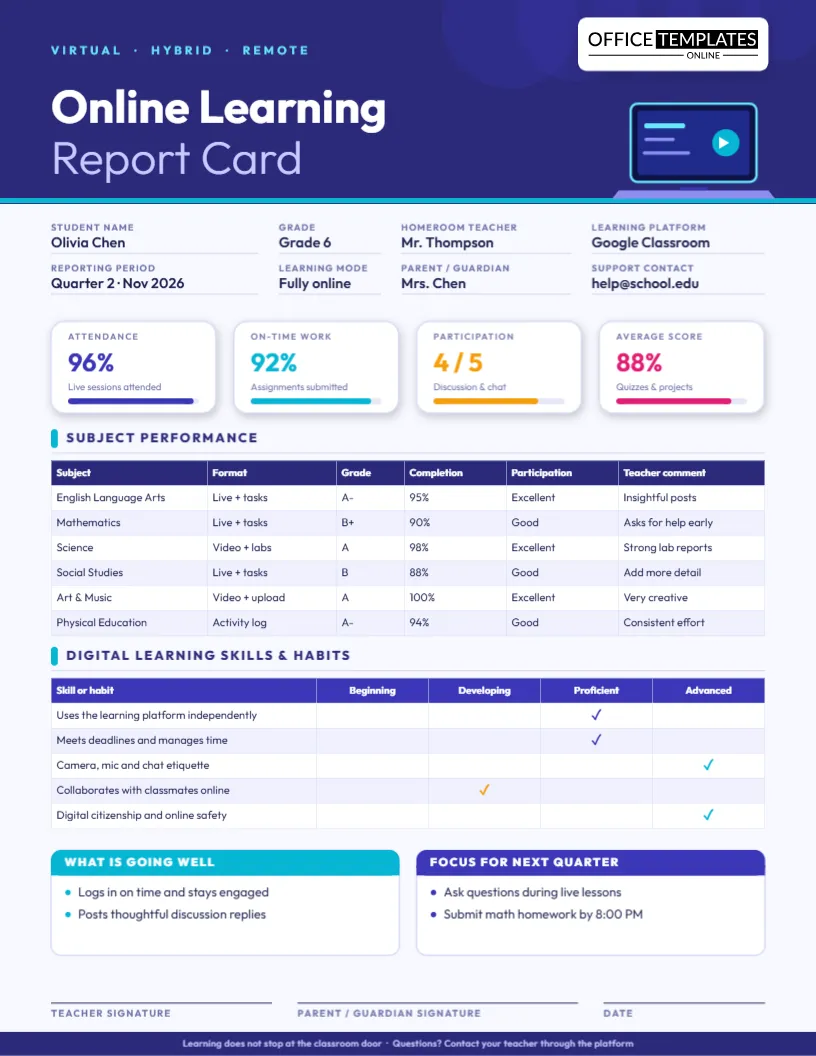
A traditional report card was designed for a classroom where attendance meant sitting in a chair. Online and hybrid learning changed the evidence: log-ins, live-session attendance, on-time submissions, and participation in chat matter just as much as a quiz score. This online learning report card template is built like a dashboard, so it captures all of it in one clean US Letter page.
The four numbers at the top
Four white tiles sit under the indigo header. Each one shows a large figure, a short description, and a progress bar.
Attendance
Live sessions attended, shown as a percentage such as 96 percent. It answers: Is the student showing up? without confusing it with grades.
On-time work
The share of assignments submitted by the deadline. Late work and missing work are different problems, and this tile keeps them apart.
Participation
A rating out of five for discussion, chat, and camera-on engagement.
Average score
Quizzes and projects combined, so families see performance separate from effort.
Subjects, formats and comments
A subject table lists each course with its format (live plus tasks, video plus labs, activity log), grade, completion rate, participation level and a short teacher comment. The format column is especially helpful in hybrid settings, because it tells families how each subject is delivered.
Digital habits deserve grades too.
A second table rates skills that decide whether a child succeeds on a screen: using the learning platform independently, meeting deadlines, camera, microphone, and chat etiquette, collaborating online, and digital citizenship. Four levels, Beginning to Advanced, use colored ticks. These habits are teachable, and naming them makes them so.
Hybrid or fully online: what to change
- Fully online: Keep the learning mode as Fully online and use the format column to distinguish live from asynchronous work.
- Hybrid: Change the mode to Hybrid and note which subjects meet on campus.
- Asynchronous only: Replace the attendance tile with Modules completed.
Setup in three steps
- Update the details: student, grade, teacher, platform (Google Classroom, Canvas, Moodle or Teams), reporting period and support contact.
- Type the four tile values and drag each bar to match.
- Complete the two tables, then write the What is going well and Focus for next quarter boxes.
Remote reporting best practices
- Separate completion from grade so a low mark is not mistaken for missing work.
- Praise digital habits explicitly.
- Always include a contact for technical problems.
- Send the PDF so the layout looks identical on every device.
- Keep the same scale every quarter to show growth.
Suited to
Virtual schools and online academies, hybrid classrooms, homeschool co-ops, tutoring programs delivered by video, emergency remote-learning periods, and counselors who monitor engagement across several online courses.
Comment examples
- Olivia logs in on time and stays engaged during live lessons.
- Discussion posts are thoughtful and show careful reading.
- Please submit math homework by 8:00 PM on Thursdays so feedback returns before the next lesson.
File formats and printing
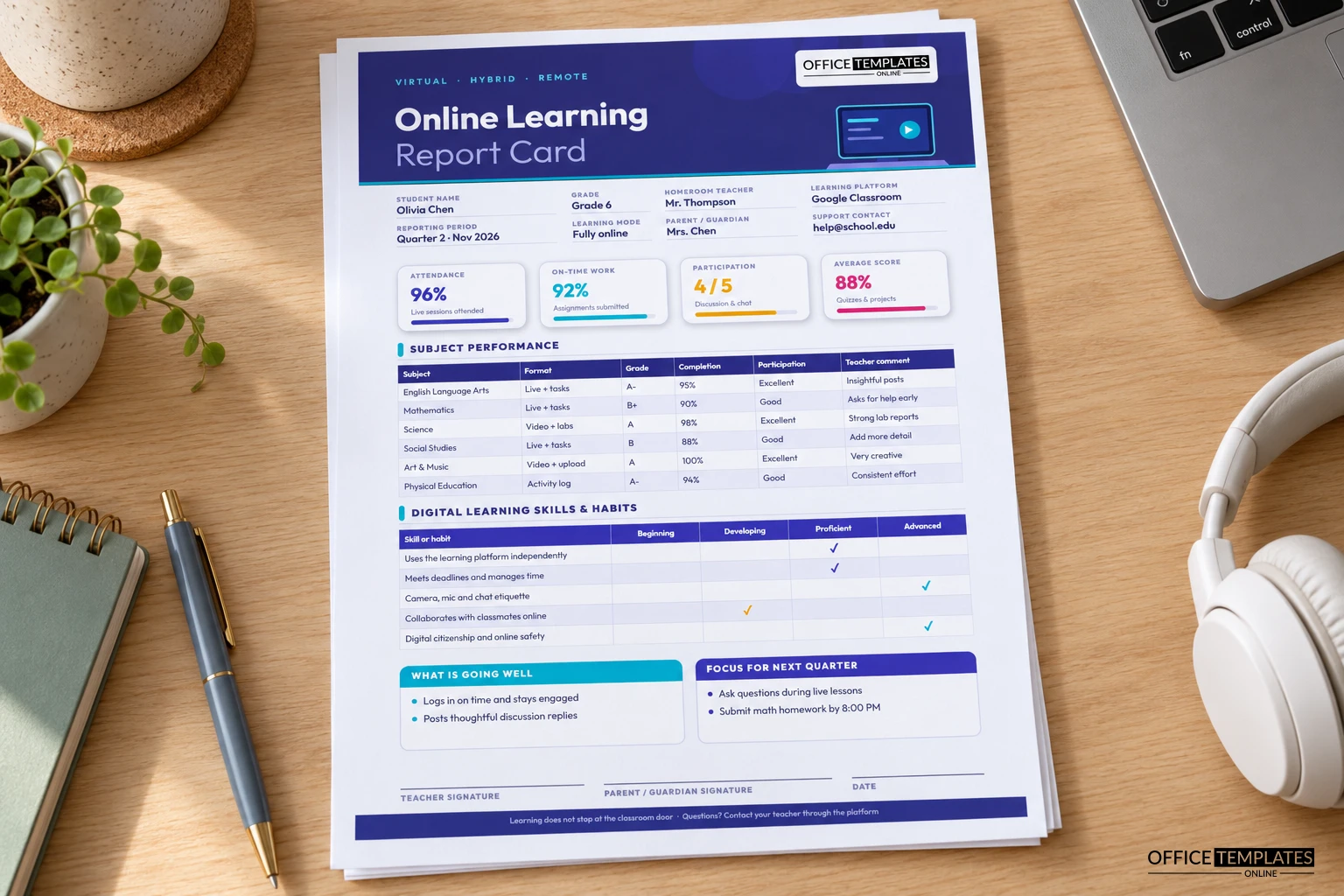
The report is 8.5 x 11 inches. Download a PDF to upload to a parent portal, or a PNG or JPG to email. Printing is optional; the dark header uses a fair amount of ink, so many schools share it digitally.
Frequently asked
Is it suitable for high school?
Yes. Change the subjects and use percentages or GPA in the grade column.
Can I remove a tile?
Yes. Delete it or replace it with another measure such as badges earned.
Can I add subjects?
Yes. The table accepts new rows.
When the data looks worrying
A drop in attendance or on-time work is often the first sign that a student is struggling with connectivity, motivation, or home circumstances. Use the tiles as an early warning rather than a verdict: reach out first, then report. Add a note in the focus box that names the barrier you discussed and the help offered, such as a loaner device, a quieter schedule, or a check-in call.
Privacy and screen-time considerations
- Share reports only with parents or guardians and store them securely.
- Avoid including passwords, personal links, or private chat excerpts.
- Remember that some families share devices; a PDF is easier to open than a portal link.
- Recognize offline work, such as lab notebooks and reading, in the comments.
A sample quarter calendar
- Week 1: Set expectations and record the baseline in the tiles.
- Week 4: Send a quick informal update for any student with attendance or on-time work below your threshold.
- Week 7: Complete the digital habits table after observing group work.
- Week 9: Finish subject grades and comments.
- Week 10: Send the report card and offer short parent calls.
Celebrating what online learning does well
Remote learning gives many students independence, flexibility, and a chance to show creativity through projects and videos. Use the going-well box to celebrate these strengths, such as strong discussion posts, tidy lab reports or leadership in a breakout room. A report that recognizes what the format makes possible builds motivation for the weeks ahead.
Helping families support learning at home
Parents are often the unofficial technical support team. Use the focus box to suggest a few practical steps: a consistent workspace, a daily schedule pinned near the screen, headphones for live sessions, and a short break after each block of work. Small environmental changes often improve attendance and on-time work more than any reminder from school.
Reading the tiles together with your student
Older students benefit from seeing their own dashboard. Sit with them for five minutes and ask which tile they are proudest of and which they would like to move next quarter. Let them choose one habit, such as submitting work before the evening deadline, and write it in the focus box in their own words. When a student sets the target, follow-through improves.
Adapting the tiles to your platform
Every learning platform reports different data. Google Classroom shows turn-in status, Canvas offers participation analytics, and other systems supply badges or module completion. Use whatever your platform provides and rename the tiles to fit: Modules completed, Discussion posts, or Badges earned are all easy substitutions. The table structure stays the same, and so does the reading experience for families.
Why a clean design matters on screens
Many parents will read this report on a phone. Large numbers, generous spacing, and a strong indigo header keep it legible on small screens, and the PDF keeps its layout everywhere. When you share it digitally, mention the two or three items you would like families to look at first, such as the tiles and the focus box.
Report the whole story of online learning, not just the grade. Open the template and download a modern report card today.