Put Your Teaching Story, Experience, and Passion All in One Place
Every teacher has a story beyond their name and job title. There is an educational background, years of classroom experience, subjects they enjoy teaching, and a personal approach that shapes how they support their students.
This Teacher Profile Template provides a clear and visually appealing way to bring those details together on a single page.
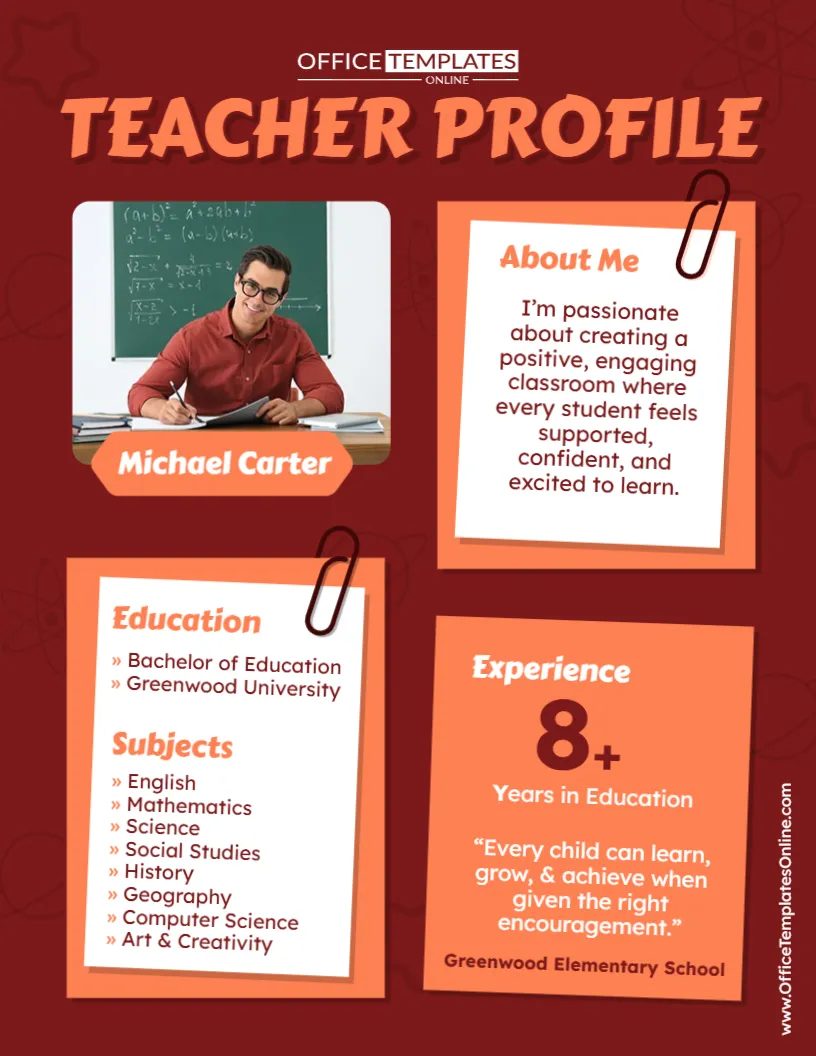
The ready-made layout includes dedicated sections for a teacher photo and name, About Me statement, education, subjects taught, years of experience, teaching quote, and school name. These are all useful elements for introducing an educator and giving readers a quick overview of their professional background. Teacher profile and introduction resources commonly use details such as teaching experience, educational background, subjects or grade levels, and teaching philosophy to help students, families, or schools understand an educator at a glance.
Instead of building your profile from a blank page, customize this design directly in the online browser-based editor. No login is required. Once your profile is ready, download the finished design as a PDF, PNG, or JPG.
What Does This Teacher Profile Template Include?
The layout is divided into several distinct content areas, allowing readers to scan the profile without working through a long biography.
The sample design includes space for:
- Teacher name and photo
- About Me
- Education
- Subjects
- Teaching experience
- Teaching philosophy or quote
- School name
Simply replace the sample details with your own information.
For instance, the sample displays “8+ Years in Education.” You can change this to reflect your actual experience. Likewise, the example education, subjects, school name, and biography are placeholders that can be personalized.
Start With Your Name and Teacher Photo
A large photo area appears near the top of the profile, with the teacher’s name displayed immediately underneath.
Replace the sample photograph with your own professional or classroom-appropriate image and change the sample name to yours. This gives the page an immediate personal identity and helps readers connect the information on the profile with the educator it describes.
If the profile is being shared with students and families, a friendly teacher photograph can also make the introduction feel more welcoming.
Write an “About Me” That Sounds Like You
The About Me section gives you space to explain what matters to you as an educator.
Rather than listing qualifications again, consider using this section for a brief introduction to your teaching approach. You might explain how you encourage students, what kind of classroom environment you aim to create, or what motivates you to teach.
The sample profile focuses on creating a positive and engaging classroom where students feel supported and confident. You can replace this with a statement that reflects your own philosophy.
An effective teacher introduction can briefly communicate a teacher’s role, experience, subjects or grades, and overall teaching philosophy.
You might write about:
- Your passion for education
- Your approach to student learning
- How you create an inclusive classroom
- What you want students to achieve
- How you encourage confidence or curiosity
- What you enjoy most about teaching
Keep it personal but concise. This is an introduction, not a full professional biography.
Highlight Your Educational Background
The Education area provides a convenient place to show the qualifications that support your teaching career.
The sample design lists a degree and university, but you can replace these with your own educational details. Depending on your background and intended audience, you could include your degree, major, university, teaching qualification, certification, or another relevant credential.
Educational qualifications are a common component of professional teacher profiles and biographies because they help provide context about an educator’s preparation and areas of expertise.
If you have several qualifications, focus on the ones most relevant to the purpose of your profile so that the section remains clear and uncluttered.
Show the Subjects You Teach
One of the most useful features of this template is the dedicated Subjects section.
The sample version demonstrates how several teaching areas can be displayed in an easy-to-scan list. Replace them with the subjects, courses, or academic areas that apply to you.
For example, you might list:
- Mathematics
- English
- Science
- Social Studies
- History
- Geography
- Computer Science
- Art
- Languages
- Music
A specialist teacher may only need one or two subjects, while an elementary or primary educator may want to include several curriculum areas.
You could also adapt this space for grade levels, specializations, programs, or areas of expertise if a conventional subject list does not suit your teaching role.
Make Your Experience Easy to Notice
Years of teaching experience can be an important part of an educator’s professional introduction, which is why this template gives experience its own prominent panel.
Rather than hiding the information inside a paragraph, the large number makes it instantly visible.
Change “8+” to your own number of years in education or adjust the wording to better describe your background.
If you are a new teacher, you do not need to exaggerate experience to fill this area. Instead, customize the section to highlight relevant teaching practice, training, a qualification, or another genuine strength.
Share the Belief Behind Your Teaching
A teacher profile becomes more meaningful when it communicates not only what you teach, but also how you think about teaching and learning.
The sample template includes the statement:
“Every child can learn, grow, & achieve when given the right encouragement.”
You can keep this message if it reflects your approach or replace it with your own short teaching philosophy.
A teaching philosophy can help students, families, and colleagues understand the values that guide your classroom. Teacher biography guidance similarly recommends communicating educational philosophy and teaching style alongside qualifications and experience.
For this particular layout, a short statement works best. It keeps the design readable while still adding personality to the profile.
Add Your School or Organization Name
The bottom of the experience panel includes room for a school name.
Replace the sample school with the name of your own school, academy, learning center, tutoring organization, or educational institution when appropriate.
This small detail can give the profile additional context, particularly when it is being used for a school event, faculty introduction, staff display, or parent communication.
Customize the Teacher Profile Directly in Your Browser
You do not need to rebuild this design in complicated desktop software.
The template can be personalized using the online editor, which works directly in your browser. No login is required, allowing you to move straight into customization.
Depending on your needs, you can update elements such as:
- Teacher name
- Teacher photo
- About Me text
- Educational qualifications
- Subjects taught
- Years of experience
- Teaching philosophy
- School name
- Editable text and design elements
You can make a few quick replacements or customize the profile more extensively to suit your professional identity.
A Professional Layout Without Looking Like a Resume
This template is not intended to look like a traditional text-heavy resume.
Instead, it presents selected teacher information in a more visual, approachable format.
The dark red background is paired with orange and cream content panels, while paperclip illustrations give some sections the appearance of notes attached to a board. The teacher photograph provides a strong visual starting point, and the separate information blocks make the page easy to scan.
This style can be particularly useful when you want to introduce an educator rather than present a complete employment history.
For formal job applications, a full teaching resume or CV may require more detailed information about responsibilities, achievements, qualifications, and classroom experience. This profile works better as a concise visual introduction.
Where Can You Use a Teacher Profile?
A personalized teacher profile can serve several purposes in and around a school.
Consider using the finished design for:
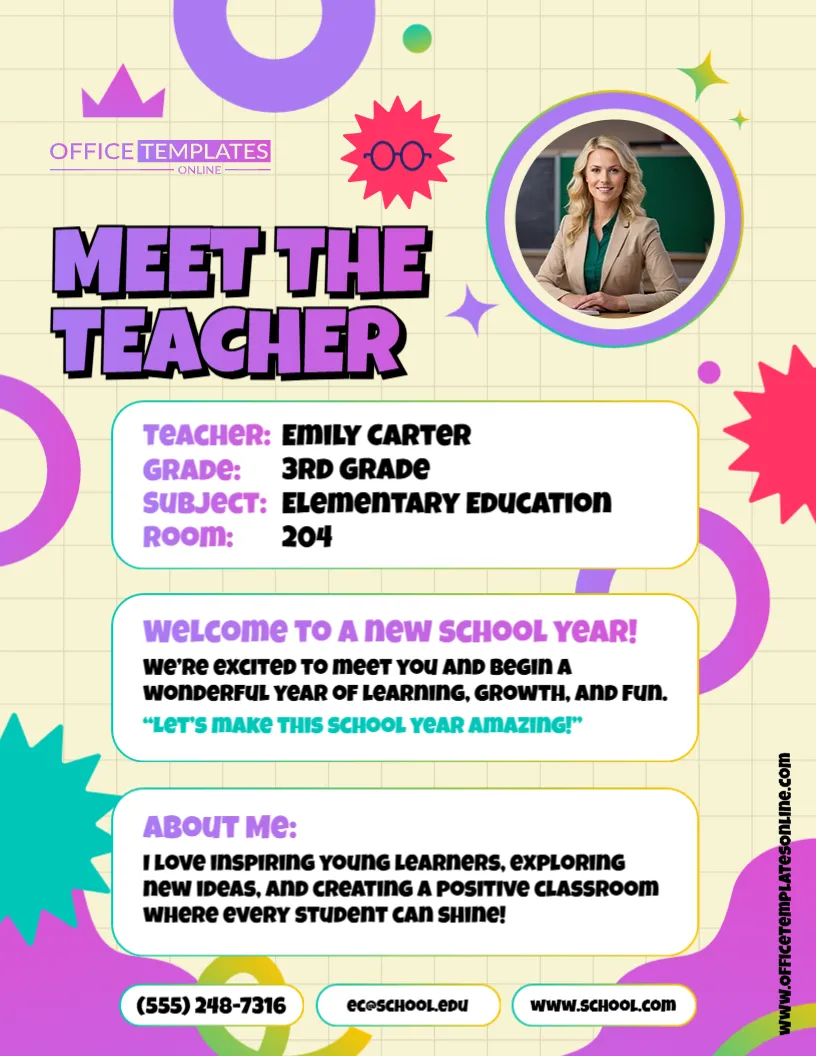
- Meet the Teacher events
- Back-to-school activities
- Teacher introduction boards
- School open houses
- Staff profile displays
- Classroom welcome materials
- Parent orientation
- Faculty introductions
- School newsletters
- Teacher portfolio materials
- Educational program introductions
- Digital school communications
Families and students may find a teacher profile particularly useful when they are preparing to meet a new educator, since it provides relevant background before or during that first introduction.
Useful for New and Experienced Teachers
You do not need many years in education to create a useful teacher profile.
Experienced educators can highlight their years of teaching, areas of expertise, qualifications, and educational philosophy.
New teachers can focus more heavily on their education, subject knowledge, classroom goals, training, and enthusiasm for supporting students.
The sections are customizable, so you can emphasize the information that best represents your actual background instead of trying to fit yourself into the sample content.
Keep Your Profile Clear and Relevant
When personalizing the template, avoid trying to include every professional detail you have.
The visual format works best when each section is concise.
Use a short About Me paragraph, include only relevant educational information, and keep the subjects list focused on areas you actually teach or specialize in. A concise, well-structured teacher profile is generally easier for readers to scan and understand.
Also check names, qualifications, school information, and years of experience carefully before downloading the finished version.
If the profile will be publicly posted, only include personal or professional information that you are comfortable sharing and that follows your school or organization’s policies.
Download Your Finished Profile as PDF, PNG, or JPG
Once all the sample content has been replaced and the design looks the way you want, download your personalized teacher profile in PDF, PNG, or JPG format.
PDF is useful when you want a document-style file for printing or distribution. PNG and JPG provide image versions that can be convenient for digital use and sharing.
Having multiple file formats makes it easier to prepare the same teacher profile for different situations.
Create a Teacher Profile That Feels Like Your Own
A good teacher profile should tell readers more than a name. It should provide a quick picture of who the educator is, what they teach, where their experience comes from, and what they value in the classroom.
This editable Teacher Profile Template gives you a ready-made structure for doing exactly that.
Add your photograph and name, write a short About Me introduction, list your education and subjects, highlight your teaching experience, include a meaningful teaching philosophy, and identify your school or organization.
You can customize everything through the browser-based online editor with no login required. When your profile is complete, download it as a PDF, PNG, or JPG and use it as a polished introduction for students, parents, colleagues, or your wider school community.