See the Whole Month at Once and Plan Teaching Priorities with Confidence
Some teaching responsibilities need more than a daily or weekly view. Assessments may be several weeks away, school events need advance preparation, projects can stretch across multiple lessons, and important deadlines are much easier to manage when the entire month is visible on one page.
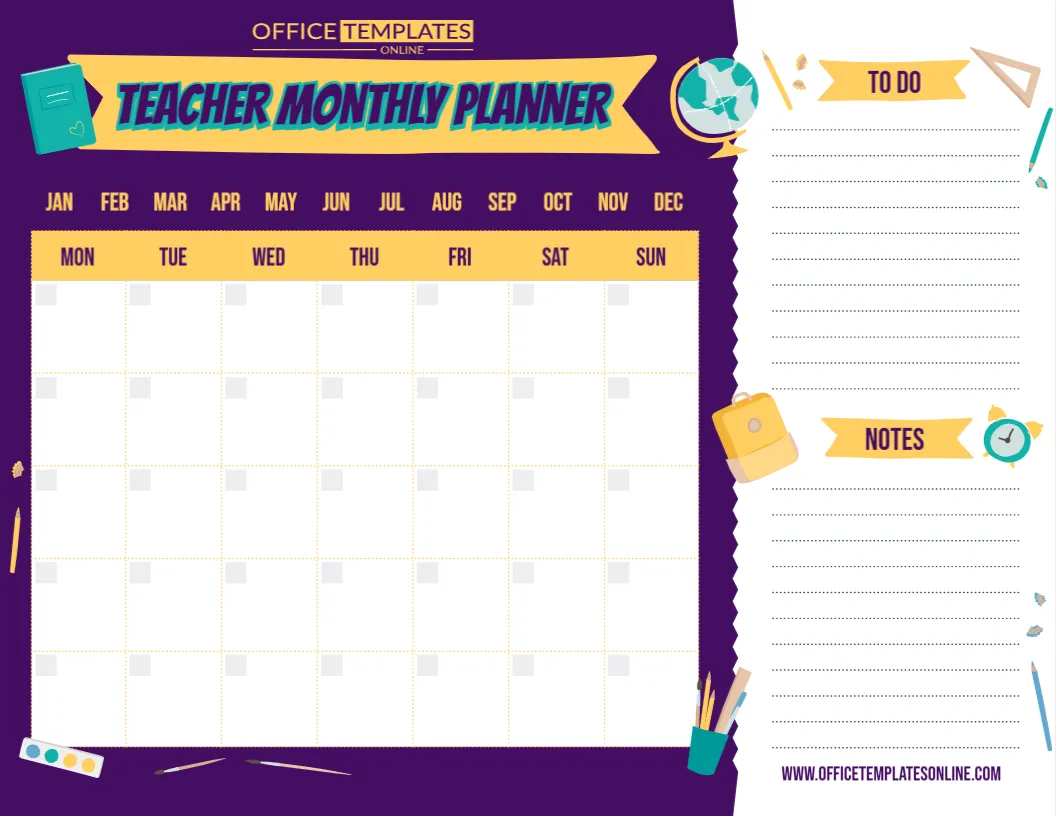
This Teacher Monthly Planner template is designed for that bigger-picture planning. It combines a spacious Monday-to-Sunday monthly calendar with separate To Do and Notes sections, giving teachers one convenient place to organize dates, classroom events, deadlines, reminders, and upcoming priorities.
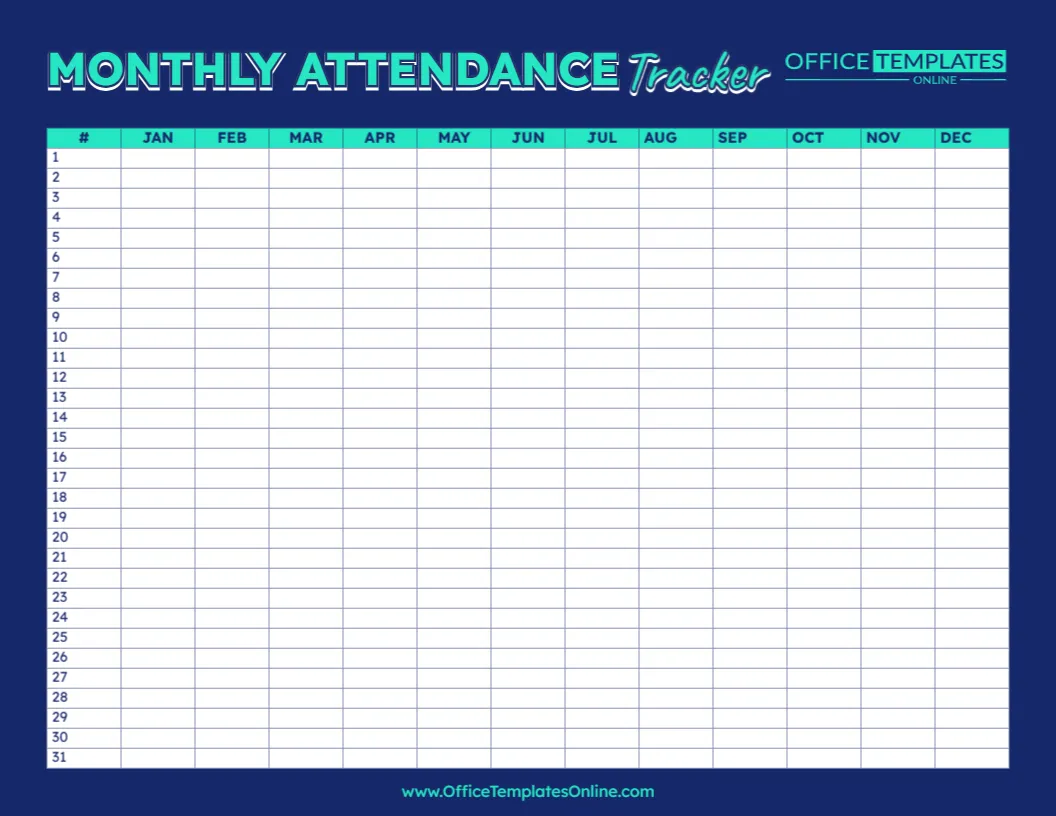
The design also displays January through December across the top, allowing the planner to be adapted for different months of the year.
Instead of starting with a pre-filled calendar, you get a flexible planning layout that can be personalized for your own schedule. Open it in the online editor, customize the available content without logging in, and download your completed planner as a PDF, PNG, or JPG.
One Monthly View for School, Classroom, and Teaching Plans
The main calendar occupies most of the left side of the design.
Seven clearly labeled columns represent:
Monday • Tuesday • Wednesday • Thursday • Friday • Saturday • Sunday
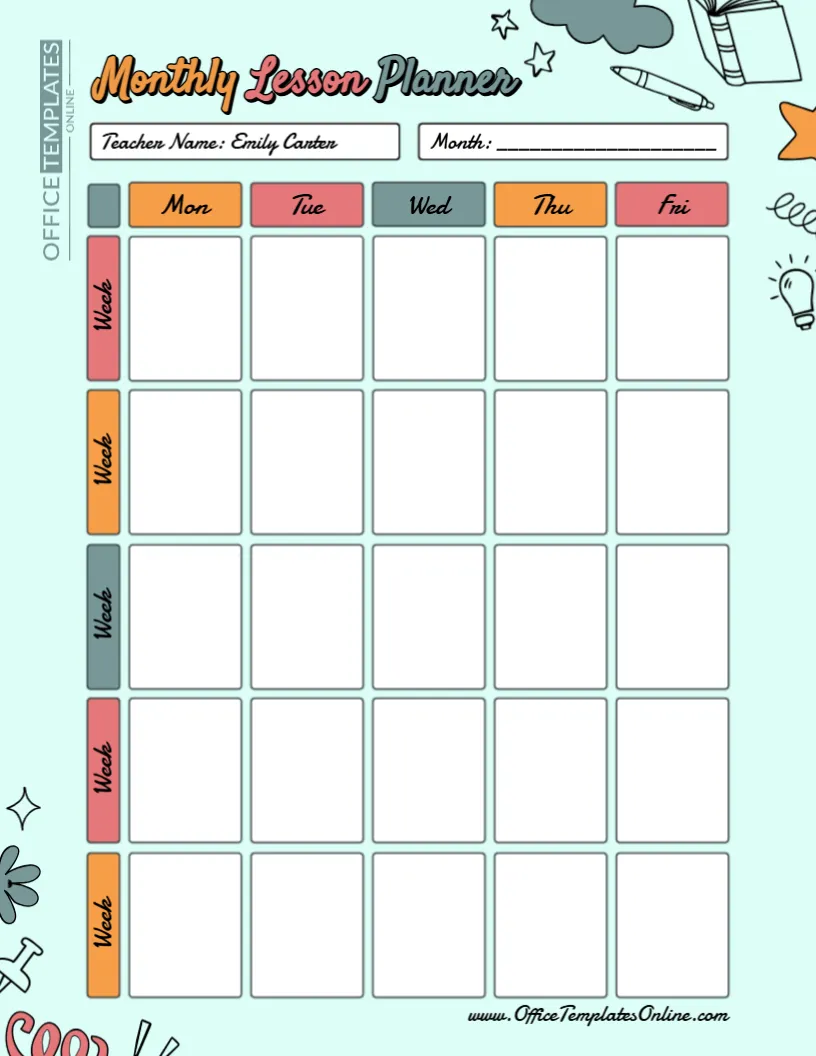
Below them are five rows of spacious calendar boxes. This familiar calendar-style structure gives you room to organize the important parts of a month without spreading information across several separate pages.
You can add dates to match the month you are planning and then fill the relevant boxes with important events, deadlines, lessons, or reminders.
Because weekends are included, you can also record Saturday and Sunday activities when needed.
Choose the Month You Need
Across the top of the calendar, the template displays all twelve months:
JAN • FEB • MAR • APR • MAY • JUN • JUL • AUG • SEP • OCT • NOV • DEC
This makes the design suitable for use throughout the year rather than limiting it to one particular month.
You can prepare a planner for September at the beginning of a school year, create another for December before the holiday period, or use a fresh version for January when classes resume.
The open calendar grid means you can add the dates that correspond with the month and year you are planning.
This also makes the template reusable for different academic years.
What Can Teachers Add to the Monthly Calendar?
The large calendar boxes can be used for many types of information. You do not have to limit them to lesson names.
For example, you might record:
- Tests and assessments
- Assignment deadlines
- Project due dates
- Parent-teacher meetings
- Staff meetings
- School assemblies
- Field trips
- Professional development days
- Report deadlines
- Classroom celebrations
- School holidays
- Special lessons
- Student presentations
- Library or computer sessions
- Sports days
- Art or science projects
- Curriculum milestones
- Preparation deadlines
The goal is to give you an overview of what is coming up during the month so important dates are easier to spot.
Plan Ahead Instead of Looking at One Week at a Time
Weekly planners are useful for immediate tasks, but some responsibilities need to be seen further in advance.
Suppose students have a project due near the end of the month. A monthly planner lets you place the final deadline on the calendar while also marking preparation days, research sessions, progress checks, or presentation dates earlier in the month.
The same approach can be used for assessments.
Rather than noticing an upcoming test only when you reach that week’s plan, you can see it earlier and organize review activities in advance.
This makes the template a useful companion to more detailed daily and weekly planning pages.
Keep Flexible Tasks in the To Do Section
The right side of the template includes a separate To Do area with multiple writing lines.
This section is useful for responsibilities that need attention during the month but do not yet belong to a particular calendar date.
For example, you might write:
Prepare science materials
Finish grading projects
Update classroom display
Order art supplies
Contact parents
Prepare assessment papers
Organize student portfolios
Once you decide exactly when a task should be completed, you can place it on the calendar or simply keep it in the To Do section until it is finished.
This helps prevent general responsibilities from overcrowding the calendar boxes.
Use the Notes Area for Details You Want to Remember
Below the To Do list is a dedicated Notes section.
This area provides additional lined space for information that does not fit naturally into a specific date.
You might use it to record ideas for the following month, reminders from a meeting, classroom supply needs, project details, teaching goals, important follow-ups, or changes to an upcoming activity.
You could also use the Notes section for a short monthly focus.
For example:
Focus this month: Improve independent reading routines.
Or:
Remember: Prepare materials for next month’s science unit.
The section is intentionally flexible so it can change according to your planning needs.
An Undated Teacher Planner with More Flexibility
A major advantage of this design is that the calendar is not permanently tied to one specific month and year.
The calendar boxes are blank rather than pre-filled with fixed dates. This means you can personalize the planner for the period you actually need.
An undated layout can also be useful if you do not plan every month continuously. You can create a new planner when you need one instead of having unused dated pages.
It also makes the same template practical from one school year to another.
Useful at the Beginning of Every Month
A simple planning routine can help you get more value from the template.
At the start of a new month, first add the correct calendar dates. Then enter all fixed events you already know about, such as holidays, meetings, assessment dates, trips, and school activities.
Next, add major teaching deadlines and project milestones.
Use the To Do area for tasks that still need to be scheduled and the Notes section for information you want to keep visible.
Once completed, you will have a one-page overview of the month’s major teaching commitments.
A Colorful Teacher-Focused Design
The template uses a strong purple background paired with yellow, turquoise, orange, and white details.
A large “Teacher Monthly Planner” banner appears at the top, immediately identifying the purpose of the page.
School-themed illustrations surround the planning areas, including a book, globe, stationery, geometry tools, pencils, paint supplies, bag, and alarm clock.
The main calendar itself remains mostly white, with yellow weekday headings and light dividing lines. This helps keep the planning information readable despite the colorful outer design.
The right-hand To Do and Notes panel uses a clean white background, giving longer reminders plenty of visual space.
Monday Through Sunday Means Weekends Are Not Forgotten
Many classroom planners focus only on Monday through Friday. This monthly layout also includes Saturday and Sunday.
Teachers who prefer to keep weekends free can simply leave those boxes blank.
However, the extra columns can be useful when the month includes weekend school events, extracurricular activities, professional development, preparation work, or deadlines that fall outside regular school days.
Homeschool educators may also find the seven-day structure useful when learning activities are not restricted to a traditional Monday-to-Friday timetable.
Customize Your Monthly Planner Online
You do not need to install a separate planning or design application to personalize this template.
Open the Teacher Monthly Planner in the browser-based editor and adjust the available content online.
No login is required to begin customizing.
You can prepare the calendar for your chosen month, add your teaching plans, fill in the To Do section, and use the Notes area for additional information.
The calendar structure, weekday headings, planning sections, and decorative layout are already prepared, so you can concentrate on organizing your month instead of designing a planner from scratch.
How to Personalize the Teacher Monthly Planner
A practical way to complete the template is:
- Choose the month you want to plan.
- Add the correct dates to the Monday-through-Sunday calendar.
- Enter fixed school events and important deadlines first.
- Add assessments, projects, meetings, and major classroom activities.
- Place flexible responsibilities in the To Do section.
- Add useful reminders or extra information under Notes.
- Review the complete month for conflicts or missing dates.
- Make any other available customizations you need.
- Download your finished planner as PDF, PNG, or JPG.
Adding the most important commitments first can help you avoid filling the calendar with minor items before major dates are recorded.
Combine It with Daily and Weekly Teacher Planning
This monthly planner does not have to replace a detailed weekly or daily planner.
Instead, the different formats can work together.
Use the monthly planner for major dates, long-term priorities, school events, assessments, and deadlines.
Use a weekly planner for lessons, meetings, and tasks that need attention during a particular school week.
Use a daily planner when you need more detailed task lists and day-specific preparation.
This Teacher Monthly Planner can therefore act as the broad overview that helps guide your more detailed planning.
Useful for Different Educational Roles
The flexible calendar is suitable for more than one type of educator.
Classroom teachers can plan assessments, projects, meetings, and important school dates.
Subject teachers can track curriculum deadlines and activities across several weeks.
Homeschool educators can organize lessons, trips, projects, and learning goals.
Tutors can record recurring sessions, assessments, and preparation deadlines.
Student teachers can keep track of observations, assignments, teaching practice, and university requirements.
School coordinators can adapt the layout for events, activities, and recurring responsibilities.
Because the calendar boxes are blank, the content can be changed to fit the person using it.
Create Separate Planners for Different Purposes
You can also prepare more than one monthly planner.
One version could focus on classroom lessons and assessments, while another tracks teacher deadlines and administrative responsibilities.
A teacher working with several groups could prepare different planners for different classes.
You could even use one version as a monthly school events calendar and another as a personal teacher planning page.
The open layout allows the same template to serve different organizational purposes.
Download Your Finished Planner as PDF, PNG, or JPG
After completing the month, you can download the customized design in your preferred format.
PDF is useful when you want a document for printing, filing, or sharing.
PNG provides a high-quality image version for digital use.
JPG offers a convenient and widely supported image format for saving and viewing the planner on different devices.
You can select the format that works best for how you intend to use the finished monthly plan.
Put the Bigger Picture of Your Teaching Month on One Page
Daily tasks matter, but teachers also need a clear view of what lies several weeks ahead. This editable Teacher Monthly Planner template provides that broader perspective with a full Monday-to-Sunday calendar, all twelve month labels, a dedicated To Do list, and a spacious Notes section.
Use the calendar for important dates and scheduled commitments, keep flexible responsibilities in the To Do area, and save additional reminders in Notes. With no pre-filled dates controlling how the planner must be used, you can adapt it for different months, years, classes, and teaching needs.
Customize your Teacher Monthly Planner online with no login required, organize your monthly teaching priorities, and download the completed planner as a PDF, PNG, or JPG.