Keep an Entire Year of Attendance Organized on One Simple Tracker
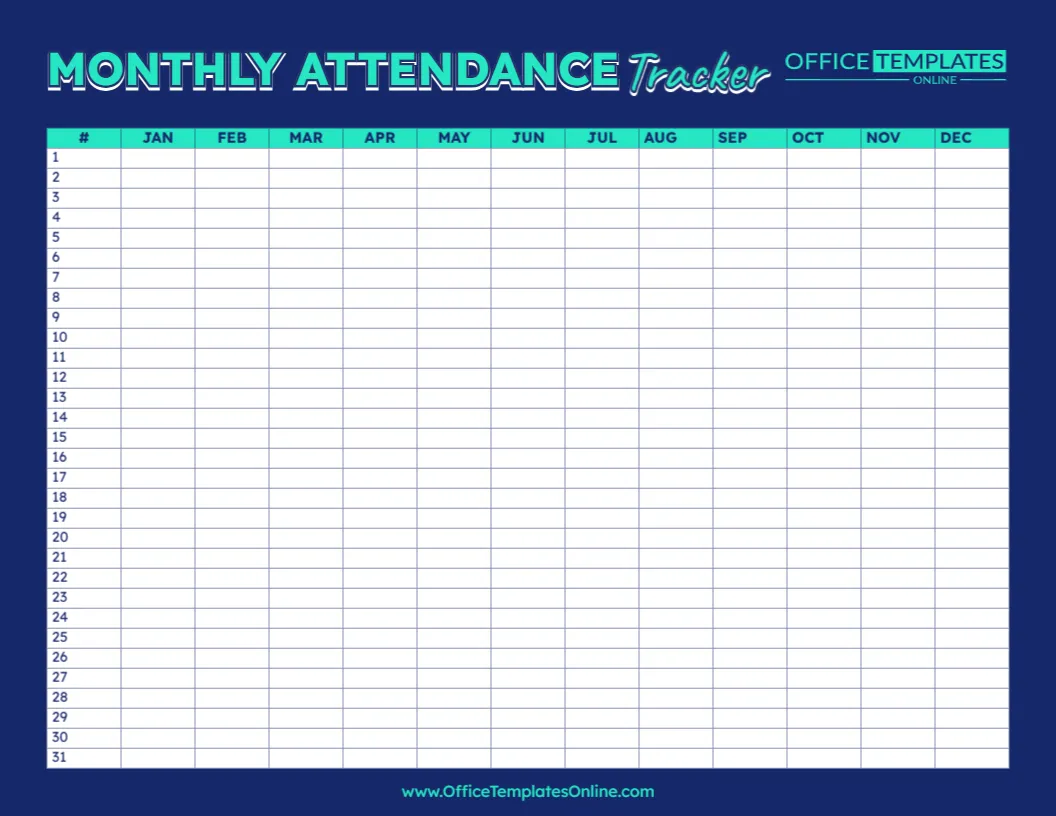
Attendance records can quickly become difficult to follow when information is scattered across separate pages, notebooks, or monthly sheets. This Monthly Attendance Tracker Template offers a different approach: it gives you a clean, year-at-a-glance table where attendance information for all 12 months—from January through December—can be recorded on one page.
The template has 31 numbered rows for the days of the month and separate columns for JAN, FEB, MAR, APR, MAY, JUN, JUL, AUG, SEP, OCT, NOV, and DEC. This creates a simple yearly grid that can be adapted to different attendance-tracking needs.
You can customize the tracker directly in your browser using our easy-to-use online editor. There is no login required to start editing. Once your tracker is ready, download the finished version as a PDF, PNG, or JPG for printing or digital use.
A Different Way to View Monthly Attendance
Many attendance sheets place names down the side and dates across the top. This template uses a different layout.
Here, the months run horizontally across the page, while numbers 1 through 31 run vertically down the left side. Each intersection provides a blank cell where you can enter an attendance mark, code, number, or another short piece of information.
That means you can move down a single month to review its daily entries or move across a numbered row to compare the same calendar day across different months.
Monthly attendance grids are commonly used to keep recurring attendance information together and make records easier to review at a glance.
What Does This Attendance Tracker Include?
The design is intentionally minimal. Instead of adding lots of fields that you may not need, it provides a large, clearly organized tracking table.
The template includes:
- 12 month columns, covering January through December
- 31 numbered rows, allowing entries for every possible calendar date
- Blank tracking cells for entering your preferred attendance information
- A clear, uncluttered table that makes entries easy to locate
- A landscape-style layout that provides room for all 12 months on one page
Because the cells are blank, you are not restricted to a predefined attendance system.
Create an Attendance Code That Works for You
One simple way to use the template is to create short attendance codes.
For example, you might use P for Present, A for Absent, T for Tardy, and E for Excused. These types of short codes are commonly used in attendance trackers because they allow a large amount of information to fit inside a compact grid.
You are free to use a completely different system if that better matches your needs.
For some situations, a check mark may be enough to show attendance. In others, you might use initials, numbers, symbols, or short abbreviations.
The important thing is to choose a system that is easy to understand and use consistently.
How to Read the January-to-December Grid
Using the table is straightforward once you understand its structure.
Suppose you want to record an attendance status for January 10. Find row 10, then move across to the JAN column and enter your chosen mark in that cell.
For an entry on September 22, locate row 22 and then find the SEP column.
This continues throughout the year, giving each numbered day and month its own cell.
For months with fewer than 31 days, simply leave the dates that do not exist blank. For example, April has no 31st day, so that cell does not need an entry.
More Than a Traditional Classroom Attendance Sheet
Although this template fits naturally within teacher resources, its structure makes it more flexible than a standard student roster sheet.
Traditional classroom attendance sheets often place students in rows and dates in columns, allowing teachers to record the status of several students for each day. This particular design is different because its rows represent calendar dates and its columns represent months.
For that reason, it can work especially well when you want to monitor one person, one group, one class, one activity, or one recurring attendance measure across an extended period.
If you need individual records for several people, you could customize or maintain a separate tracker for each person or group, depending on your recordkeeping method.
Useful for Schools, Tutoring, Homeschooling, and Other Activities
The simple month-and-date layout makes this attendance tracking template suitable for many situations.
Teachers may use it as a supplementary classroom record. A tutor could track whether scheduled sessions took place. Homeschooling families could use it to record learning or instruction days. Clubs, study groups, workshops, training sessions, or other recurring programs may also find the layout useful.
Attendance templates are used in a range of settings beyond traditional classrooms, including recurring groups, training, and other activities where participation needs to be recorded.
The template does not contain grade-specific or subject-specific fields, so you can personalize it around the situation you are tracking.
See Attendance Across the Year Without Changing Pages
One of the most useful parts of this design is its January-to-December view.
Instead of looking through 12 completely separate sheets to see entries from different months, you can keep the year’s information together in one compact grid.
This can make it easier to visually review the record and notice periods with more or fewer attendance marks. If you use consistent codes, you can quickly scan the table and identify where particular statuses appear.
The tracker is best suited to simple visual recordkeeping rather than automatic calculations. If you need percentages, automatic totals, or detailed reports, a spreadsheet or dedicated attendance system may be more appropriate.
A Clean Design That Keeps the Focus on the Records
Attendance forms contain a lot of small pieces of information, so an overly decorative layout can make them harder to read.
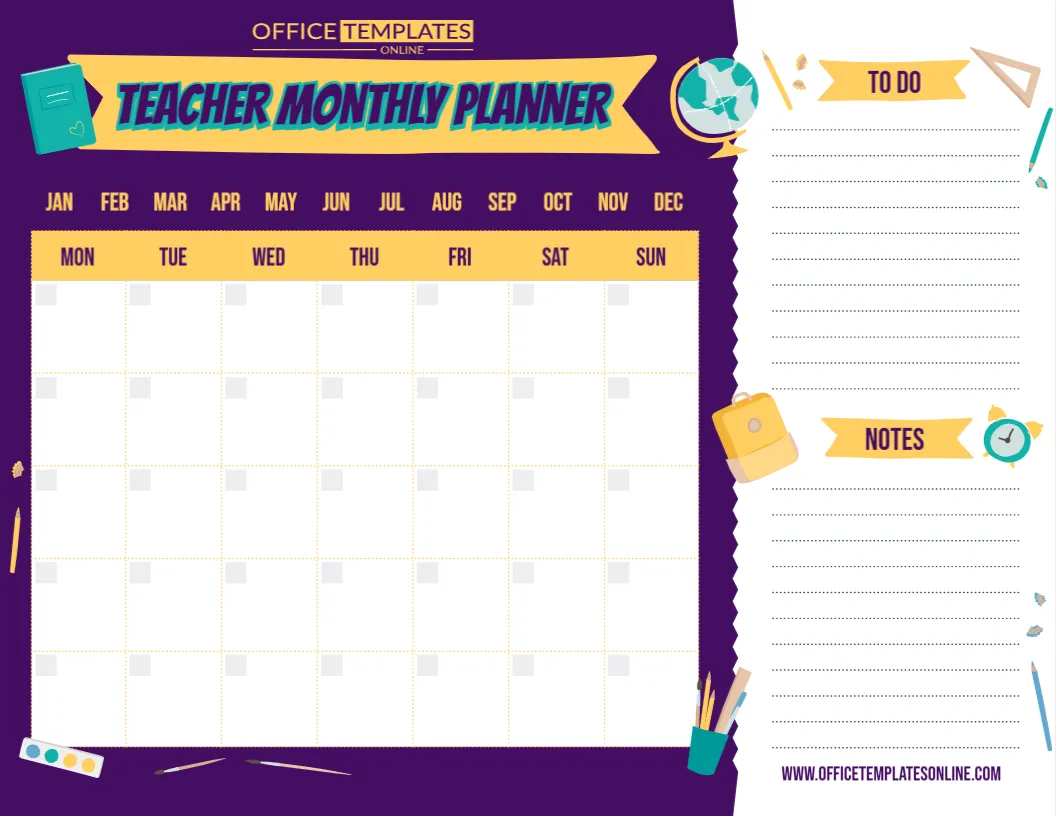
This template uses a clean table design with strong headings and clearly separated cells. The dark background around the table creates contrast, while the highlighted month headings make it easier to move across the year.
Most of the page is dedicated to the actual tracking grid. This gives the template a professional appearance and helps keep the focus on the attendance information rather than unnecessary decoration.
Edit Your Attendance Tracker Online – No Login Required
You do not need to build a 12-month attendance grid yourself.
Open this template in our browser-based online editor and customize the editable content to suit your needs. You can make your changes online without installing special software, and you do not need to create an account or log in to start customizing.
This can save time when you simply need a ready-made attendance tracking layout that you can adapt and use.
Once you are satisfied with the customized version, it is ready to download.
Download in PDF, PNG, or JPG Format
Your completed Monthly Attendance Tracker can be downloaded as a PDF, PNG, or JPG.
Choose PDF when you want a convenient version for printing or storing with other records. A printed copy can be placed in a teacher binder, attendance folder, clipboard, or other recordkeeping location.
Choose PNG or JPG when you prefer an image version that can be stored or viewed digitally.
Having multiple download formats means you can decide how you want to use the finished tracker rather than being limited to one file type.
Tips for Keeping Your Attendance Records Easy to Understand
A little consistency can make an attendance tracker much easier to use later.
Choose your attendance codes before you begin and use the same codes throughout the tracker. If other people may need to read the sheet, make sure they understand what each abbreviation or symbol means.
Enter information regularly instead of trying to reconstruct several weeks of attendance from memory. It can also be helpful to review the tracker periodically so missing entries can be identified while the information is still easy to verify.
If you use the template as a supplementary record in a school or organization, remember that it may not replace any official attendance system or recordkeeping procedure required by that institution. Similar printable classroom attendance resources also make this distinction.
When Is This Template a Good Choice?
This template works particularly well when you want a simple visual record covering January through December and do not need complicated calculations or reporting features.
It may be a good fit for:
Year-long attendance tracking when you want every month visible together.
Individual attendance records when one sheet is maintained for a particular person or participant.
Homeschool records for marking instruction or learning days.
Tutoring records for keeping track of scheduled sessions.
Clubs and recurring activities where participation happens throughout the year.
Supplementary teacher records when you want a quick visual tracker alongside another official attendance system.
Its strength is simplicity: 31 rows, 12 months, and a clear space for each entry.
One Page, 12 Months, and a Clearer Attendance Record
When all you need is a straightforward way to record attendance throughout the year, an uncomplicated grid can be more useful than an overloaded form.
This free editable Monthly Attendance Tracker Template provides a clear January-to-December layout with numbered rows from 1 to 31, giving you a convenient place to maintain daily attendance marks across the year.
Personalize the tracker using the online editor with no login required, choose the attendance codes or information that work for you, and then download your completed template as a PDF, PNG, or JPG.
Whether you use it for teaching, tutoring, homeschooling, training, or another recurring activity, the template gives you a simple way to keep a full year of attendance information organized and easy to review.