A Sunny Dining Room Photo for Restaurant Members
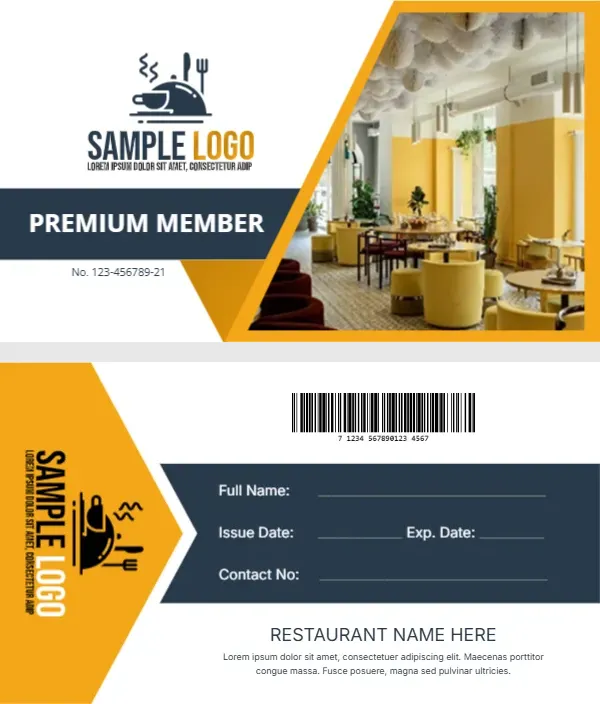
The front shows a bright restaurant interior with yellow walls, round tables and soft armchairs inside a slanted frame with yellow edges. On the left, a black cloche and cutlery logo sits above a navy PREMIUM MEMBER band and a small member number. The back uses a yellow chevron that holds the logo turned on its side, with a barcode at the top, a navy band with write in fields and the restaurant name at the foot.
Slanted Photo and Chevron Back
At 3.5 by 2 inches it fits any wallet slot. The back has lines for full name, issue and expiry dates and contact number in the navy band, then RESTAURANT NAME HERE and a short placeholder paragraph.
Restaurant Name and Member Perks
Replace RESTAURANT NAME HERE and the Lorem paragraph with your name and one clear perk, for example 10 percent off for members, Sunday to Thursday. Retype the member number on the front so each card is unique, and swap the dining room photo for your own room so regulars recognise it.
Personalising the Restaurant Card
- Replace the cloche logo.
- Type the restaurant name.
- Rewrite the Lorem perk line.
- Swap the interior photo.
- Set each member number.
Simple Perks That Work
Members return for easy rewards: a free dessert on birthdays, priority table booking or a set discount. Keep the rule short enough to fit on two lines.
Linking the Barcode to Your Till
If your till system scans member cards, generate barcodes from your member numbers. If not, delete the barcode and use the space for opening hours.
A Photo of Your Own Dining Room
A clear shot of your room in daylight works best. Shoot from a corner to show depth, then crop it to the slanted frame.
Printing the Yellow and Navy Card
Matte card keeps the yellow warm and stops glare on the photo. Print a test sheet and check both sides line up.
Handing Out Cards at the Table
Leave a card with the bill for regulars, or offer one when a guest books a second visit. A personal handover means more than a stack by the door.
Tracking Restaurant Members
Keep a list of numbers and names so lost cards can be replaced.
Step by Step Editing of the Restaurant Yellow Interior Design
- On the restaurant yellow interior design, click the main headline and type your own words, keeping a similar length.
- Retype every name, date and contact line on the restaurant yellow interior design, checking each against a trusted source.
- Search the restaurant yellow interior design for the words Lorem and Company so that no placeholder remains.
- Click any logo or photo on the restaurant yellow interior design, choose Replace Image and resize the new picture to fit.
- Zoom the restaurant yellow interior design to full size and read each line aloud before you save it.
- Keep a clean master of the restaurant yellow interior design without private details, so later versions start tidy.
Compare it with the store membership card. You may also like the stamp loyalty card. For comparison, open the club membership card. Find more designs next to the restaurant yellow interior design in membership card templates.