A Crimson Frame and a Ribbon Banner for Club Members
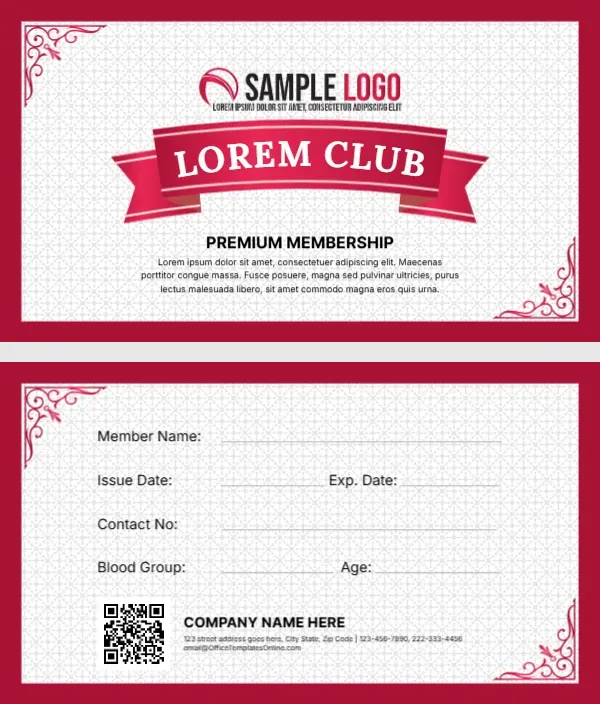
A thick crimson border surrounds a white panel with a faint lattice pattern and pink scroll ornaments in two corners. A red and black swoosh logo sits at the top, and a bold red ribbon banner carries LOREM CLUB in white serif capitals. PREMIUM MEMBERSHIP sits under the ribbon with a short placeholder paragraph. The back has the same frame, write in lines, a QR code and a company block.
Ribbon Front and Lined Back
The card is a standard 3.5 x 2 inches. The back lists member name, issue and expiry dates, contact number, blood group and age, with a QR code and a company name, address, phones and email at the foot.
Club Name, Paragraph and Email
Type your club name on the ribbon, keeping it short so it stays inside the banner. Replace the Lorem paragraph with a line about benefits. The company block on the back uses the template site’s email, so swap it for yours.
Personalising the Ribbon Card
- Type the club name on the ribbon.
- Swap the swoosh logo.
- Rewrite the Lorem paragraph.
- Update the company block.
- Link the QR code.
Long Club Names on a Ribbon
The ribbon fits about ten letters at full size. For longer names, reduce the font size or use initials, such as RCC for Riverside Cricket Club.
Uses Beyond Sports
The classic frame suits book clubs, social clubs, rotary groups and alumni associations. Change PREMIUM MEMBERSHIP to Life Member or Annual Member as needed. For a society that meets monthly, the classic look also works as a pass for the meeting room door.
A QR Code for Club News
Link the QR code to a members page with events and fees, so the card stays useful after sign up.
Printing a Crimson Border
The red border runs to the card edge. Print on a larger sheet with bleed and trim, or ask a print shop for full bleed cards.
Signing Cards at Meetings
Hand out new cards at the next club meeting and ask members to check their details. A quick check at the meeting catches spelling mistakes in names before the cards are laminated.
Keeping Club Records
Note each member and card date in your club register.
Step by Step Editing of the Lorem Club Crimson Ribbon Design
- On the lorem club crimson ribbon design, click the main headline and type your own words, keeping a similar length.
- Retype every name, date and contact line on the lorem club crimson ribbon design, checking each against a trusted source.
- Search the lorem club crimson ribbon design for the words Lorem and Company so that no placeholder remains.
- Click any logo or photo on the lorem club crimson ribbon design, choose Replace Image and resize the new picture to fit.
- Zoom the lorem club crimson ribbon design to full size and read each line aloud before you save it.
- Keep a clean master of the lorem club crimson ribbon design without private details, so later versions start tidy.
For comparison, open the VIP club member card. Consider the sports club membership card. Similar designs include the fan club membership card. Looking beyond the lorem club crimson ribbon design? See all membership card templates.