A Leaf Profile Logo and an Ornate Photo Frame for Spa Members
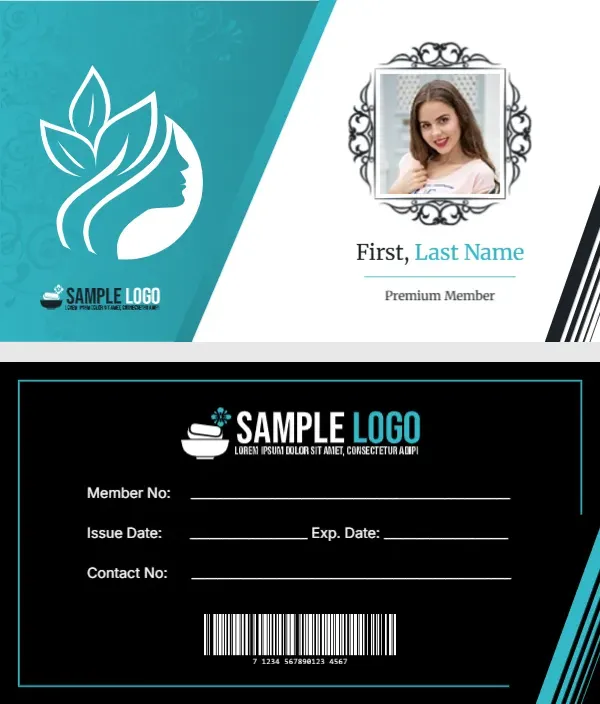
A teal panel with a faint floral pattern fills the left side of the front, holding a white line drawing of a woman’s profile with leaves in her hair. A small spa logo with a bowl and stones sits below it. On the white right side, a member photo sits inside a black ornate frame, with First, Last Name in black and teal and Premium Member in grey. Black stripes cut the lower right corner. The back is black with a thin teal frame.
Photo Front and Black Back
The card is 3.5 x 2 inches. The back carries the logo, lines for member number, issue and expiry dates and contact number, and a barcode, all in white on black.
Member Photo and Name
Replace the sample photo with each member’s picture and type the first and last name. The photo frame is a fixed graphic, so crop the photo square so it fits the opening neatly. Change Premium Member to the member’s tier if you have several.
Personalising the Spa Card
- Swap both logos.
- Add each member photo.
- Type the member name.
- Set the tier line.
- Fill the back fields.
Why a Photo Helps
A photo stops cards being shared between friends, which matters when the card gives a discount or prepaid sessions. Staff can glance at the photo at check in without asking for other ID, which keeps the front desk moving at busy times.
A Booking Line on the Black Spa Back
The design has no address or phone. Add a line on the back under the barcode so clients can book their next visit.
Prepaid Packages
Many spas sell session bundles. Add a small Sessions Left box on the back and mark it each visit. Use a small hole punch or a stamp for each used session, and print the box large enough for ten marks.
Printing Teal and Black
Teal and black print well on matte card. Check the photo is sharp at this small size.
Issuing Cards at Reception
Take the photo at the first visit and print the card while the client is in treatment.
Keeping Spa Member Records
Log each card number, tier and expiry date.
Step by Step Editing of the Spa Salon Teal Photo Frame Design
- On the spa salon teal photo frame design, click the main headline and type your own words, keeping a similar length.
- Retype every name, date and contact line on the spa salon teal photo frame design, checking each against a trusted source.
- Search the spa salon teal photo frame design for the words Lorem and Company so that no placeholder remains.
- Click any logo or photo on the spa salon teal photo frame design, choose Replace Image and resize the new picture to fit.
- Zoom the spa salon teal photo frame design to full size and read each line aloud before you save it.
- Keep a clean master of the spa salon teal photo frame design without private details, so later versions start tidy.
Similar designs include the beauty salon membership card. Compare it with the wellness center membership card. You may also like the store membership card with a photo. Find more designs next to the spa salon teal photo frame design in membership card templates.