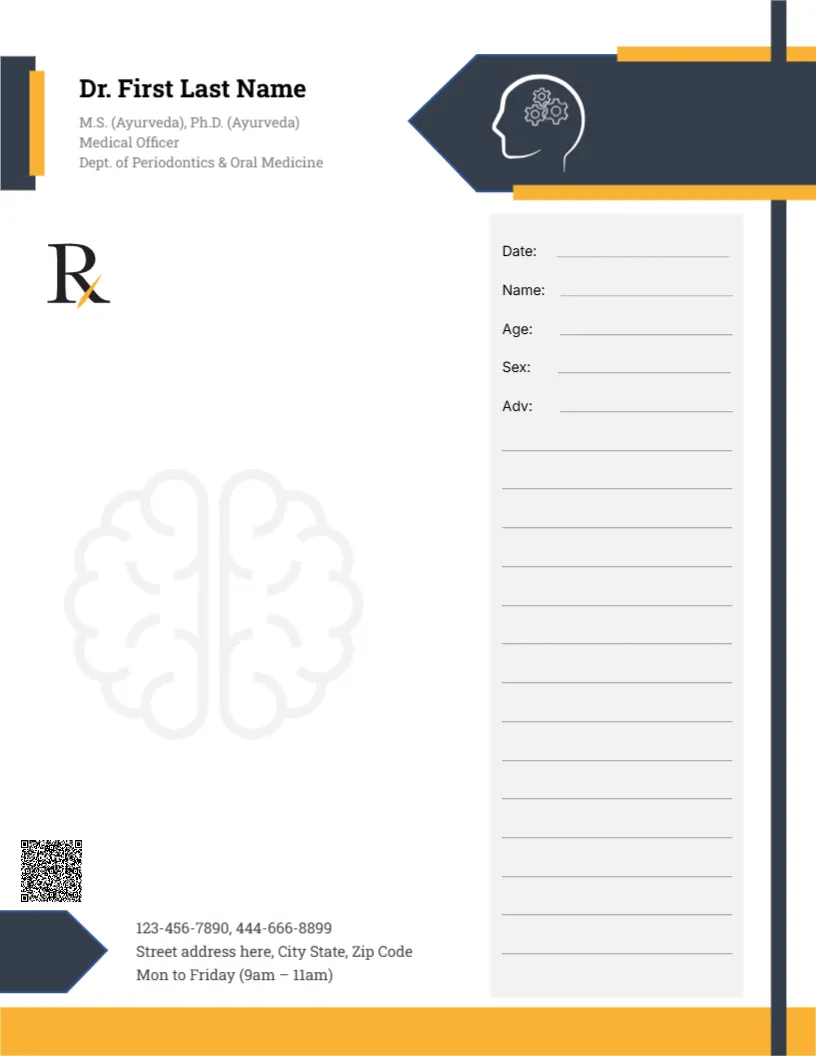
A Head and Gears Icon With Yellow Accents for a Psychiatrist
A charcoal arrow banner points in from the right of this pad, holding a white outline of a head with gears inside, with yellow bars above and below it. A charcoal and yellow tab sits beside the doctor’s name in black serif and the credentials in grey. The Rx symbol with a yellow cross sits at the left, a faint brain watermark fills the middle, and a grey panel on the right holds Date, Name, Age, Sex and Adv lines. A QR code, phones, address and hours sit at the foot above a yellow bar. It gives a mental health practice a thoughtful, modern look without feeling clinical.
Patient Panel on the Right
The page is 8.5 x 11 inches. A tall charcoal line runs down beside the grey panel, giving the page a strong vertical structure.
Credentials Need Replacing
In grey under the serif name, the sample lists Ayurveda and periodontics, which have nothing to do with psychiatry. For a psychiatrist, replace it with your medical degree, psychiatry qualification and registration number.
Setting Up the Psychiatrist Pad
- Type the doctor’s name.
- Replace the credentials.
- Update hours and contacts.
- Replace the QR code.
- Order pads.
Sensitive Prescriptions
Psychiatric medicines may be subject to extra controls. Check your local rules on prescription forms, since this is a layout, not medical or legal advice.
Privacy for Mental Health Notes
Mental health information is especially sensitive. Keep copies secure and share only as permitted.
Printing Charcoal and Yellow
The colours print boldly on white paper. Yellow can fade on some printers, so make a test print first.
Therapy Notes
The pad can also hold short notes for patients about therapy appointments or routines. Keep these notes brief and supportive.
Calm Watermark
Keep the brain watermark faint for readability. A faint watermark keeps the page calm.
Gummed Pads for the Psychiatry Office
Order gummed pads from a print shop. Ask for card backing so pads stay flat in a drawer.
Using the Psychiatrist Pad
Keep pads in a secure drawer.
Step by Step Editing of the Psychiatrist Brain Gears Design
- On the psychiatrist brain gears design, click the main headline and type your own words, keeping a similar length.
- Retype every name, date and contact line on the psychiatrist brain gears design, checking each against a trusted source.
- Search the psychiatrist brain gears design for the words Lorem and Company so that no placeholder remains.
- Click any logo or photo on the psychiatrist brain gears design, choose Replace Image and resize the new picture to fit.
- Zoom the psychiatrist brain gears design to full size and read each line aloud before you save it.
- Keep a clean master of the psychiatrist brain gears design without private details, so later versions start tidy.
For comparison, open the red shield doctor pad. Consider the cardiologist pad. Similar designs include the gynecologist pad. The rest of the series around the psychiatrist brain gears design is in letterhead templates.