A Baby Icon and Navy Header for a Gynecologist’s Pad
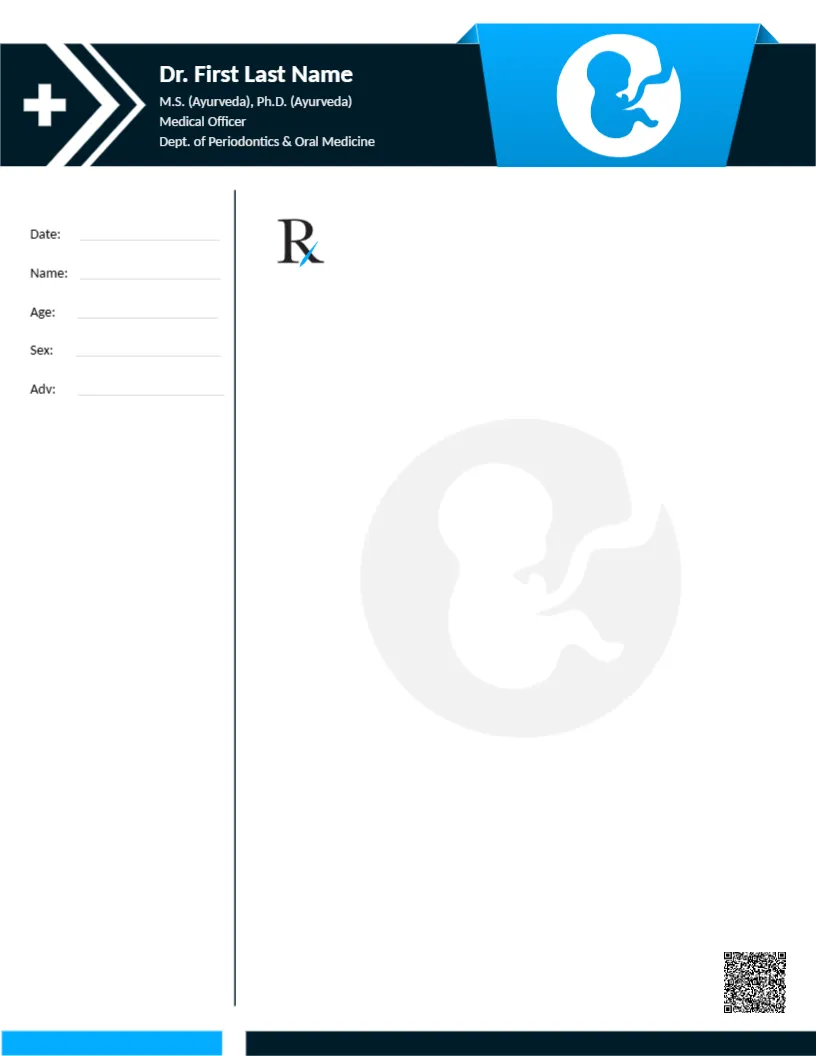
A navy header runs across the top of this pad, with a white cross and two chevrons at the left and the doctor’s name and credentials in white. A blue ribbon shape at the right holds a white circle with a curled baby icon. A thin vertical rule divides a left column with Date, Name, Age, Sex and Adv lines from a large Rx area, where a faint baby watermark sits. A QR code sits at the lower right, and blue and navy bars close the foot. It suits obstetric and women’s health clinics that want a warm but professional pad.
Patient Column on the Left
The page is 8.5 x 11 inches. The large Rx area suits longer notes, such as pregnancy advice or test requests.
Credentials and Missing Contacts
The white header lines list Ayurveda and dental periodontics, which do not match obstetrics and gynecology. For a gynecologist, replace it with your medical degree, obstetrics and gynecology qualification and registration number. The pad has no phone or address, so add them near the QR code.
Setting Up the Gynecologist Pad
- Type the doctor’s name.
- Replace the credentials.
- Add phone and address.
- Replace the QR code.
- Order pads.
Notes for Expectant Mothers
The baby icon suits obstetric practices. The pad can hold reminders about scans, vitamins or follow up visits. Pregnancy care involves many appointments, so clear notes help patients keep track.
Prescribing in Pregnancy
Medicines in pregnancy need careful prescribing. Follow local regulations and clinical guidance, since this is a layout only.
Printing Navy and Blue
The colours print well on white paper. Check that the baby icon stays crisp in the blue ribbon.
Clinic Phone and Address for Patients
Add the clinic phone and address so patients can call with questions. A number for out of hours advice is especially useful for expectant mothers.
Privacy
Store copies securely. Women’s health records are highly sensitive.
Pads Bound for Busy Clinics
Order gummed pads from a print shop. Bound pads keep sheets tidy in busy clinics.
Using the Gynecologist Pad
Keep pads in each consulting room.
Step by Step Editing of the Gynecologist Baby Icon Design
- On the gynecologist baby icon design, click the main headline and type your own words, keeping a similar length.
- Retype every name, date and contact line on the gynecologist baby icon design, checking each against a trusted source.
- Search the gynecologist baby icon design for the words Lorem and Company so that no placeholder remains.
- Click any logo or photo on the gynecologist baby icon design, choose Replace Image and resize the new picture to fit.
- Zoom the gynecologist baby icon design to full size and read each line aloud before you save it.
- Keep a clean master of the gynecologist baby icon design without private details, so later versions start tidy.
A related layout is the pediatric pad. Also worth a look: doctor pad. Next to try is the cardiologist pad. Find more designs next to the gynecologist baby icon design in letterhead templates.