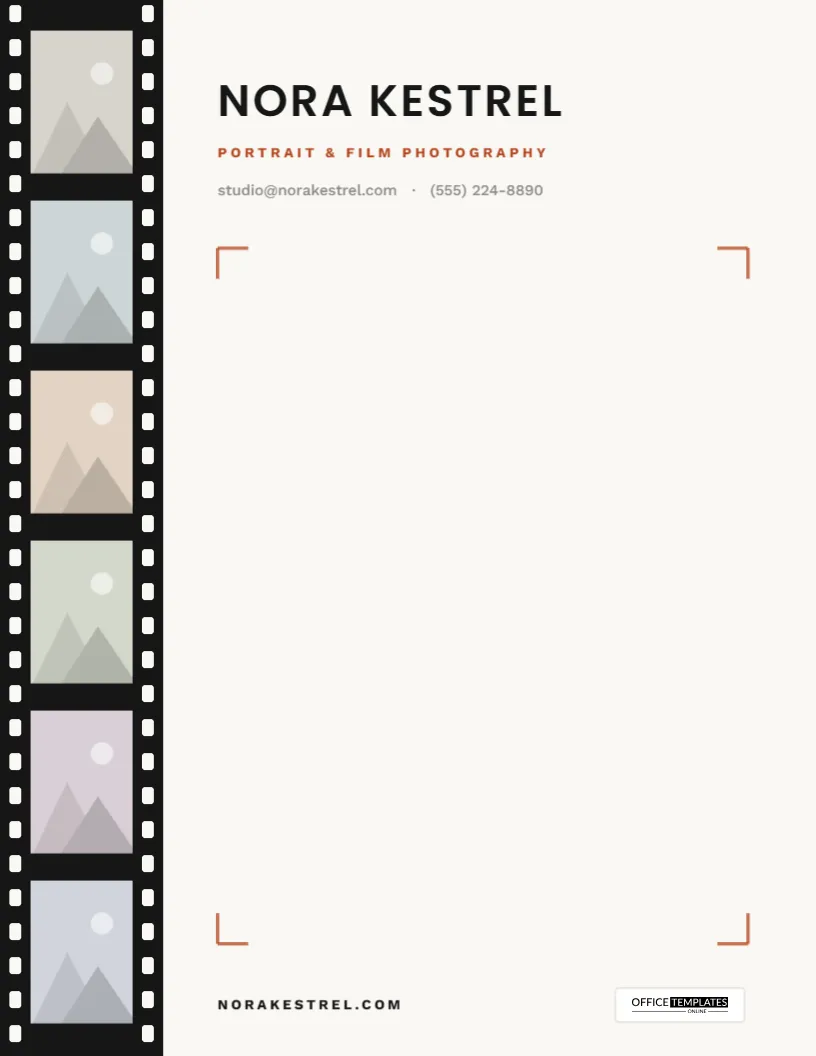
Before digital cameras, photographers judged their work on contact sheets: every frame of a roll printed small on a single page, sprocket holes and all. This Photographer Letterhead Template brings that idea to your stationery. A strip of film runs down the left edge of the page and holds six of your own images, so every letter you send carries a small, curated portfolio with it. The rest of the page is calm and open, framed by the kind of corner marks you see through a camera’s viewfinder.
A Contact Sheet on Every Letter
The film strip is a full-height black band on the left, about 1.7 inches wide on the printed page, with a row of sprocket holes along each edge. Inside it, six photo frames sit one above another, each a little taller than it is wide. Every frame is a replaceable image slot, so you can fill the strip with six images from one shoot, six shots that show your range, or a mix of portraits and details from your favorite sessions.
To the right of the strip, your name is set in wide-spaced Poppins capitals, with Portrait & Film Photography in a warm rust below and your email and phone in soft gray. At the foot of the page, your web address sits on the left and the Office Templates Online logo on a small white plate on the right. The page itself is a soft paper white rather than a stark one, which flatters photographs.
Choosing Six Frames That Tell Your Story
This is the fun part, and the part that deserves the most thought. Six frames are enough to tell a story but few enough that every one has to earn its place. A few approaches that work well:
- One session, start to finish: For a wedding photographer: getting ready, the first look, the ceremony, portraits, the reception, the send-off. The strip reads like the day itself.
- Your range: A headshot, a family portrait, a detail shot, a landscape, an event candid, a product image. Useful if you shoot many kinds of work.
- A single mood: Six images that share a palette, all warm golden hour or all moody black and white. The strip becomes a swatch of your style.
- Tailored to the client: Writing to a couple about an engagement shoot? Fill the strip with engagement work. Writing to a business? Use headshots and brand images.
Whatever you choose, keep the tones consistent. Mixing heavy color and black and white in the same strip tends to look accidental. Because the frames are portrait-shaped, vertical images crop least; with horizontal images, keep the subject near the center.
Mistakes That Weaken a Film Strip
- Too much detail: Each frame is only about an inch and a half tall on paper. Wide group shots and intricate scenes turn to noise; close-ups, strong shapes, and clear subjects hold up.
- Six of the same: Six near-identical portraits look like a mistake rather than a sequence. Vary distance and angle: one wide, one medium, one close.
- Clashing edits: A bright, airy edit next to a dark, contrasty one pulls the eye in two directions. Stick to one editing style per strip.
- Forgetting who is reading: A corporate client does not need boudoir work in the margin of their invoice letter. Keep a few versions of the letterhead for different audiences.
Inside the Viewfinder
Four thin rust brackets mark the corners of the writing area, just like the focus frame in a camera. They give the blank page a subtle structure and a clear space to write in, without boxing it in. Type or print your letter inside them, and the page feels composed, the way a well-framed shot does.
Loading Your Images
- Open the template in the editor.
- Click the first frame in the film strip and choose Replace Image. Upload your photo; the frame keeps its size, and the image is cropped to fill it.
- Repeat for the other five frames. If you want fewer photos, delete a frame or use the same image twice.
- Click Nora Kestrel to type your name, then update the specialty line, email, phone, and web address.
- Download as a PDF for printing and email, or as a PNG or JPG.
The film strip itself, the black band and all its sprocket holes, is a single group, so clicking near the edge of the page won’t pick up individual holes by accident.
Paper, Ink and Color for Photographers
Photographers are rightly particular about print quality, so a few notes. The page is US Letter (8.5 x 11 in), portrait. Export the PDF and print at 100% scale. The film strip sits at the very edge of the page, and most desktop printers can’t print right to the edge, so expect a thin white margin unless you use a borderless printer or a lab that offers full-bleed printing. Matte or lightly textured paper suits the soft background and keeps the photos from glaring. If color accuracy matters, run one test print and compare the frames with your screen before printing a batch.
For email, the PDF is ideal: it keeps the photos sharp and the layout fixed on any screen.
When Photographers Reach for It
Booking confirmations and session prep guides. Pricing and package letters. Cover letters for wedding contracts. Thank-you notes with gallery delivery details. Print order confirmations. Collaboration pitches to planners, venues and magazines. Model release cover letters. In short, any time the letter should look like it came from someone with an eye.
Before You Ask
Can I change the rust accent color?
Yes. Click the brackets or the specialty line and pick a new color from the toolbar.
Is there room for a logo?
Add your logo image from the toolbar; the open space to the right of your name, above the top brackets, works well.
Can the film strip be a different color?
You can ungroup the strip and recolor its parts, though black is what makes it read as film.
Does it work for videographers?
It does, and the film strip suits motion work especially well. Use six stills from your best projects and change the specialty line.
Your work is the best introduction you have. Load six favorite frames, add your details, and download your photographer letterhead.