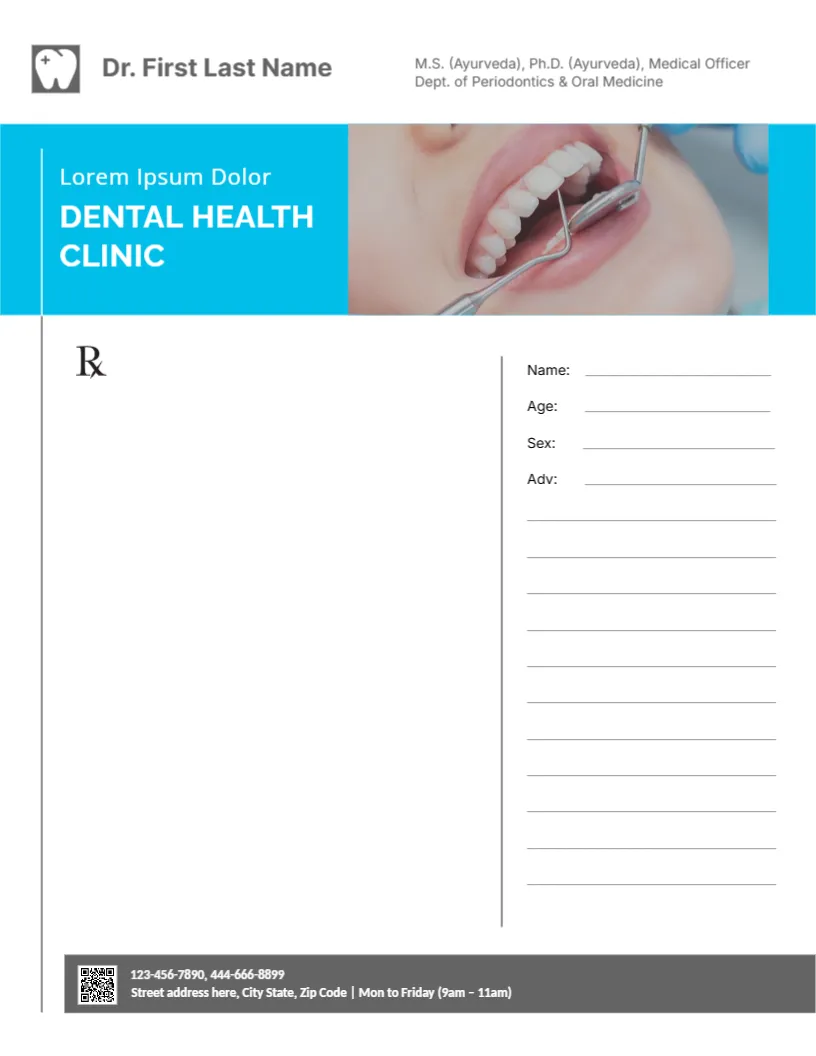
A Dental Check Up Photo and Cyan Banner on a Prescription Pad
A grey tooth icon and the doctor’s name in dark grey sit at the top of this pad, with the credentials in smaller grey type at the right. Below, a wide cyan banner reads Lorem Ipsum Dolor and DENTAL HEALTH CLINIC in white beside a close up photo of a dentist examining a patient’s teeth with a mirror and probe. The page splits into a large Rx area on the left and a ruled column on the right with Name, Age, Sex and Adv lines. A grey footer bar holds a QR code, phones, the address and clinic hours.
Rx Area and Patient Column
The page is 8.5 x 11 inches, US letter size. A thin grey rule divides the page so the dentist writes the prescription on the left while patient details and advice go in the ruled column on the right.
Credentials, Clinic Name and Hours
Under the name, the sample lists an Ayurveda master’s and doctorate and a post in a periodontics department. A dentist normally lists dental degrees such as BDS, DDS or DMD and a registration number, so replace the line with your actual qualifications. The banner line Lorem Ipsum Dolor needs your clinic tagline, and the footer hours read Mon to Friday (9am to 11am), which you should update.
Setting Up the Dental Pad
- Type the dentist’s name.
- Replace the credential line with real qualifications.
- Replace the Lorem tagline and clinic name.
- Update phones, address and hours.
- Swap the photo and QR code.
Rules for Prescription Forms
Many countries set rules on what a prescription must show, such as the prescriber’s registration number, the patient’s details and a signature, and some medicines need special forms. This pad is a layout, not legal or medical advice, so check what your regulator requires before using it for prescriptions.
Using the Pad for Advice Notes
Even where electronic prescribing is standard, dentists use printed pads for aftercare advice, referral notes and treatment plans. The ruled Adv column suits short instructions, such as rinse with salt water twice a day.
Replacing the Clinic Photo
The photo shows a generic dental examination. Use a photo of your own clinic or team for a more personal touch, cropped to the same width as the banner.
Printing Pads in Bulk
Print shops can bind sheets into tear off pads of 50 or 100. Ask for a gummed top edge and a card backing so pads stay neat on the desk.
Patient Privacy
Prescriptions and advice notes contain personal health information. Store copies securely and follow your local data protection and record keeping rules.
A QR Code for Bookings
Link the QR code to your online booking page so patients can book their next check up straight from the note.
Using the Dental Prescription Pad
Keep a stack in each surgery room.
Step by Step Editing of the Dental Health Clinic Photo Cyan Design
- On the dental health clinic photo cyan design, click the main headline and type your own words, keeping a similar length.
- Retype every name, date and contact line on the dental health clinic photo cyan design, checking each against a trusted source.
- Search the dental health clinic photo cyan design for the words Lorem and Company so that no placeholder remains.
- Click any logo or photo on the dental health clinic photo cyan design, choose Replace Image and resize the new picture to fit.
- Zoom the dental health clinic photo cyan design to full size and read each line aloud before you save it.
- Keep a clean master of the dental health clinic photo cyan design without private details, so later versions start tidy.
You may also like the dentist pad with a cyan arc. For comparison, open the Lorem dental clinic pad. Consider the blue tooth prescription pad. The rest of the series around the dental health clinic photo cyan design is in letterhead templates.