A Heptagon Photo Frame and a Part Time Employee Pill
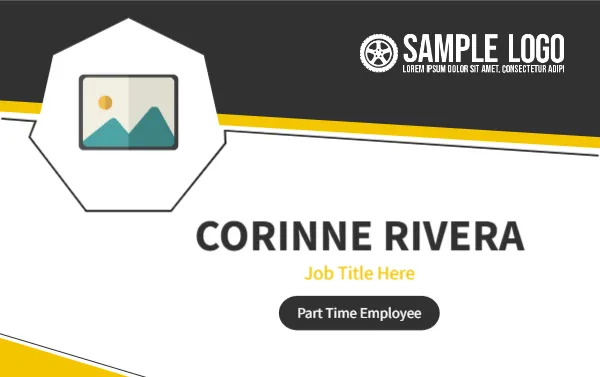
A black header with a white SAMPLE LOGO and a yellow stripe runs across the top of this landscape card. A seven sided white frame holds the photo placeholder on the left. CORINNE RIVERA sits in bold dark capitals to the right, with Job Title Here in yellow and a black pill reading Part Time Employee beneath.
A Standard Wallet Card Size
The card is 3.375 x 2.125 inches. It fits a standard badge holder and a wallet, so part time staff can keep it with their other cards.
Name, Title and Status Pill
Type the employee name, then replace Job Title Here with the role. The black pill states the employment type. Keep it as Part Time Employee, or change it to seasonal or casual, and swap the sample logo, which has a wheel icon.
Preparing the Part Time Card
- Add the photo.
- Type the name and role.
- Edit the status pill.
- Swap the logo.
- Print and laminate.
Labelling Employment Type
Showing the status on the card helps customers and colleagues understand who is on shift, especially in shops, events and restaurants with a mix of staff. It also stops confusion about who may sign things.
A Yellow Stripe for Visibility
The yellow stripe adds a strong accent, which helps the card catch the eye on a dark uniform. It also separates the header from the white body, so the logo stays crisp.
A Seven Sided Photo Frame
The heptagon is a distinctive shape. It frames a face well, but the corners cut the edges, so keep the head well inside the frame and avoid wide group photos.
Short Contracts and Reissue
Part time staff come and go, so you may issue many cards. Keep a master file and a log of names and dates, and collect the cards when someone leaves.
A Quick Look for Customers
Customers are more comfortable with staff whose name and role are visible. A clear card shows that the business is open and accountable.
Printing the Black Header
The black header takes the most ink. Use a laser printer at a high quality setting, and let the card dry flat if you use inkjet.
Replacing Lost Cards
Keep a digital copy of each card, so a replacement takes seconds. Mark replaced cards with a small dot or an issue date to avoid duplicates.
Step by Step Editing of the Part Time Employee Name Card Yellow Heptagon Design
- On the part time employee name card yellow heptagon design, click the main headline and type your own words, keeping a similar length.
- Retype every name, date and contact line on the part time employee name card yellow heptagon design, checking each against a trusted source.
- Search the part time employee name card yellow heptagon design for the words Lorem and Company so that no placeholder remains.
- Click any logo or photo on the part time employee name card yellow heptagon design, choose Replace Image and resize the new picture to fit.
- Zoom the part time employee name card yellow heptagon design to full size and read each line aloud before you save it.
- Keep a clean master of the part time employee name card yellow heptagon design without private details, so later versions start tidy.
A related layout is the teal name badge. Also worth a look: temporary staff ID card. Next to try is the customer service name card. Looking beyond the part time employee name card yellow heptagon design? See all staff and employee ID card templates.