Light Blue Corners and Contact Tabs for Maintenance Teams
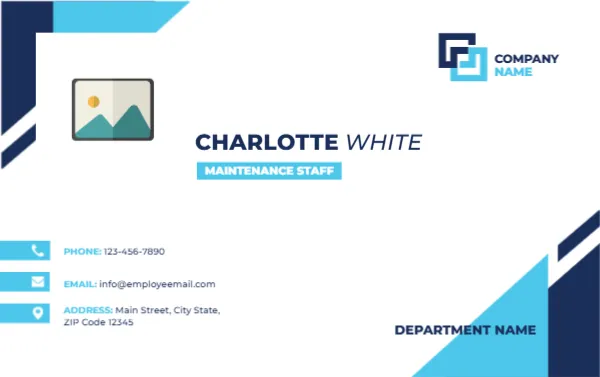
Navy and light blue angled shapes frame the top left and lower right corners of this white landscape card. A photo placeholder sits at the left, a COMPANY NAME logo at the top right, and CHARLOTTE WHITE in navy beside a light blue tag reading MAINTENANCE STAFF. Three blue tabs hold phone, email and address, with DEPARTMENT NAME at the foot.
A Landscape Card for Facilities Staff
The card is 3.375 x 2.125 inches, a standard size for pockets and holders. The lighter blue shapes keep the card readable even if the surface gets dirty on site.
Name, Role, Department and Contacts
Replace CHARLOTTE WHITE, the role tag, COMPANY NAME and DEPARTMENT NAME. Update the phone, email and address lines, and add a work order line number if your team uses one.
Preparing the Maintenance Card
- Add the photo.
- Edit name and role.
- Set the department.
- Update the contacts.
- Laminate the card.
A Card That Builds Trust on Site
Maintenance staff enter offices, homes and flats, so a visible card with a name and photo reassures residents. It shows that the person works for the organisation.
Durable Printing for Rough Use
Maintenance work is hard on cards. Laminate or order PVC, and choose a clip with a strap so the card does not catch on tools.
Contact Tabs With Pale Blue Blocks
The three tabs at the left edge use a pale blue block behind each contact. They look neat, and they make a row of three lines look organised rather than crowded.
Department at the Foot
The department name sits at the lower right, over the navy corner. Long department names will need a smaller font, so test with the longest name in your organisation.
Photo Rules for Site Cards
Ask staff to wear a clean uniform for photos, and avoid hard hats unless your policy requires them. A bare head helps recognition at a door.
Control and Return of Cards
Treat cards as property of the organisation. Collect them when staff leave, and record who holds a card, since a lost card on a site is a security risk.
Printing in Batches
Prepare all cards for a team in one session, and trim them together. A consistent look helps customers recognise a team member from a distance.
Step by Step Editing of the Maintenance Staff Name Card Light Blue Corners Design
- On the maintenance staff name card light blue corners design, click the main headline and type your own words, keeping a similar length.
- Retype every name, date and contact line on the maintenance staff name card light blue corners design, checking each against a trusted source.
- Search the maintenance staff name card light blue corners design for the words Lorem and Company so that no placeholder remains.
- Click any logo or photo on the maintenance staff name card light blue corners design, choose Replace Image and resize the new picture to fit.
- Zoom the maintenance staff name card light blue corners design to full size and read each line aloud before you save it.
- Keep a clean master of the maintenance staff name card light blue corners design without private details, so later versions start tidy.
For comparison, open the customer service name card. Consider the technical support name card. Similar designs include the temporary staff ID card. Every maintenance staff name card light blue corners style alternative sits in staff and employee ID card templates.