Orange and Navy Edges and Three Contact Lines for Support Staff
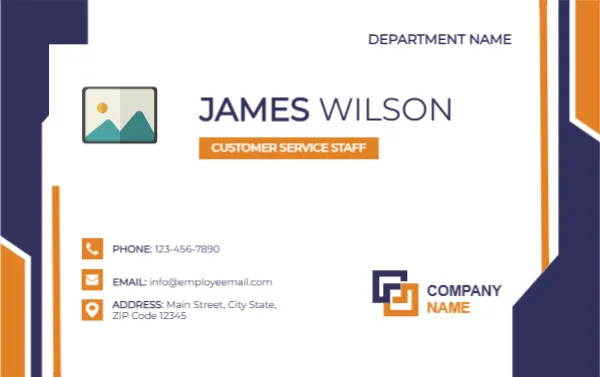
Navy and orange vertical shapes frame both sides of this landscape card. DEPARTMENT NAME sits at the top right, with a photo placeholder at the left and JAMES WILSON in navy beside it, over an orange tag reading CUSTOMER SERVICE STAFF. Three icon lines list phone, email and address, with a COMPANY NAME logo at the lower right.
A Landscape Card With Contact Icons
The card is 3.375 x 2.125 inches. The three contact lines with icons make it a hybrid between a name badge and a business card.
Name, Department and Contacts
Replace JAMES WILSON, the orange role tag, DEPARTMENT NAME and COMPANY NAME. Edit the phone, the email and the address lines, which currently use 1234567890, [email protected] and a Main Street sample.
Getting the Service Card Ready
- Insert the photo.
- Type name and role.
- Set the department.
- Replace the three contact lines.
- Swap the company logo.
Helping Customers Reach the Right Person
Customers who get a card with a direct phone and email can follow up without calling the main line. That shortens queues for service desks and shops.
Using a Shared Mailbox
Rather than printing a personal email on every card, many teams print a shared service mailbox. It keeps contact consistent when staff change, and stops cards going out of date.
Orange as an Action Colour
The orange role tag draws the eye to the person job. Orange is a friendly, active colour, which suits help desks and call centres where a quick response matters.
Navy Edges for Stability
The navy side shapes give the card a solid frame, so the white centre stays clear. They also match many corporate logos, making it easy to blend the card into a brand.
A Card to Hand Over or Wear
The contact block makes it suitable to hand to a customer as a card. If it is only worn as a badge, you can delete the contact lines and enlarge the name.
Keeping Details Current
Phone numbers and addresses change. Date the master file, review it each year, and reprint when a team moves, so customers do not get stale information.
Training Staff to Use the Card
Brief staff to offer the card after a call or a visit. A small action like this turns a transaction into a lasting contact.
Step by Step Editing of the Customer Service Staff Name Card Orange Navy Contacts Design
- On the customer service staff name card orange navy contacts design, click the main headline and type your own words, keeping a similar length.
- Retype every name, date and contact line on the customer service staff name card orange navy contacts design, checking each against a trusted source.
- Search the customer service staff name card orange navy contacts design for the words Lorem and Company so that no placeholder remains.
- Click any logo or photo on the customer service staff name card orange navy contacts design, choose Replace Image and resize the new picture to fit.
- Zoom the customer service staff name card orange navy contacts design to full size and read each line aloud before you save it.
- Keep a clean master of the customer service staff name card orange navy contacts design without private details, so later versions start tidy.
For comparison, open the maintenance staff name card. Consider the technical support name card. Similar designs include the employee name badge. The rest of the series around the customer service staff name card orange navy contacts design is in staff and employee ID card templates.