A Thumbs Up and a Thank You for Business Feedback
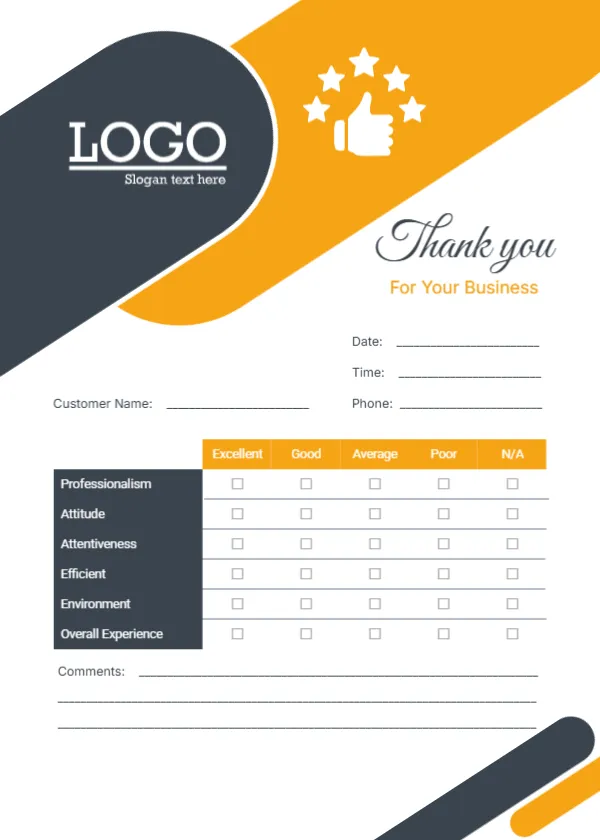
A charcoal band with a white LOGO and slogan sweeps across the top of this white card, crossed by a wide orange band holding a white thumbs up surrounded by stars. Thank you runs in a large charcoal script with For Your Business in orange below. Date, time, phone and customer name lines follow. A table rates Professionalism, Attitude, Attentiveness, Efficient, Environment and Overall Experience from Excellent to Poor, with an N/A column, and three comment lines close the card.
Five Ratings Plus Not Applicable
The card is 5 x 7 inches, portrait. The N/A column is a thoughtful touch, since not every customer can judge every area. The charcoal label column makes each criterion easy to scan.
A Mixed Word in the List
Most rows are nouns, but Efficient is an adjective, so change it to Efficiency to match. The page name on the site spells business as busniness, a typo in the title only. Replace the LOGO block with your own logo and slogan.
Preparing the Business Feedback Card
- Change Efficient to Efficiency.
- Swap the logo and slogan.
- Adjust the rated areas.
- Print a stack.
- Leave cards at the counter.
Where to Hand Out Cards
Give the card at the point of sale, slip it into a bag or leave it on tables in a waiting area. Cards handed over in person with a smile get far more responses than cards left in a pile.
Choosing Rated Areas for Your Business
The sample areas suit any service business. A repair shop might add Value for money, while a dental practice might add Waiting time. Keep the list to six so the card stays quick.
Turning Ratings Into Action
Count ratings each month and look for any area with many Average or Poor ticks. That is where training or small changes will make the biggest difference.
A Box for Completed Cards
A simple closed box with a slot keeps completed cards private and encourages honest answers.
Printing Orange and Charcoal
The orange and charcoal bands print boldly. Use matte card so pens write easily.
A Website or Phone Near the Comments
The card has no footer contacts. Add your website or phone near the comments so customers can reach you.
Using the Business Feedback Cards
Review responses monthly.
Step by Step Editing of the Business Thank You Orange Stars Design
- On the business thank you orange stars design, click the main headline and type your own words, keeping a similar length.
- Retype every name, date and contact line on the business thank you orange stars design, checking each against a trusted source.
- Search the business thank you orange stars design for the words Lorem and Company so that no placeholder remains.
- Click any logo or photo on the business thank you orange stars design, choose Replace Image and resize the new picture to fit.
- Zoom the business thank you orange stars design to full size and read each line aloud before you save it.
- Keep a clean master of the business thank you orange stars design without private details, so later versions start tidy.
Another option is the customer feedback card. A related layout is the retail store feedback card. Also worth a look: service quality card. Looking beyond the business thank you orange stars design? See all feedback and comment card templates.