An Orange Header and Large Photo for Temporary Members
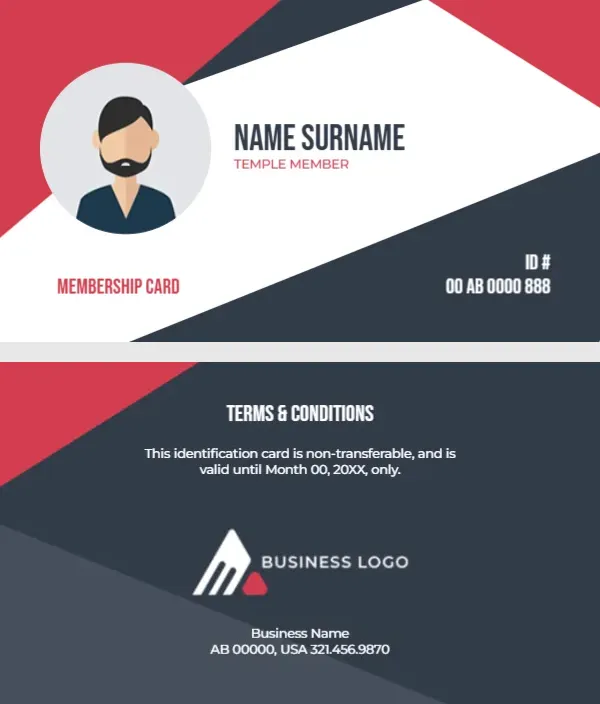
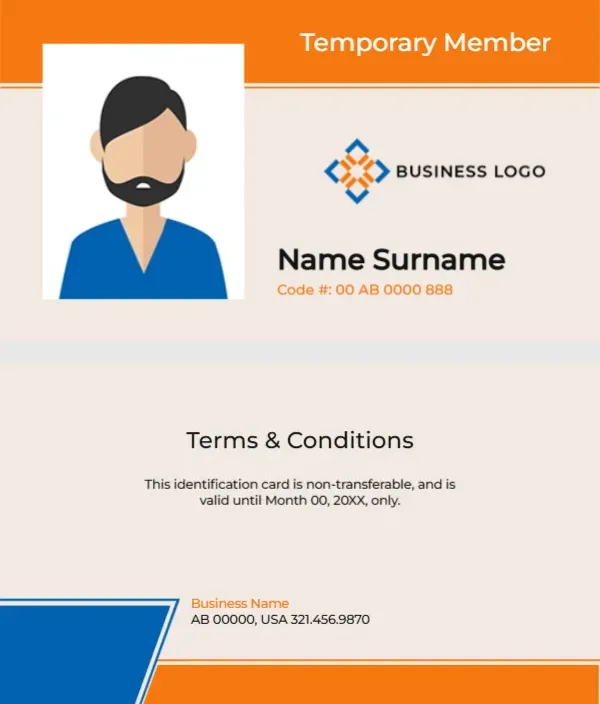
A bright orange header bar runs across the top of a pale beige front, with Temporary Member in white. A large white box on the left holds an avatar of a bearded man in a blue shirt. A blue and orange diamond business logo sits on the right, with Name Surname in dark type and an orange code number below. The back has Terms and Conditions, a validity line, a business name and an address, with blue and orange shapes at the foot.
Photo Front and Terms Back
The card is 3.5 x 2 inches. The large photo box makes this design ideal for short term passes, where staff need to recognise strangers.
Validity and Business Details
The back reads This identification card is non transferable, and is valid until Month 00, 20XX, only. For temporary members, type a short window, such as valid until 30 November 2026. Replace Business Name and the address with yours, and type each member’s code in place of 00 AB 0000 888.
Personalising the Temporary Card
- Add a real photo.
- Type the name and code.
- Set a short valid until date.
- Swap the business logo.
- Retype the business address.
Who Needs a Temporary Card
Temporary cards suit trial memberships, visiting members, contractors, summer students and members waiting for a permanent card. Note the type in the header if you issue several kinds.
Short Dates Make Checks Easy
Staff can spot an expired temporary card at a glance when the date is large. Consider making the date bigger or adding it to the front.
Collecting Cards at the End
Ask holders to return temporary cards when they leave or upgrade, so old cards do not stay in circulation.
Printing Temporary Cards Quickly
Temporary cards are often printed on the spot. Plain 300 gsm card works well, and you can skip lamination for short use.
Upgrading to a Full Card
When a trial member joins, swap the temporary card for your full membership design and log the change.
Logging Temporary Passes
Record each temporary code with its start and end dates.
Step by Step Editing of the Temporary Orange Blue Design
- On the temporary orange blue design, click the main headline and type your own words, keeping a similar length.
- Retype every name, date and contact line on the temporary orange blue design, checking each against a trusted source.
- Search the temporary orange blue design for the words Lorem and Company so that no placeholder remains.
- Click any logo or photo on the temporary orange blue design, choose Replace Image and resize the new picture to fit.
- Zoom the temporary orange blue design to full size and read each line aloud before you save it.
- Keep a clean master of the temporary orange blue design without private details, so later versions start tidy.
Consider the business membership card. Similar designs include the sports club membership card. Compare it with the membership ID card. Find more designs next to the temporary orange blue design in membership card templates.