Red and Navy Diagonals for Temple Members
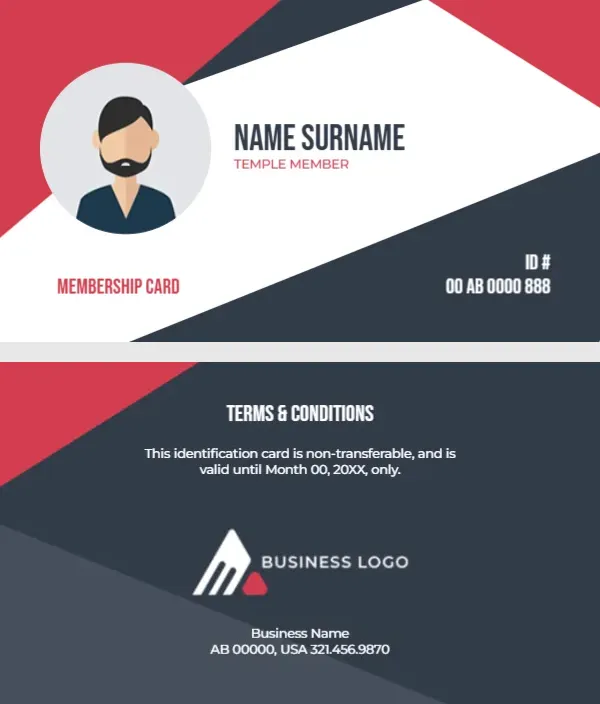
Bold red and dark navy triangles frame a wide white diagonal band across the front. A grey circle on the left holds an avatar of a bearded man, and NAME SURNAME sits in tall navy capitals with TEMPLE MEMBER in red. MEMBERSHIP CARD sits in red at the lower left and an ID number in white on the navy corner at the lower right. The back is navy with red corners, a terms block, a business logo and an address.
Diagonal Front and Navy Back
The card is 3.5 x 2 inches. The condensed font keeps the name large while still fitting long names on one line.
Terms, Logo and a Neutral Design
The back reads TERMS AND CONDITIONS, This identification card is non transferable, and is valid until Month 00, 20XX, only, followed by BUSINESS LOGO, Business Name and an address. Replace the logo and business name with the temple’s name and emblem, and set a real date. The design has no religious symbols, so it suits any faith community.
Personalising the Temple Card
- Add the temple name and emblem.
- Type the member name.
- Set the ID number.
- Set the valid until date.
- Retype the address.
Adding a Sacred Symbol Respectfully
If your temple uses a symbol, place it where BUSINESS LOGO sits on the back. Keep it at a modest size and use a clean, high quality image.
Cards for Volunteers and Committees
Change TEMPLE MEMBER to Volunteer, Trustee or Priest so people can be identified at festivals and events.
Photos Instead of Avatars
A real photo helps at busy festivals where volunteers do not know every member. Crop it to a circle to fit the frame.
Printing Red and Navy
Strong red and navy print well on matte card. Laminate cards used at entrances or car parks.
Annual Renewal at Festivals
Many temples renew memberships once a year. Choose a valid until date just after a major festival to make renewal easy to remember.
Keeping Temple Records
Record each card and keep the list secure.
Step by Step Editing of the Temple Red Navy Diagonal Design
- On the temple red navy diagonal design, click the main headline and type your own words, keeping a similar length.
- Retype every name, date and contact line on the temple red navy diagonal design, checking each against a trusted source.
- Search the temple red navy diagonal design for the words Lorem and Company so that no placeholder remains.
- Click any logo or photo on the temple red navy diagonal design, choose Replace Image and resize the new picture to fit.
- Zoom the temple red navy diagonal design to full size and read each line aloud before you save it.
- Keep a clean master of the temple red navy diagonal design without private details, so later versions start tidy.
Similar designs include the mosque membership card. Compare it with the housing society card. You may also like the wellness membership card. Looking beyond the temple red navy diagonal design? See all membership card templates.