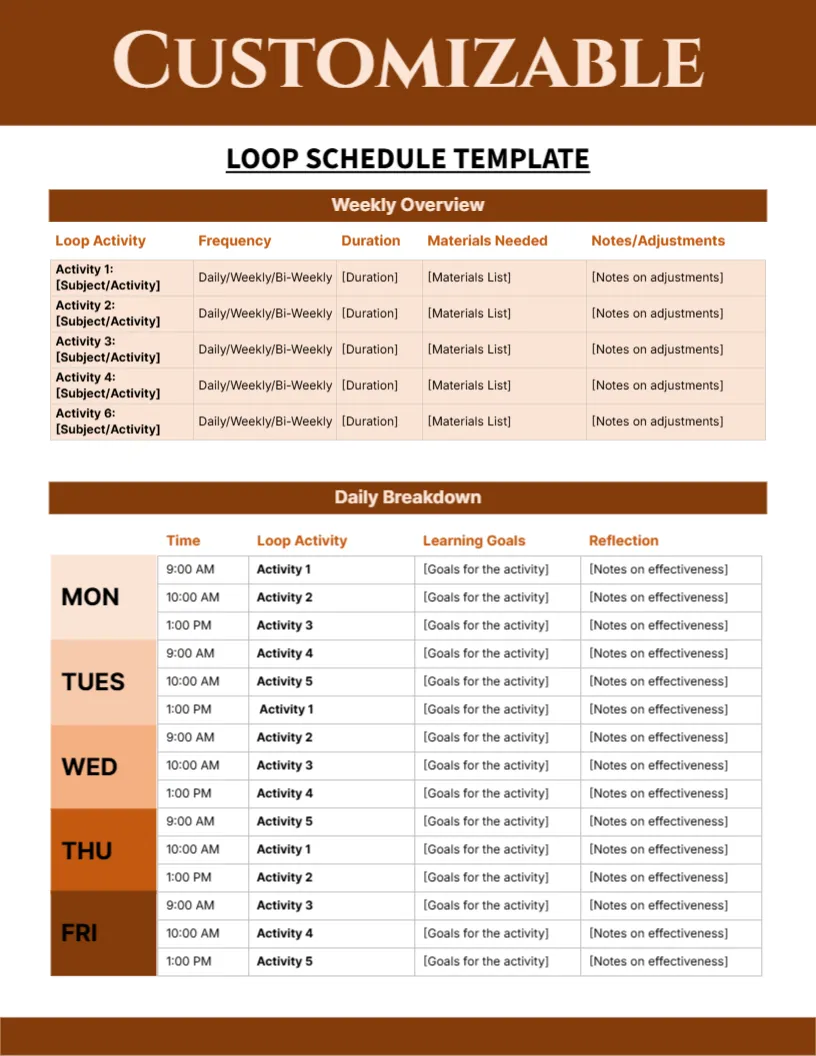
A Weekly Overview and a Daily Breakdown for Loop Scheduling
A brown band carries the word CUSTOMIZABLE above the underlined title LOOP SCHEDULE TEMPLATE. A Weekly Overview table lists loop activities with frequency, duration, materials needed and notes. A Daily Breakdown table below shades MON to FRI in a gradient from peach to deep brown, with times at 9:00 AM, 10:00 AM and 1:00 PM and goals and reflection columns.
A Letter Page With Two Tables
The page is 8.5 x 11 inches. The top table sets out the loop, and the lower table puts the loop into a daily timetable, so both views live on the same sheet.
Loop Activities and the Numbering Slip
List your loop items as Activity 1 to Activity 5, but note that the list runs Activity 1, 2, 3, 4 and 6, skipping 5. Fix the number, then fill frequency, duration, materials and notes, and match the activity names in the daily table.
Setting Up the Loop Schedule
- Fix the Activity 6 label.
- List the loop activities.
- Set frequency and duration.
- Place activities in the daily table.
- Add goals and reflections.
What a Loop Schedule Is
A loop schedule lists subjects in a repeating cycle, instead of fixed times. You work through the list and pick up where you left off, which is gentler than a rigid timetable.
Frequency Choices
The frequency column offers daily, weekly or bi weekly. Mark the choice for each item, and be realistic, because too many daily items can crowd the loop.
Duration Per Activity
The duration column keeps sessions short. A loop of five or six short items often works better than long single lessons, especially for younger children.
Daily Breakdown by Colour
Each day block has its own shade, from pale peach on Monday to dark brown on Friday. The gradient makes the week easy to read, and it prints well in colour.
Reflection as a Habit
The last column asks for notes on effectiveness. Spend a minute at the end of each day on it, and you will quickly see which activities work and which need changing.
Flexibility Built In
If a day is lost, you continue the loop the next day instead of falling behind. That flexibility is the reason many families prefer loops to strict schedules.
Adjusting Over Time
Review the loop every month. Remove items that no longer serve you, add new interests, and keep the page uncluttered.
Step by Step Editing of the Customizable Loop Schedule Brown Orange Weekly Overview Design
- On the customizable loop schedule brown orange weekly overview design, click the main headline and type your own words, keeping a similar length.
- Retype every name, date and contact line on the customizable loop schedule brown orange weekly overview design, checking each against a trusted source.
- Search the customizable loop schedule brown orange weekly overview design for the words Lorem and Company so that no placeholder remains.
- Click any logo or photo on the customizable loop schedule brown orange weekly overview design, choose Replace Image and resize the new picture to fit.
- Zoom the customizable loop schedule brown orange weekly overview design to full size and read each line aloud before you save it.
- Keep a clean master of the customizable loop schedule brown orange weekly overview design without private details, so later versions start tidy.
You may also like the family learning schedule. For comparison, open the elective subjects schedule. Consider the weekly class timetable. Find more designs next to the customizable loop schedule brown orange weekly overview design in schedule and planner templates.