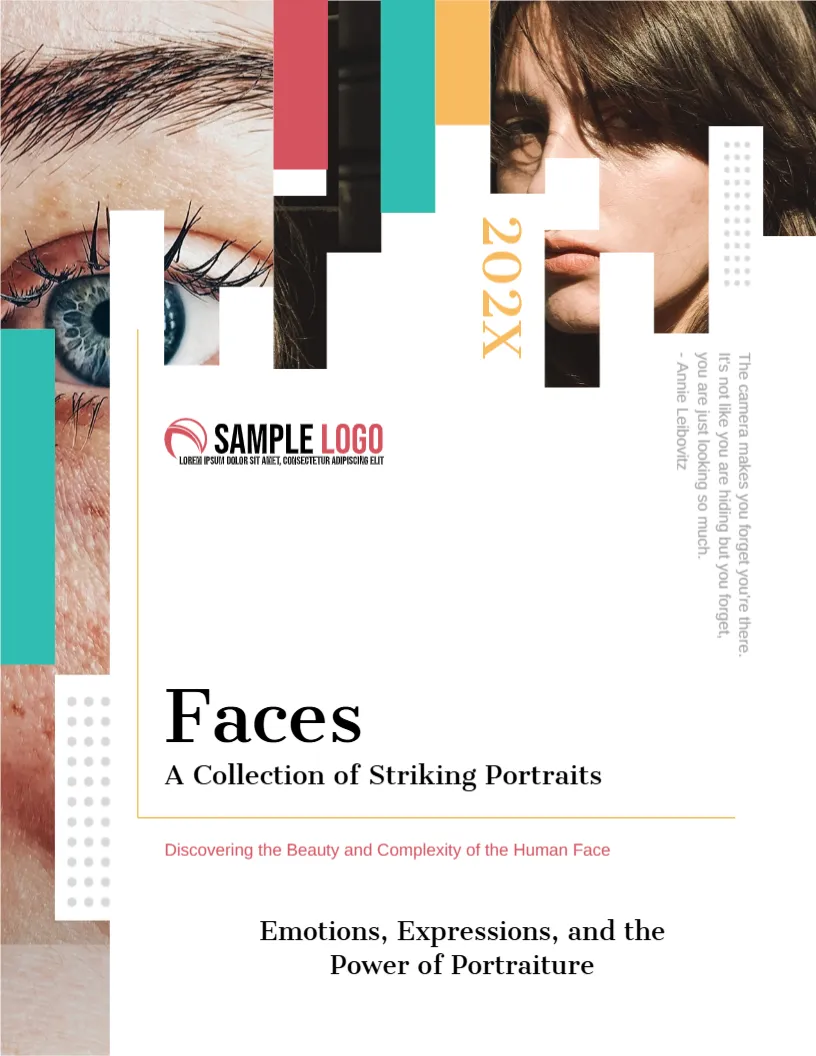
Eyes and Faces Cut Into Coloured Bars
A close up eye and a half hidden face are cropped into stepped bars of teal, red and yellow at the top of this cover, which gives portraiture a graphic twist. The title Faces is in a plain serif. It suits portrait photographers, studios and students.
Cropped Photos and Stepped Bars
The page is 8.5 x 11 inches, portrait, one page. The bars rise like a bar chart. A thin yellow frame outlines the text area. A vertical quotation runs at the right, and dots decorate the lower left.
Title, Subtitles and Quotation
Faces is the title, with A Collection of Striking Portraits and Discovering the Beauty and Complexity of the Human Face in red. At the foot, Emotions, Expressions, and the Power of Portraiture. The vertical quote reads The camera makes you forget you’re there, with Annie Leibovitz. Verify the quote before printing.
Portrait Book Elements
- A statement about your approach.
- Names of sitters with consent.
- Technical notes.
- Chapters by theme.
- Contact page.
Consent and Releases
Keep signed releases for sitters and describe how images may be used. Respect requests for privacy.
Choosing the Cropped Photos
Use close crops with strong eyes. The stepped bars mask parts of the face, so use images where the eye is clear.
Printing the Portrait Cover
Use a lab with soft proofing on 250 gsm paper.
Step by Step Editing of the Portrait Faces Design
- On the portrait faces design, click the main headline and type your own words, keeping a similar length.
- Retype every name, date and contact line on the portrait faces design, checking each against a trusted source.
- Search the portrait faces design for the words Lorem and Company so that no placeholder remains.
- Click any logo or photo on the portrait faces design, choose Replace Image and resize the new picture to fit.
- Zoom the portrait faces design to full size and read each line aloud before you save it.
- Keep a clean master of the portrait faces design without private details, so later versions start tidy.
Directing Sitters for Honest Portraits
Talk with sitters before you shoot, and let them settle. Natural expressions come when people forget the camera. Take many frames and choose the ones that show character.
Printing Portraits Large
Portraits benefit from large prints. Choose a paper with a fine texture and check skin tones with a proof. A series of ten strong faces beats fifty average ones.
Writing the Introduction for a Portrait Book
Open with a short note on why you photograph faces. A paragraph about trust between sitter and photographer sets the tone, and your own voice makes the book distinctive.
Keeping a Consistent Look Across Portraits
Use similar light and a similar crop for most images, so that the series reads as one body of work. Vary the expressions, not the style, and your book will feel confident.
Another option is the fashion photography booklet cover. A related layout is the family photography book cover. Also worth a look: landscape photography book cover. The rest of the series around the portrait faces design is in cover pages.