Rounded Blocks for a Catalog of Things You Sell
A catalog cover has to say what you sell and who you are, and then get out of the way of the products. This one uses rounded blocks in olive green and black, a cream panel for the title and a vertical year. It suits wholesalers, shops, makers, fashion labels and any business that publishes a printed or digital product catalog.
Rounded Blocks and Cream Panel
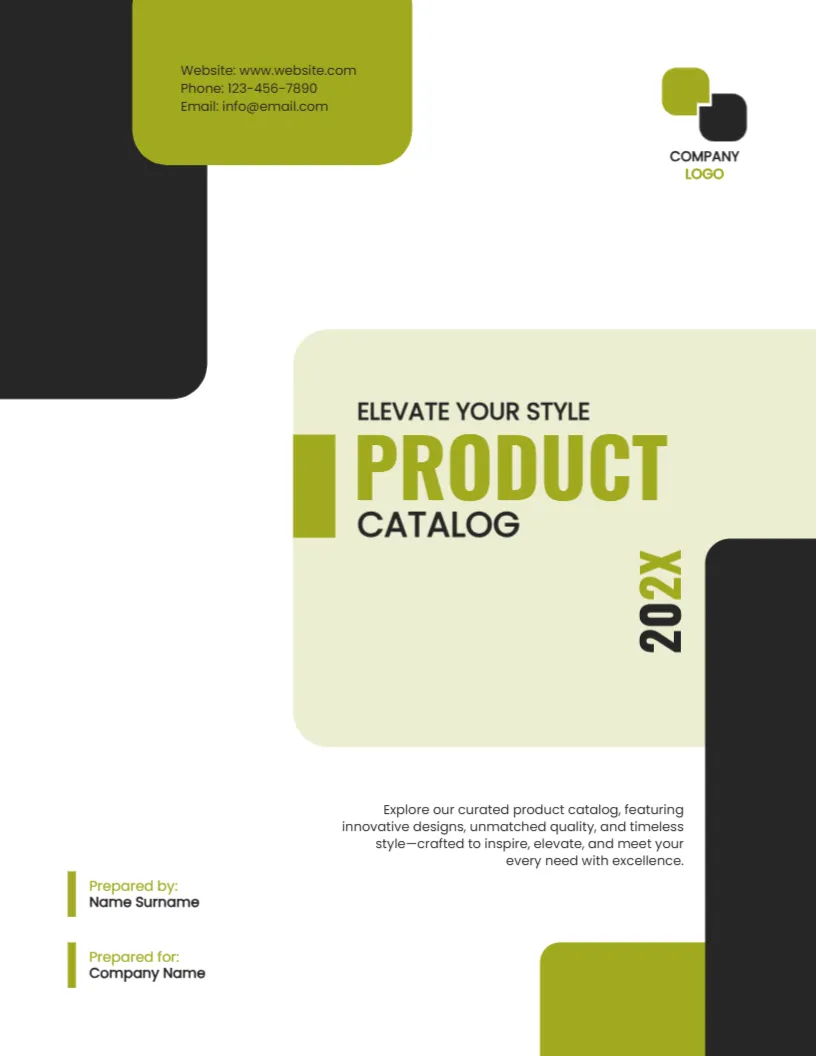
The page is 8.5 x 11 inches, portrait, one page. A black block drops from the upper left with an olive tab holding the website, phone and email. A cream rounded panel sits at the right with the title. A black block and an olive block close the lower right corner. A small logo with a company label sits at the upper right.
Title, Year and Description
ELEVATE YOUR STYLE is a tagline above PRODUCT in olive capitals and CATALOG in black. The year 202X runs vertically on the panel. A paragraph says Explore our curated product catalog, featuring innovative designs, unmatched quality, and timeless style. Prepared by and Prepared for lines sit at the lower left. Replace the tagline and the paragraph with a sentence about your own range.
Cover Details That Help Buyers
- The season or year.
- Product range in a few words.
- Website and ordering phone.
- Wholesale or retail.
- Validity of prices.
Naming the Catalog Edition
Add Spring and Summer or Autumn to the year, so that buyers know which edition they hold. Update prices and stock lists for each edition.
Catalog Pages That Sell
Show one product per block with a clear photo, a short name, a code and a price. Use the same grid on each page. Buyers scan quickly.
Printing the Catalog Cover
Print on 250 gsm silk for a premium feel. The cream panel is a flat tint, so check that it prints evenly.
Step by Step Editing of the Product Catalog Olive Design
- On the product catalog olive design, click the main headline and type your own words, keeping a similar length.
- Retype every name, date and contact line on the product catalog olive design, checking each against a trusted source.
- Search the product catalog olive design for the words Lorem and Company so that no placeholder remains.
- Click any logo or photo on the product catalog olive design, choose Replace Image and resize the new picture to fit.
- Zoom the product catalog olive design to full size and read each line aloud before you save it.
- Keep a clean master of the product catalog olive design without private details, so later versions start tidy.
Pricing and Validity Notes
Catalogs often show prices. State the date until which the prices are valid and whether tax is included. A line on the cover or the first page saves later disputes.
Consider the real estate brochure cover page. Similar designs include the restaurant menu booklet cover. Compare it with the event program cover. The rest of the series around the product catalog olive design is in cover pages.