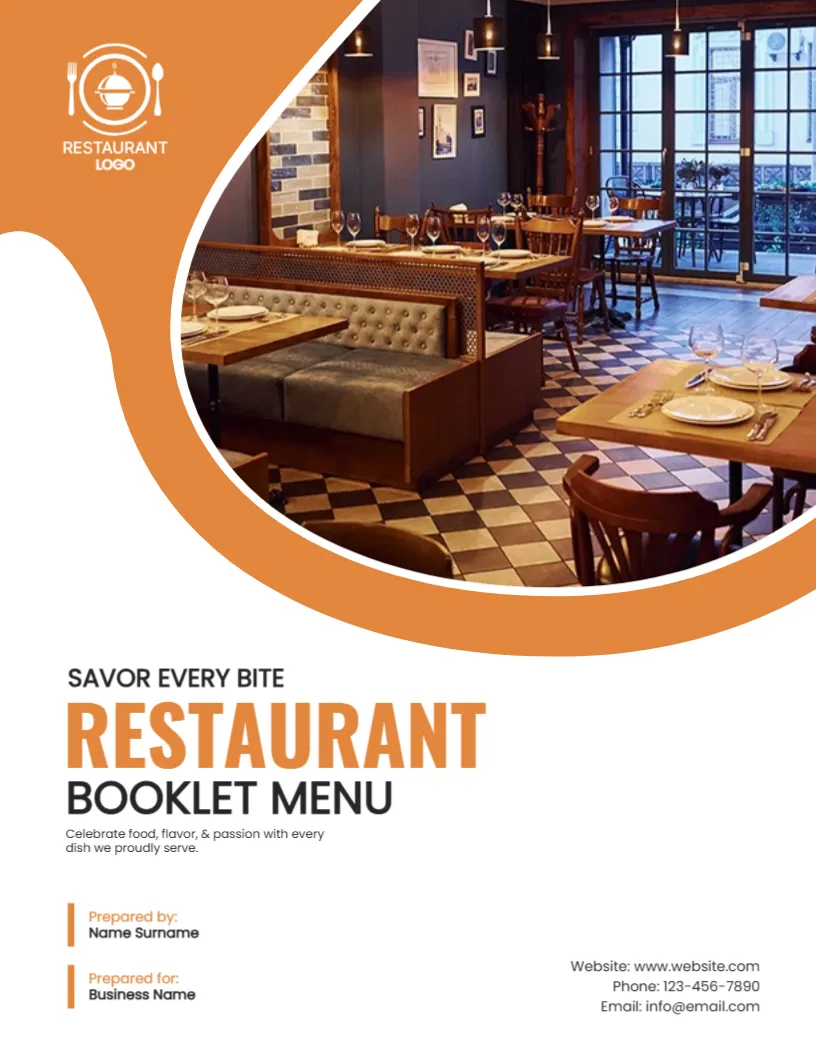
An Inviting Dining Room Under an Orange Wave
A menu cover should make guests hungry and at ease. This one shows a warm dining room with wooden tables, a checkered floor and soft lights, framed by a sweeping orange wave, with the heading SAVOR EVERY BITE below. It suits restaurants, cafes, bistros and caterers that print a booklet menu.
Orange Wave, Photo and Cloche Logo
The page is 8.5 x 11 inches, portrait, one page. The orange shape starts at the upper left and swoops across to enclose the photo on the upper right. A white cloche and cutlery logo sits in the orange part. The title area below is white.
Menu Title, Tagline and Contact Lines
SAVOR EVERY BITE sits above RESTAURANT in orange capitals and BOOKLET MENU in black. A line says Celebrate food, flavor, & passion with every dish we proudly serve. Prepared by and Prepared for lines are at the lower left, and the website, phone and email at the right. For a menu, replace Prepared by and Prepared for with a line such as Open daily from 11 to 10.
Menu Cover Details
- Restaurant name and logo.
- A short tagline.
- Opening hours.
- Address and reservations.
- Allergy note on the first page.
Using Your Own Dining Room Photo
A real photo of your space is better than stock. Take it when the room is warm and tidy, with soft light. Crop to a wide shape for the curve.
Durable Menus
Menus get handled by many guests. Use 300 gsm card and a matte laminate that can be wiped. Replace menus when prices change.
Printing the Restaurant Menu Cover
Orange prints bright on a colour laser. A print shop can give a spot varnish to the photo. Keep an extra set of covers ready.
Step by Step Editing of the Restaurant Menu Orange Design
- On the restaurant menu orange design, click the main headline and type your own words, keeping a similar length.
- Retype every name, date and contact line on the restaurant menu orange design, checking each against a trusted source.
- Search the restaurant menu orange design for the words Lorem and Company so that no placeholder remains.
- Click any logo or photo on the restaurant menu orange design, choose Replace Image and resize the new picture to fit.
- Zoom the restaurant menu orange design to full size and read each line aloud before you save it.
- Keep a clean master of the restaurant menu orange design without private details, so later versions start tidy.
Allergen and Dietary Notes
Many places require an allergen notice on the menu. Place it on the first page after the cover in clear type, and train staff to answer questions. Guests with allergies need to trust the menu.
Menu Photography Tips
Photograph signature dishes in natural light from a slightly raised angle, and use the same style for every page. Consistent photos make a menu look professional and help guests choose.
A related layout is the product catalog cover page. Also worth a look: tourism and travel guide cover. Next to try is the event program cover. Looking beyond the restaurant menu orange design? See all cover pages.