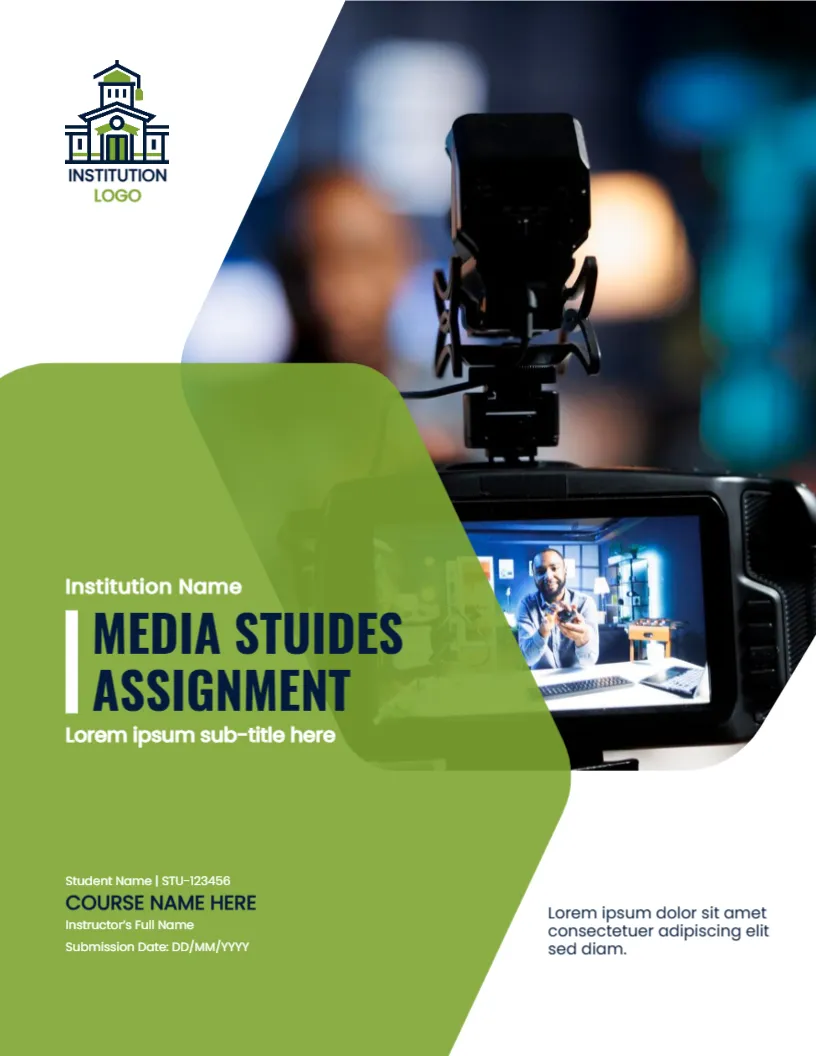
A Camera in Focus for a Media Assignment
The photo on this cover shows a camera on a tripod with its screen turned to the viewer, framed by a large translucent green shape that rises from the lower left. It tells your marker at once that the work is about media, film or communication. It suits assignments and reports in media studies, journalism, film, broadcasting and digital communication.
Hexagon Photo and Green Overlay
The page is 8.5 x 11 inches, portrait, one page. The photo fills the upper right in an angular hexagon like shape. A translucent green shape overlaps its lower left and extends to the foot of the page. The institution logo, a building with a green roof, sits at the upper left. The fonts are modern sans serif types.
A Title Typo to Correct
The sample title reads MEDIA STUIDES ASSIGNMENT with the letters I and D swapped, so it should be STUDIES. Retype the title before you print, because a misspelled title on a media assignment is the first thing a marker sees. The sub title line, the student name and number, COURSE NAME HERE, the Instructor’s Full Name and the Submission Date in the format DD/MM/YYYY follow. A short paragraph sits at the lower right.
Assignment Cover Checklist
- Correct the spelling of the title.
- Enter your name and student number.
- Write the exact course name and code.
- Name the instructor as the course lists them.
- Use the date format your school prefers.
Choosing a Photo for Media Work
The camera photo is a strong default. If your assignment is about radio, print or social media, replace it with a picture that fits. Use Replace Image and keep the angular crop.
Reading White Text on Green
The text sits on a green panel with white type. Keep each line short, and do not shrink the font below the sample size. On a printout, translucent shapes can look darker than on screen.
Printing the Media Studies Cover
Print in colour on 120 gsm paper. The photo needs a colour printer to look right. For online submission, save a PDF and check that the fonts are embedded.
Step by Step Editing of the Media Studies Green Design
- On the media studies green design, click the main headline and type your own words, keeping a similar length.
- Retype every name, date and contact line on the media studies green design, checking each against a trusted source.
- Search the media studies green design for the words Lorem and Company so that no placeholder remains.
- Click any logo or photo on the media studies green design, choose Replace Image and resize the new picture to fit.
- Zoom the media studies green design to full size and read each line aloud before you save it.
- Keep a clean master of the media studies green design without private details, so later versions start tidy.
Have a look at the political science thesis cover. Another option is the course guide cover page. A related layout is the professional meeting notes cover. Find more designs next to the media studies green design in cover pages.