Red Angles Over a Dark Image for a Designer’s Pitch
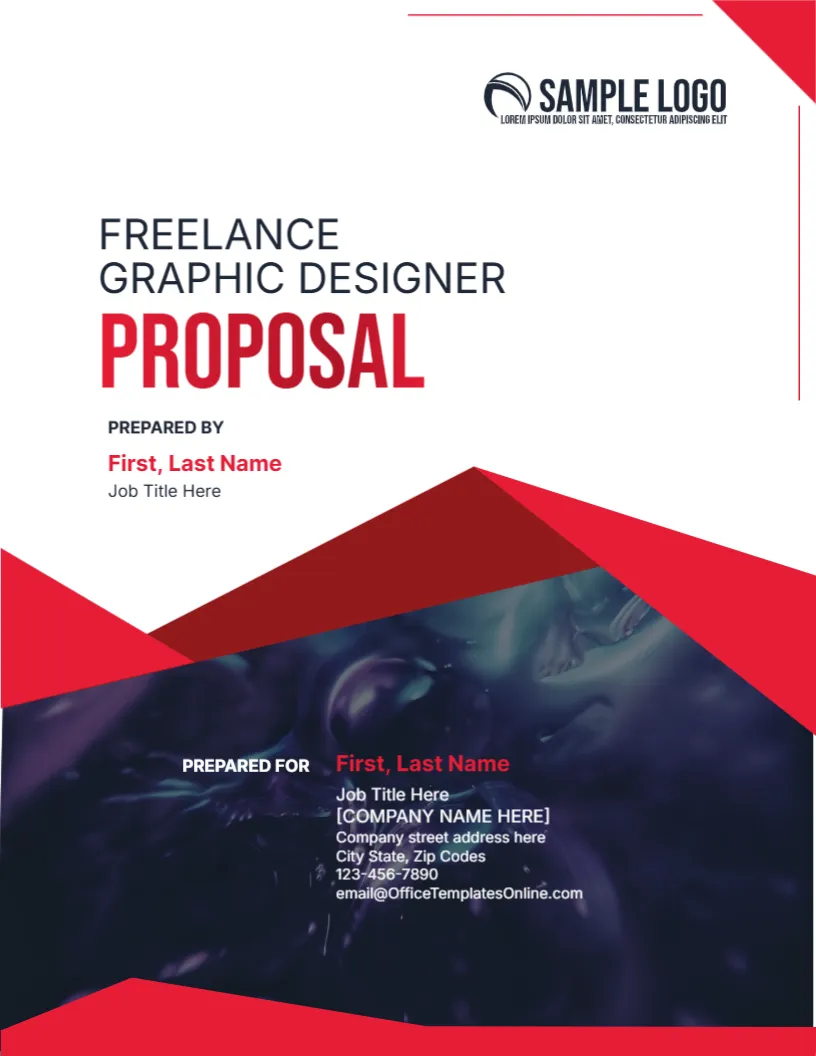
A designer’s proposal is judged by its look. This cover uses sharp red angles, a dark abstract photograph and a big red PROPOSAL, with Prepared By at the top and Prepared For in white on the dark area. It suits freelancers and small studios pitching branding, packaging, web or print work.
Angles, Dark Photo and Two Blocks
The page is 8.5 x 11 inches, portrait, one page. Red corner triangles sit at the upper right and across the middle. The dark photo fills the lower third. A thin red line runs across the upper edge.
Title, Prepared By and Prepared For
FREELANCE GRAPHIC DESIGNER in dark grey sits above PROPOSAL in heavy red. PREPARED BY shows First, Last Name and Job Title Here. PREPARED FOR in white shows a name, title, company, address, phone and email. Replace the placeholders, and remove the square brackets from the company line.
What a Freelance Designer Should Show After the Cover
- A summary of the brief.
- Your approach.
- Samples of related work.
- Timeline and milestones.
- Fees and terms.
Showing Your Style in the Cover
A designer’s cover is a sample. Replace the dark photo with an image that shows your taste, and use your brand colours.
Terms for Freelancers
State how many revisions are included, who owns the rights and when payment is due. Clear terms prevent disputes.
Printing the Designer Proposal Cover
Most proposals go out as PDFs. For print, use 170 gsm silk and a laser.
Step by Step Editing of the Freelance Graphic Designer Proposal Design
- On the freelance graphic designer proposal design, click the main headline and type your own words, keeping a similar length.
- Retype every name, date and contact line on the freelance graphic designer proposal design, checking each against a trusted source.
- Search the freelance graphic designer proposal design for the words Lorem and Company so that no placeholder remains.
- Click any logo or photo on the freelance graphic designer proposal design, choose Replace Image and resize the new picture to fit.
- Zoom the freelance graphic designer proposal design to full size and read each line aloud before you save it.
- Keep a clean master of the freelance graphic designer proposal design without private details, so later versions start tidy.
Sending the Proposal as a PDF
Name the file with your name, the client and the project. Keep the size below five megabytes and check that the dark photo looks right on a phone. Follow up two days later with a short email.
Using Red Wisely in a Proposal
Red draws attention, so use it for headings and key figures only. A page covered in red tires the eye. Leave plenty of white in the body pages.
Preparing Samples to Attach
Choose three samples that match the client’s field and explain each in two sentences: the problem, your solution and the result. Relevance matters more than quantity.
Compare it with the graphic designer proposal cover. You may also like the professional meeting notes cover. For comparison, open the sketchbook cover. Find more designs next to the freelance graphic designer proposal design in cover pages.