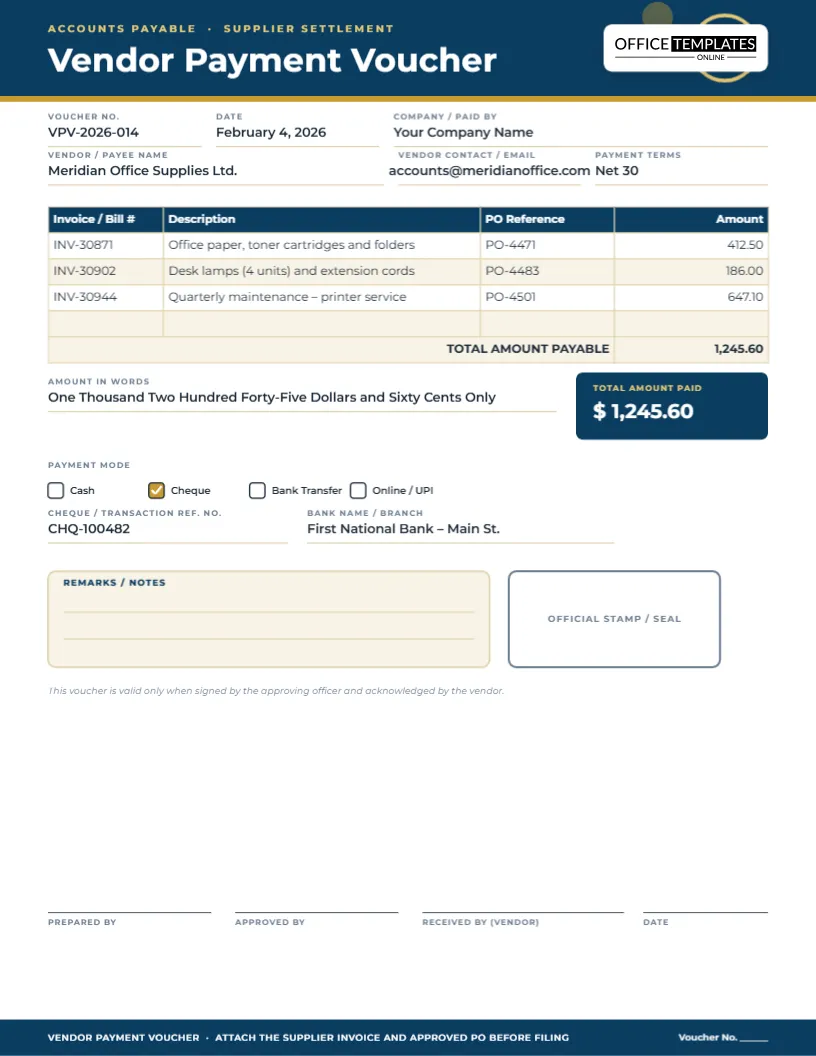
When a business pays a supplier by cheque, the cheque itself leaves the building. What stays behind is the payment voucher: the internal record of who was paid, how much, against which invoices and which accounts were charged, signed by the people who prepared, checked and approved it. Auditors look for that voucher behind every cheque in the bank statement. This template makes the link obvious by putting a full replica of the cheque at the top of the page.
A Cheque at the Top of the Page
The first thing you see is a pale green cheque drawn across the page, with fine wavy security lines running through it like the guilloche patterns on real cheques. It shows the bank name and branch, a row of boxed date digits, the payee written in a handwriting font, the amount in words, the amount in figures in a framed box, an “A/c payee only” crossing, a signature line and a line of cheque-style numbers along the bottom. Above it, “Cheque Payment Voucher” is set in IBM Plex Serif with the company’s name and address underneath.
Why Mirror the Cheque?
Recording the cheque exactly as it was written lets anyone reconcile the voucher with the bank statement and the cheque counterfoil at a glance. If a payee later claims the amount was different, or the bank returns a cheque, the replica shows precisely what was issued. It also makes the voucher easy to recognise in a thick file of payment documents.
Voucher Facts and Payee
Under the cheque, a set of right-aligned facts gives the voucher number (CPV-2026-0318), cheque number, cheque date and bank account. Beside them, a “Paid to” block names the supplier, its address and its supplier code. Supplier codes help link the payment to the vendor master file in your accounting software.
Charged To: The Allocation Table
The allocation table shows which invoices the cheque pays and which general ledger accounts are charged:
| Description | Invoice | GL account | Amount (£) |
|---|---|---|---|
| Oak flooring, 42 m² | CT-5501 | 5210 Materials | 2,310.00 |
| Skirting boards, 60 m | CT-5502 | 5210 Materials | 384.00 |
| Delivery & offload | CT-5503 | 5410 Carriage | 95.00 |
| Cheque total | Three invoices | Two accounts | 2,789.00 |
A totals table beside the narration shows gross, retention and the cheque amount of £2,789.00, which matches the figure on the cheque replica. The editor’s tables hold typed text rather than formulas, so when you change an amount, re-add the total by hand and update the cheque box to match.
A One-Line Narration for the Auditor
A narration box explains the payment in a sentence: payment against invoices CT-5501 to CT-5503 for a flat refit, job 26-041. Good narration answers the question an auditor or a new bookkeeper will ask years later: what was this for?
Recording the Hand-Over
A cheque is only paid once it reaches the payee. The voucher records how it was handed over, with tick boxes for collected in person, posted or courier, and a small table for the name and ID of the person who received it. In the sample, a named representative of the supplier collected it and showed a driving licence. That detail protects the business if a cheque goes missing.
Supporting Documents Checklist
Six tick boxes list the paperwork attached behind the voucher: supplier invoices, delivery notes, the purchase order, the cheque counterfoil, a statement of account and a quote. Ticking them as you staple them on makes the voucher self-checking; a reviewer can see immediately if anything is missing.
Four Signatures for Control
Signature lines for Prepared by, Checked by, Approved by and Received by sit above a navy footer that reminds staff to attach the invoice and counterfoil. Separating these duties is a basic internal control: the person who prepares a payment should not be the only person who approves it.
Filling In a Cheque Voucher
- Write the cheque, then copy the payee, date and amount onto the replica.
- Give the voucher the next number in your sequence.
- List each invoice, its GL account and amount; check the total equals the cheque.
- Write a one-line narration.
- Attach supporting documents and tick them off.
- Collect signatures, then record the hand-over when the cheque leaves.
Changing the Currency and Bank
The sample is in pounds sterling for a UK business, but every label is editable. Change “£” and “Pounds” to “$” and “Dollars”, “?” and “Rupees” or any currency, and replace the bank name, sort code and account details with your own. The amount in words line is typed text, so write it in the style your bank expects.
Your Letterhead in the Corner
The OTO logo in the top-right corner marks the template; most businesses replace it with their own logo by adding an image and deleting the mark, or leave the corner for a company stamp.
Printing and Filing Cheque Vouchers
Download As PDF and print on plain white paper. File vouchers in number order with their attachments, and keep them for as long as your tax authority requires business records, often six or seven years.
Stopping Cheque Fraud Before It Starts
Cheques are still targeted by fraudsters, usually through altered amounts or payees, stolen cheques or forged signatures. Simple habits reduce the risk: always cross cheques “account payee only”, write the amount in words right up to the edge of the line, never sign blank cheques, keep the cheque book locked away and reconcile the bank account monthly against the vouchers. The voucher’s replica makes the last step quick, because every issued cheque is recorded exactly as written.
Post-Dated and Cancelled Cheques
If a cheque is post-dated, write the future date on the replica and note it in the narration so nobody expects the funds to leave early. If a cheque is spoiled or cancelled, keep the voucher, mark it “CANCELLED” across the cheque replica and attach the torn cheque. An unbroken sequence of voucher numbers, including cancelled ones, is something auditors check.
Cheque Voucher Questions
Can I use it for bank transfers?
You can, but a transfer voucher without the cheque replica is clearer; delete the cheque group and rename the title.
Are the totals calculated automatically?
No. Table cells hold text, so update totals by hand after editing amounts.
What size is it?
US Letter, 8.5 x 11 inches.