A Chemistry Lab Report Cover has one job before anything else: it tells your teaching assistant, in a few seconds, whose report this is, which experiment it covers, and who you worked with. TAs often grade dozens of reports in a sitting, and a cover that answers those questions in a neat table makes their work easier. This template does that, and it adds enough chemistry character, glassware, a hexagon lattice, and element tiles, that it looks made for the subject rather than borrowed from a business form.
From Bench to Cover: What This Page Records
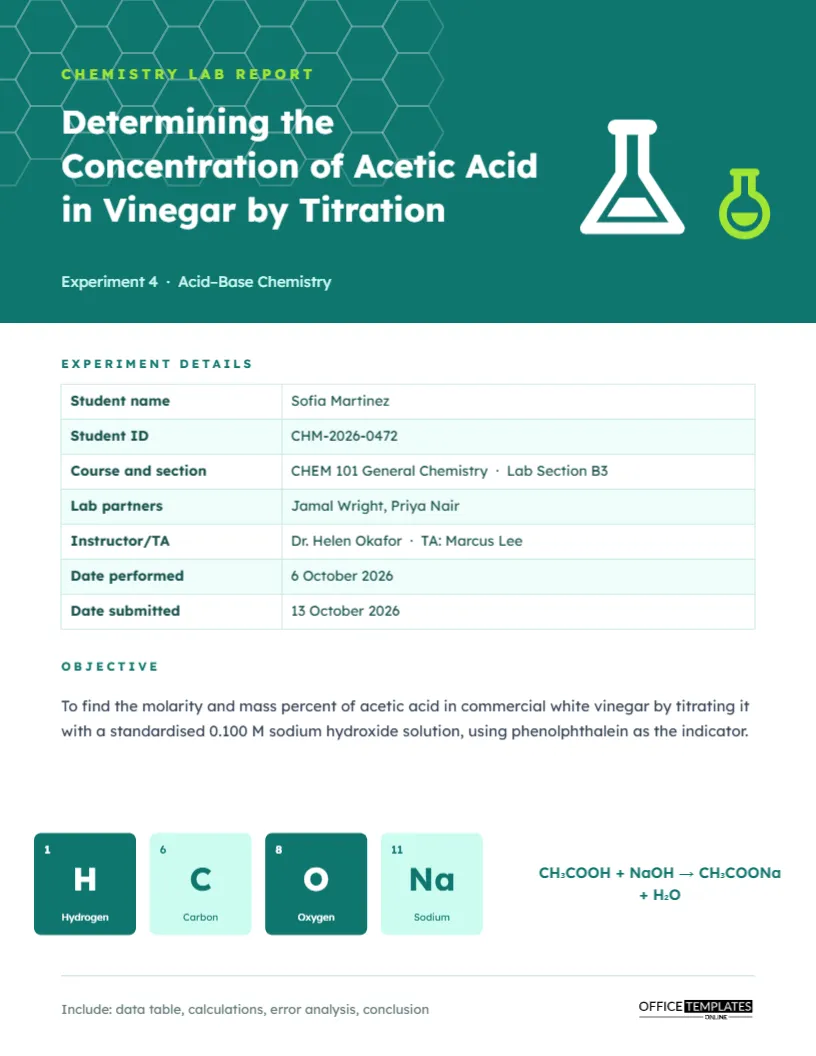
The main part of the page is a two-column table headed Experiment Details. It has seven rows, each ready for your information:
| Row | Sample entry | Tip |
|---|---|---|
| Student name | Sofia Martinez | Use your registered name |
| Student ID | CHM-2026-0472 | Helps TAs record grades quickly |
| Course and section | CHEM 101 General Chemistry · Lab Section B3 | Sections matter when several TAs share a course |
| Lab partners | Jamal Wright, Priya Nair | List everyone who shared your data |
| Instructor/TA | Dr. Helen Okafor · TA: Marcus Lee | Name both if both grade |
| Date performed | 6 October 2026 | The day you ran the experiment |
| Date submitted | 13 October 2026 | The day you hand it in |
Because it is a real table object, select it and use Edit Table Data to type your details. Need a row for Experiment number or Safety goggles checked? Use Add Row.
How the Page Is Designed
A deep teal band fills the top of the page. Faint white hexagons, the shape chemists draw for benzene rings, tile the left side of the band. On the right, a white Erlenmeyer flask stands beside a smaller lime-green round-bottom flask. A lime label reads Chemistry Lab Report; the title is set in white Lexend, and a small line under it gives the experiment number and topic, Experiment 4 · Acid-Base Chemistry. Below the band come the details table and an Objective paragraph. Near the bottom, four tiles styled like the periodic table show hydrogen, carbon, oxygen, and sodium with their atomic numbers, next to the balanced equation for the titration: CH?COOH + NaOH ? CH?COONa + H?O.
Write a Clear Objective in One or Two Sentences
The objective box holds the purpose of the experiment. A good objective names what you measured, what method you used, and what you compared it with. The sample is a model: To find the molarity and mass percent of acetic acid in commercial white vinegar by titrating it with a standardised 0.100 M sodium hydroxide solution, using phenolphthalein as the indicator. Avoid writing to learn about titration; state what you determined.
Changing the Element Tiles for Your Experiment
The four tiles are grouped so they move together. Select the group and choose Ungroup, then click each symbol, atomic number, and name to retype it. Choose the elements that appear in your reaction. For a copper sulfate crystallisation, use Cu, S, O and H. For a flame test lab, choose Li, Na, K and Sr. For an organic synthesis, C, H, O and N cover most compounds. The tiles alternate between solid teal and pale mint; keep that pattern so the row stays balanced.
Typing Chemical Formulas Correctly
Subscripts in the equation are real subscript characters (?, ?), which keep formulas readable in any font. If you are writing a new equation, you can copy subscript digits from a character map or a website and paste them into the text box. Use the arrow character ? for reactions and ? for equilibria. Double-check charges on ions and the state symbols (s), (l), (g), and (aq) if your instructor requires them.
A Reminder Line for the Report Sections
At the bottom left, a small grey line reads: Include: data table, calculations, error analysis, conclusion. It is a quiet checklist for you. Most general chemistry reports also expect an introduction, a procedure (or a reference to the lab manual), results with units and significant figures, and answers to post-lab questions. Edit the line to match your own rubric, or delete it before printing.
Recolouring for Other Sciences
Teal and lime feel fresh and scientific, but the design adapts easily. Change the band and table header colours to deep blue for analytical chemistry, purple for organic chemistry, or orange for a biochemistry course. Both flasks are editable vectors with their own colour swatches, so you can match them to the new band. The hexagon lattice is a group of outlined shapes; change their outline colour or delete the group for a plainer band.
Lab Report Printing Tips
The page is US Letter, 8.5 x 11 inches. Download as a PDF and print at actual size. The teal header uses a fair amount of ink; if your lab requires printed reports every week, consider switching the band to a lighter tint for everyday reports and keeping the full colour for your final or formal lab report. Staple the cover to your data sheets, and keep a digital copy in case the TA asks for a resubmission.
Using This Cover for Every Lab in the Semester
Save one copy with your name, ID, course, and TA filled in. Each week, duplicate it and change only the title, experiment number, objective, partners, dates, and elements. You will spend less than a minute per report on the cover, and your reports will look consistent, which TAs notice.
Common Chemistry Cover Questions
Is a cover page required for a chemistry lab report?
Not always. Many general chemistry courses require one for formal reports and accept a heading for short lab worksheets.
Should I put my results on the cover?
No. The cover identifies the report. Results belong in the results section and abstract.
Can I add a hazard symbol?
You can add a library icon from the editor if your experiment used hazardous chemicals, but keep it small so it does not distract.
What if I worked alone?
Write None or Individual experiment in the lab partners row so the TA knows the data is all yours.