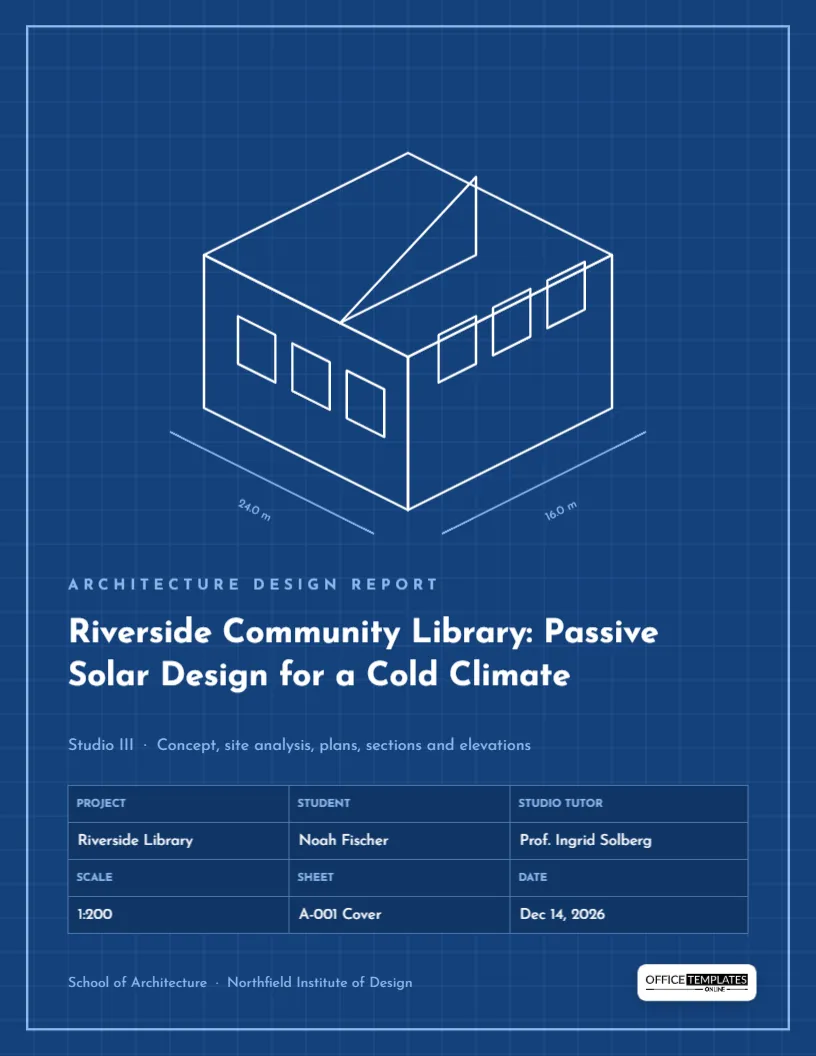
Architecture students present work as drawings, and every drawing sheet has two things in common: a border and a title block. This cover is designed as the first sheet of your set. A blueprint-blue page with a fine grid and a light border holds an isometric line drawing of a building with dimension lines, and a title block at the bottom records the project, student, tutor, scale, sheet number, and date. It is made for studio reports, design portfolios, thesis booklets, and building technology submissions.
The First Sheet of a Drawing Set
The background is a rich blueprint blue with a subtle darker grid every few millimetres. A thin pale-blue border frames the page like a drawing sheet. In the upper half, a white line drawing shows a building in isometric projection: a flat roof plane, two visible walls with rows of windows, and a sloping rooflight rising from the roof. Below the building, two pale dimension lines run along its edges, labelled 24.0 m and 16.0 m. In the lower half, a pale-blue label reads Architecture Design Report; the title, Riverside Community Library: Passive Solar Design for a Cold Climate, is set in white Josefin Sans, and a smaller line lists the contents: Studio III · Concept, site analysis, plans, sections and elevations. The title block table sits below, and a final line names the school, beside the logo on a light plate.
Filling In the Title Block
The title block is a real table with four rows in three columns, alternating label rows and value rows, just like a drawing title block. Select it and choose Edit Table Data to edit:
- Project: Riverside Library
- Student: Noah Fischer
- Studio tutor: Prof. Ingrid Solberg
- Scale: 1:200
- Sheet: A-001 Cover
- Date: Dec 14, 2026
Use Add Row for extra information such as Site, Revision, or Studio group. Keep the label rows in small capitals so the block reads like a professional one.
Sheet Numbering Like a Practice
Architects number sheets by discipline and type. A common system uses a letter for the discipline and a number for the type and order, as below. Using it in your portfolio shows you understand professional conventions.
| Sheet number | Content |
|---|---|
| A-001 | Cover sheet and drawing list |
| A-101 | Site plan |
| A-201 | Floor plans |
| A-301 | Building sections |
| A-401 | Elevations |
| A-501 | Details |
A Note on Scales
The scale cell tells the reader how drawings in the set relate to reality. On a cover, write the main scale of the set, or As noted if sheets use different scales. Metric studios commonly use 1:500 for site plans, 1:200 or 1:100 for plans and sections, and 1:20 or 1:5 for details. Imperial studios use 1/16″ = 1′-0″ or 1/8″ = 1′-0″ for plans and larger scales for details. Remember that the scale only holds when sheets are printed at their intended size.
Replacing the Isometric Drawing With Your Own
The sample building is a group of white outlines, which you can edit, move, or delete. For the strongest cover, replace it with your own drawing. Export a line drawing, axonometric, or massing diagram from your CAD or BIM software as a PNG or SVG with a transparent background and white lines, then add it in the space the sample occupies. If your drawing has black lines, invert it in an image editor first so it shows on the blue. A hand sketch, scanned and inverted, also looks wonderful on blueprint blue.
Titles for Studio Projects
Studio project titles usually name the building, the site, and the design idea. Riverside Community Library: Passive Solar Design for a Cold Climate gives the programme (library), the setting (riverside, cold climate), and the strategy (passive solar). Other examples: The Market Hall: Timber Gridshell Over a Former Rail Yard, Housing on the Edge: Twelve Homes for a Flood-Prone Street, Quiet Rooms: A Hospice Garden Pavilion. The contents line beneath the title lists what the reader will find, which helps reviewers at a glance.
Changing Blueprint Blue to Other Media
Blueprint blue is classic, but you might want another look. For a white whiteprint cover, change the background to off-white, the grid to very pale grey, and the drawing and text to dark navy or black. For a dark charcoal presentation board feel, change the background to near-black and keep white lines. The title block table’s colours are set in its options; change the header and row colours to match.
Portfolio and Crit Presentations
Architecture work is often shown on screens and walls at reviews. Download the cover as a PNG to open a slideshow, or as a PDF to put in front of your report. For a pin-up, the blue sheet makes a strong first board at small scale. Keep the same title block layout on every sheet of your set if you can; consistency is part of what reviewers judge.
Writing the Design Statement That Follows the Cover
Most studio reports open with a short design statement on the page after the cover. Keep it to about 150 words: the brief in one sentence, the site’s main opportunity or constraint, your central idea, and how the building expresses it. For the sample library, that might be the cold winters, the low southern sun over the river, and a stepped reading room that captures it. The contents line on the cover already promises site analysis, plans, sections, and elevations, so the statement should point the reader toward the drawings that prove the idea.
Print Shop Advice for a Blue Sheet
The page is US Letter, 8.5 x 11 inches, a common size for written design reports and portfolio booklets. Because the blue covers the whole page, home printers will leave a white margin. For a professional finish, download as a PDF with bleed and crop marks and have a print shop trim it. Blueprint blue prints most evenly on a laser printer or a high-quality inkjet on coated paper.
Architecture Cover FAQ
Can I use this for interior design or landscape architecture?
Yes. Change the label and replace the building with a plan or perspective of your project.
Should I list all team members in a group studio?
Yes. Add a row to the title block for team members, or list them in the student cell.
Can I change the sheet size?
This template is fixed at US Letter. For tabloid or A3 boards, a print shop can enlarge the PDF proportionally; the vector lines and text stay sharp when scaled up.