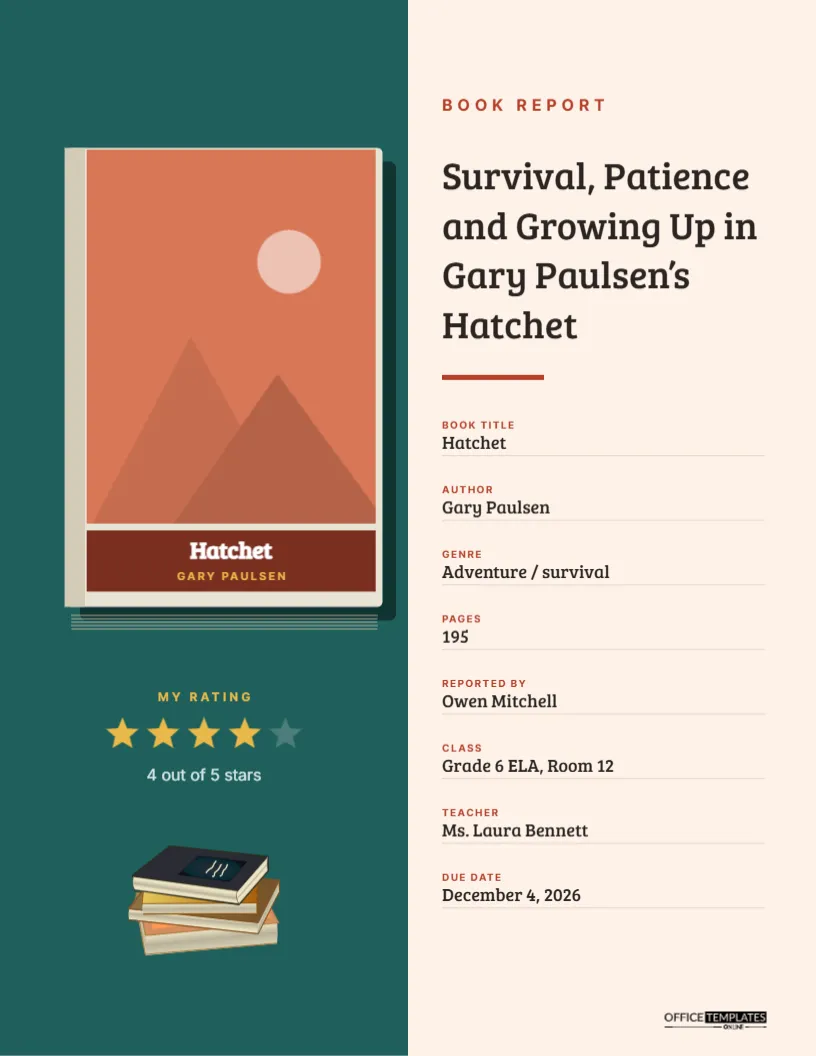
A Book Report is often a student’s first piece of writing about literature, and the cover is part of the fun. Children love showing the book they read, and teachers love seeing that a student finished it and formed an opinion. This cover puts both front and centre. On the left, a hardcover book stands on a teal panel, and its front cover is a slot where you upload a picture of the real book’s cover. Below it, a five-star rating lets the reader show what they thought. On the right, the report’s title and the book’s details are laid out neatly for the teacher.
A Book You Can Put Your Book Into
The page is split. The left half is a deep teal panel; the right half is a soft peach. On the teal side, a hardcover book is drawn with a dark back board, cream page edges peeking along the right and bottom, and a grey spine strip. Its front cover is an image slot. Under the image, a brick-red band carries the book’s title, Hatchet, in white and the author, Gary Paulsen, in small gold capitals. Lower on the teal panel, a gold My Rating label sits above five stars, four filled in gold and one in muted teal, with 4 out of 5 stars beneath. A small stack of colourful books sits at the bottom. On the peach side, a red label reads Book Report; the title, Survival, Patience and Growing Up in Gary Paulsen’s Hatchet, is set in Bree Serif, and eight labelled details follow down the page. The logo sits in the bottom right corner.
Adding the Book’s Cover Picture
Click the front cover of the drawn book and choose Replace Image. Upload a picture of the book you read: take a photo of your copy, or find the cover image on the publisher’s or library’s website. The image fills the cover area and keeps the book’s shape. Book covers are tall rectangles, so they fit naturally. If your photo has a background, crop it close to the book’s edges first. Then edit the red band underneath with the title and author, so they are readable even if the cover image is busy.
Rating the Book With Stars
The five stars are a small group. To change the rating, ungroup them and recolour the stars: gold for filled, muted teal for empty. Then update the line beneath, such as 3 out of 5 stars. Some teachers ask students to explain their rating in the report; it is a natural way to practise giving an opinion with reasons. A rating also makes a class display of book reports more interesting, because classmates can see which books their friends recommend.
Book Facts and Report Details
| Field | Sample | Tip for young readers |
|---|---|---|
| Book title | Hatchet | Copy it exactly from the cover |
| Author | Gary Paulsen | First name and last name |
| Genre | Adventure/survival | Fantasy, mystery, biography, historical fiction… |
| Pages | 195 | Look at the last numbered page |
| Reported by | Owen Mitchell | Your full name |
| Class | Grade 6 ELA, Room 12 | Grade and class or room |
| Teacher | Ms. Laura Bennett | How your teacher writes their name |
| Due date | December 4, 2026 | The day the report is due |
Turning a Summary Into a Report Title
Many students title their report with just the book’s name. That works, but a report title that names a theme shows deeper thinking. Survival, Patience, and Growing Up in Gary Paulsen’s Hatchet tells the teacher what the student noticed: the book is not only about surviving in the wilderness but about Brian growing up. Help younger students find a theme by asking, What did the main character learn? The answer often makes a great title.
What Goes Inside a Book Report
- Introduction: the title, author, genre, and a sentence about what the book is about.
- Summary: the main events, without giving away the ending if your teacher prefers.
- Characters: the main character and two or three others, with what they are like.
- Setting: where and when the story happens.
- Theme: the big idea or lesson.
- Opinion: what you liked or did not like, and your star rating explained.
Popular Books for Reports by Grade
Teachers often suggest books that work well for reports. Grades 3 to 4: Charlotte’s Web, Because of Winn-Dixie, The One and Only Ivan. Grades 5 to 6: Hatchet, Wonder, Holes, Number the Stars. Grades 7 to 8: The Giver, The Outsiders, Esperanza Rising, Long Way Down. Any book your teacher approves will work with this cover.
Changing Colours to Match the Book
A fun touch is to colour the cover to suit the book you read. Change the teal panel to a colour from the book’s cover: green for a forest adventure, blue for an ocean story, purple for fantasy. Change the red band under the book to a matching accent. The book-stack illustration at the bottom is an editable vector; recolour it from its swatches or delete it if you want more space.
Book Reports for Reading Logs and Displays
Some classes keep a wall of book reports or a reading log. Download each cover as a PNG and print it smaller, or use it in a slideshow of the class’s reading. Students can also reuse the design for a book recommendation card: keep the cover image and rating, and replace the details with two sentences on why classmates should read it.
Printing at Home for Young Students
The page is US Letter, 8.5 x 11 inches. The teal panel uses a moderate amount of ink. Choose Download As PDF, then print with scaling turned off. For a sturdier report that survives a backpack, print on cardstock; the book image and stars look especially bright on bright white card.
Book Report Cover FAQ
Is it okay to use the real book cover image?
For a school report, using a picture of the book you read is common and generally fine. Do not sell or publish it.
Can older students use this cover?
Yes. For high school, choose deeper colours and a theme-based title; the layout works at any age.
What if the book has no page numbers?
Picture books and some e-books do not. Write Picture book or E-book in the pages field.