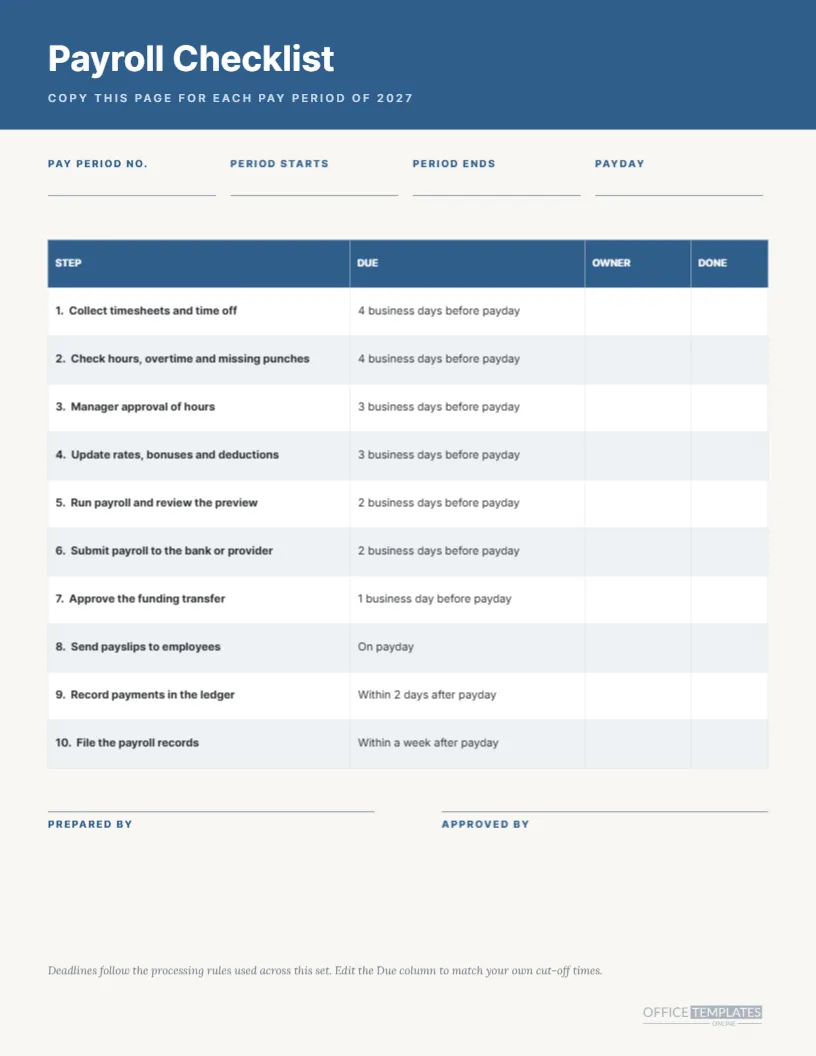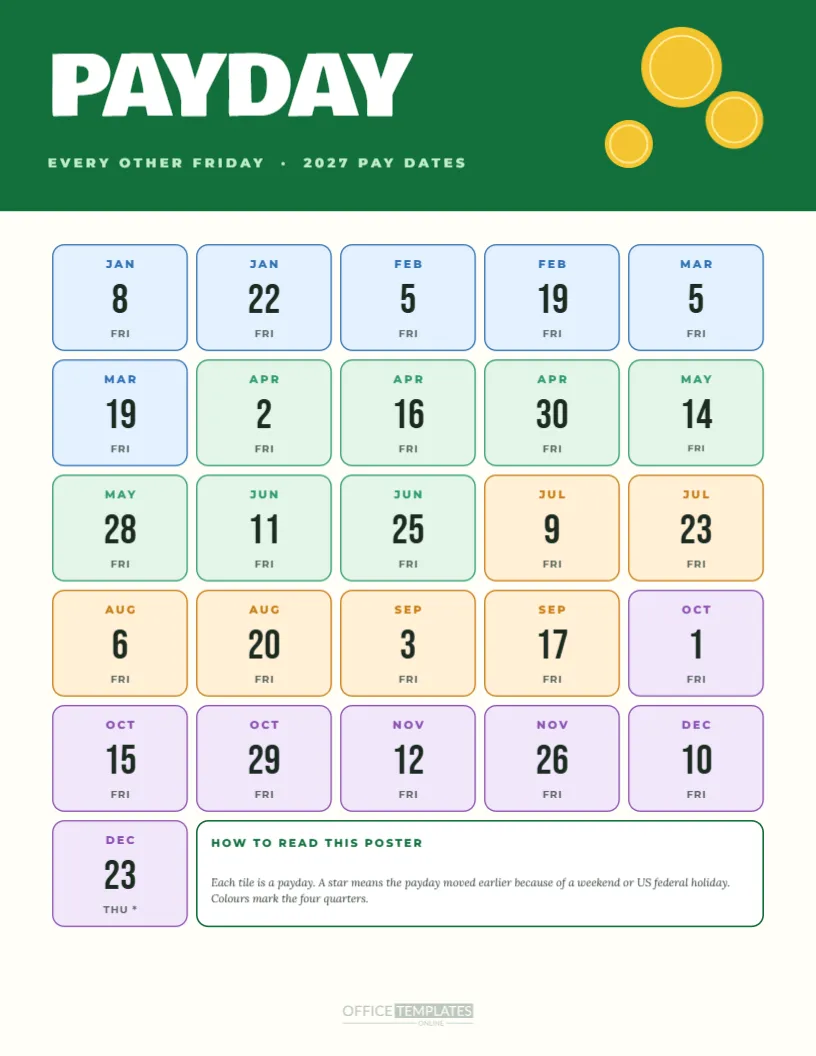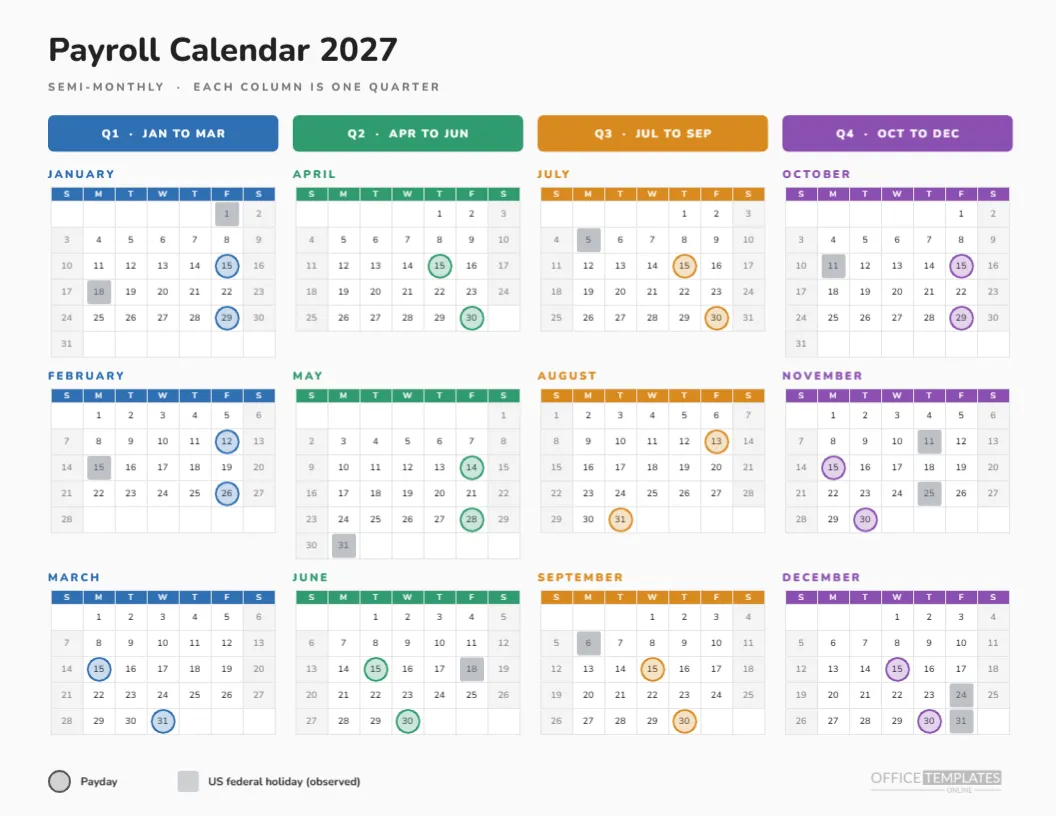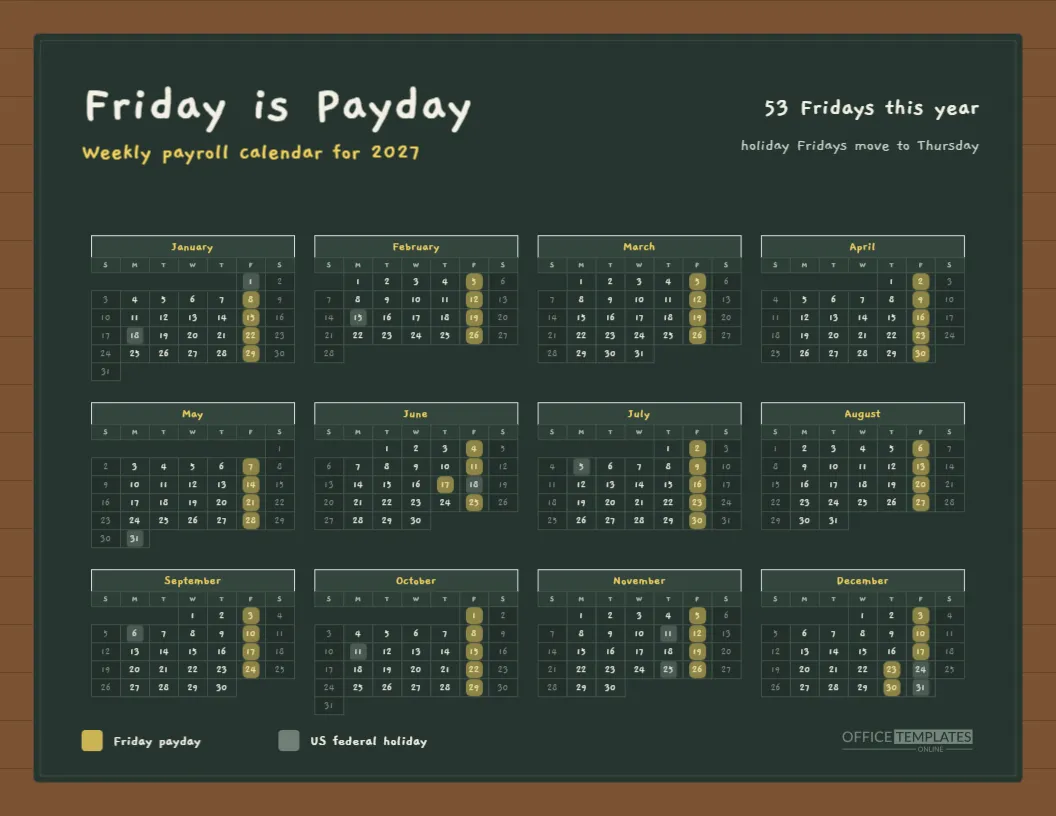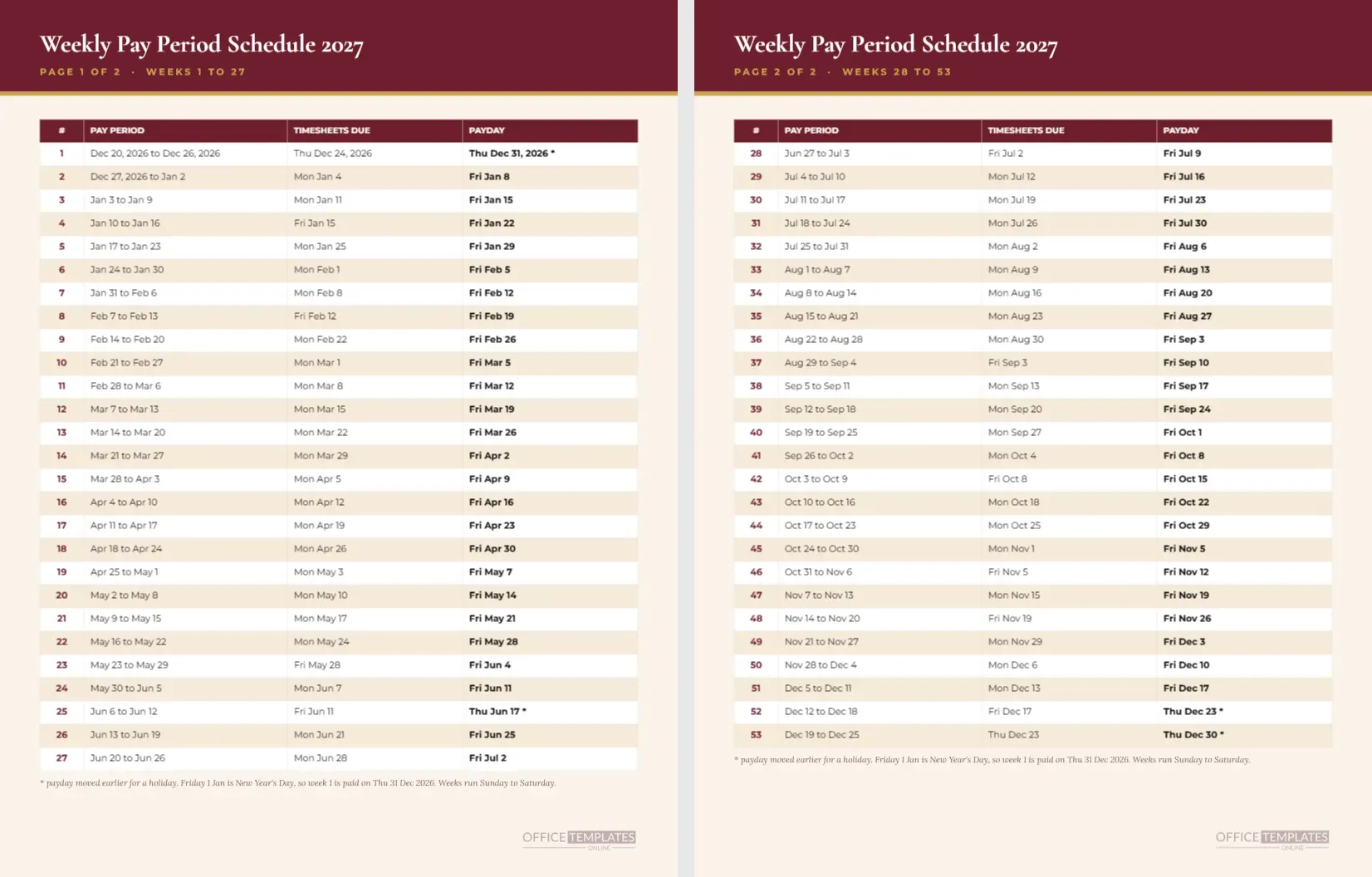
Fifty-three rows are too many for a single readable page, so this weekly pay period schedule for 2027 uses two pages. The first page lists weeks 1 to 27 and the second lists weeks 28 to 53, each with the pay period, the day timesheets are due, and the payday. The claret and cream colour scheme looks closer to a printed ledger than a software export.
Step One: Understand the Layout
Each page has a claret band with the title Weekly Pay Period Schedule 2027 in Cormorant Garamond and a gold caption saying page 1 of 2 or page 2 of 2. Below is a four-column table on cream paper: week number, pay period, timesheets due, and payday. A footnote and the logo sit at the bottom.
Step Two: Learn How Weeks Are Numbered
Week 1 is the pay period that ends the Saturday before the first Friday of the year, January 1. Week 53 is the pay period that ends the Saturday before the last Friday, December 31. With 53 Fridays in 2027, there are 53 rows. That is one more than most people expect, so the page states it in the heading area.
Step Three: Read a Row
Take week 12 as an example. The pay period is Mar 7 to Mar 13, timesheets are due Monday, March 15, and payday is Friday, March 19. Every row follows the same pattern: a Sunday-to-Saturday week, a Monday deadline, and a Friday payment. The deadline is four business days before payday.
Step Four: Find the Holidays
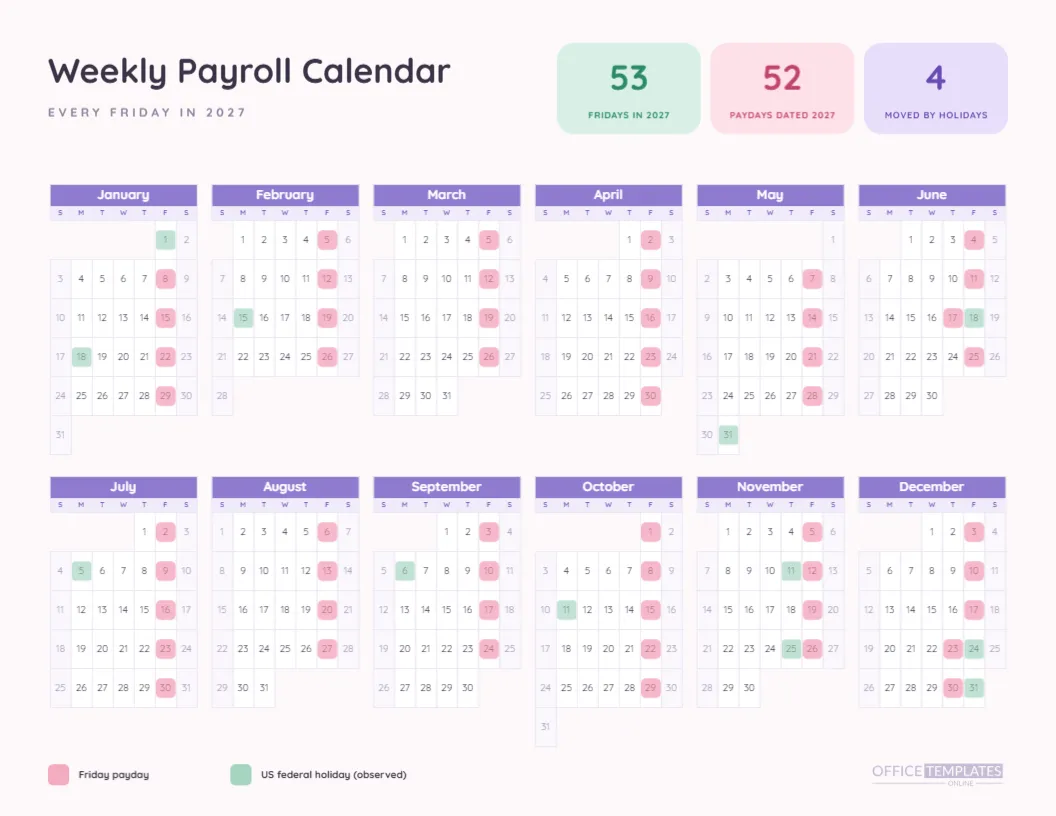
Rows near a Monday holiday show a Friday deadline instead. Week 4, for example, shows Fri Jan 15 because Monday, January 18 is Martin Luther King Jr. Day. Similar shifts occur around February 15, May 31, July 5, September 6, and October 11. These are the only deadlines that differ from the usual Monday.
Step Five: Note the Moved Paydays
Four paydays move. Week 1 is scheduled for January 1 and moves to Thursday, December 31, 2026. Week 25 moves from June 18 to Thursday, June 17. Week 52 moves from December 24 to Thursday, December 23, and week 53 from December 31 to Thursday, December 30. Each carries an asterisk on the page.
Step Six: Understand Why Week 1 Looks Odd
Page one starts with a pay period that began in 2026 and a payday that also falls in 2026. That is unusual but correct: the first scheduled Friday of 2027 is New Year’s Day, which is a holiday, so pay moves back across the year boundary. If your company has already paid that week in December, you can delete the row.
Step Seven: Check Against Payroll Software
Most payroll software lists pay dates by pay period number. Compare the first and last rows, then spot-check a few in the middle. If the software says week 1 pays on January 8, your cycle starts a week later than this page, and you should retype the table or use a different template.
Step Eight: Edit the Tables
Each page has its own table object, which means you edit them separately. To change the timesheet rule, retype the third column on both pages. To add a column for check numbers, widen the table and add cells. Both pages should keep the same column widths so they feel like one set.
Step Nine: Customise the Colour
Claret is the primary colour and gold is the accent. If your branding uses green or blue, change the band and header row fill together. Keep the row tint pale so the text stays easy to read. Do the same on both pages to keep them matched.
Step Ten: Print Both Pages
Print both pages at actual size on Letter portrait paper, ideally double-sided so they stay together. Stapling them in the top left corner makes a tidy reference for the payroll binder. If you are printing for a notice board, pin page one over page two and flip as needed.
Who Needs a Fifty-Three-Row Table
Companies that pay weekly, such as staffing agencies, restaurants, construction firms, and home care providers, are the obvious users. They need to know exactly which pay period feeds which payday, because hourly workers check their weekly paycheck against their own records. A table makes those checks fast and objective.
Combining the Pages With Month Calendars
The collection includes a weekly year calendar and a twelve-page weekly month set. Use this table as the master list, the year calendar as the wall chart, and the month pages for each month’s detail. They all share the same computed dates.
Dealing With Partial Weeks at Year End
Week 53 runs December 19 to December 25 and is paid on Thursday, December 30. A week that spans a year boundary matters for tax and reporting in some places. This page does not address that. If your year-end processing needs special treatment, add a note on the page and check with your accountant.
Adding a Tick Column for Each Run
A simple but useful edit is a narrow right-hand column titled Done. Staff can tick each row once payroll is processed, and the finished page becomes a record of the year. Use a light border so the printout stays tidy, and leave the cells blank for hand marking.
Trusting the Dates
All dates on both pages are computed by a program from one rule rather than typed. That reduces typing errors, but it does not replace verification. Cross-check the first week, the holiday weeks, and the last week with your provider, and note any differences on your copy.
Fast Facts About the Weekly Schedule Pages
How many rows? Fifty-three. How many pages? Two. Is week 1 paid in 2026? Yes, on December 31. Are the cells formulas? No, they are text. Does the page start weeks on Sunday? Yes, Sunday to Saturday.
Where the Hours Go Between Period End and Payday
Between the Saturday that closes a week and the Friday that pays it, six days pass. In that window, employees submit hours, managers check them, and the payroll provider processes funds. Seeing every one of those windows laid out for the year makes it easier to spot weeks where the window shrinks, such as those around Thursday holidays.
Using the Footnote to Educate Staff
The footnote on each page is short, but it carries the policy: weeks run Sunday to Saturday, and a holiday moves payday earlier. Use it as a starting point for a staff notice, copying the same sentence into your handbook so the page and the policy match word for word.
Handing Pages to Managers for Their Teams
Managers often keep their own copy so they can remind hourly workers when hours are due. Give each of them both pages, with their team’s deadline highlighted in yellow. A tool that fits on a desk and answers a daily question tends to be used.