Is This Page Right for You?
| If you | This page |
|---|---|
| Pay weekly on Fridays | Fits exactly, with every Friday marked |
| Want a friendly, soft look | Uses pastel cards, rounded shapes, and Quicksand type |
| Need a printable wall year | Shows all twelve months in six columns |
| Pay on another weekday | Needs the squares moved by hand |
The Mood
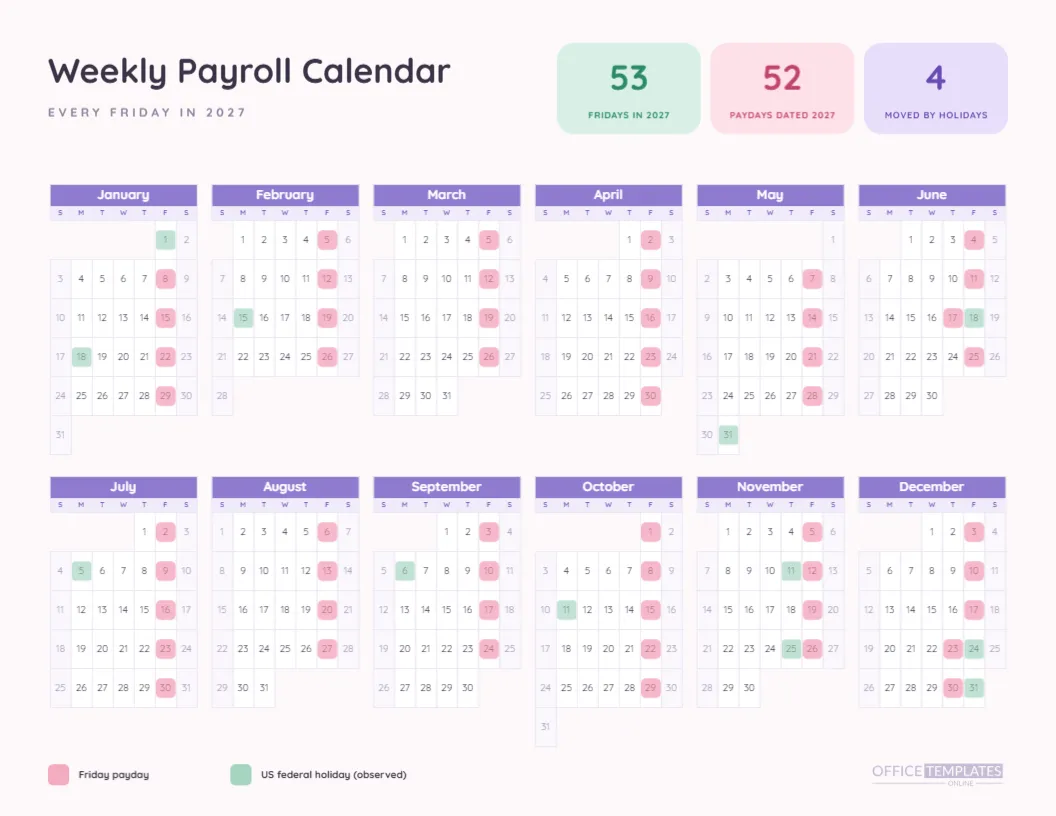
Payroll is rarely called friendly. This page tries anyway. The page is a warm off-white, a title in Quicksand sits at the top left, and three rounded cards in mint, blush and lilac hold the headline figures. The calendar months have lilac headers, and the markers are soft pink and soft mint, which makes the whole year look like a children’s book calendar for grown-ups.
Three Cards, Three Numbers
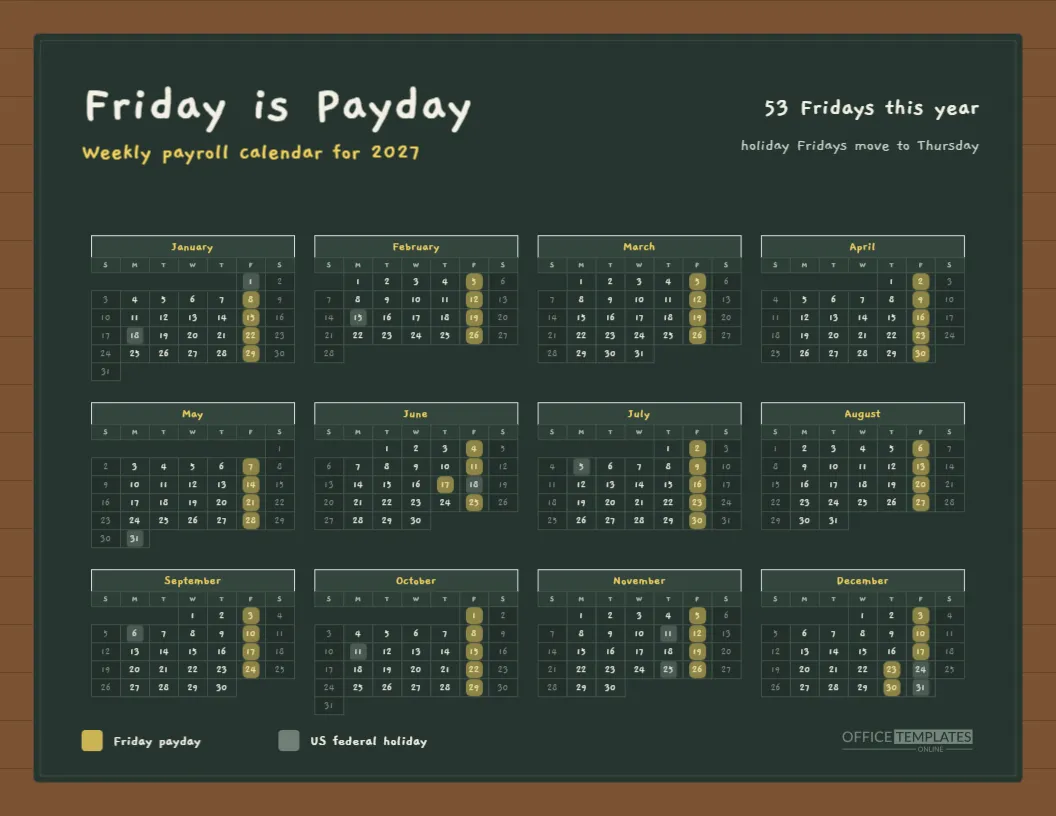
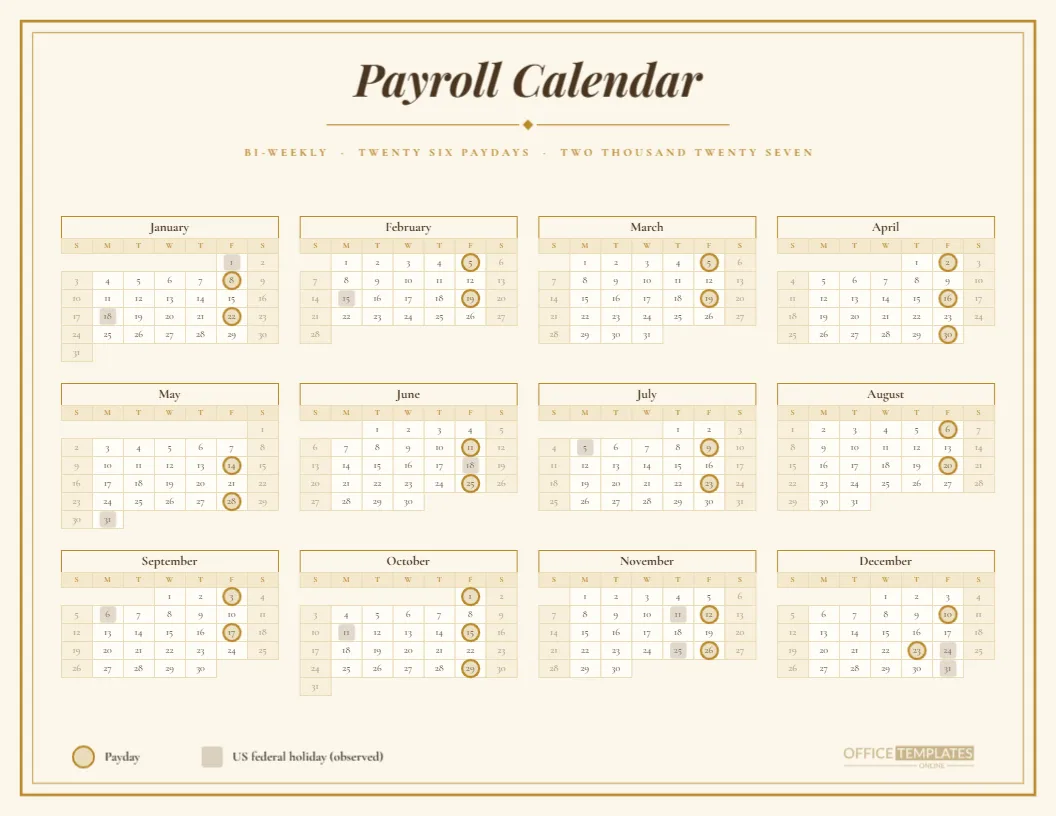
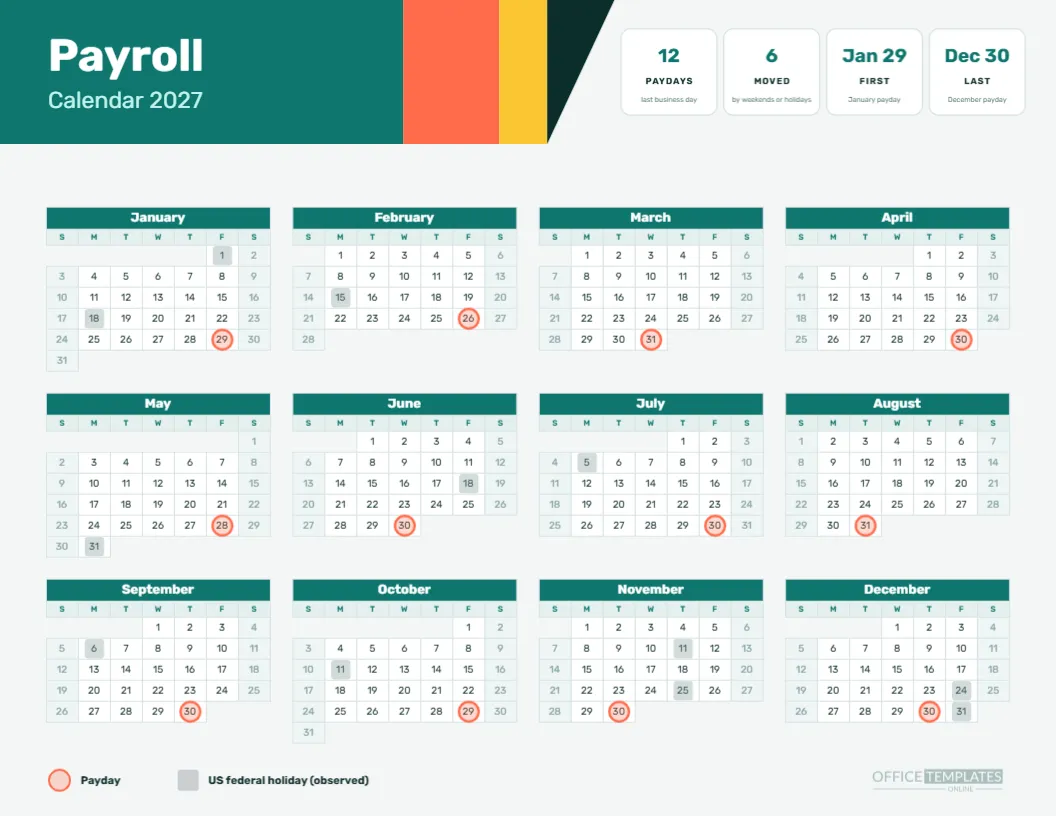
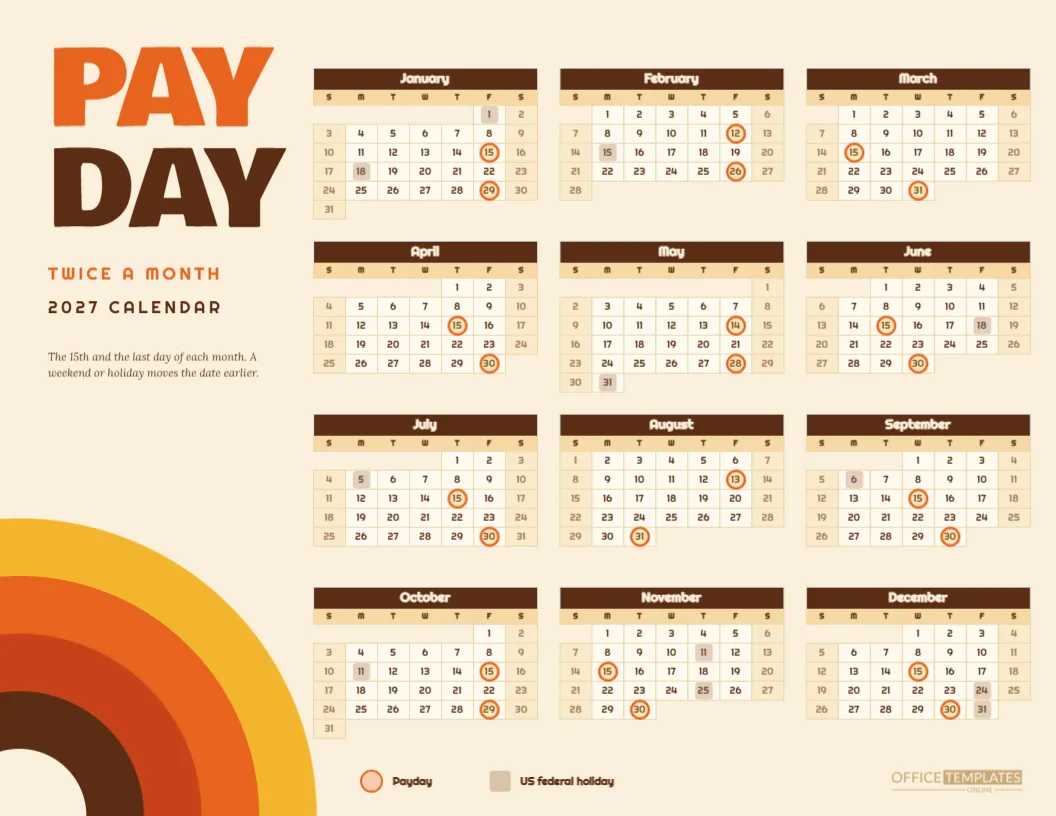
The mint card reads 53 FRIDAYS IN 2027, the blush card reads 52 PAYDAYS DATED 2027, and the lilac card reads 4 MOVED BY HOLIDAYS. Together they tell the whole weekly story: there are 53 Fridays, 52 paydays land inside the year, and four paydays move earlier. The cards are plain shapes, so you can edit the numbers.
Why 52 Paydays and 53 Fridays
January 1, 2027 is a Friday and a holiday, so its pay moves back to Thursday, December 31, 2026. That payday is dated 2026 and does not appear in the grid. The other 52 Friday paydays land in 2027. The cards explain a puzzle that confuses many weekly payers, who count Fridays and then wonder why the grid shows one fewer.
The Four Moved Paydays
Besides the January 1 move, three Fridays shift to Thursdays: June 17, December 23 and December 30. They are marked on the grid with pink squares on those Thursdays, next to mint squares on the observed holidays. Reading across the page, you can see each move as a pink and mint pair on neighbouring cells.
Reading the Six Column Pastel Year
The year is arranged as six columns by two rows, which makes a wide, low block under the cards. Each month is a small grid with two-letter day names and tightly spaced cells. Pink squares stack down the Friday column of each month, forming neat vertical stripes that make the weekly rhythm obvious.
The Legend
Under the calendar, a small pink square labelled Friday payday and a mint square labelled US federal holiday, observed, explain the markers. The legend uses Quicksand and a calm grey ink. If you use different holiday rules, change the label to match, or remove the mint squares and legend entry altogether.
Editing the Three Pastel Info Cards
Each card is a rounded rectangle with a large figure and a small caption. Change the figures if your schedule differs, or replace a card with another fact such as the number of five Friday months. Keep the captions short so they stay on one line at the small caption size.
Editing the Pastel Calendar Object
The grid is the editor’s Calendar object in Full Year style. Use Calendar Options to change the year or week start. The pink and mint squares are separate grouped shapes laid over the cells, so they must be moved by hand after any change. Do the move before you adjust the legend.
Colours and Fonts
Lilac, pink, mint, and cream are the palette, with a deep aubergine for text. Quicksand has soft, rounded letters that fit the mood. If you want a more serious look, change the fonts to something like Inter and the colours to greys and blues, keeping the layout intact.
Cafes and Studios Where the Pastel Page Fits
Cafes, bakeries, salons, nurseries, boutique shops and creative studios often pay weekly and favour a gentle look. A page like this hangs comfortably beside a menu board or a staff rota. It also suits employers who want to show kindness in how they communicate with a young or part-time team.
Printing the Pastels
Print landscape on Letter at actual size with background graphics on. Pastels are light, so a good quality inkjet or laser will reproduce them well. On a cheap printer, the pink and mint may fade a little, so check a draft and darken the squares by ten percent if needed.
Weekly Rhythm for the Team
With a column of pink squares in every month, staff quickly learn that the weekly paycheck follows a steady beat. A manager might say that pay is on the pink days, a phrase that is easy to remember and easier to say than a list of dates. It helps part-time staff, who may only look at the page occasionally.
Combining the Pastel Page With the Weekly Table
For timesheet and processing details, use the weekly pay period schedule in this collection. It runs to two pages and covers 53 weeks. This pastel calendar is the friendly summary, and the table is the technical reference.
Cautions
As always, dates follow a single rule and a US federal holiday list. Your payroll provider’s schedule is what counts. If any date is critical to employees, confirm it with the provider before promising it, and adjust the squares if your holiday list differs.
Short Version
Pastel page. Three cards. Six columns. Pink Fridays, mint holidays. Fifty-three Fridays, fifty-two paydays dated 2027, four moves. Editable shapes, text and calendar.
A Friendly Opening Note for Staff
Print the page and attach a short note: pay arrives every Friday, and when a Friday is a holiday, it arrives on the Thursday before. That sentence, beside a column of pink squares, covers nearly every question a weekly paid employee will have all year. Staff appreciate a clear rule written in plain words.
Colour Choices and Printing Costs
Pastel fills use less ink than saturated ones, which keeps the page cheap to print in volume. If you print a copy for every employee, the cost is small. The cards and squares are the only colour areas, and the title is a dark aubergine that prints crisply even on a basic printer.
Adapting the Page to Another Payday
If your weekly payday is Thursday, move each pink square to the Thursday cell of its week. It is a set of fifty small edits, so allow an hour. A faster way is to select the whole marker group, move it one cell left, then fix the few holiday weeks by hand. Always compare with your provider’s list afterwards.
Teaching New Hires the Weekly Rule
New hires often start mid-week and ask when they will first be paid. Show them the calendar, find their start date, and count the pink squares: pay arrives on the first Friday after their first pay period closes. The picture helps most people understand the lag between work and pay, which is the usual cause of a worried first week.
A Variation for Offices With Alternate Fridays
If part of your team is paid weekly and part bi-weekly, print two copies and mark alternating pink squares in a darker tone on one of them. Label the darker ones as the bi-weekly group. A single page then shows both schedules without needing a second layout, and staff can find their own colour.