A Studio Card That Looks Like a Lens
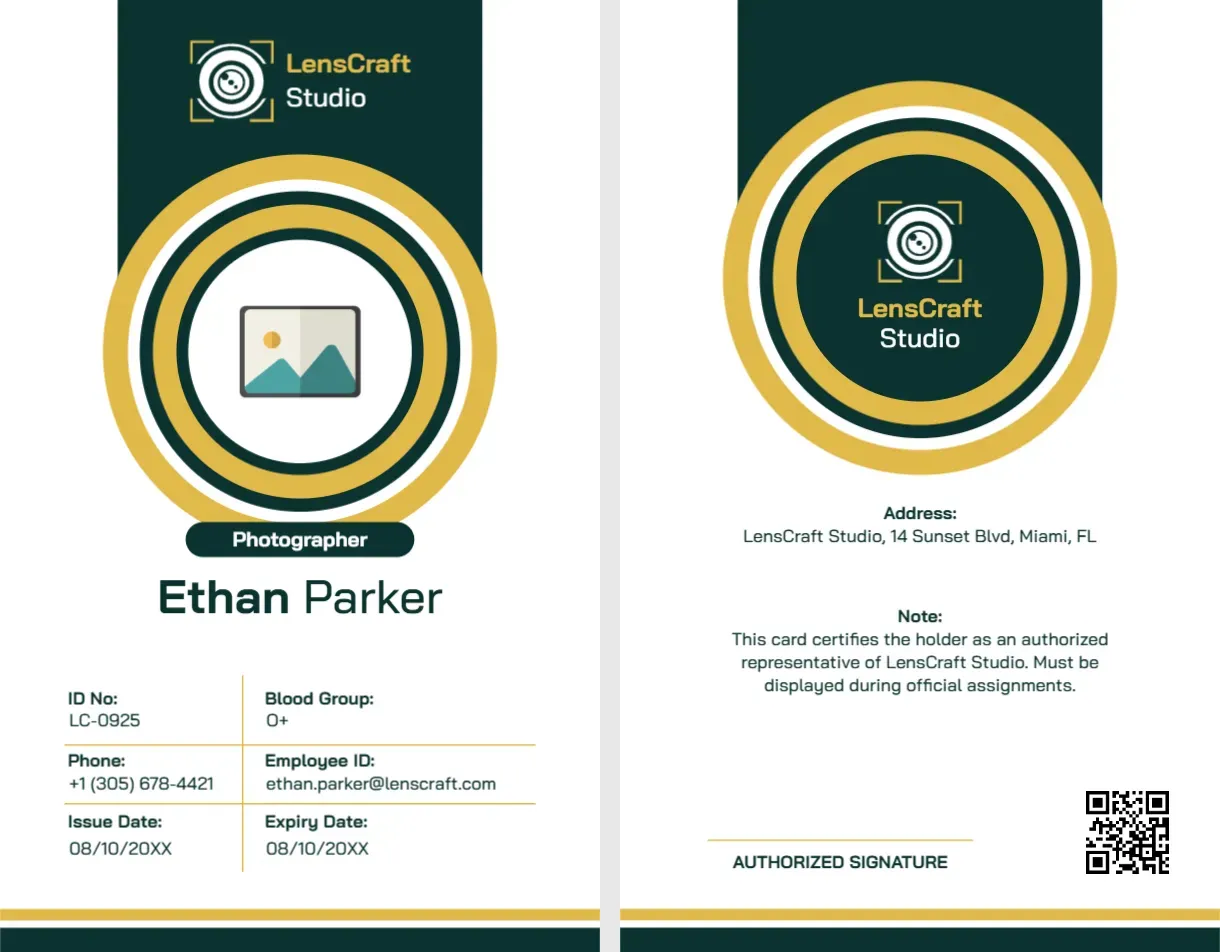
The design idea here is clever and simple: the photograph sits inside a set of concentric gold and dark green rings that look like the front of a camera lens. It tells a viewer, before they read a word, that the person holding the card works with cameras. For a photography studio, an events agency or a freelance team, that is a good, distinctive look, and it works for both the front and the back.
Studio Card Front: Dark Green Panel and Gold Rings
The card is portrait, 2.125 x 3.375 inches. A tall dark green panel runs down from the top, with the LensCraft Studio logo and name in white and gold. A big circle of gold and green rings holds the round photo. A small dark green tag below it reads Photographer, and under it Ethan Parker is written in dark green. Below, a grid shows ID No: LC-0925 and Blood Group: O+ on the first row, Phone: +1 (305) 678-4421 and Employee ID on the next, and Issue Date and Expiry Date on the last, both 08/10/20XX. Two thick gold and green stripes run along the bottom. The font is Bai Jamjuree.
Studio Card Back: Logo Rings and Authorised Note
The back repeats the rings with the logo in the centre instead of a photo. Below it, an Address line reads LensCraft Studio, 14 Sunset Blvd, Miami, FL. A Note says: This card certifies that the holder is an authorized representative of LensCraft Studio. Must be displayed during official assignments. A signature line and a QR code sit at the bottom.
Check the Employee ID Line
In the sample data, the field labelled Employee ID holds an email address, [email protected], while the ID No holds LC-0925. The two labels and values do not match. When you fill in your own details, check each label and value together. Either rename the label to Email, or put an employee number in that field. Small mismatches like this are easy to miss and make a card look careless.
Customising for Your Studio
- Replace the LensCraft logo and name, on both sides, with your own.
- Click the round photo and choose Replace Image.
- Retype the name, ID number, phone and dates.
- Replace the address on the back with your studio or base.
- Edit the note to describe what the card allows and requires.
- Replace the QR code with a link to a profile or verification page.
Roles Beyond Photographers
The ring design also works for assistants, video operators and editors. Change the title in the tag and keep the rest. A set of cards for a team, using the same layout, looks professional on a shoot.
Working With Clients and Venues
Many venues ask photographers to show a card at the entrance. A studio card helps, but it is not a substitute for the client’s accreditation. Carry both, and keep the card clean and in a holder. Update the expiry date when your status changes.
Printing the Dark Green and Gold Card
The gold rings look richest on a matte stock of 300 gsm, and a PVC card gives the best durability. Print both sides, aligned, and add a slot for a lanyard clip. Test one copy for colour, as dark green can print nearly black on some printers.
For a teal and charcoal editorial card, see the editorial photographer ID card. For a press card in blue, see the press reporter ID card. More are in ID cards.