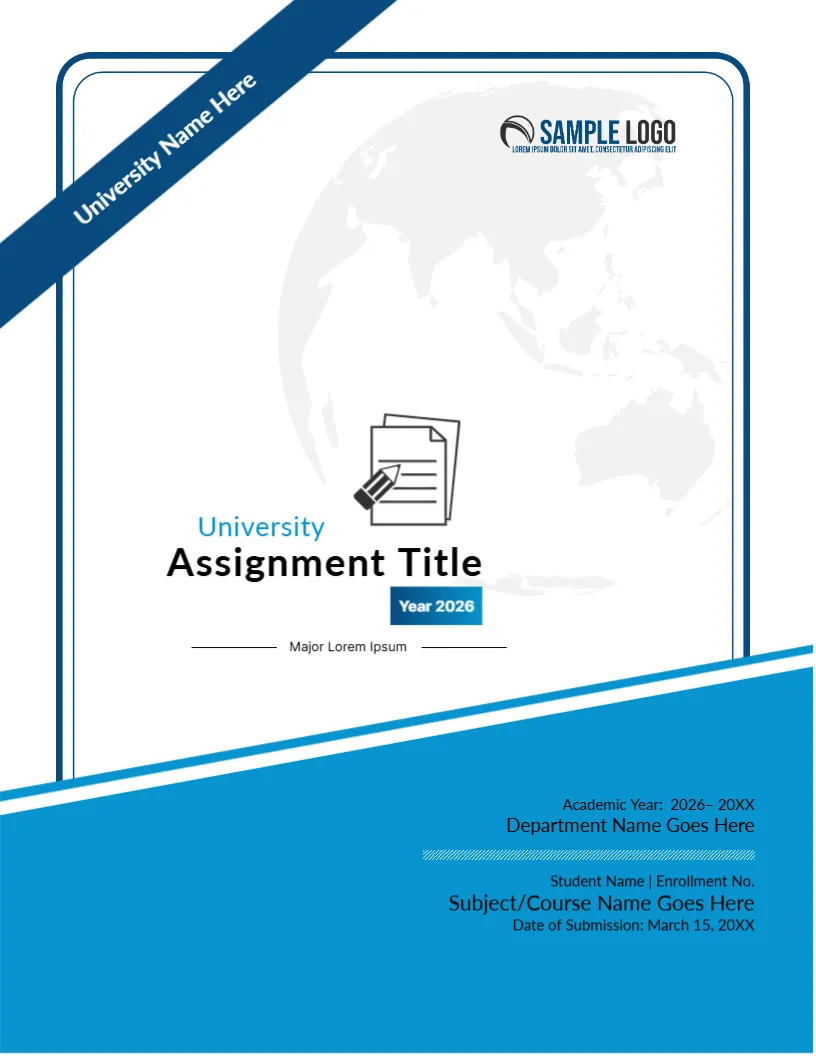
A Diagonal Banner That Carries the University Name
A blue banner cuts across the top left corner with the words University Name Here written along it, and a faint globe fills the page. A small documents and pencil icon sits above the title. A blue footer holds the academic year, the department and the student details. It suits formal assignments at universities and colleges.
Banner, Globe, Icon and Blue Footer
The page is 8.5 x 11 inches, portrait, one page. A double blue line frames the page with rounded top corners. The diagonal footer rises to the right. The SAMPLE LOGO sits at the upper right.
Title, Year Tag and Footer Details
University sits above Assignment Title with a Year 2026 tag in blue and Major Lorem Ipsum between two rules. The footer lists Academic Year: 2026 to 20XX, Department Name Goes Here, Student Name | Enrollment No., Subject/Course Name Goes Here and Date of Submission: March 15, 20XX. The academic year line includes an en dash and a space, so retype it. Replace the banner text with your university.
Fields in the Footer
- Academic year.
- Department.
- Student name and enrollment number.
- Subject or course.
- Date of submission.
Rotated Text on the Banner
The text on the banner is rotated with the shape. Click it, type your university name and keep it short so that it stays on the banner.
Using the Major Line
The line Major Lorem Ipsum is for your major or specialisation. Replace it with a subject or delete it.
Printing the Banner Cover
Print in colour on 120 gsm paper. The blue footer is a large shape, so test one copy.
Step by Step Editing of the University Ribbon Globe Design
- On the university ribbon globe design, click the main headline and type your own words, keeping a similar length.
- Retype every name, date and contact line on the university ribbon globe design, checking each against a trusted source.
- Search the university ribbon globe design for the words Lorem and Company so that no placeholder remains.
- Click any logo or photo on the university ribbon globe design, choose Replace Image and resize the new picture to fit.
- Zoom the university ribbon globe design to full size and read each line aloud before you save it.
- Keep a clean master of the university ribbon globe design without private details, so later versions start tidy.
Using Your Enrollment Number Correctly
Write the enrollment number exactly as issued, with any letters and dashes. A wrong number can delay the marking of a paper, since the office matches the number to the class list.
Matching Dates and Academic Years
Use the same academic year on the cover as in the footer, for example 2026 to 2027. Consistency avoids confusion when papers are filed.
Keeping the Cover and Paper Consistent
Use the same university name, department and course code on the cover as in the headers of the paper. Consistency across pages signals care, and it helps administrators who file many papers.
Also worth a look: assignment cover page design. Next to try is the any university assignment cover. Have a look at the assignment cover page. The rest of the series around the university ribbon globe design is in assignment cover pages.