The letter T that explains bookkeeping
Ask an accounting teacher how to make double-entry click for a new student and you will probably see them draw a big letter T on the board. Debits go on the left, credits go on the right, and the line in the middle does the rest. The idea is more than a teaching trick: T-accounts are how professionals sketch out a transaction before they post it, and how many people first learn to see the effect of one event on two accounts. This T-account ledger template gives you six of them on a single sheet, ready to fill in.
How a T-account is laid out
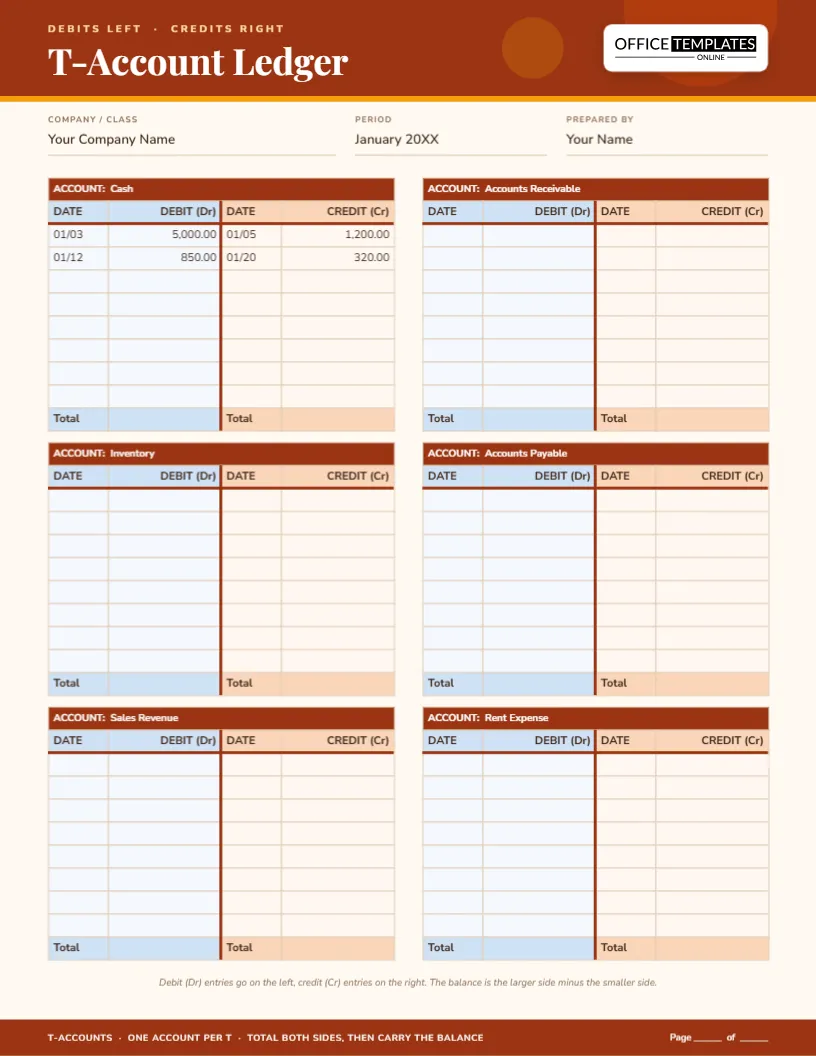
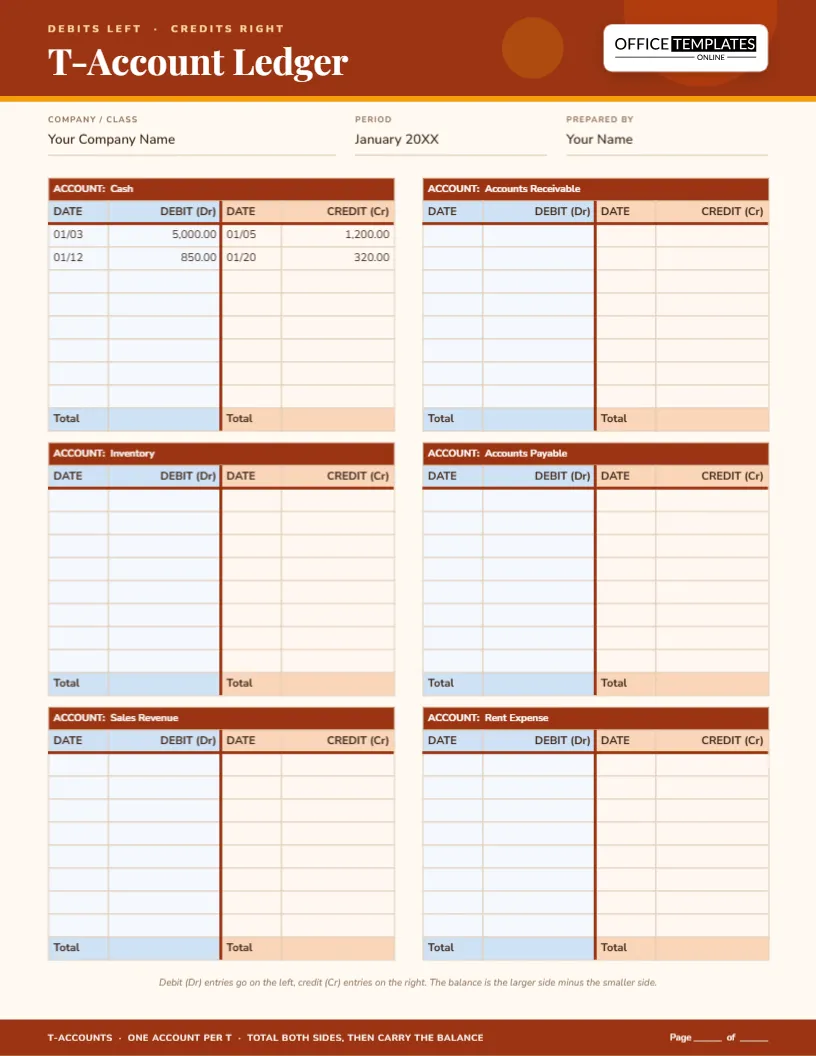
Each of the six blocks on the page has the same parts.
- A dark title bar with the words “Account:” and the account name, such as Cash or Accounts Receivable.
- A row of column headings: Date and Debit (Dr) on the left, Date and Credit (Cr) on the right.
- Eight ruled lines for entries on each side. Debit lines are tinted a soft blue, credit lines a soft peach, so you never write a number on the wrong side.
- A total row for each side at the bottom.
- A thick vertical line down the centre and a thick horizontal line under the headings, which draw the letter T itself.
Six accounts per page, and why that number
Six is the number that fits comfortably on Letter paper without squeezing the writing area. It is also enough to record a typical practice transaction, which normally touches two or three accounts, along with the accounts you need for the next one. The sample titles are Cash, Accounts Receivable, Inventory, Accounts Payable, Sales Revenue and Rent Expense, a mix that covers every major type of account. Click any title and type your own.
A first transaction, drawn out
The Cash T-account already has a few sample entries so you can see how it works.
- On 01/03 the business receives 5,000.00 from an owner or a customer. Cash goes up, so it is a debit on the left.
- On 01/05 the business pays 1,200.00 for rent. Cash goes down, so it is a credit on the right. The other side of that entry would be a debit of 1,200.00 in the Rent Expense account.
- On 01/12 the business collects another 850.00, a debit on the left.
- On 01/20 it pays 320.00 for supplies, a credit on the right.
Add the left side (5,850.00) and the right side (1,520.00) and the difference, 4,330.00, is the debit balance of the Cash account.
Everyday transactions and where they land
Use this quick guide when you are not sure which side to write on.
- Owner puts money in: debit Cash, credit Owner’s Equity.
- Buy inventory on credit: debit Inventory, credit Accounts Payable.
- Make a sale for cash: debit Cash, credit Sales Revenue.
- Make a sale on account: debit Accounts Receivable, credit Sales Revenue.
- Pay a supplier: debit Accounts Payable, credit Cash.
- Pay rent: debit Rent Expense, credit Cash.
Every line has one debit and one credit of the same amount. If your two sides are not equal, something was written down wrongly.
Balancing a T-account in four steps
- Add up every amount on the debit side and write the total in the left total box.
- Add up every amount on the credit side and write the total in the right total box.
- Subtract the smaller total from the larger. The result is the balance.
- Write the balance on the side with the larger total, and label it “Bal.” so it is not mistaken for a new entry.
Made for classrooms and study groups
Teachers can print a stack of these sheets and use them for chapter exercises, quizzes or exam practice. Students can fill in a sheet while the teacher explains a transaction, then compare answers with the class. Because the accounts are editable before printing, one teacher can prepare a set of sheets with titles already typed in, so students only fill in the numbers. Self-study learners can use the same method: write the transaction down, draw the two sides, and check that the totals match.
T-accounts in a working bookkeeper’s day
Bookkeepers still use T-accounts as scratch paper. They are ideal for working out an adjusting entry, untangling a complicated payment or explaining to a client why two accounts moved at once. A small business owner who does not use accounting software can keep T-accounts for the handful of accounts they care about, and total them each month.
Customizing the sheet
- Click each “Account:” title and type the account name.
- Type the company, period and preparer in the three fields under the header.
- Pre-fill opening balances on the correct side of each T if you are starting mid-year.
- Change the terracotta header colour from the toolbar if you need a different look.
- Download the page as a PDF, PNG or JPG and print as many copies as you need.
Printing tips for practice sheets
The page is US Letter portrait, 8.5 by 11 inches. Print on plain 20 lb paper for practice, or on heavier stock if you want to keep the sheet in a file. The blue and peach tints print lightly on a black and white printer, so the debit and credit sides stay easy to tell apart even in greyscale. If you print double-sided, set the printer to flip on the long edge.
T-account queries that come up often
Why are debits on the left?
It is a convention that goes back centuries. What matters is that everyone uses the same one, so debit always means left and credit always means right.
Does debit mean increase?
Not always. A debit increases assets and expenses but decreases liabilities, equity and revenue. The T-account helps you see the direction for each type.
Can I use these for a real business ledger?
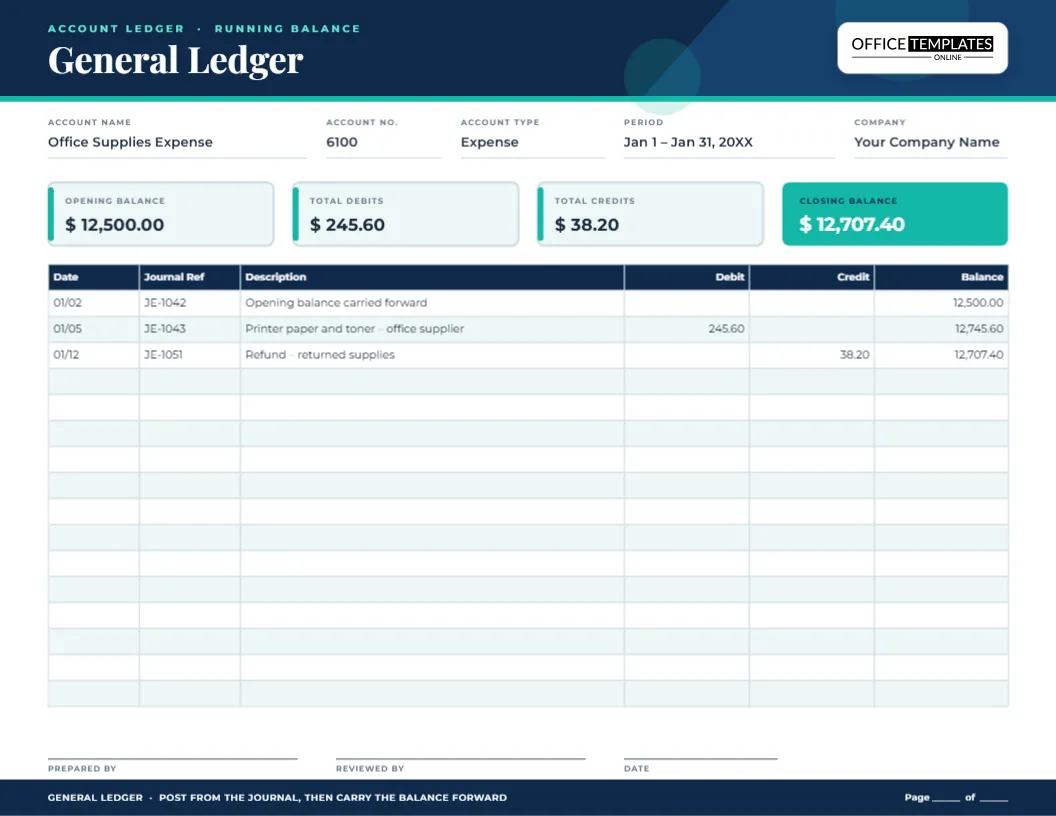
You can, for small volumes. For a busy business, use a running-balance ledger for each account and keep T-accounts for working things out.
Can I change six accounts to four or eight?
You can delete or duplicate a T-account by selecting its table and copying it, then arranging the pieces on the page.
Once the T makes sense, the rest of bookkeeping follows. Open the template, name your six accounts and start recording transactions, one side at a time.