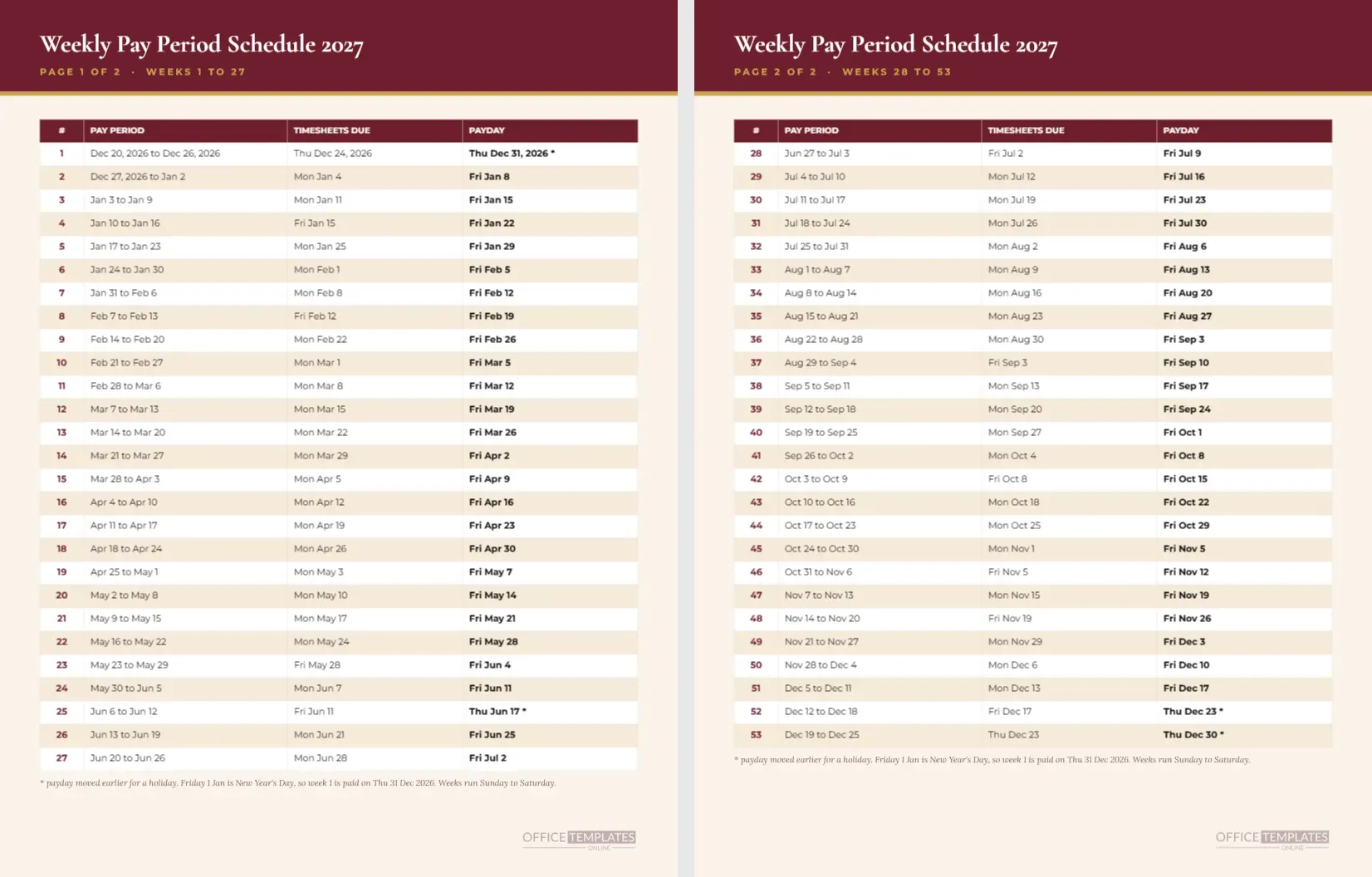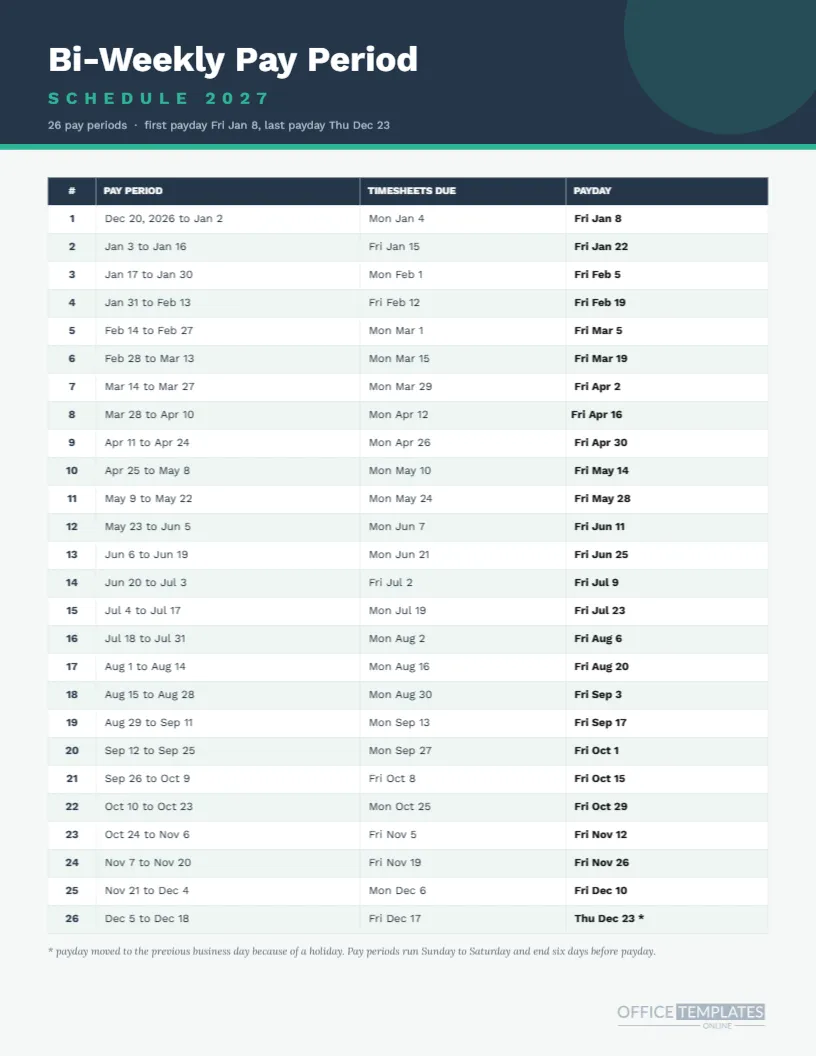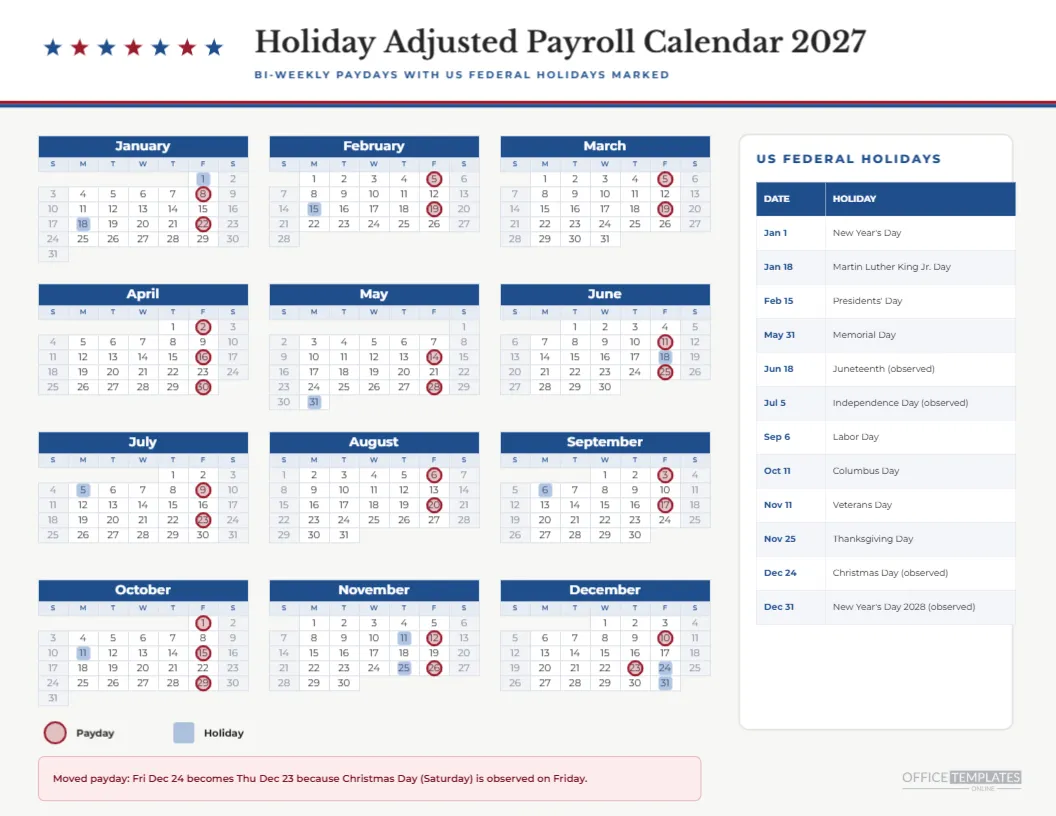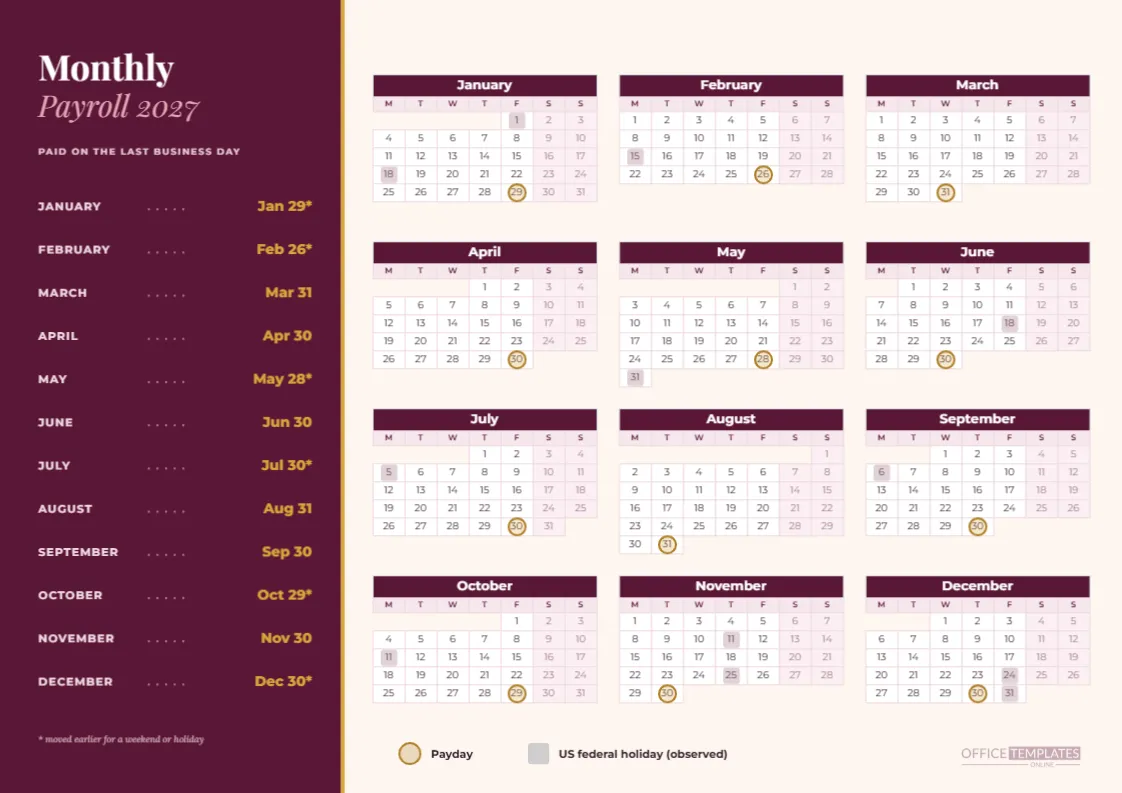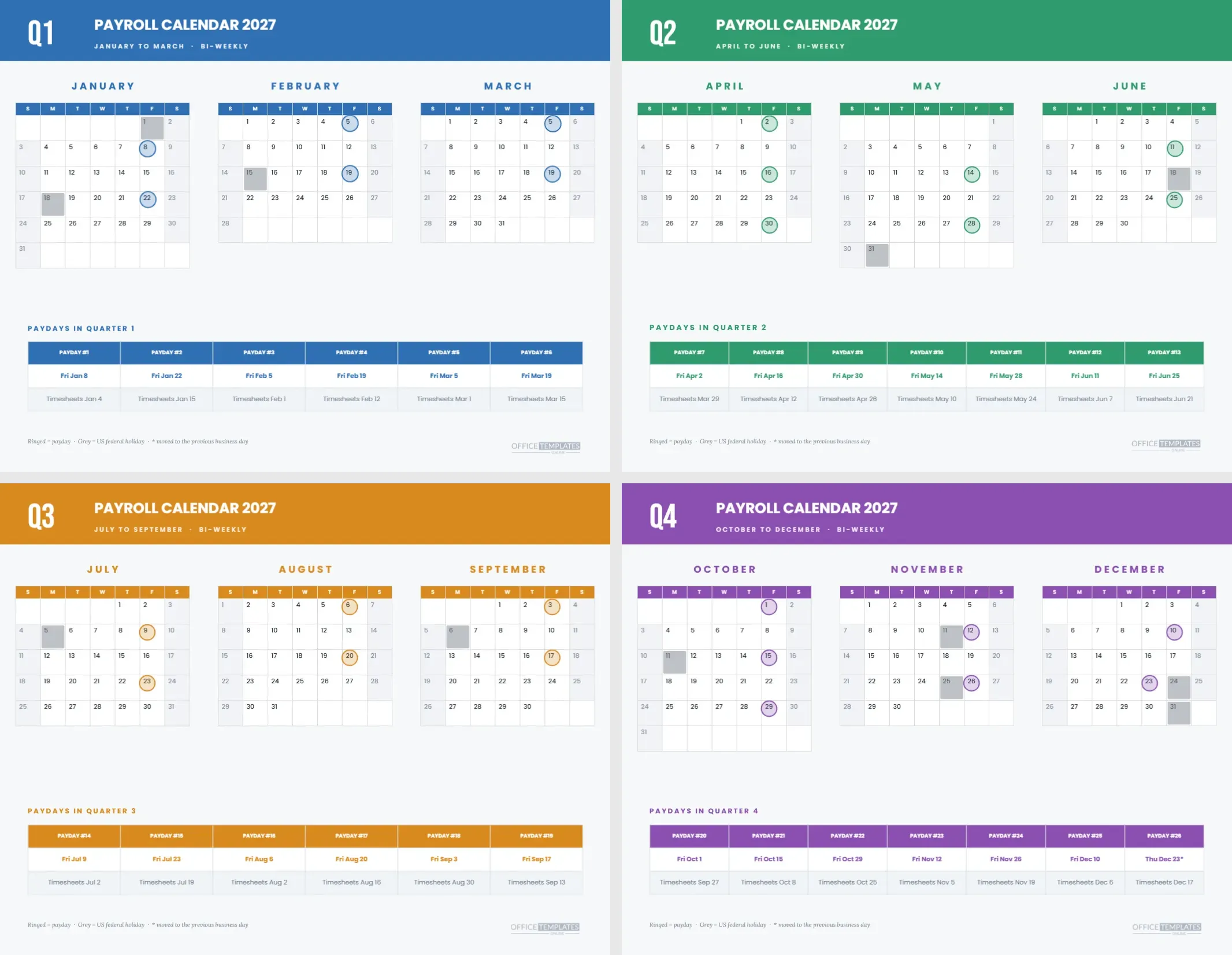
Quarters are how many businesses plan, report, and review. A payroll calendar that follows them fits meetings, budgets, and board packs better than twelve loose months. This template gives you four landscape pages, Q1 to Q4, each with three month calendars across the top and a strip underneath that lists the bi-weekly paydays for that quarter and their timesheet dates.
Scenario: The Quarterly Review Meeting
Picture the finance lead opening the Q2 review. Instead of scrolling a spreadsheet, they print the Q2 page and lay it on the table. Three months across, seven paydays in the strip, and every holiday visible. In two minutes, the team has the shape of the quarter and can talk about budget, not dates.
What Each Page Looks Like
A solid colour band spans the top with a large Q and number in Bebas Neue, the title PAYROLL CALENDAR 2027 in Poppins and a line showing the quarter’s months and BI-WEEKLY. Below it, three month names and three compact calendars stand side by side. Under them, a coloured heading introduces the payday strip.
Colours by Quarter
Q1 is blue, Q2 green, Q3 orange and Q4 purple. The same colour fills the band, month headers, rings and strip header on each page, so a stack of four pages sorts itself at a glance. The colour assignment is the same as in the quarter colour-coded year calendar, which means the two sets work as a pair.
The Payday Strip
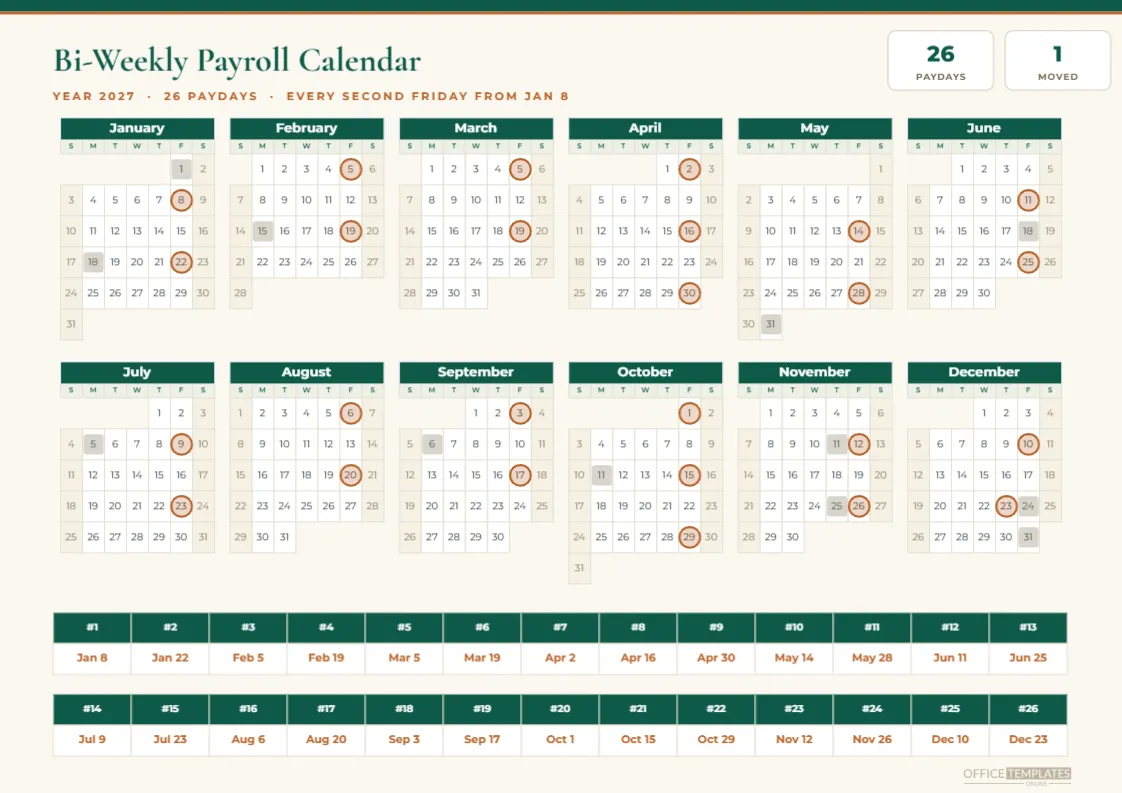
| Quarter | Paydays in the strip | First and last date |
|---|---|---|
| Q1 | Six, numbers 1 to 6 | Jan 8 and Mar 19 |
| Q2 | Seven, numbers 7 to 13 | Apr 2 and Jun 25 |
| Q3 | Six, numbers 14 to 19 | Jul 9 and Sep 17 |
| Q4 | Seven, numbers 20 to 26 | Oct 1 and Dec 23 |
What the Strip Rows Say
The strip is a real Table object with one column per payday and three rows. The first row names the payday, such as PAYDAY #7. The second gives the date, for example, Fri Apr 2, in bold colour. The third gives the timesheet deadline, such as Timesheets Mar 29, in grey. An asterisk marks a moved date.
Why Q2 and Q4 Have Seven
Bi-weekly pay gives six or seven paydays per quarter. Q2 holds April’s three paydays and Q4 holds October’s three, so both quarters have seven. Q1 and Q3 have six. The pattern is useful in budgeting, since the two seven-payday quarters cost about a sixth more than the others.
The One Moved Payday
The only payday that moves lives on the Q4 page. Friday, December 24 is the observed Christmas holiday, so payday is Thursday, December 23, marked with an asterisk in the strip, and with a ring on the 23rd in the December calendar. A grey square sits on the 24th.
Month Calendars in Compact Form
The month calendars use one-letter day names, centred date numbers and tight cells, so three of them fit across the page. Paydays are ringed in the quarter colour and holidays are grey squares. At this size, the ring and the date number overlap, so the marker is centred on the cell.
Using the Pages in a Board Pack
A board or budget committee does not need twelve calendars. A quarterly page with three months and a strip is the right level of detail. Add the four pages to the pack as an appendix, and refer to them when discussing cash needs. The strip lists the paydays in order, which maps neatly to cash flow lines.
Editing Month Calendars
Each month is a Calendar object that can be changed in Calendar Options. Choose the year, the month, or the week start. If you reuse a page for another quarter, change all three months and the strip. Move the rings afterwards, since they are separate grouped shapes.
Editing the Strip
The table has as many columns as the quarter has paydays. Adding one means widening the table, which squeezes the columns. If your schedule has more paydays, reduce the font size by one point or drop the third row. Keep the labels short.
Recolouring the Quarters
Select the band, the month headers, the strip header and the rings on a page, and change the fill. Repeat on each page. If you prefer a single colour for the whole year, use one fill on all four pages. Keep contrast between white text and the band high.
Printing the Four Pages
Print landscape on Letter at actual size with background graphics on. Staple the four pages in order and put them in a report folder. If the band is too heavy for your printer, lighten the fill a notch, since the white type will still read.
Pairing With Other Pages
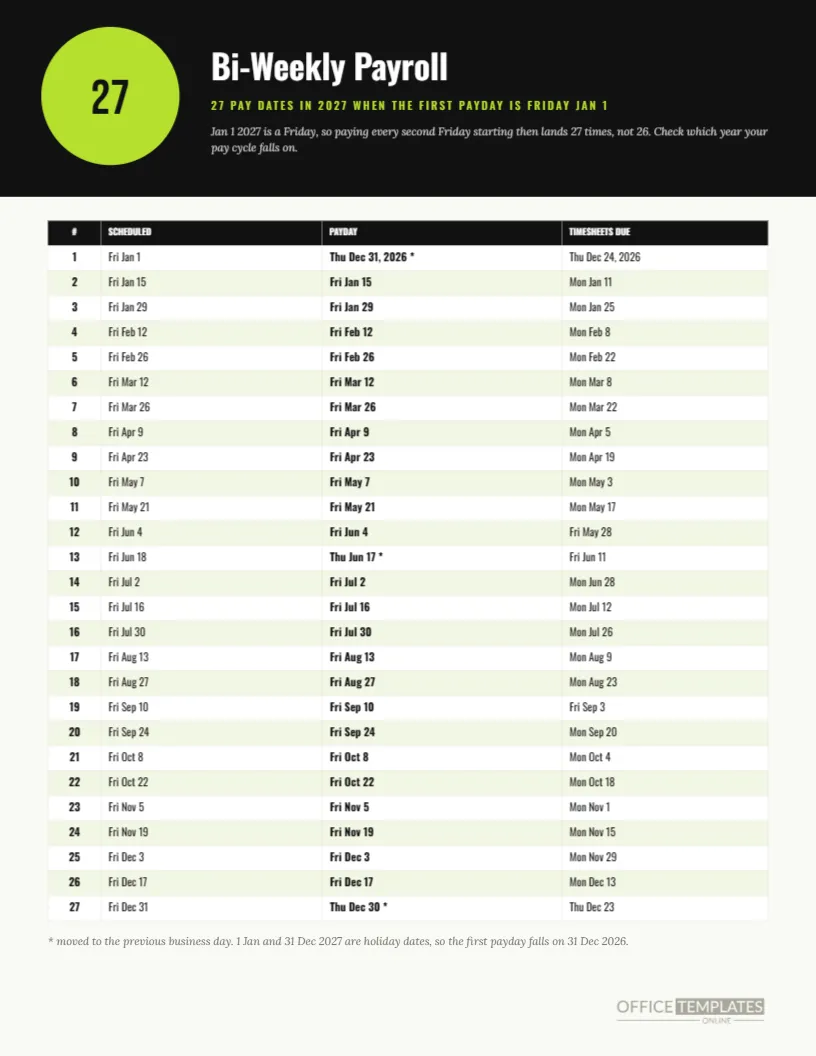
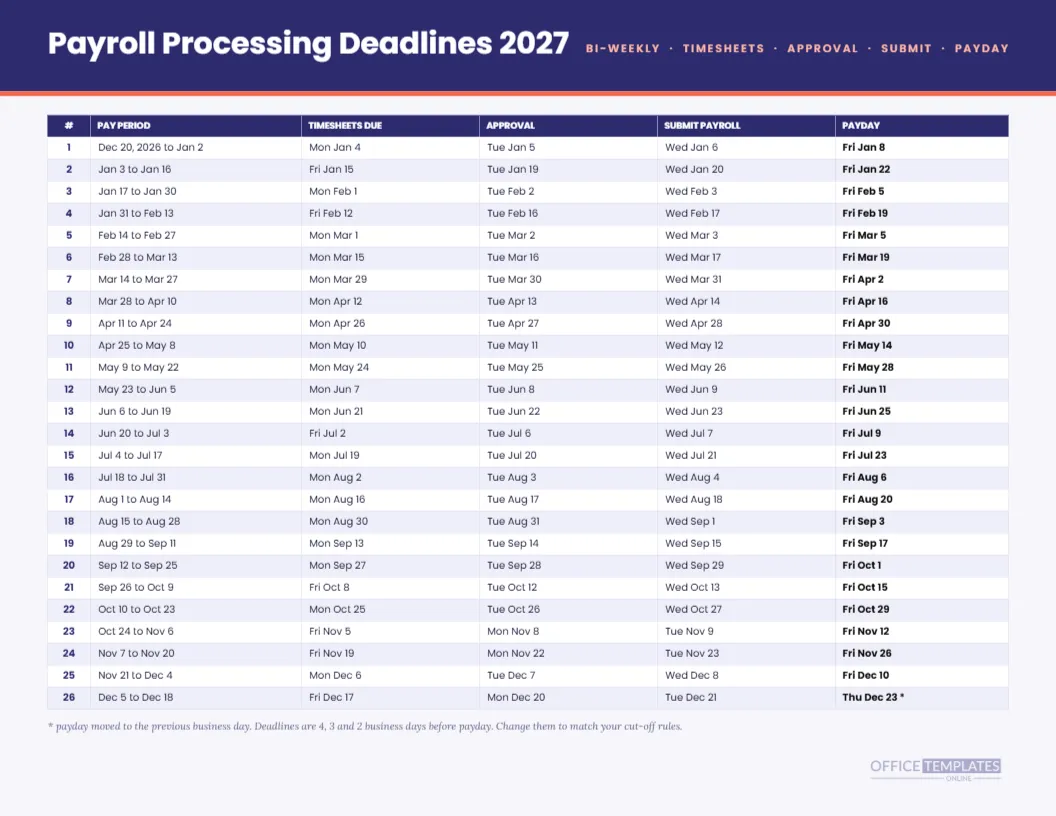
The bi-weekly pay period schedule gives a row for each payday with period dates. The processing deadline sheet includes approval and submission dates. This quarterly set is the summary of both, so pick the one you need for each audience.
What It Does Not Do
The page does not show amounts, taxes, or filing dates, and it is built for a bi-weekly cycle starting January 8. Other cycles will need new markers and strip text. Always confirm the dates against your own payroll provider.
Short Facts
Four pages. Twelve small month calendars. Twenty-six paydays in four strips. One moved payday. Four quarter colours. All tables and text editable.
Preparing the Q3 Page for Summer Staffing
Summer brings leave, temporary workers and, in some places, school holidays that thin out the payroll team. The Q3 page lays out July, August and September with six paydays in the strip. Use it in June to plan who covers each run, and write initials beside the dates so every payday has a named owner.
Preparing the Q4 Page for Year End
Q4 contains seven paydays, three holidays, and the year’s one moved bi-weekly payday. It is also the quarter in which bonuses, year-end adjustments, and annual reporting tasks collide with the normal cycle. Print the page in September and mark the dates when you expect extra work, so the busiest quarter does not arrive as a surprise.
Using the Strip for Budget Lines
Each column in the strip is a payroll run. A finance lead can write the expected gross cost under each date and sum the quarter at the right. The result is a small, hand-checked budget that lines up with the calendar, and it takes no more than a pen and a few minutes per quarter.