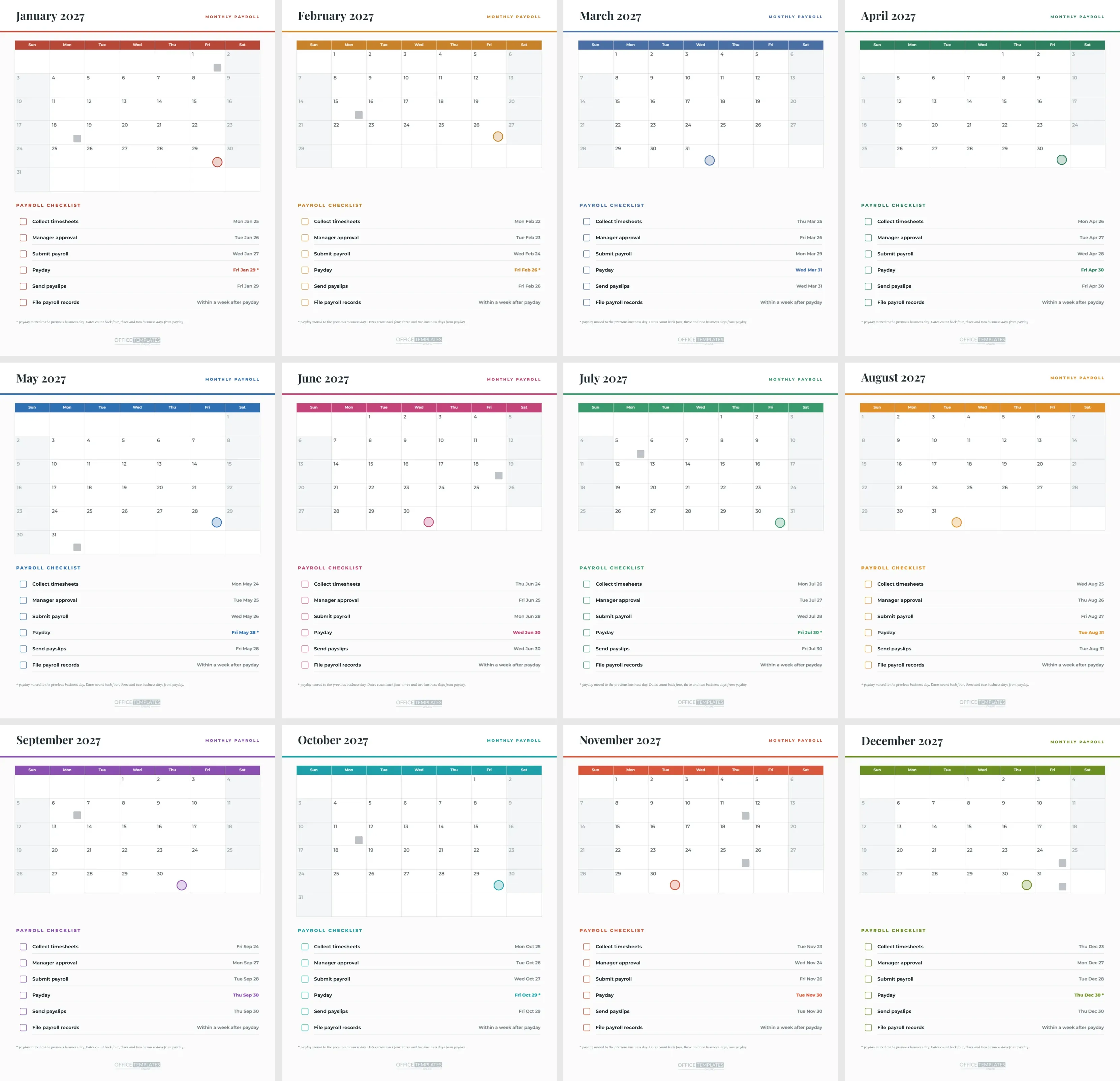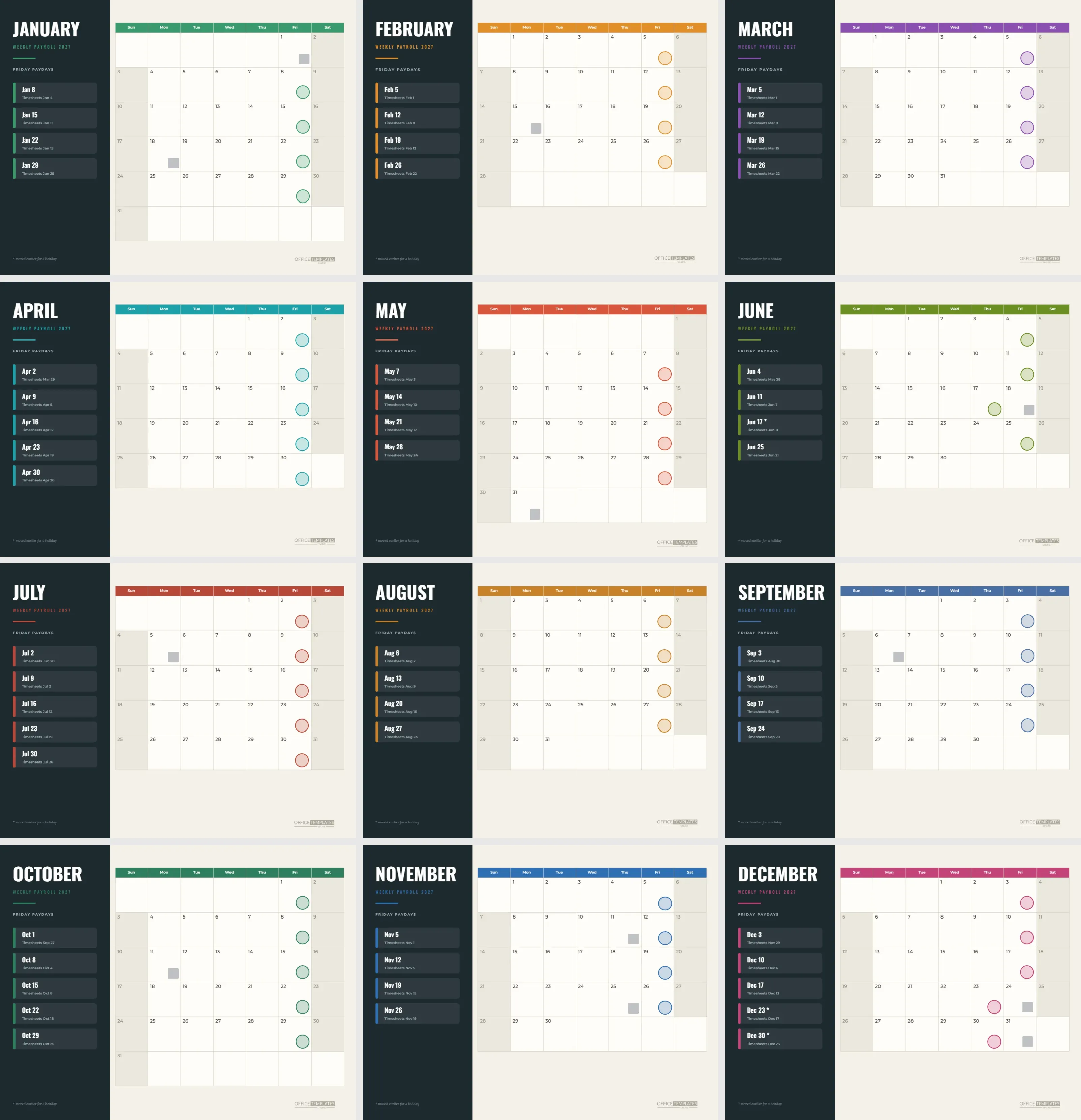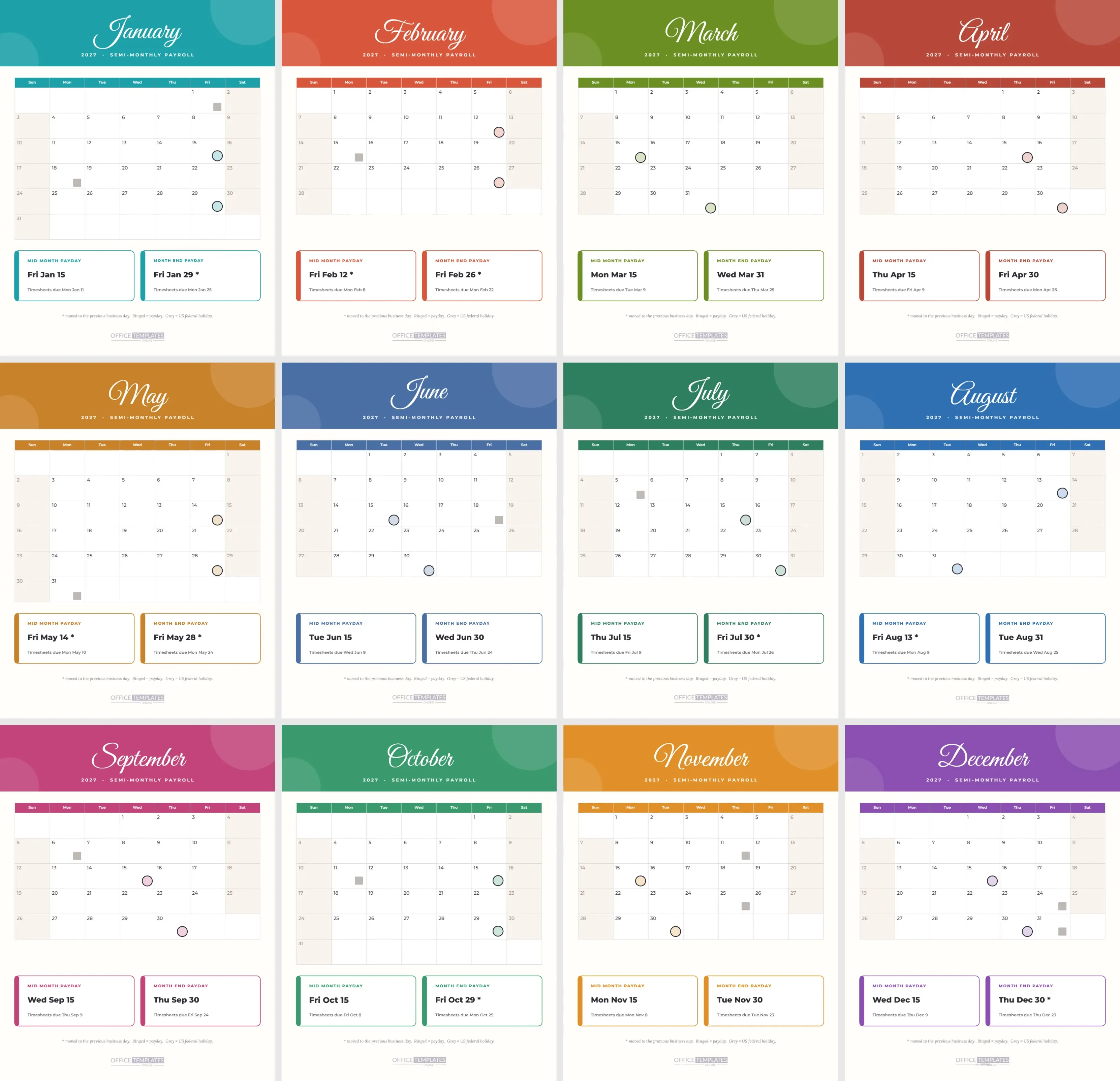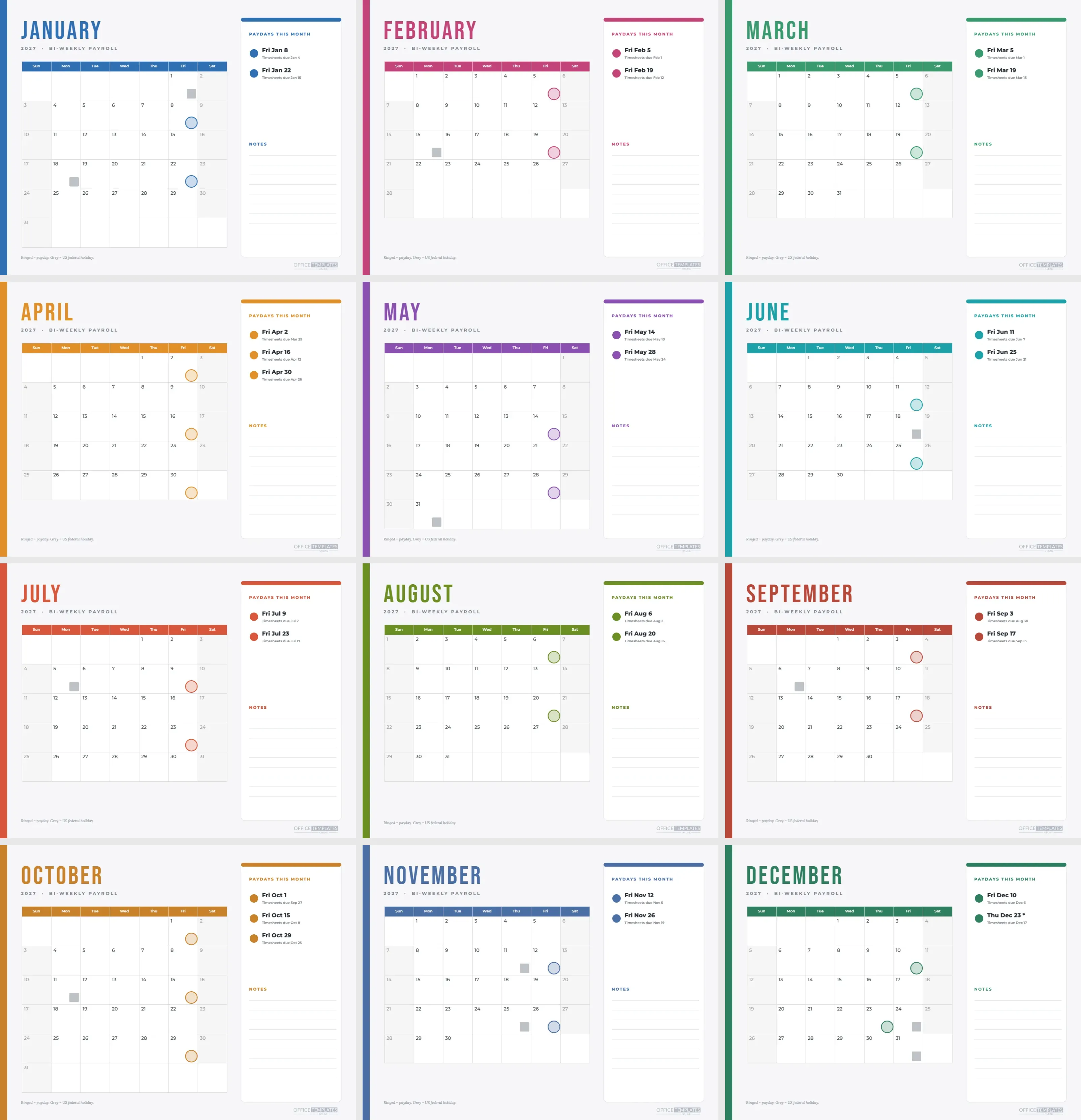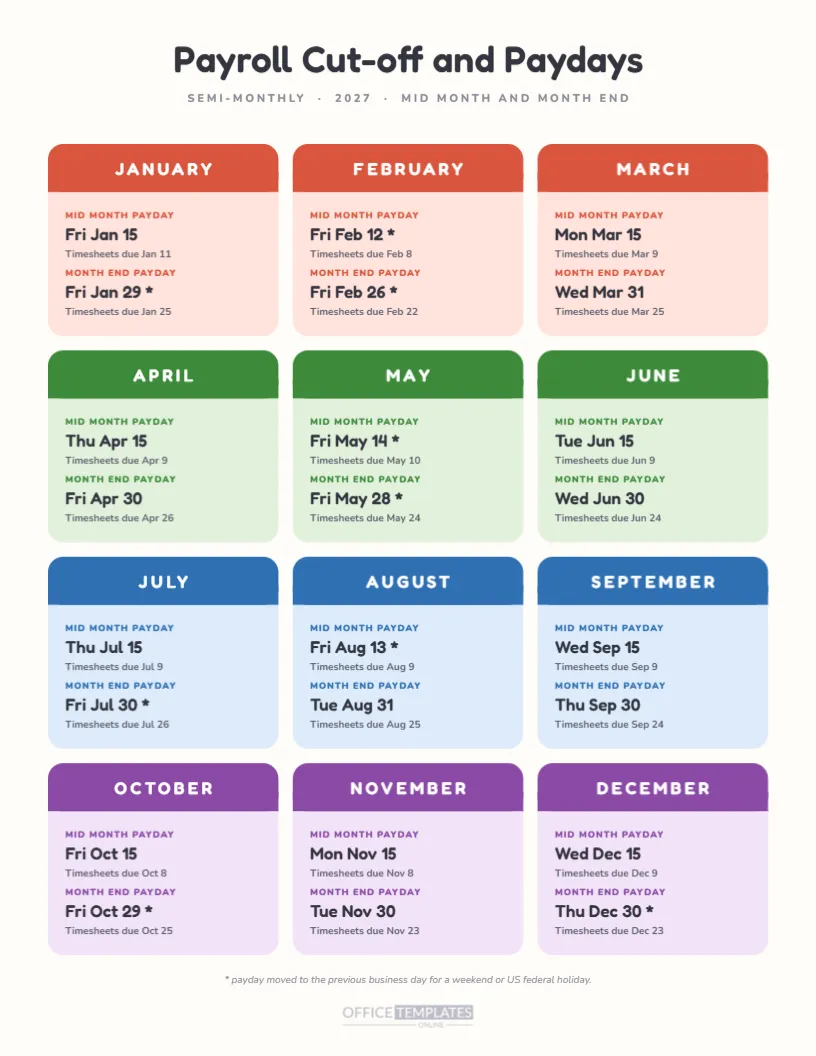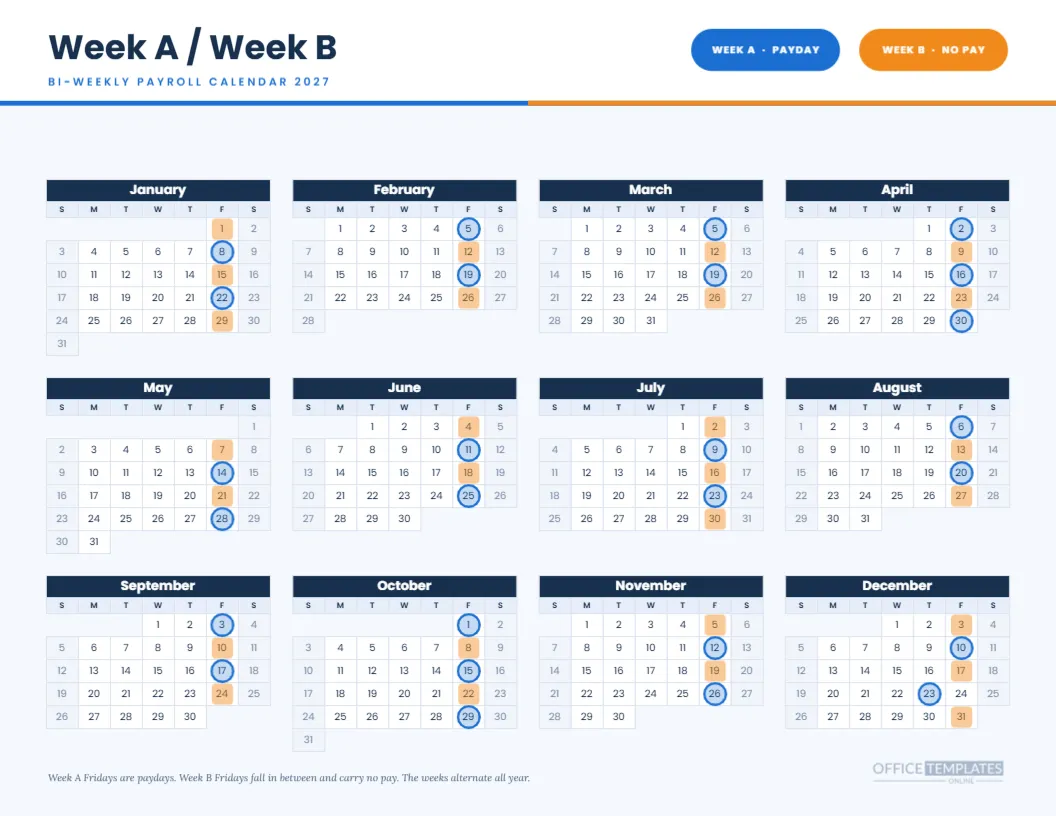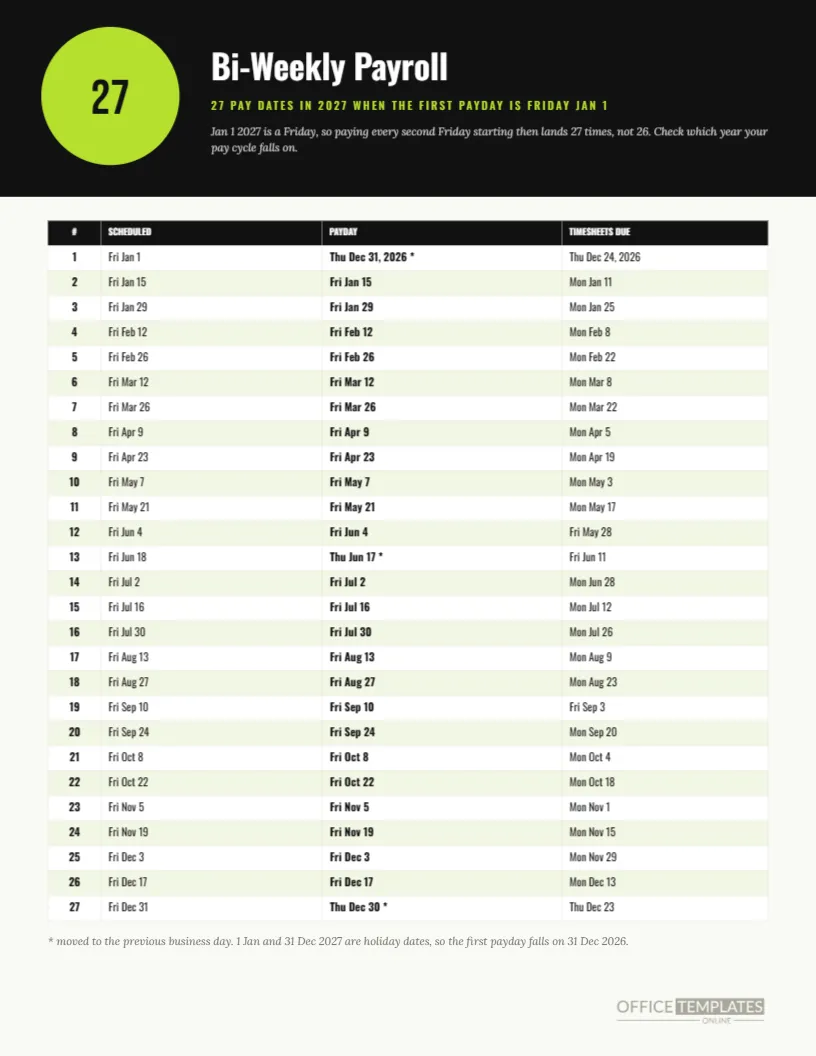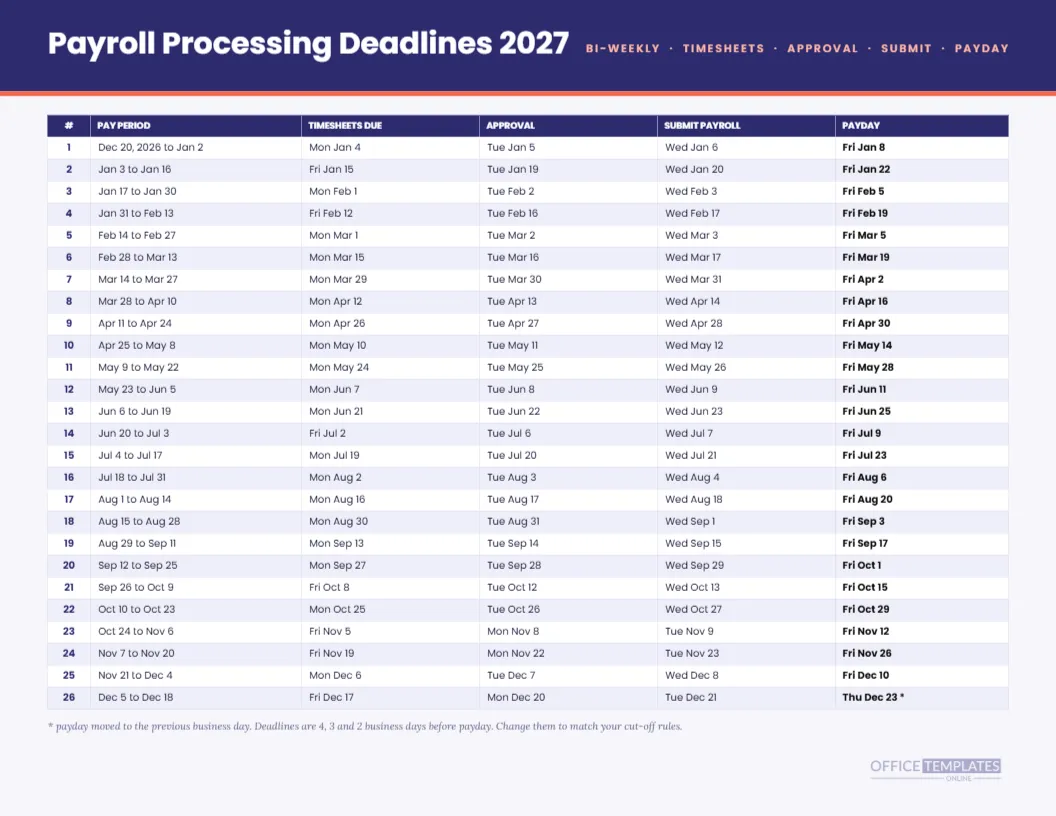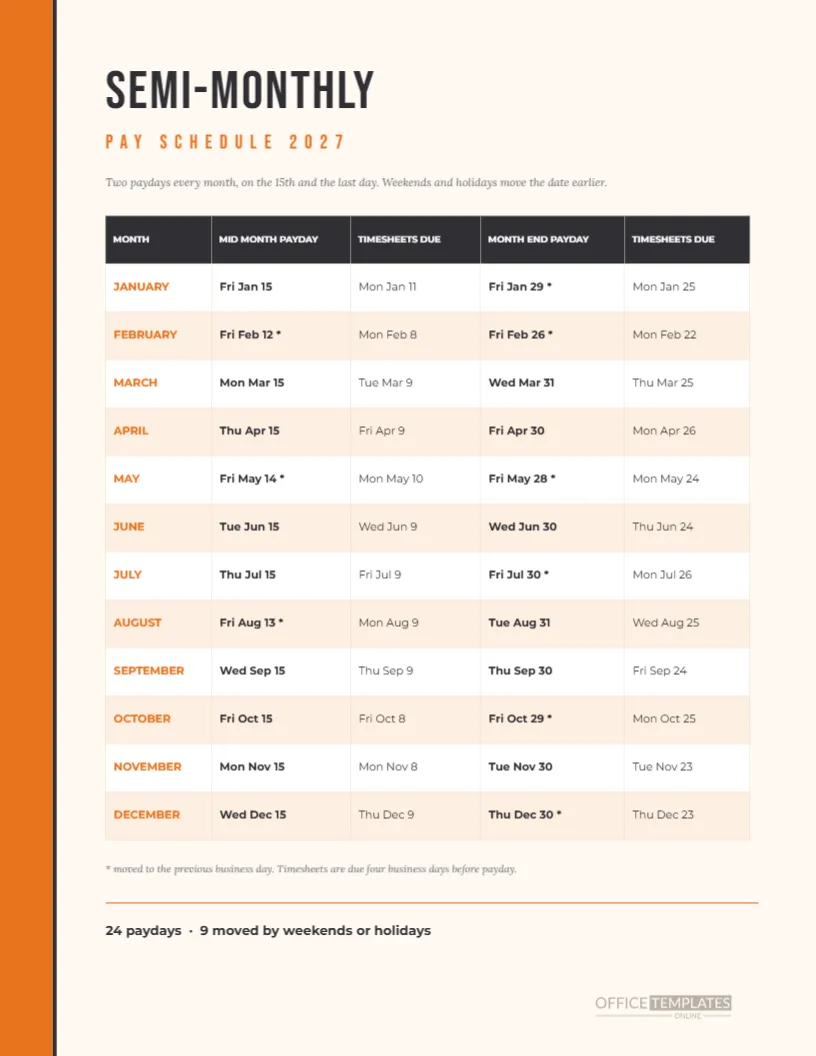
Consider a mid-size office where payroll is run twice a month by one person. In the weeks before a payday, that person is answering the same three questions: when are timesheets due, when does the money land, and did the date move? This portrait schedule answers all three on a single page, with twelve month rows and two paydays per row, each paired with its own timesheet deadline.
A Bold Orange Edge and a Condensed Headline
A solid orange strip runs down the left edge of the page, split from the content by a thin charcoal line. The headline SEMI-MONTHLY is set in Bebas Neue, with PAY SCHEDULE 2027 beneath it in spaced orange capitals. A short italic sentence explains the two pay dates and the effect of weekends and holidays.
The Five Columns
The table has a dark header and five columns: month, mid-month payday, timesheets due, month-end payday, and timesheets due again. Month names are orange capitals, paydays are bold, and the deadlines are regular weight. Row heights are generous, about half an inch, so the page is easy to read across the desk.
A Month at a Glance
| Month | Mid-month payday | Month-end payday | Moved dates |
|---|---|---|---|
| January | Fri Jan 15 | Fri Jan 29 | One |
| February | Fri Feb 12 | Fri Feb 26 | Two |
| March | Mon Mar 15 | Wed Mar 31 | None |
| May | Fri May 14 | Fri May 28 | Two |
| August | Fri Aug 13 | Tue Aug 31 | One |
| December | Wed Dec 15 | Thu Dec 30 | One |
How the Timesheet Dates Are Set
Each timesheet date is four business days before its payday. For Friday, January 15, that is Monday, January 11. For Friday, January 29, it is Monday, January 25. Weekends and the observed US federal holidays are skipped when counting, which is why a few deadlines land on a Friday rather than the Monday you might expect.
The Rule Behind the Asterisks
An asterisk marks a payday that moved. If the 15th or the last day is a weekend or an observed holiday, the page uses the previous business day. January 31 is a Sunday, February 15 is Presidents’ Day, and February 28 is a Sunday. May 15 is a Saturday, May 31 is Memorial Day, July 31 is a Saturday, and August 15 is a Sunday.
Nine Moved Paydays in Total
The footer sums the year: 24 paydays and 9 moved by weekends or holidays. Counting them is satisfying, but the useful part is knowing where they sit. Five months have no moved dates at all, five have one, and two have both paydays shifted. Printing the count at the bottom gives a quick sanity check on any edits you make.
Using the Page With Hourly Staff
Hourly workers care more about timesheet deadlines than about paydays, because a late sheet usually means a late check. The deadline columns here are placed right beside the matching payday so a shift supervisor can find both without scanning. Print one copy per supervisor and mark the dates for their own team in highlighter.
Using the Page With Salaried Staff
For salaried employees, the deadlines matter for expenses, leave, and one-off adjustments. Finance teams can use the same columns to schedule cut-offs for expense reports so that reimbursements arrive in the next payroll. The layout needs no change, only a sentence in the introduction describing what the deadline covers.
Editing the Table Text
Every cell is editable text in a Table object. Replace a date, add a column for the approver, or change the deadline rule to three business days and retype the dates. Keep the text in each cell short, because wide cells reduce the number of columns that fit comfortably on a portrait page.
Changing the Orange Edge
The orange strip and the month names share a fill. Change both to your brand colour for a branded page. The charcoal header row can stay as is, because it supports white text and works with most accent colours. After the swap, print a draft to check the contrast on paper.
Print Instructions
Print portrait on Letter paper at actual size. The orange edge runs to the paper boundary, so for an inkjet that cannot print edge to edge, choose the option to scale slightly or accept a thin white margin. A print shop can trim to the edge if you want a full bleed finish.
Combining With Other Pages
This schedule pairs with the semi-monthly calendar pages in the collection. Use the calendar for the wall and this page for the desk. They share the same 24 dates, computed from the same rule, so you will never find one saying the 15th and the other the 12th.
Handling an Early Payday for Employees
When a payday moves earlier, employees receive money before they expect it. That is rarely a complaint, but it can shift automatic payments. In your staff notice, name the specific dates, such as February 12 and May 14, and say that your bank may take an extra day to show the deposit.
Dealing With a Mid-Cycle Change
If your company changes from monthly to semi-monthly pay during the year, print a new page and note the first new payday at the top. Retire the old page and keep a copy with the records. A clear date for the switch avoids arguments about which schedule applied to which employee.
Cautions for Different Countries
Semi-monthly pay is common in North America and some other regions, while labour law in each place can set rules for pay frequency and timing. This page does not claim to meet any of them. It is a planning aid, and you should confirm important dates with your payroll provider or adviser.
A Few Fast Questions
How many rows? Twelve plus a header. What do the second and fourth columns show? Timesheet deadlines. Is it a table object? Yes. Can I change the deadline rule? Yes, by retyping. Does it include holidays? Only through the moved dates, not as separate rows.
Keeping the Schedule Current Through the Year
A printed schedule is only as good as its last check. Put a reminder in your calendar for the first working day of each quarter to compare the page with your payroll software. Any change to a payday or deadline gets written on the page in pen and corrected in the file, so the printed copy and the saved design stay in step.