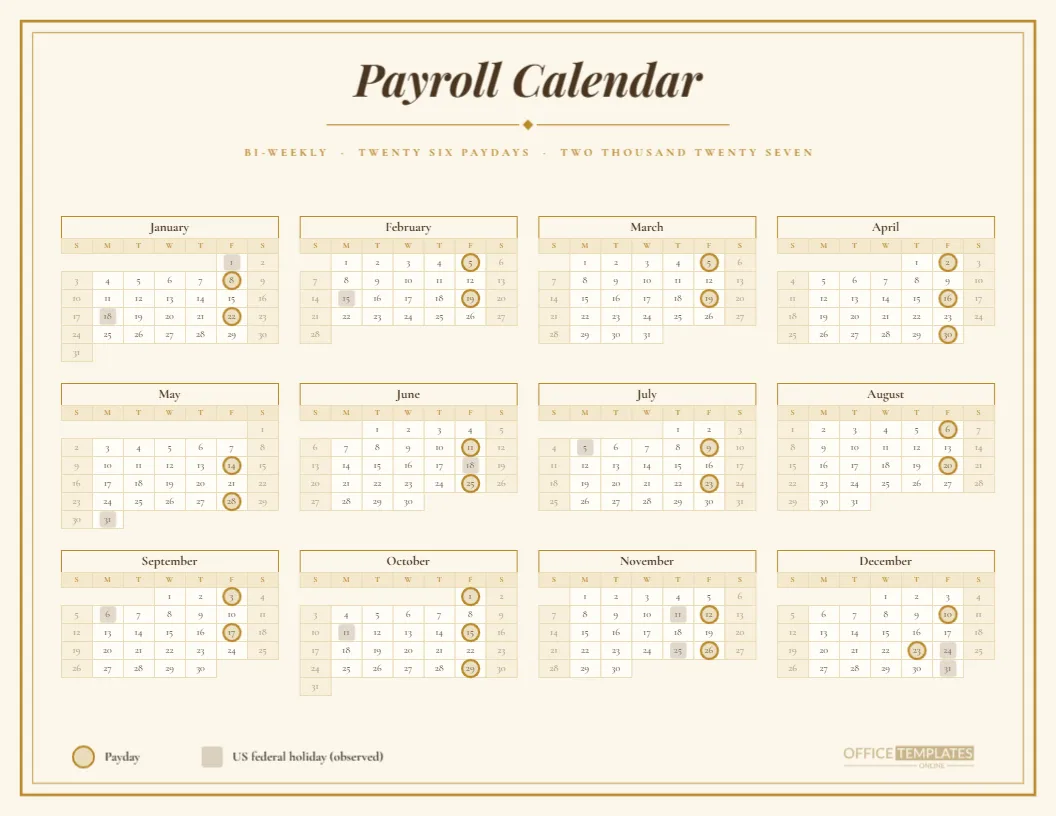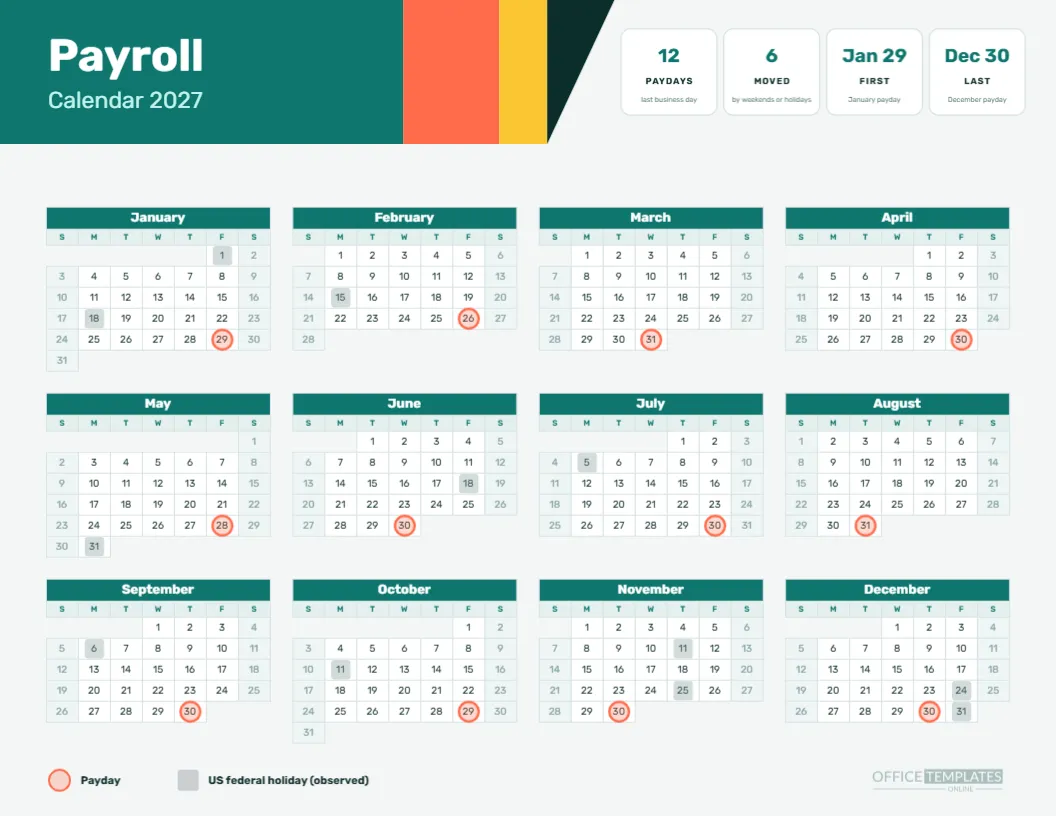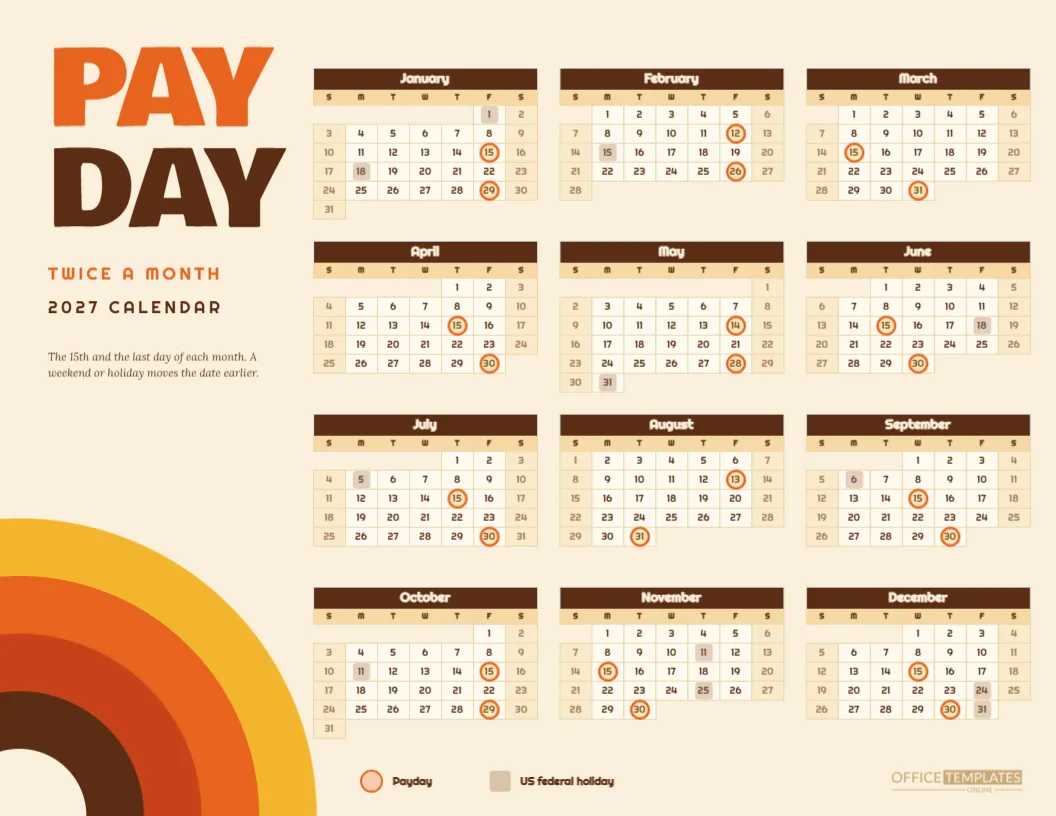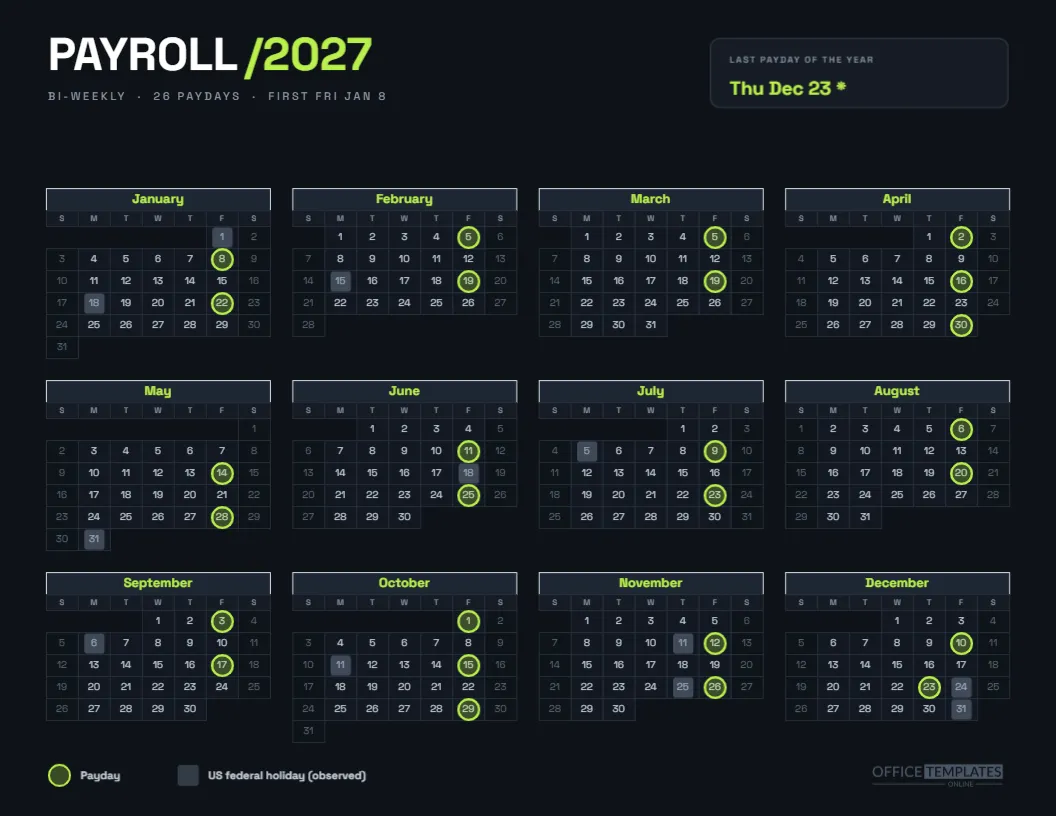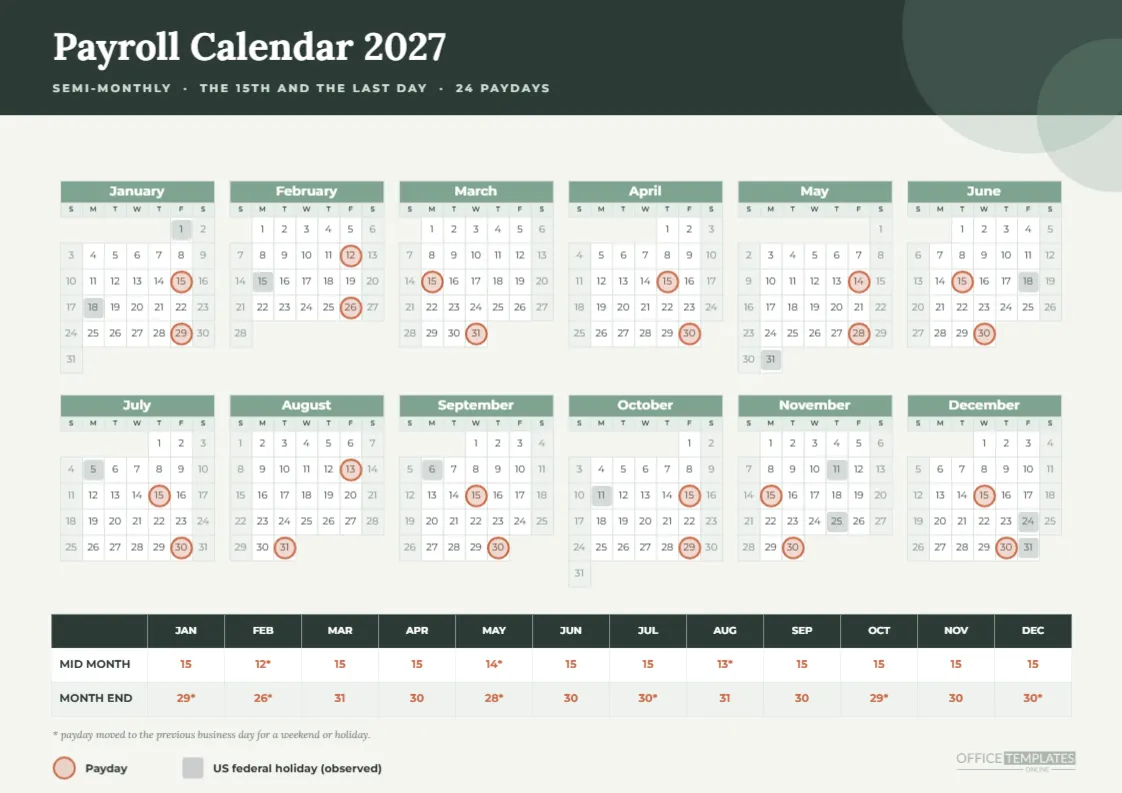
What Is on This A4 Semi-Monthly Page?
It is a landscape A4 sheet with a charcoal header, two large soft circles in the corner, and the title Payroll Calendar 2027 set in Lora. A sage band of six mini months fills the middle, and a three-row table runs along the foot listing the actual mid-month and month-end paydays. A short legend and a note about the asterisk finish the page.
Who Is It Designed For?
Offices that print on A4 and pay twice a month. That includes many companies in South Asia, Europe, the Middle East and Australasia, where payroll sometimes runs on the 15th and the last day or on similar fixed dates. The page works equally well for a small firm and for an HR department that wants a neutral, restrained design.
How Many Paydays Are There?
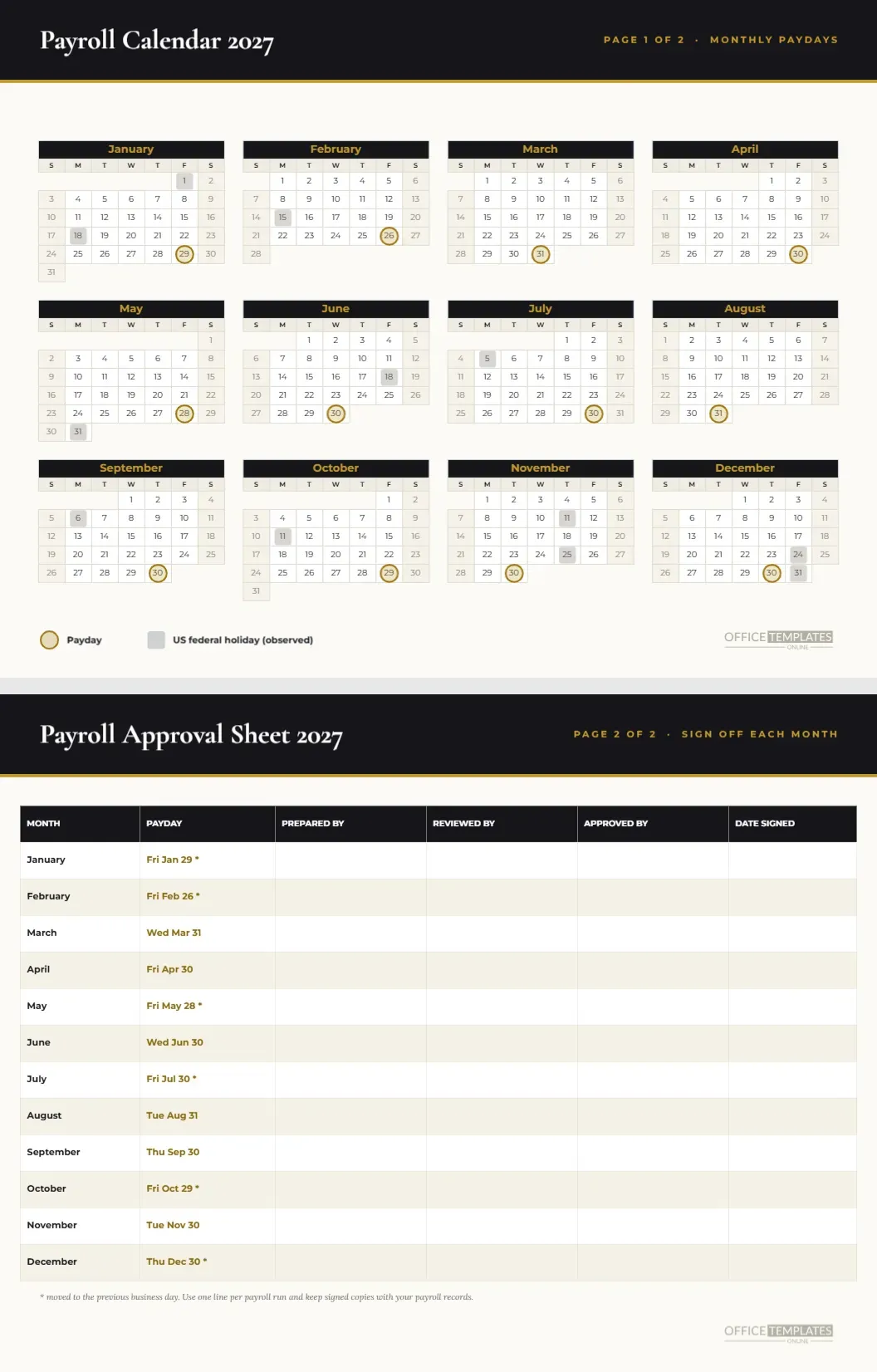
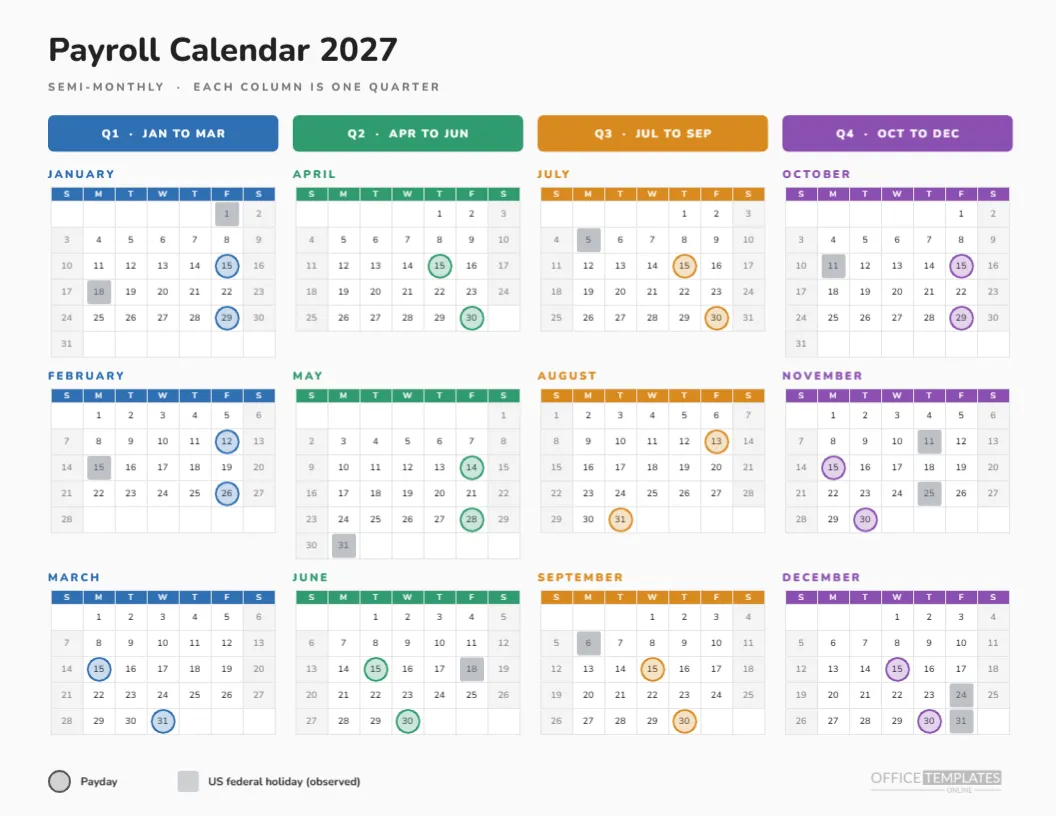
Twenty-four, two in each month. Fifteen of them fall on the nominal date and nine move earlier. The move happens when the 15th or the last day is a weekend or an observed US federal holiday. If you do not recognise US holidays, delete the holiday squares and edit the moved dates to your own rule.
What Do the Table Rows Say?
The table has a header row of month abbreviations and two body rows. MID MONTH reads 15, 12*, 15, 15, 14*, 15, 15, 13*, 15, 15, 15, 15. MONTH END reads 29*, 26*, 31, 30, 28*, 30, 30*, 31, 30, 29*, 30, 30*. An asterisk marks a payday that moved to the previous business day.
Which Months Contain a Moved Date in Both Halves?
February and May. February pays on the 12th and the 26th, and May on the 14th and the 28th, so both halves shift. January, July, and October move only at the end, August moves only in the middle, and December moves only at the end as well. A quick look at the table shows which months deserve a staff reminder.
Where Are the Holidays?
Soft grey squares sit on observed US federal holidays. They include Monday, January 18, Monday, February 15, Monday, May 31, Friday, June 18, Monday, July 5, Monday, September 6, Monday, October 11, Thursday, November 11, Thursday, November 25, Friday, December 24, and Friday, December 31. Remove any that your workplace does not observe.
Why Sage and Charcoal?
Because the colours are quiet. Payroll attracts anxious attention, so a calm palette keeps the page from shouting. Charcoal gives the header weight, sage softens the month names, and a clay orange is reserved for payday rings so the one important thing on the page is always the most visible.
Can the Pay Dates Be Changed?
Yes. The table is an editable Table object, and the rings are grouped shapes. Change the text first, then drag the rings to the new cells. A common request is to switch to the 10th and 25th, which means replacing eight to ten rings and adjusting the table row labels.
What Does the Calendar Object Do?
The six-column year is the editor’s built-in Calendar object in Full Year style. Through Calendar Options, you can change the year, set Monday as the first day of the week, and adjust colours. It does not know about paydays, which is why the rings are drawn on top as separate shapes.
How Should It Be Printed?
Choose A4, landscape, actual size, and background graphics on. The charcoal band uses a lot of toner, so a laser printer or a print shop is kinder to a cartridge than a small inkjet. For a draft, print in greyscale and check that the ring stays visible against the cells.
Is Semi-Monthly the Same as Twice a Month Every Two Weeks?
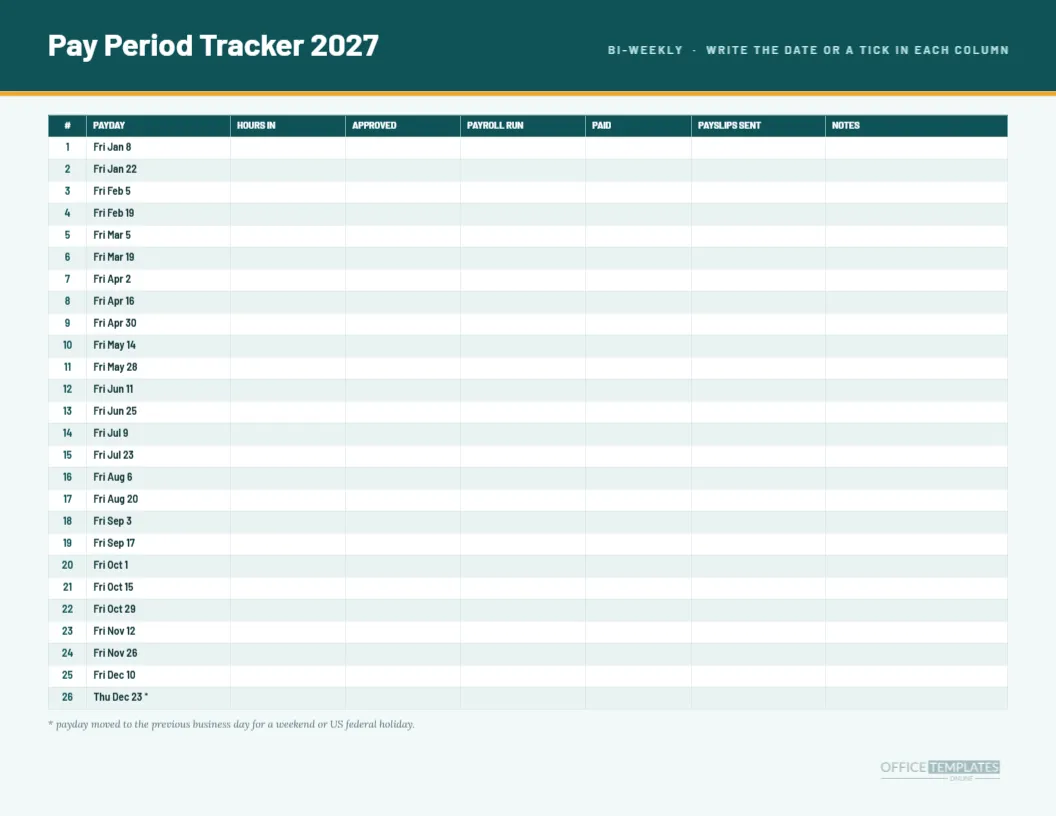
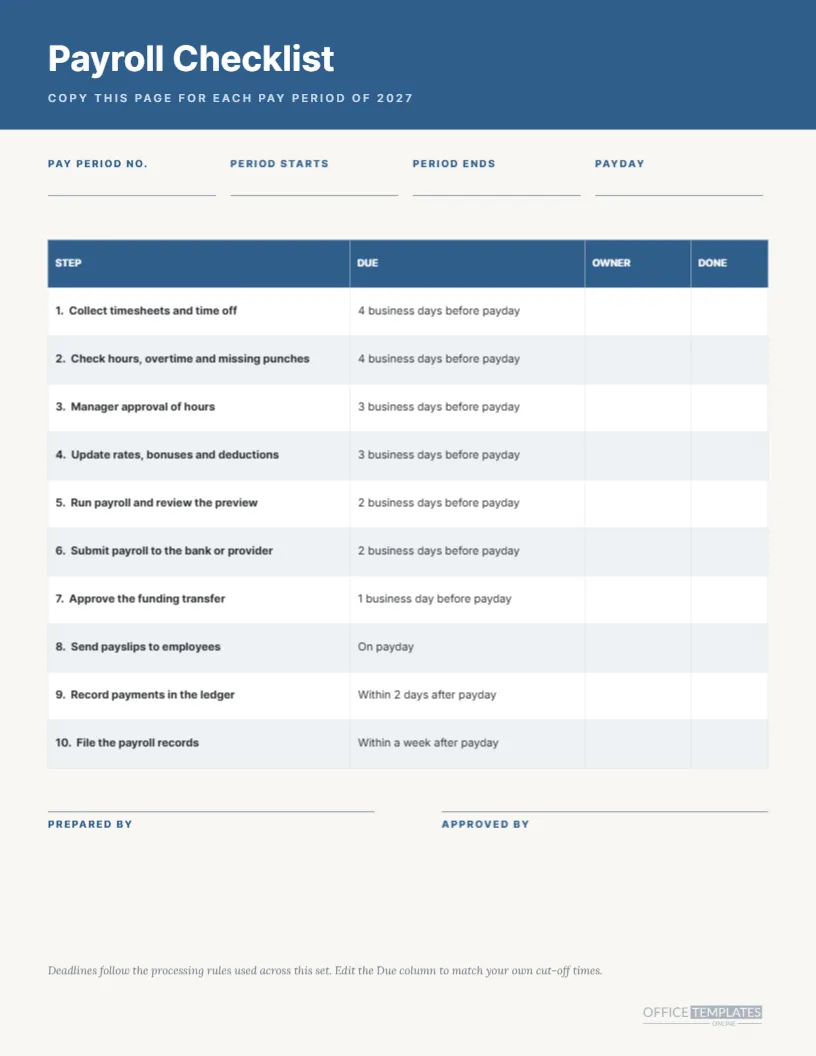
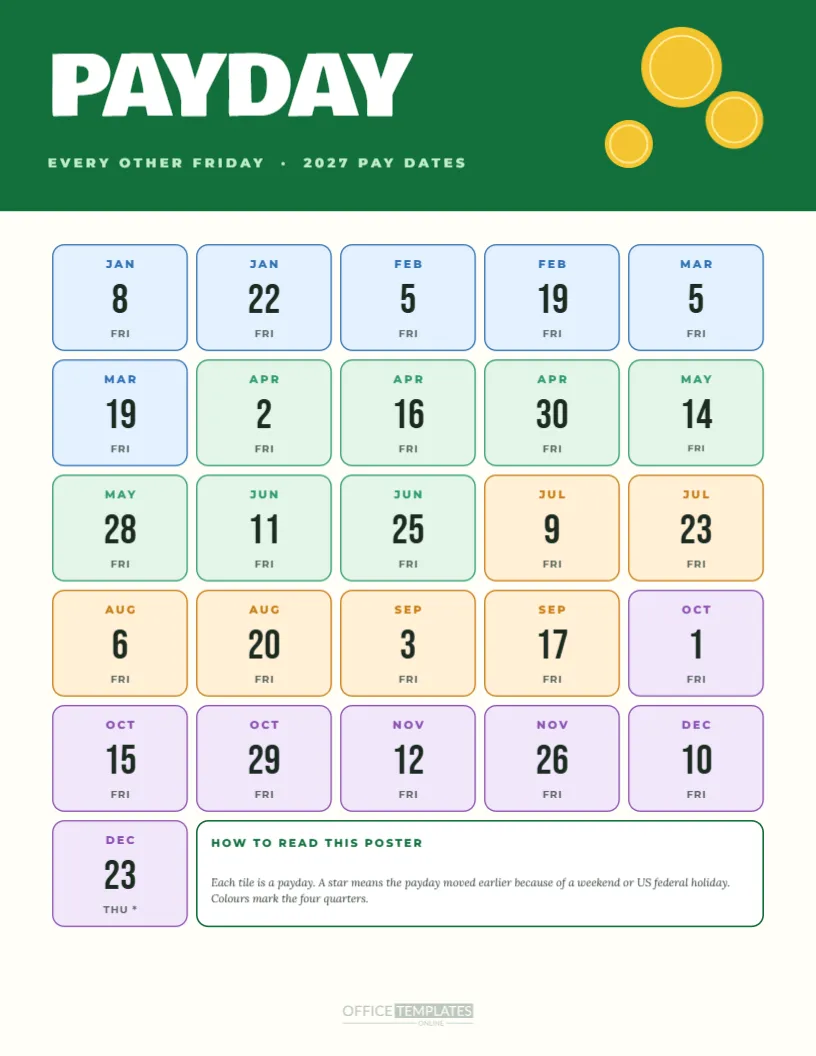
No, and the confusion is common. Semi-monthly means two fixed dates per month, giving 24 paychecks a year. Bi-weekly means every second week, giving 26. If you meant the latter, use the bi-weekly page in this collection instead. The two have different numbers, different totals, and different effects on hourly overtime.
How Does Hourly Overtime Interact With Semi-Monthly Pay?
Overtime in many places is calculated by work week, while semi-monthly periods cut through weeks at the 15th and month end. Payroll software handles the split, but a human reading a payslip may find it confusing. A note on your payroll page explaining how weeks are cut helps hourly staff understand why a period has an odd number of days.
Can I Keep Only Paydays and Drop Holidays?
Yes. Select the grouped markers, choose the grey squares, and delete them. The rings stay in place. Do this when your office observes a different holiday list, or when you want the cleanest possible page for a break room wall.
What About Offices in Other Time Zones?
The dates on the page are calendar dates, so they apply everywhere, but the day money arrives depends on banking days where each person lives. A global team might add a short footer line such as local banking days apply, or print a different version for each country with its own holidays.
How Is This Different From the Letter Version?
The Letter version in the same collection uses a lilac and peach palette, a serif headline, and a strip with two numbers per month. This A4 version uses a charcoal band, a more formal table with mid-month and month-end rows, and metric paper. The payday dates in both are identical.
Where Does the Footnote Fit In?
Under the table, a line in italic Lora says the payday moved to the previous business day for a weekend or holiday. It is deliberately small, but it prevents arguments. If your policy is to pay on the next business day, rewrite it, and move the rings and table values to match.
Does It Show Tax Dates?
No. Tax payment and filing dates vary widely by country and by employer type, and they change by year. This page limits itself to pay dates. Add a column or a small note for your own filing reminders if you want them on the same sheet.
How Can a Team Use It Together?
Pin it in the finance office, share the PDF with managers, and ask each manager to confirm the strip dates against their own team’s timesheet deadlines. When everyone reads the same sheet, mismatches surface weeks before a payday rather than on it.
What Should I Check Before Sharing It?
Check that the year in Calendar Options is 2027, that every ring sits in the right cell, that the table matches the rings, and that the company name or logo is where you want it. Then preview it in the editor and download a PDF to see the final result at the paper size.