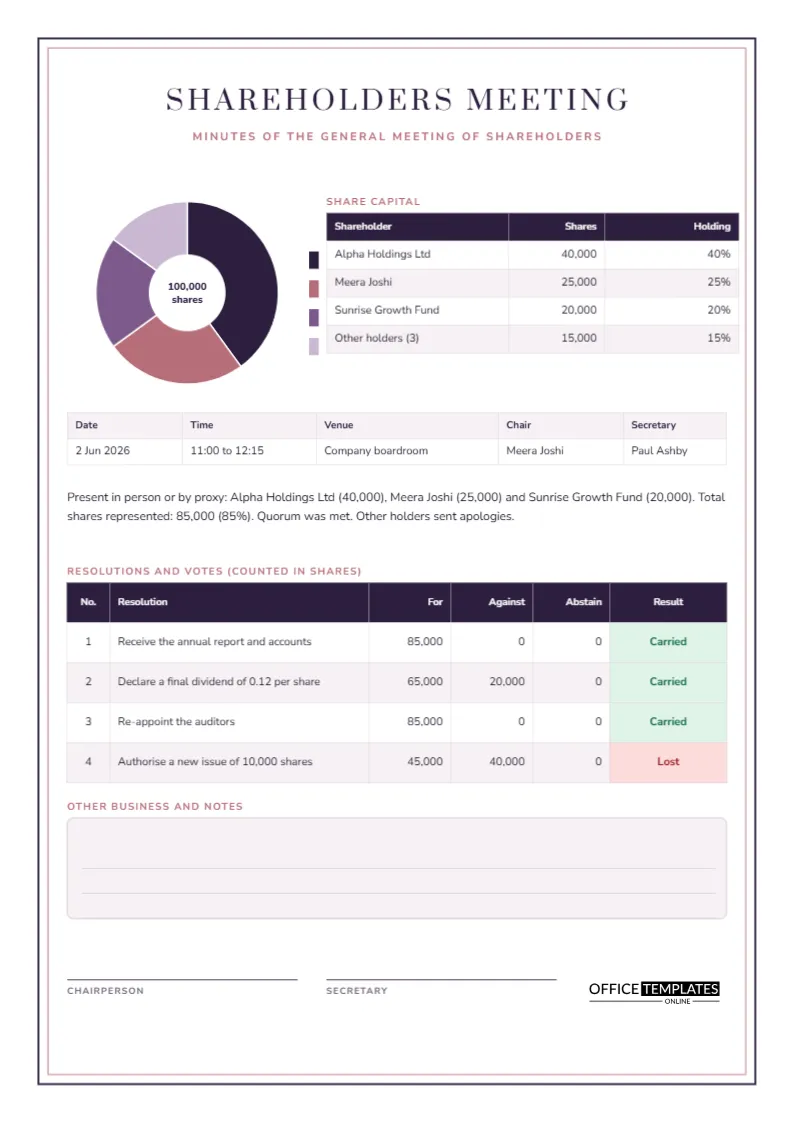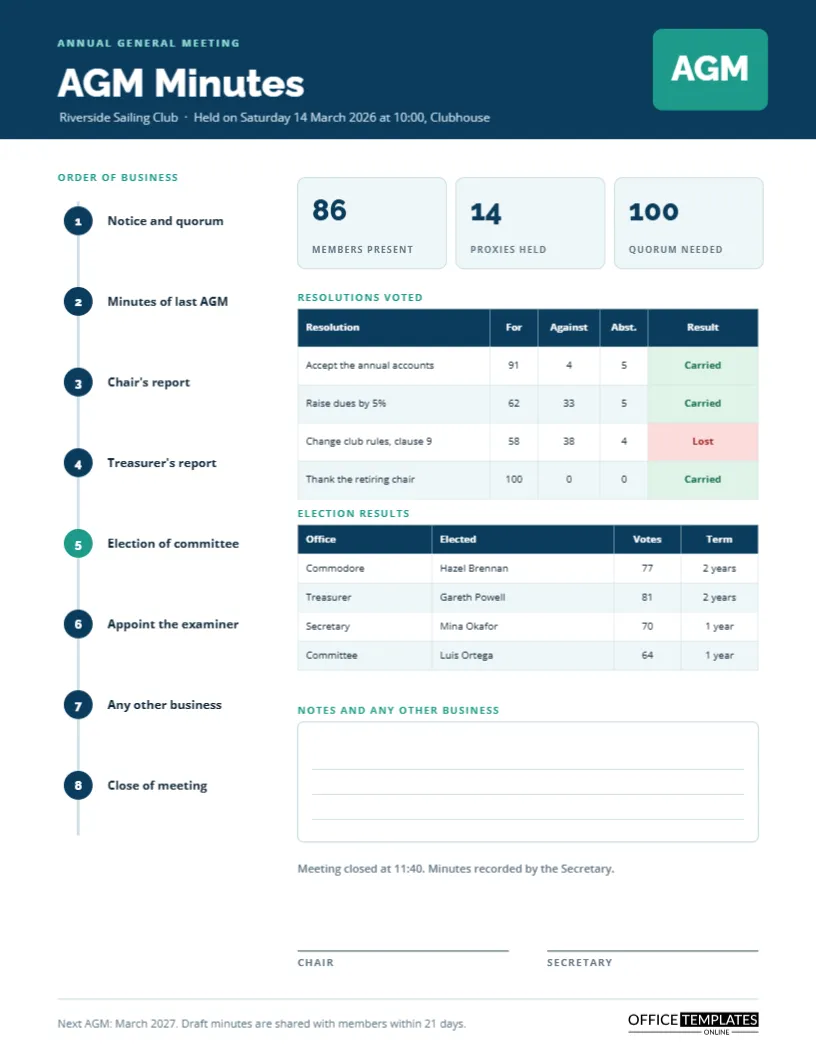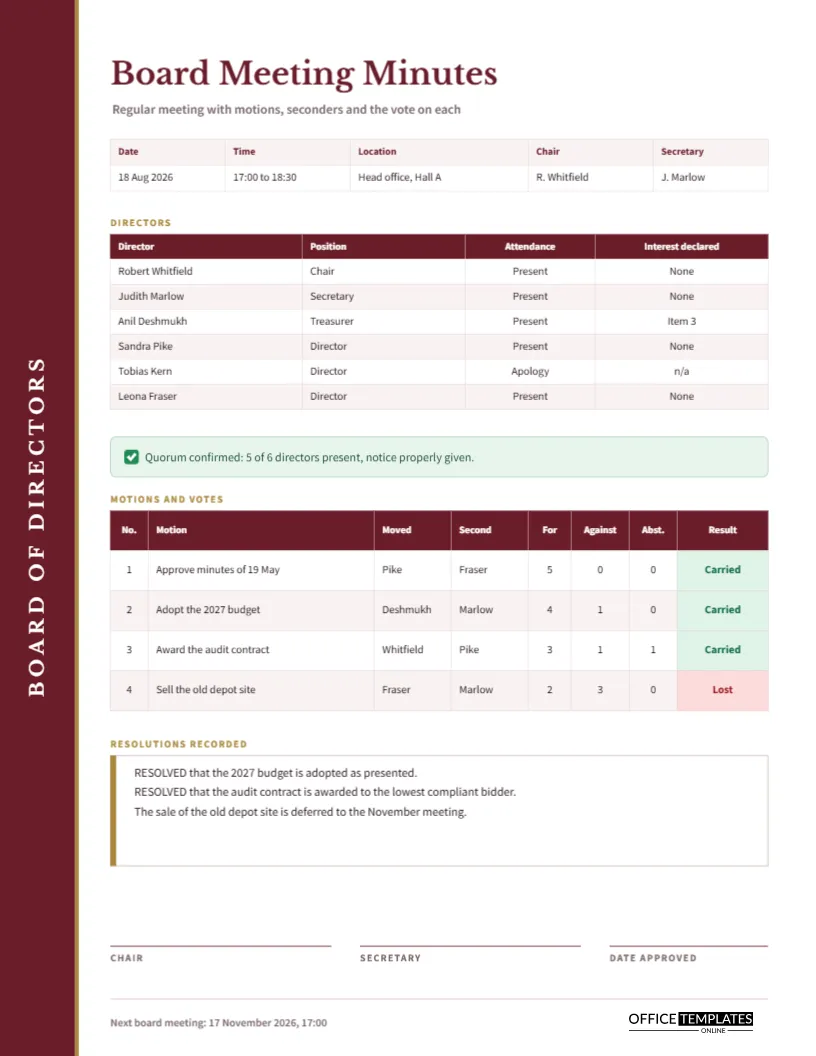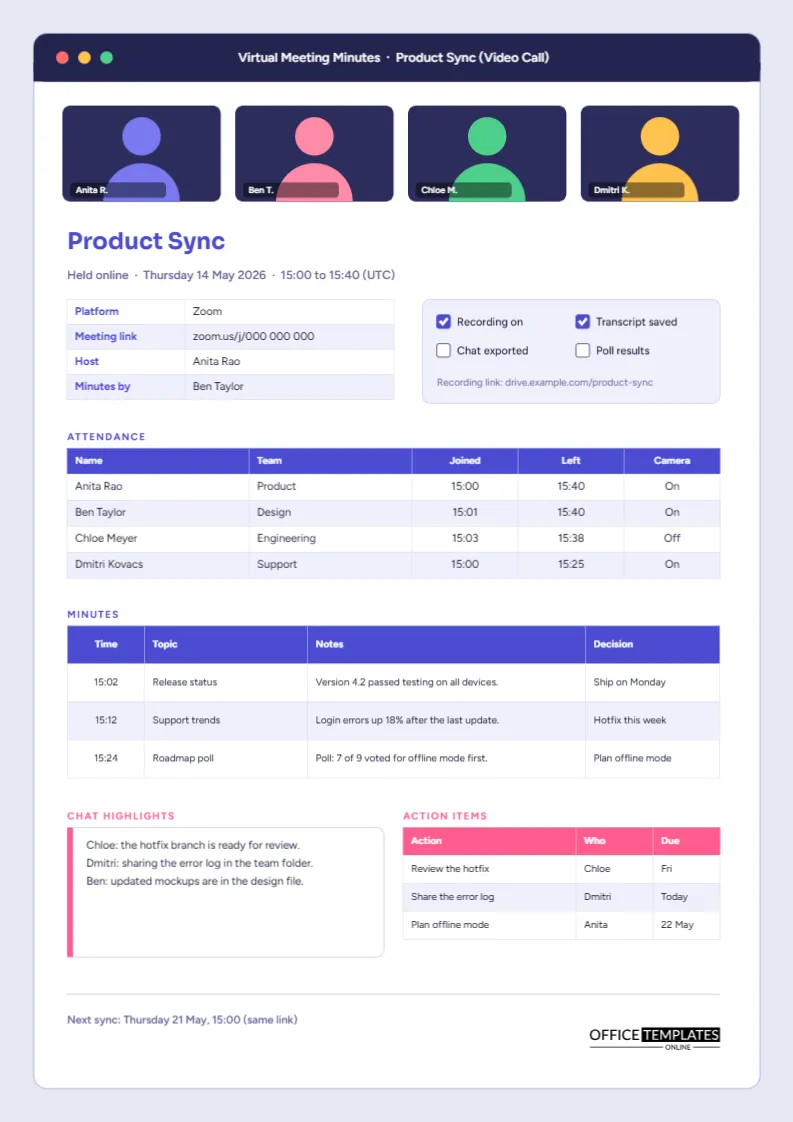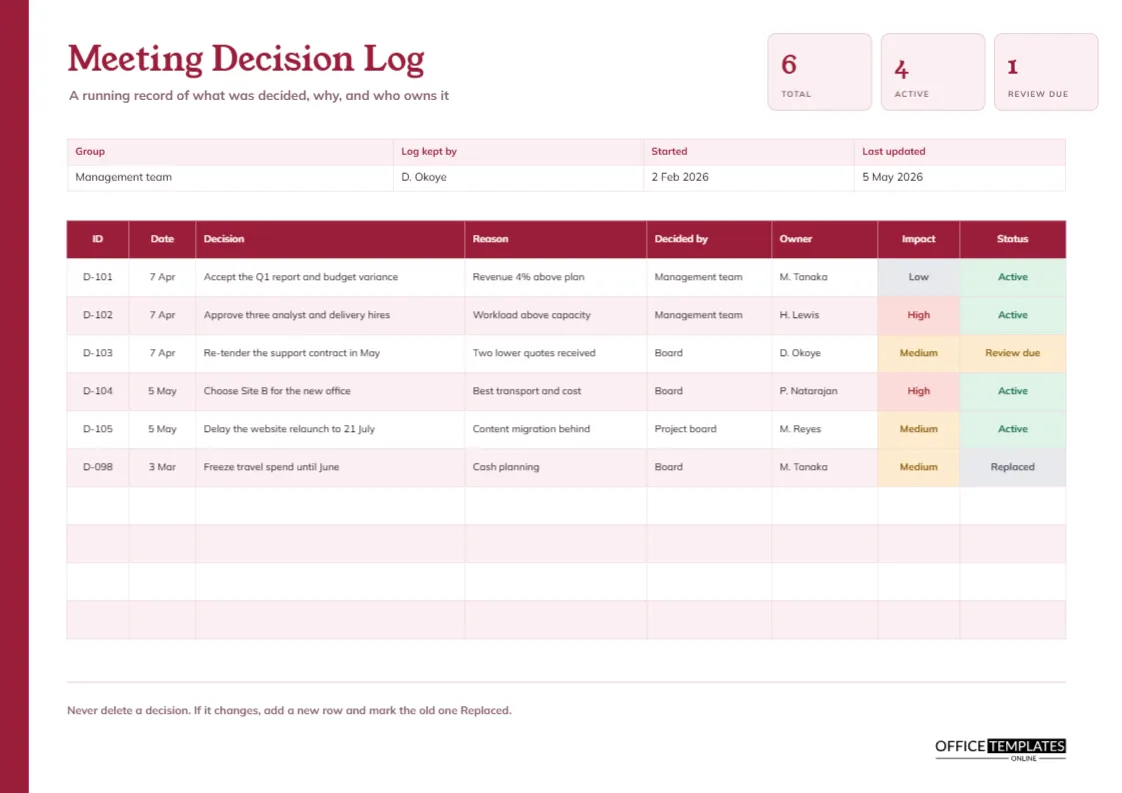
Minutes record what happened at one meeting. A decision log records what has been decided across many meetings. The difference matters, because a team that holds forty meetings a year cannot scroll through forty sets of minutes to find out whether a supplier was approved. A decision log is a single sheet that lists each decision once, with the reason, the owner, and whether it still stands. This template provides one in landscape, with a ruby red edge and three summary tiles.
Why a Log Differs From Minutes
| Feature | Minutes | Decision log |
|---|---|---|
| Scope | One meeting | Many meetings |
| Main purpose | Record what happened | Find what was decided |
| Order | Follows the agenda | Follows time or ID |
| Best for | Accountability for a meeting | Reference over months |
The two work together: the minutes say how a decision was reached, and the log says where to find it.
A Ruby Edge and a Serif Title
A ruby red strip runs down the left edge of the landscape page. The title Meeting Decision Log is set in Young Serif, with a subtitle reading A running record of what was decided, why, and who owns it. Mulish handles the table. At the top right, three pale pink tiles show total decisions, active ones, and those due for review.
Reading the Three Tiles
The tiles count the rows: six decisions, four active and one due for review. The sixth, which has been replaced, is not counted as active. Retype the tiles after each update. A manager who looks only at the tiles knows how large the log has become and how many decisions need a second look.
The Eight Columns
The table lists ID, date, decision, reason, decided by, owner, impact, and status. IDs such as D-101 give each decision a permanent name. The decision column holds the wording of what was agreed. The reason column records why, and it is the column most often missing and most often missed. Decided by names of the body, such as the board or the management team, while owner names the person accountable.
Why the Reason Column Matters Most
A decision without its reason is hard to challenge or improve. In the sample, a decision to re-tender the support contract carries the reason: two lower quotes received. A new manager reading it in a year understands why, and knows what to check if the facts change. A short phrase is enough, and writing it takes ten seconds.
Impact and Status Labels
Impact cells are tinted red for High, amber for Medium, and grey for Low. Status cells are green for Active, amber for Review due, and grey for Replaced. The labels let readers filter by eye: the red impact rows deserve more attention, and the review due rows need a conversation.
Never Delete a Decision
The footer says never delete a decision. If a decision changes, add a new row and mark the old one Replaced. The sample shows this: a freeze on travel spend, D-098, is marked Replaced. The log then tells the true history, which is invaluable when someone asks why a rule changed. Reference the new row’s ID in the notes of the old one.
Setting a Review Date for Important Decisions
Some decisions should be revisited. A decision to renew a contract for two years may need a check after twelve months. Mark such rows Review due and write the date in the reason or status cell. The title at the top then shows how many reviews are pending.
Who Keeps the Log
The details strip names the log keeper; in the sample, the secretary. One person should be responsible, even if several meetings feed the log. Update it within a day of each meeting, and ask the chair to check it quarterly.
Using the Log in Audits and Handovers
Auditors and new team members both ask what has been decided and by whom. A log answers quickly. During a handover, the outgoing manager can walk the successor through the active decisions in thirty minutes, instead of leaving them to read a year of minutes.
Sharing the Log Across Teams
If several groups make decisions that affect each other, keep one log per group, and share them. A weekly or monthly email with the new rows and the review due items keeps everyone aligned. Name each log clearly by group at the top.
Editing the Log
The table is a real Table object with ten rows. Use Edit Table Data to retype cells and Add Row to extend it, remembering the page height. Impact and status cells hold words and fills, so change both when a state changes.
Printing the Landscape Decision Log
A4 landscape. Print and file it quarterly, or keep a live copy on screen. The ruby strip is a solid block and prints well in colour.
Wording a Decision So It Can Be Found Later
A log is only useful if people can find the entry. Start each decision with the subject: pricing update for 2027, support contract tender, travel spend freeze. Avoid vague openings such as we agreed that. Use words that someone would type into a search box, and keep the wording close to what the minutes say, so the two documents match.
Linking Decisions to the Minutes That Created Them
Add the date of the meeting in the date column and, if useful, mention the item number in the reason cell. A reader who needs the full story can then open the minutes for that date and read the discussion. The log stays short, and the minutes hold the detail, which is the right division of labour for the two documents.
Reviewing the Log Every Quarter
Once a quarter, read down the status column and ask which decisions are due for review, which have been replaced, and which can be archived. This tidy-up takes fifteen minutes and keeps the log from growing into a pile nobody reads. Archive old rows to a second page and keep the active list short.
Decision Log Questions
How is this different from an action tracker?
A tracker lists tasks to do. A log lists choices that were made.
Which decisions deserve a row?
Anything someone might later ask about: spending, policy, scope, suppliers, and dates.