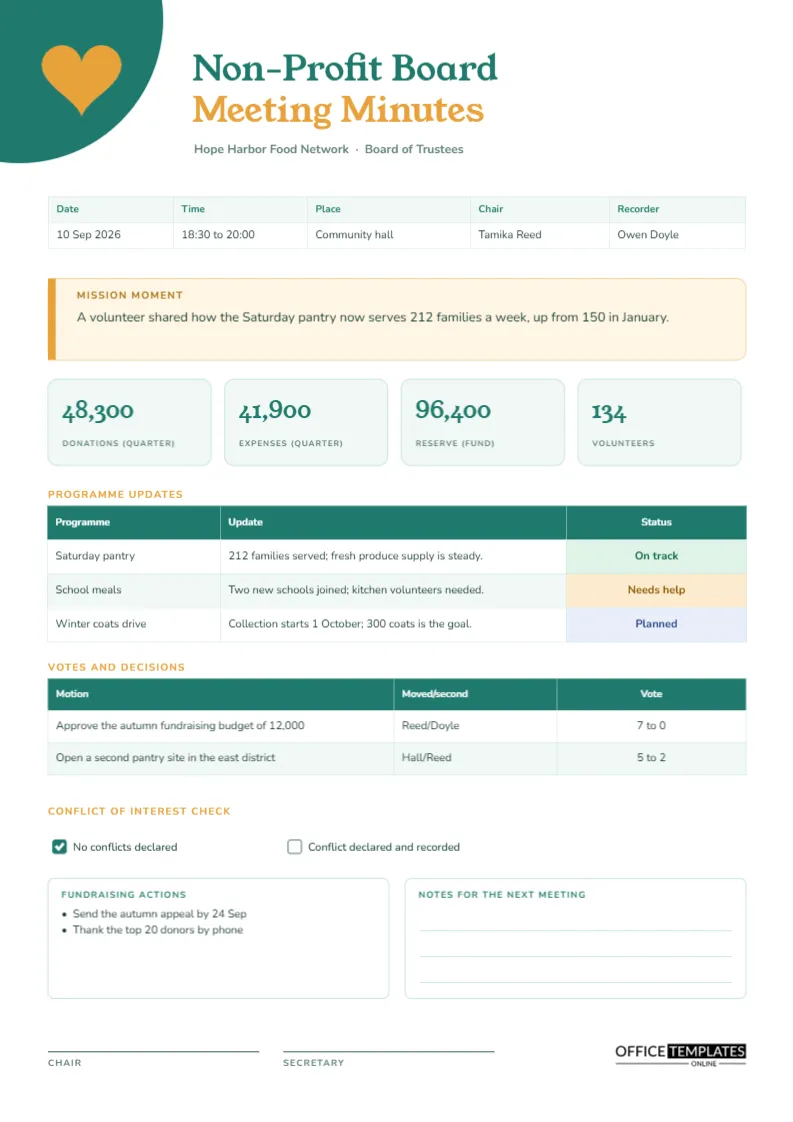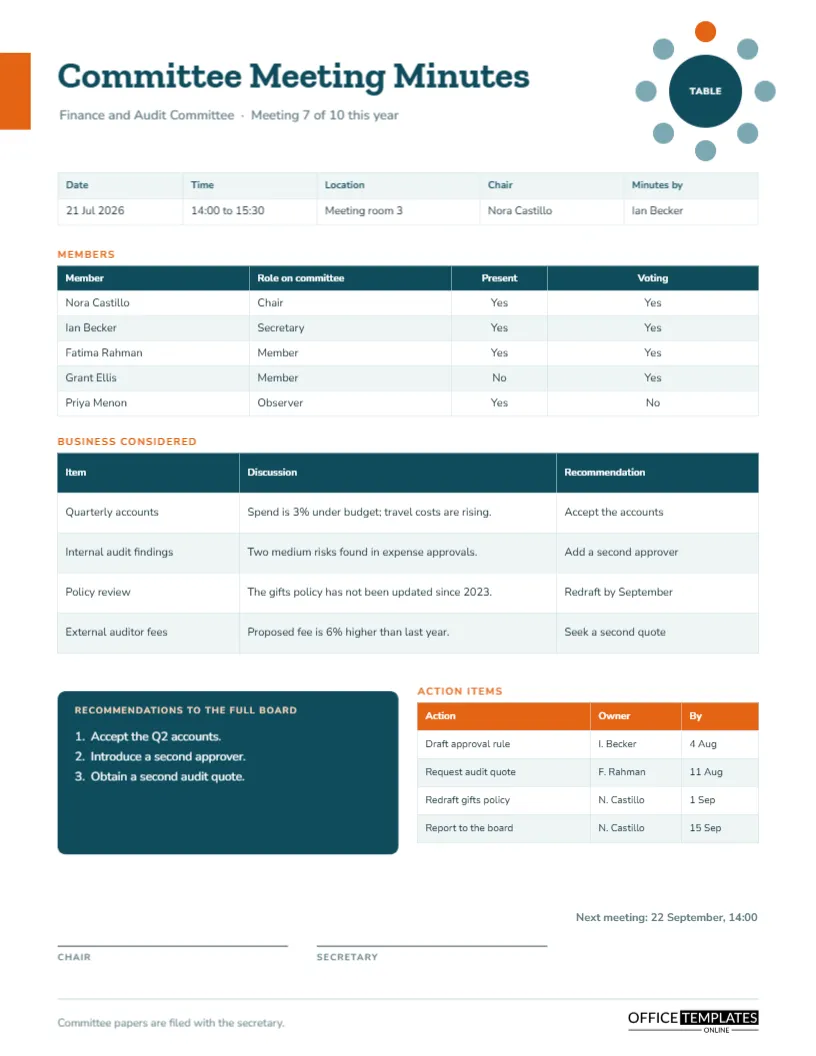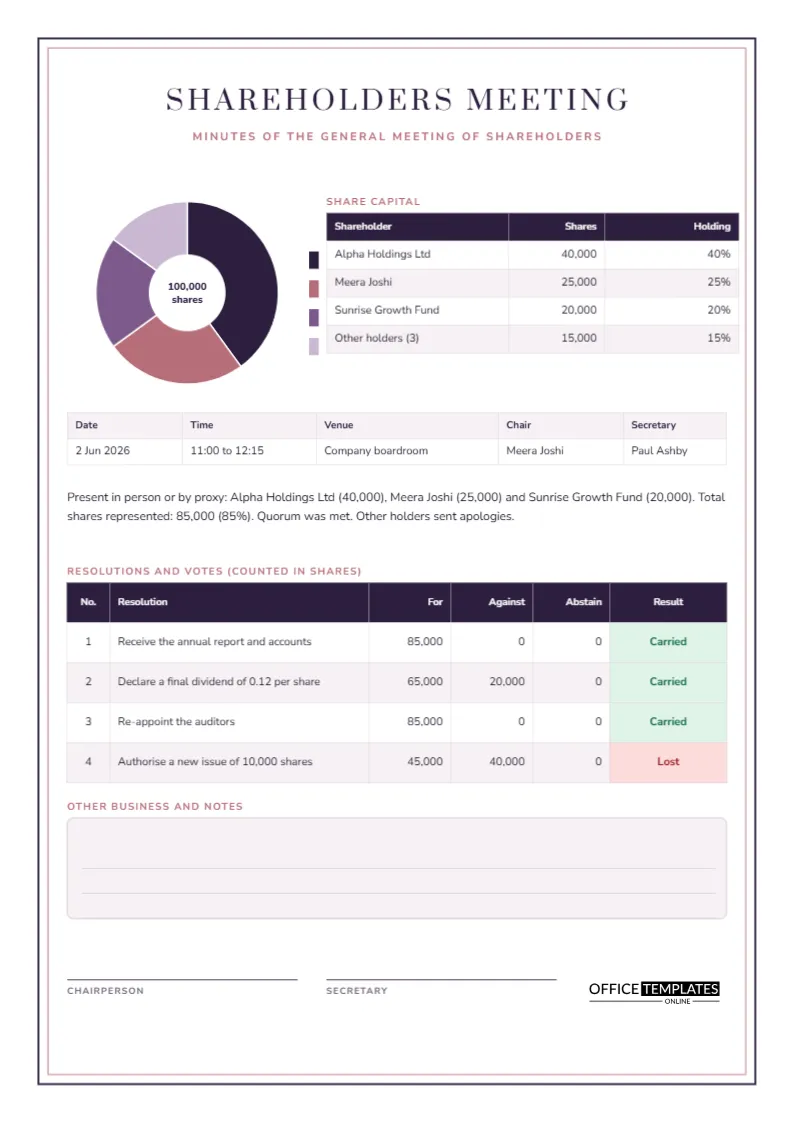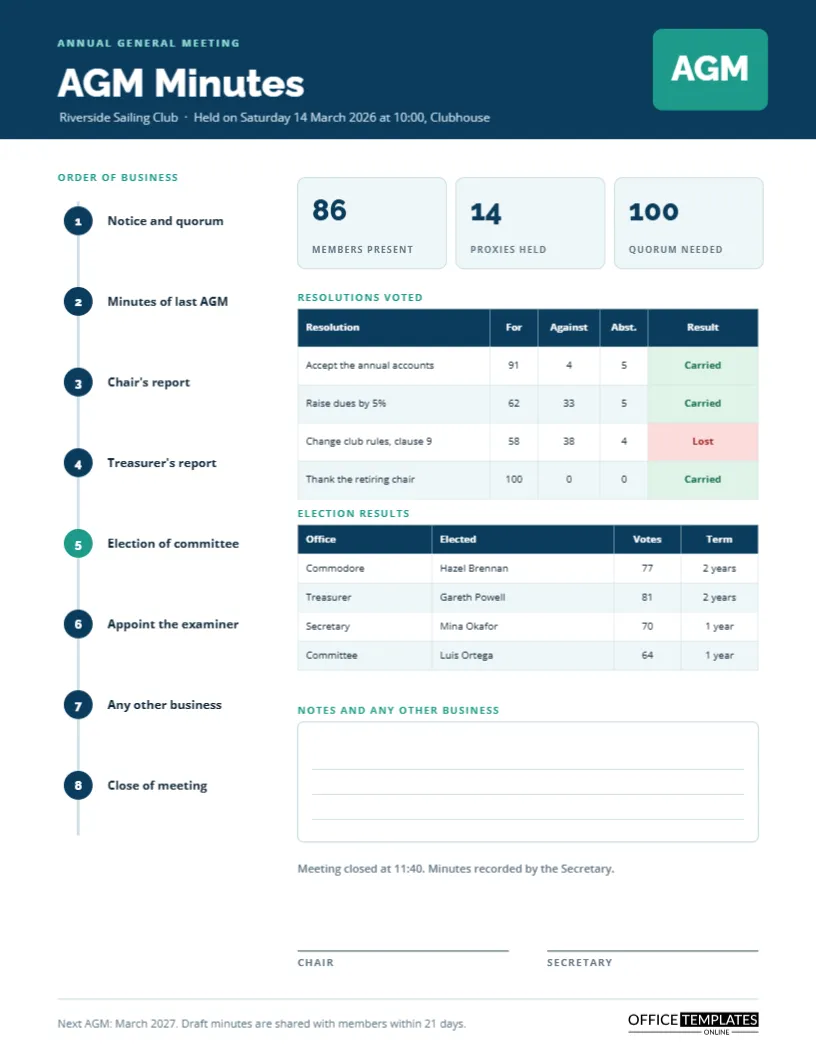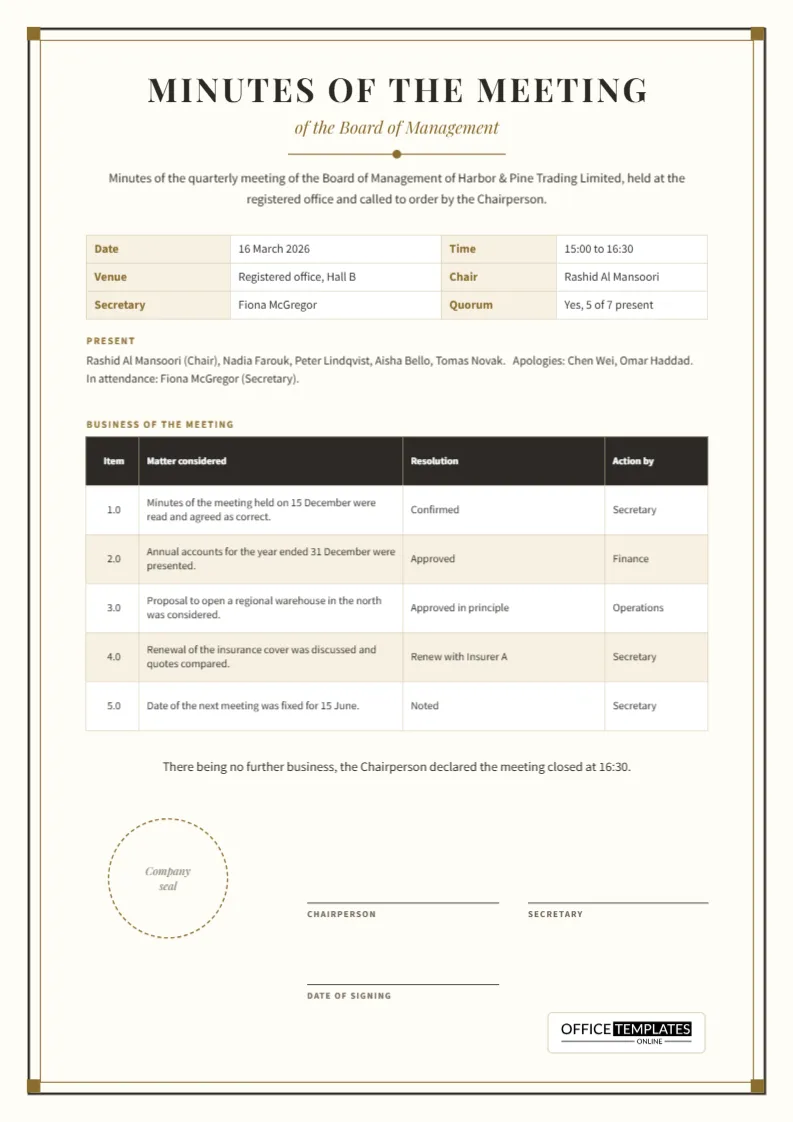
Some meetings carry legal or institutional weight. A board of management, a council, a trust or a registered society is expected to keep minutes that look and read like official records. This template gives you that register: a framed page, a centred serif title, numbered items and resolutions, and a place for the company seal and two signatures. It reads as a document of record, not a casual note.
Specification at a Glance
| Feature | Detail |
|---|---|
| Page size | A4 portrait, 210 by 297 millimetres |
| Frame | Charcoal outer rule, thin gold inner rule, gold corner squares |
| Title type | Playfair Display capitals with wide letter spacing |
| Body type | Source Sans Pro |
| Main table | Five numbered items with matter, resolution, and action by |
| Signature area | Chairperson, secretary and date of signing, plus a dashed seal circle |
Designer’s Notes on the Frame
The page background is a warm ivory rather than pure white, which suggests quality paper. A heavy charcoal line runs around the page, with a finer gold line just inside it, and four small gold squares mark the corners. The effect is the look of a certificate border, restrained enough not to compete with the text. Under the title sits a short gold rule with a dot at its centre, which acts as a pause before the opening statement.
The Opening Statement
A formal record begins by stating what meeting it records. The template includes a short preamble: minutes of the quarterly meeting of the Board of Management of Harbor and Pine Trading Limited, held at the registered office and called to order by the Chairperson. Replace the company and body names, and keep the sentence, because it gives the record context if it is read years later.
Recording Date, Venue, Chair and Quorum
Below the preamble, a bordered table records date, time, venue, chair, secretary and quorum. Labels sit in tinted gold cells and values in white ones. The sample shows 16 March 2026, 15:00 to 16:30, with a quorum of five of seven present. Recording quorum in plain words protects the decisions that follow, because a vote taken without a quorum can be challenged.
Present, Apologies and In Attendance
A short paragraph lists those present, those who sent apologies, and those attending in a non-voting capacity, such as the secretary. This three-way split is a long-standing convention. It shows who could vote, who was missing, and who was simply there to assist.
Phrases That Formal Minutes Commonly Use
- The minutes of the previous meeting were read and confirmed.
- It was proposed by one member and seconded by another that…
- After discussion, it was resolved that…
- The report was received and noted.
- There being no further business, the Chairperson closed the meeting at…
Using the same stock phrases each time makes the minutes easy to scan and keeps the tone neutral. The sample table follows this style: confirmed, approved, approved in principle, noted.
Numbering Business Items
The business table numbers its items 1.0 to 5.0, a scheme that makes it easy to cite an item later, as in see item 3.0 of the March minutes. If a meeting covers sub-points, add decimals such as 3.1 and 3.2. The columns are Matter considered, Resolution, and Action by, which together show what was discussed, what was decided, and who carries it forward.
Recording Resolutions Accurately
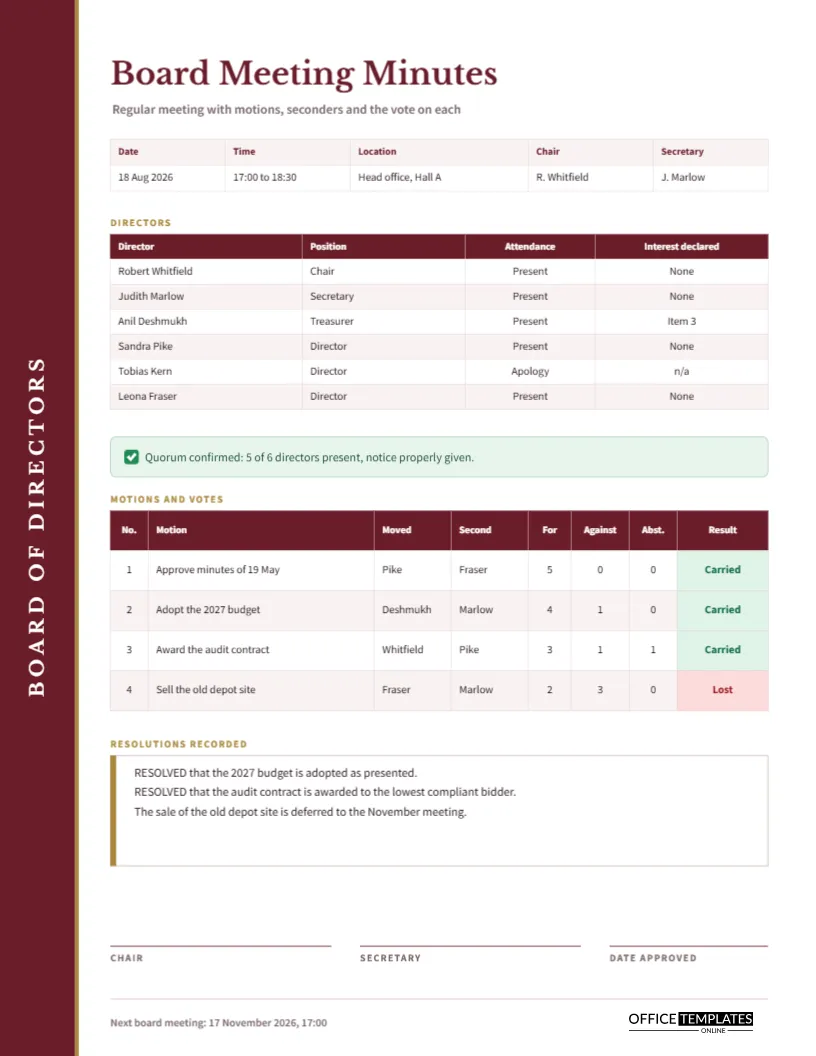
A resolution is not a summary of a conversation. It is the exact wording of what the meeting agreed. If possible, read the wording aloud before the vote so the secretary captures it correctly. Where a vote count matters, add it in the resolution cell or switch to the board minutes template, which has columns for motions and votes.
The Closing Line and the Seal
The closing statement notes that the chairperson declared the meeting closed and gives the time. Below it, a dashed circle in gold marks where a company seal or stamp can be pressed after printing. Not every organisation uses a seal, so delete the circle if yours does not.
Signatures and Dates
Two signature lines carry the labels Chairperson and Secretary, and a third line records the date of signing. Many bodies approve the minutes at the following meeting and sign them then, so the date of signing may differ from the meeting date. Keep both dates visible and consistent with the record.
Editing and Printing
Everything is editable text, and the main table is a real Table object. Use Edit Table Data to change cells and Add Row to include more items. Print on ivory or white paper at actual size. A slightly heavier paper, around 100 grams, gives the framed page a professional feel when you sign and file it.
Approving and Correcting the Minutes
Formal minutes are usually presented as a draft at the next meeting. The chair asks whether they are a correct record; members may point out errors, and any correction is noted before the chair signs. Never alter a signed page quietly. If a mistake is found later, record the correction in the minutes of the meeting where it was raised, so the history stays honest. A tidy way to do this is to add a line under the relevant item saying that it was amended at the following meeting, with the date.
Who Keeps the Minutes Book
In most organisations, the secretary keeps the signed originals, either in a bound book or in a locked folder, and holds the electronic copy on a controlled drive. Treat the minutes book as a permanent record. Auditors, banks, regulators and new officers often ask to see it, and a clean, dated, signed set of pages answers most of their questions at once. Keep a simple index at the front that lists each meeting date and the item numbers it covered.
Legal Weight and Wider Use of This Format
Is this legally valid on its own?
The template provides a format. The legal requirements for minutes depend on your organisation’s rules and your jurisdiction, so check your governing documents.
Can I use it for a council or a committee?
Yes. Change the body name in the preamble and adjust the roles in the details table.