A Hiring Flyer With the Look of a Ticket
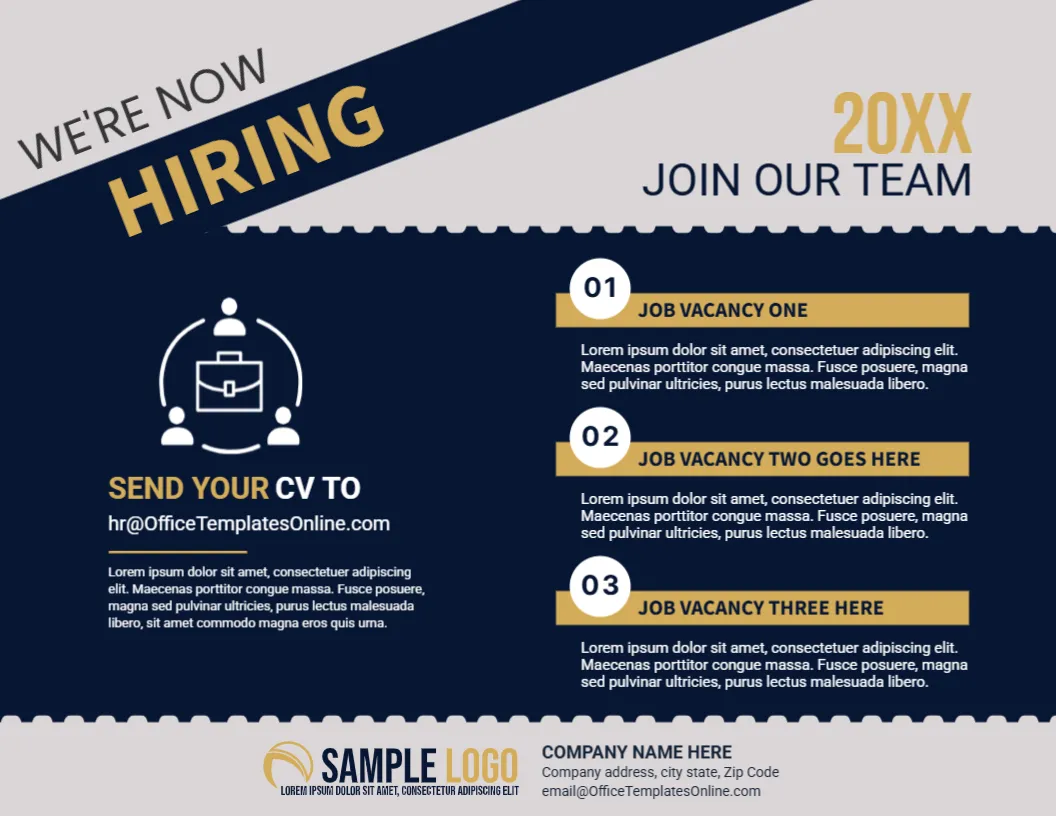
The torn ticket edge, gold lettering and deep navy of this flyer make a job advertisement feel like an invitation. A diagonal banner announces WE’RE NOW HIRING, a year in gold sits at the right, and three numbered job vacancies are listed in a neat column. It suits growing firms, agencies and organisations that want to recruit with a polished, professional flyer.
Diagonal Banner and Perforated Edges
The page is 11 x 8.5 inches, landscape, one page. A navy diagonal band runs across the top left corner of a light grey page, with WE’RE NOW in grey and HIRING in gold capitals. At the top right, 20XX appears in gold above JOIN OUR TEAM. The navy panel below has scalloped, perforated edges at the top and the bottom. The shapes are graphics and stay fixed.
Vacancy Strips and the CV Block
On the right, three gold strips labelled JOB VACANCY ONE, TWO GOES HERE and THREE HERE each sit over a short paragraph, with white numbered circles 01 to 03. At the left, an icon of a briefcase surrounded by people sits above SEND YOUR CV TO and [email protected], with a short paragraph below. The footer holds a SAMPLE LOGO and the company name, address and email. Replace the sample email with your real recruitment address.
Information to Put in Each Vacancy Strip
- Job title in capitals.
- Department or location.
- Two key requirements.
- The type of contract.
- The deadline, if it is the same for all.
Replacing the Year Placeholder
The gold 20XX at the top right is a placeholder. Use the current year, or delete it if the flyer will stay in use for a long time. An old year on a recruitment flyer suggests that the company is not active, so check it every time you reprint.
Choosing a Recruitment Email
A shared address, such as jobs or careers at your domain, is better than a personal address, because it keeps working when staff change. Tell candidates what to include: a CV, a cover note and the job title in the subject line.
Printing the Gold Navy Flyer
Gold prints as a tan or mustard colour on a standard printer. A print shop can add foil for a true metallic look, but a normal colour print on 120 gsm paper is fine for a notice. Check that the perforated edges do not clip at the margins.
Step by Step Editing of the Gold Navy Hiring Flyer Design
- On the gold navy hiring flyer design, click the main headline and type your own words, keeping a similar length.
- Retype every name, date and contact line on the gold navy hiring flyer design, checking each against a trusted source.
- Search the gold navy hiring flyer design for the words Lorem and Company so that no placeholder remains.
- Click any logo or photo on the gold navy hiring flyer design, choose Replace Image and resize the new picture to fit.
- Zoom the gold navy hiring flyer design to full size and read each line aloud before you save it.
- Keep a clean master of the gold navy hiring flyer design without private details, so later versions start tidy.
Also worth a look: job hiring poster template. Next to try is the announcement template for job vacancy. Have a look at the we are hiring flyer design. Every gold navy hiring flyer style alternative sits in announcements.