Corner Brackets and Three Squares for an Office Envelope
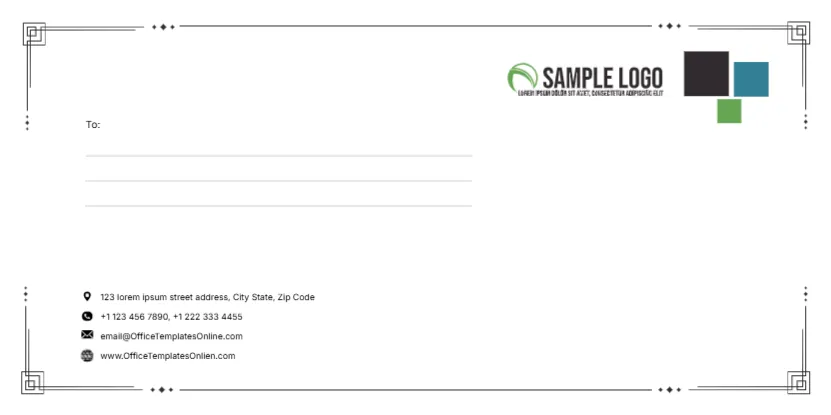
Thin black frame lines with square bracket corners and small diamond dots run around the face, giving it a neat technical look. In the top right, a green swoosh logo sits beside three overlapping squares in charcoal, teal and green. A To: label and three ruled lines sit on the left, and four icon lines with the sender’s street, phones, email and website sit near the bottom left. It is tidy, modern and right for daily office post.
Bracket Frame and Square Accents
The face is 220 x 110 mm, the international DL envelope for A4 sheets folded in three. The frame stays clear of the edges, so it prints well on desktop printers that cannot print to the very edge.
Office Contact Lines and the Web Typo
The sender lines read 123 lorem ipsum street address, two phone numbers, the template site’s email and www.OfficeTemplatesOnlien.com, which is misspelt. Replace all four with your office details. The three coloured squares can be recoloured to match your logo.
Preparing the Office Envelope
- Swap the green logo.
- Recolour the squares if needed.
- Type the office street and phones.
- Replace the email and website.
- Add the recipient on the To lines.
Why DL Suits A4 Offices
An A4 letter folded in three slides neatly into a DL envelope. If your office uses US letter paper, the No. 10 size is the closer match, so choose the size that fits your paper.
Frames That Survive Desktop Printing
Because the frame sits inside the edges, it prints fully on most home and office printers. That makes this design a safe choice when you print envelopes in house.
Printing Addresses From a List
For a batch of letters, type each recipient into a copy of the design, or print the frame only and add addresses with labels from a mail merge.
Coordinated Office Stationery
Use the same squares on letterheads, compliment slips and business cards so post from your office is easy to recognise.
Return Address on the Front
The sender block is on the front, which is common for business post. Some postal services prefer the return address on the back flap, so check local guidance.
Stocking the Office Envelopes
Keep a supply near the printer with the master file saved for reorders.
Step by Step Editing of the Office Corner Brackets Squares Design
- On the office corner brackets squares design, click the main headline and type your own words, keeping a similar length.
- Retype every name, date and contact line on the office corner brackets squares design, checking each against a trusted source.
- Search the office corner brackets squares design for the words Lorem and Company so that no placeholder remains.
- Click any logo or photo on the office corner brackets squares design, choose Replace Image and resize the new picture to fit.
- Zoom the office corner brackets squares design to full size and read each line aloud before you save it.
- Keep a clean master of the office corner brackets squares design without private details, so later versions start tidy.
Also worth a look: company envelope. Next to try is the event invitation envelope. Have a look at the envelope with navy and teal chevrons. Every office corner brackets squares style alternative sits in envelope templates.