Maroon and Orange Waves for a Butcher Shop and Grill
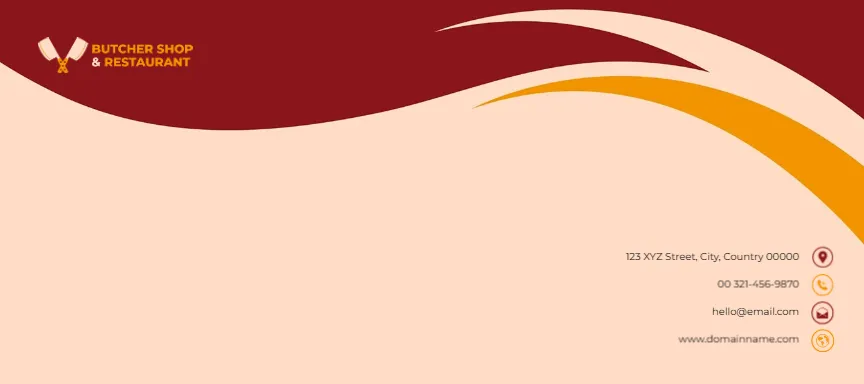
A warm peach face is topped by a deep maroon wave that sweeps across from the left, with a thinner orange wave curling down the right edge. A logo with crossed cleavers and BUTCHER SHOP AND RESTAURANT in orange sits on the maroon at the top left. Four right aligned contact lines with round maroon and orange icons sit at the lower right: a street, a phone, an email and a website.
Wave Header and Icon Contacts
The face is 9 x 4 inches. The large peach area in the lower left is free for an address label or handwritten recipient.
Contact Lines and Page Title
The lines read 123 XYZ Street, City, Country 00000, 00 321 456 9870, [email protected] and www.domainname.com. Type your shop’s details. The page title on the site spells shop as Shope, a small typo in the name only.
Preparing the Butcher Envelope
- Swap the cleaver logo.
- Type your contact details.
- Add the recipient on the peach area.
- Check the size.
- Print a test.
Envelopes for Invoices and Orders
Butchers send invoices to restaurants and take catering orders. Branded envelopes make those letters stand out on a busy kitchen desk. Wholesale customers often file supplier post by colour, and the maroon wave makes your invoices easy to find in a pile.
Warm Food Colours
Maroon, orange and peach suggest meat, fire and warmth, which suits grills, steakhouses and barbecue caterers. If your shop also sells fish or poultry, the cleaver logo still fits, but a line under it such as Fresh meat and fish daily helps.
Gift Voucher Envelopes
Scale the design down to C6 or C7 for gift vouchers, such as a meat box voucher at Christmas. A voucher envelope with a printed value, such as A 50 dollar meat box, makes a ready made gift for regular customers.
Printing the Peach Background
Peach covers the whole face. Print on white envelopes and expect a thin margin at the edges on desktop printers.
Adding Opening Hours
A small line with opening hours under the website helps customers who keep the envelope. Mention any delivery days too, for example Free delivery Tuesday and Friday, if you deliver to restaurants and homes.
Using the Shop Envelopes
Use them for invoices, vouchers and letters to suppliers.
Step by Step Editing of the Butcher Shop Maroon Orange Waves Design
- On the butcher shop maroon orange waves design, click the main headline and type your own words, keeping a similar length.
- Retype every name, date and contact line on the butcher shop maroon orange waves design, checking each against a trusted source.
- Search the butcher shop maroon orange waves design for the words Lorem and Company so that no placeholder remains.
- Click any logo or photo on the butcher shop maroon orange waves design, choose Replace Image and resize the new picture to fit.
- Zoom the butcher shop maroon orange waves design to full size and read each line aloud before you save it.
- Keep a clean master of the butcher shop maroon orange waves design without private details, so later versions start tidy.
Next to try is the catering envelope. Have a look at the event planner envelope. Another option is the massage envelope. Every butcher shop maroon orange waves style alternative sits in envelope templates.