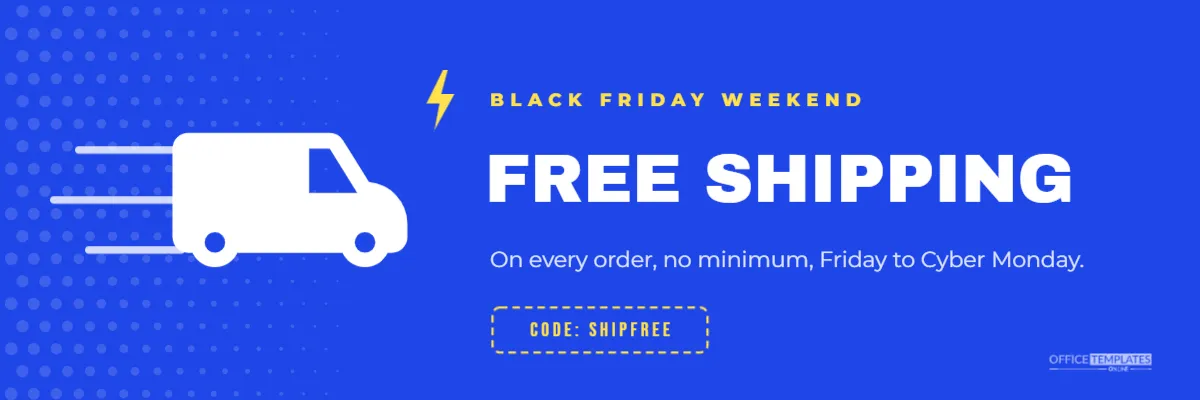
For many online shoppers, shipping costs are the deciding factor. Plenty of carts are abandoned at checkout when delivery fees appear. Free shipping is one of the most powerful Black Friday offers you can make, and it deserves its own banner. This 1200 x 400 pixel design announces it with a speeding delivery van, big bold type, and a promo code chip.
Free Shipping Banner at a Glance
The banner is 1200 x 400 pixels, a wide strip shape that fits website sections, email newsletters, and sidebar spaces. The background is a vivid electric blue, with white halftone dots fading in from the left edge. Three white speed lines streak behind a white delivery van icon, giving a sense of fast movement.
To the right of the van, a small yellow lightning bolt sits beside the kicker BLACK FRIDAY WEEKEND, in spaced yellow capitals. FREE SHIPPING is set large in white Archivo Black, the heaviest element on the banner. A light blue line gives the conditions: on every order, no minimum, Friday to Cyber Monday. Below it, a dashed yellow outline holds the code SHIPFREE, and the brand mark sits in the bottom right corner.
Why Free Shipping Converts
- It removes a surprise. Unexpected delivery costs are a common reason shoppers leave checkout.
- It feels like a gift. Free is a more powerful word than a small discount of the same value.
- It encourages bigger orders when combined with a minimum spend.
- It works across all products, so it suits shops with thin margins on individual items.
Editing the Shipping Offer
Change the conditions line to match your offer. Common variations include: On orders over $50,Standard shipping, US only,Free express shipping for members, and Free returns too. Be precise: if free shipping applies only to some regions or methods, say so, so customers are not disappointed at checkout. Replace SHIPFREE with your code, or change the chip to NO CODE NEEDED.
Where to Show the Free Shipping Banner
| Placement | Why |
|---|---|
| Below the homepage hero | Second message after the main sale |
| Product pages | Reminds shoppers as they decide |
| Cart page | Reassures them before checkout |
| Email newsletters | A clear reason to click and buy |
| Social media | A simple, shareable offer |
Setting Up Free Shipping in Your Store
Before you publish the banner, set up the offer in your e-commerce platform. Most platforms let you create a free shipping discount code, a rule for orders over a minimum amount, or a time-limited shipping rate. Test it with a real order to confirm it works for the regions and methods you promised. A banner that promises free shipping when the checkout charges for it is the fastest way to lose trust.
Free Shipping and Delivery Times
Black Friday is the start of the busiest shipping season of the year. Carriers are under pressure and delivery times can be longer than usual. Be honest on your website about expected delivery times, and publish your holiday shipping deadlines early. Customers prefer realistic dates to promises that are missed.
Changing the Free Shipping Banner Colours
Electric blue feels fast and trustworthy, which suits delivery. If your brand uses other colours, try green for eco brands, black with yellow for a bold look, or your main brand colour with white text. Keep the van and headline white or very light so they stand out. The halftone dots are a grouped shape and can be recoloured or removed.
Replacing the Van Icon
The van is an editable vector. You can recolour it, or replace it with another icon from the Elements panel: a parcel box, a truck, a plane for international shipping, or a bicycle for local deliveries. Keep the speed lines behind it to show movement.
Resizing for Emails and Mobile
Emails usually display images at around 600 pixels wide. If you use the banner in an email, check that FREE SHIPPING is still readable on a phone; if not, make a taller version with larger text. For a mobile website, consider a more square version with the van above the text.
Combining Free Shipping With Other Offers
Free shipping often works best alongside your main discount. A homepage might show the main Black Friday banner first, with this banner below as a second reason to buy. In emails, put the main discount in the header and free shipping as a strip just above the products.
Free Shipping Thresholds
If free shipping on every order is too costly, a minimum spend can work well. Many shops set the threshold slightly above their average order value, which encourages customers to add one more item. If you use a threshold, show it clearly on the banner: Free shipping on orders over $50.
Free Shipping for Local Businesses
Local shops can offer free local delivery or free curbside pickup instead of national shipping. Change FREE SHIPPING to FREE LOCAL DELIVERY and the conditions line to your delivery area. It is a strong offer for customers who want to shop local but cannot visit in person.
Removing the Free Shipping Banner After Black Friday
When the free shipping offer ends, remove the banner promptly from your website and emails. Leaving it up after the offer ends creates confusion and complaints. Save your edited file for next year, or for a holiday shipping promotion in December.
Packing Orders for a Busy Weekend
A free shipping offer often brings a wave of orders, so prepare packing supplies in advance: boxes, mailers, tape, and printed packing slips. Pre-fold boxes for your best sellers. Fast, tidy dispatch keeps the good feeling of a free shipping deal going until the parcel arrives.
Free Shipping Banner Questions
Can I add a countdown?
Not inside the image, but many email and website tools offer countdown timers you can place beside it.
Can I use it for international shipping?
Yes. Change the conditions line to name the countries included.
Should I use a code or automatic free shipping?
Automatic offers are simpler for customers. Codes help you measure how many people used the banner’s offer.
Free shipping can be the nudge that turns a full cart into an order. Set up your offer, add your code, and put this banner where shoppers decide.