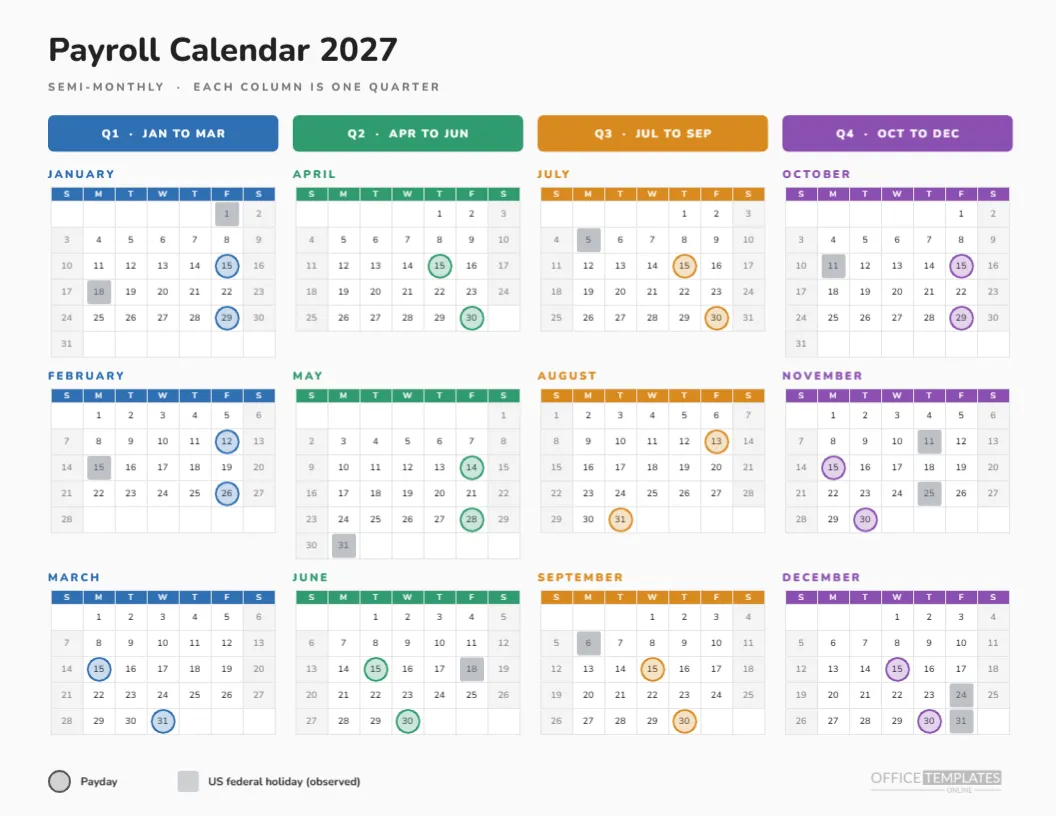
How the Colour-Coded Quarter Page Is Organised
| Column | Months | Colour |
|---|---|---|
| Q1 | January, February, March | Blue |
| Q2 | April, May, June | Green |
| Q3 | July, August, September | Orange |
| Q4 | October, November, December | Purple |
The Idea Behind the Page
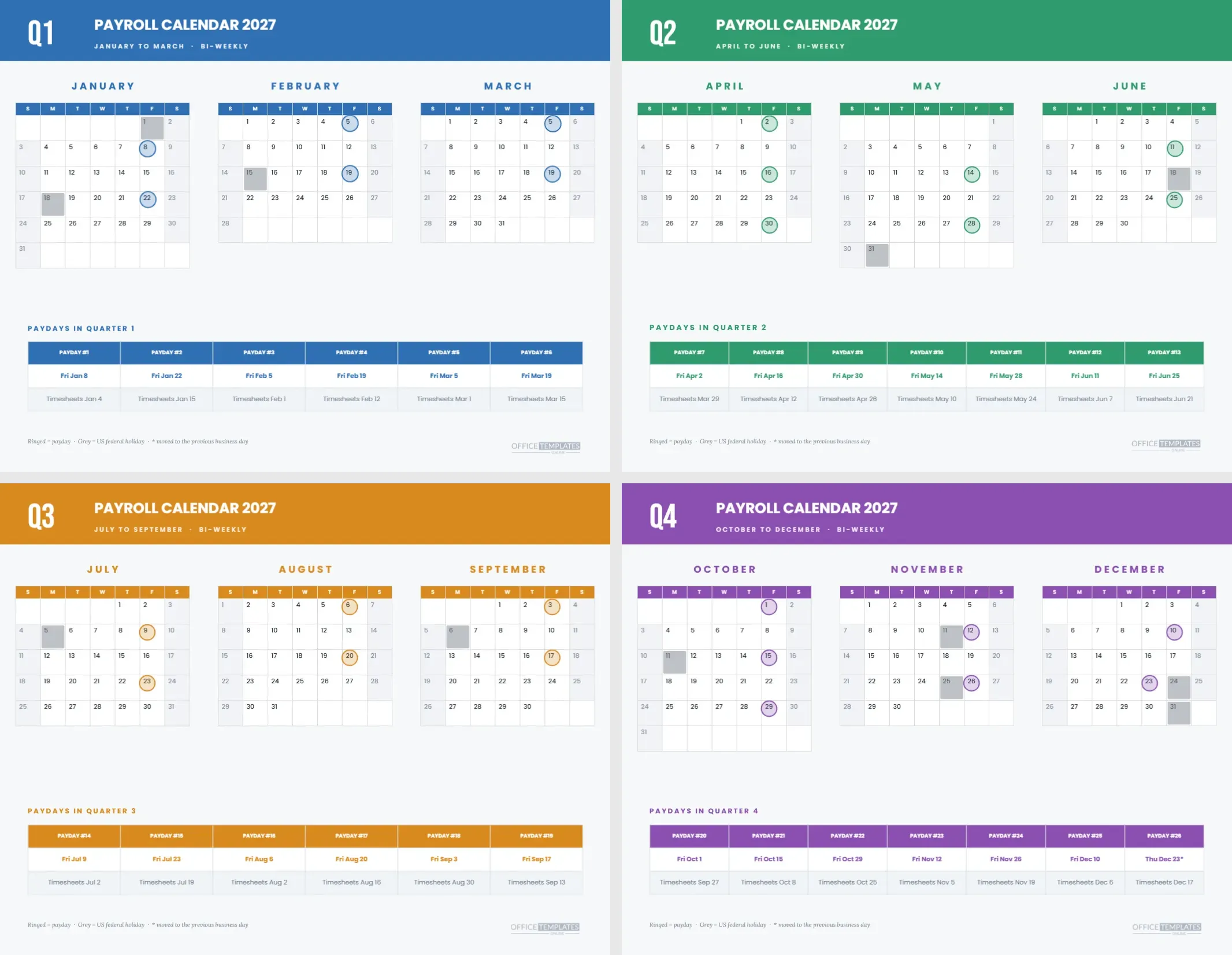
Most year calendars list months in reading order, left to right and top to bottom, which hides the quarters. This page flips that: each column is a quarter, and each row is the first, second, or third month of it. Colour makes the quarters visible, so a reader can run a finger down a column and see a whole quarter of paydays.
The Header Pills
At the top of each column, a coloured rounded bar reads Q1, JAN TO MAR and so on, in white Nunito capitals. The bars sit in a row across the page and double as headings and keys. Each quarter’s month names, headers and rings use the same colour, so the page needs no separate legend for the colours.
Twelve Small Calendars
Each month is its own Calendar object, set in Month style with one-letter day names, centred numbers and a coloured day name row. Twelve calendar objects on one page is heavier than a single year grid, but it allows a different colour per quarter, which the single Full Year object cannot do.
Rings on Tiny Cells
With cells about a third of an inch wide, the markers sit centred on the date and are drawn as rings in the quarter colour with a pale fill. Holidays are grey squares. The rings are small but clear, and they stay centred because each month calendar was measured when the page was generated.
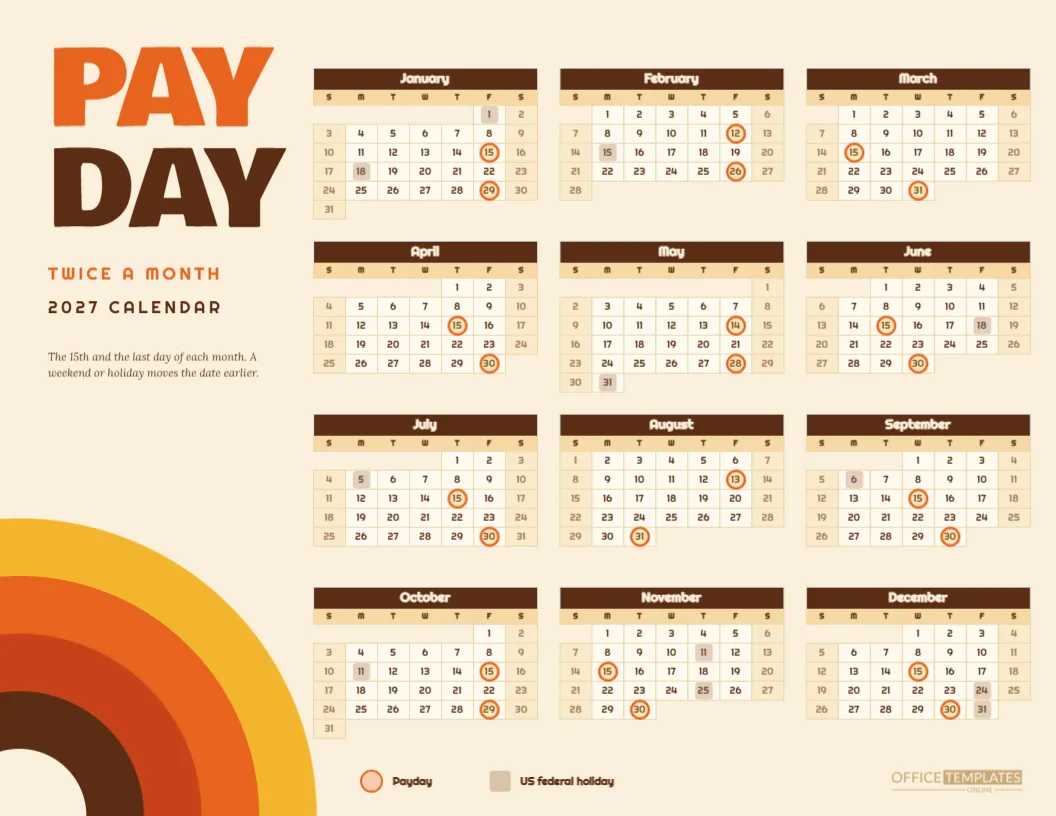
The Twenty-Four Semi-Monthly Paydays
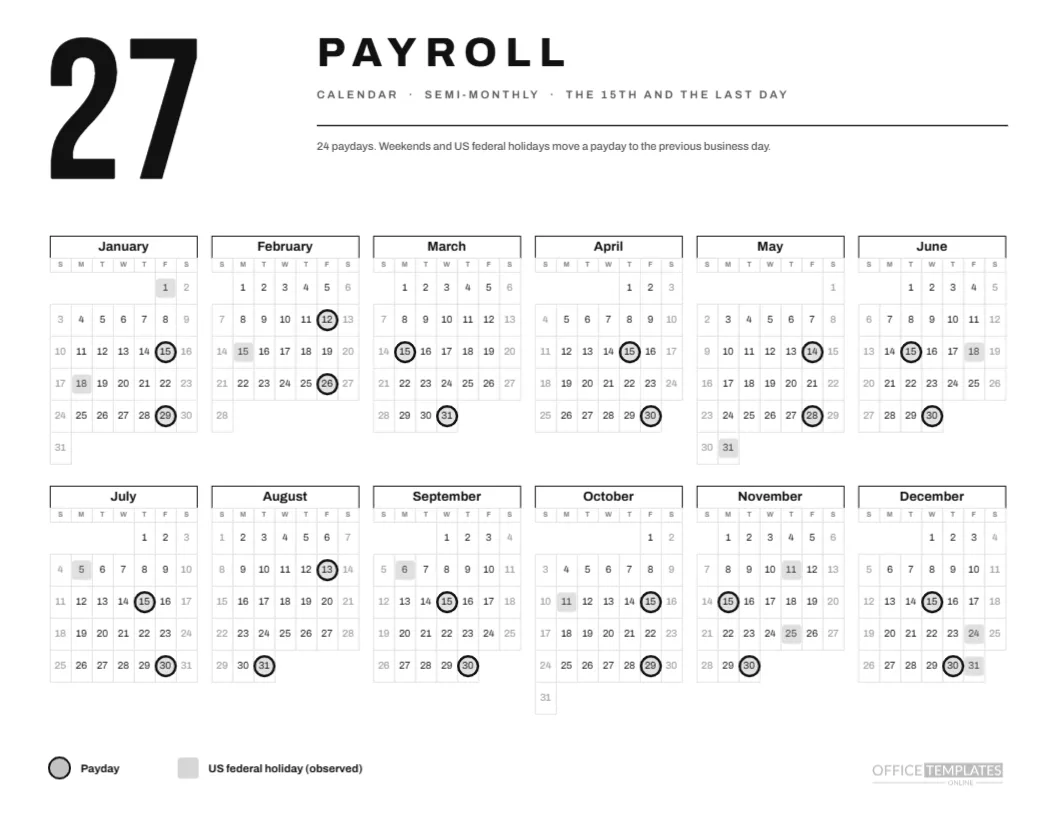
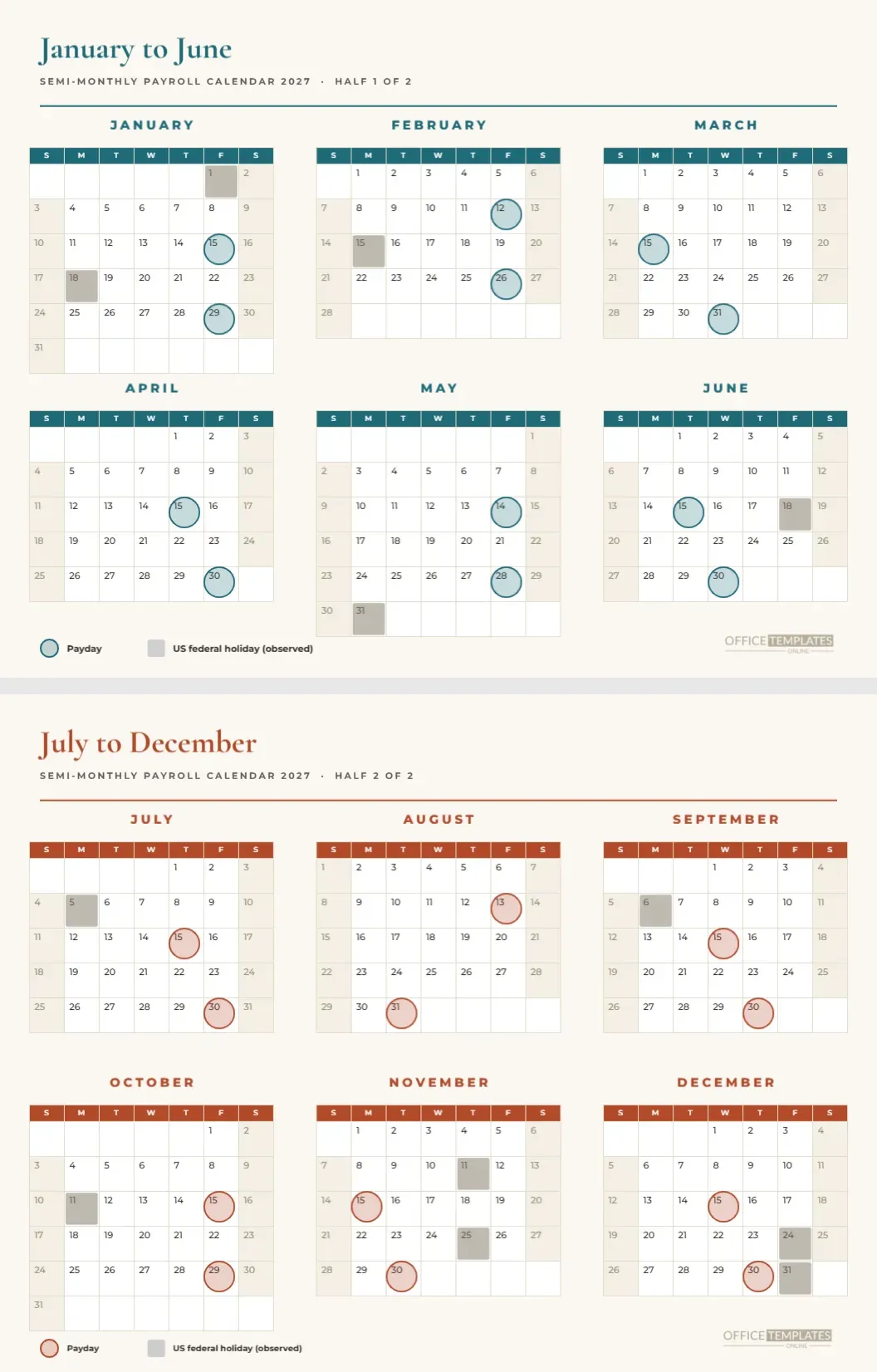
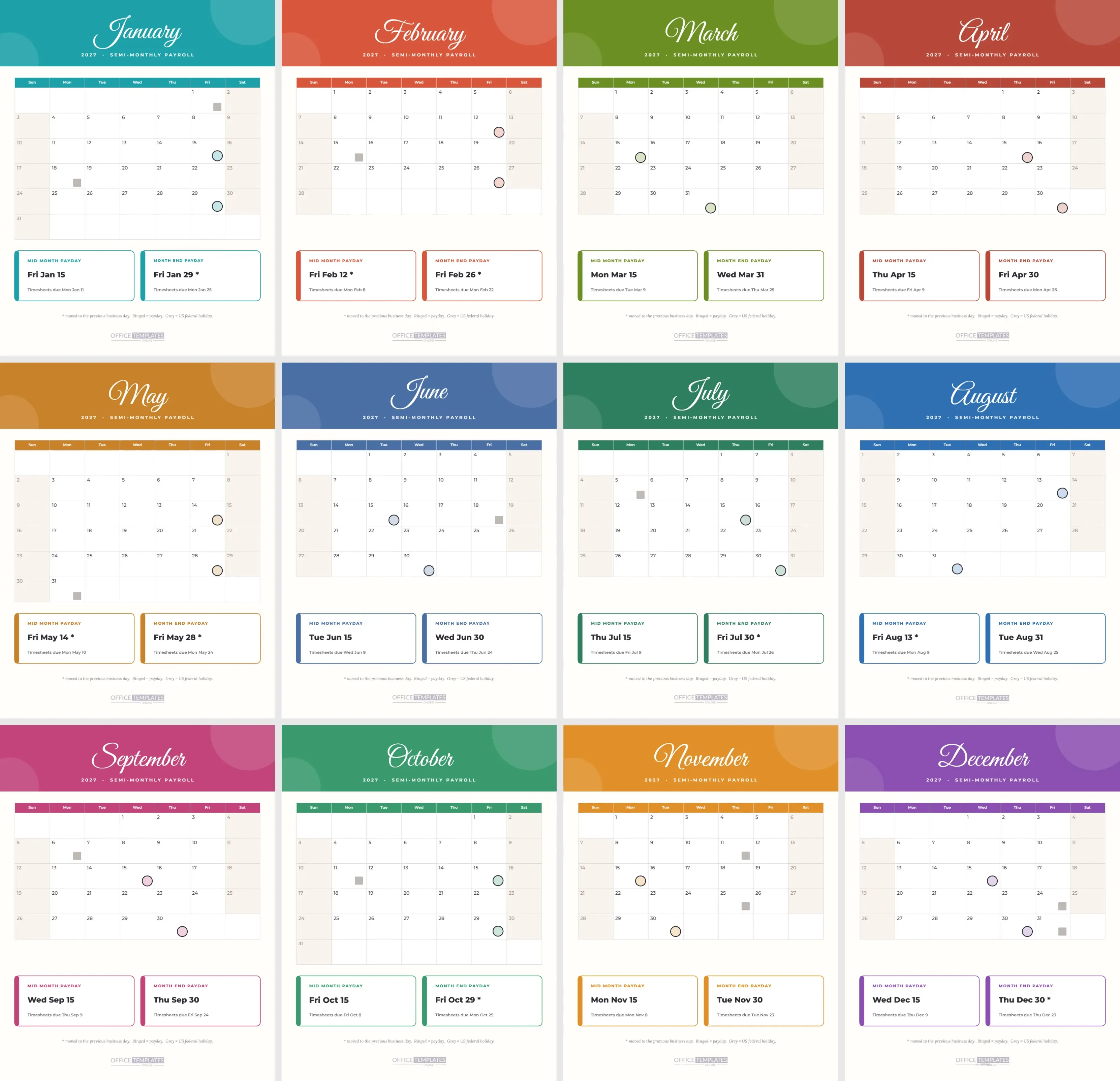
Each month has two rings, the mid-month payday and the month-end payday. Nine of them are moved to the previous business day: January 29, February 12 and 26, May 14 and 28, July 30, August 13, October 29 and December 30. The first half of the year holds five of them and the second half four.
Reading a Quarter Quickly
Take Q2. April shows rings on the 15th and the 30th, May on the 14th and 28th, and June on the 15th and 30th. In ten seconds, you can say that the quarter has six paydays, two moved, both in May. That kind of summary is exactly why colour-coded columns help busy payroll leads.
Why Semi-Monthly for This Layout
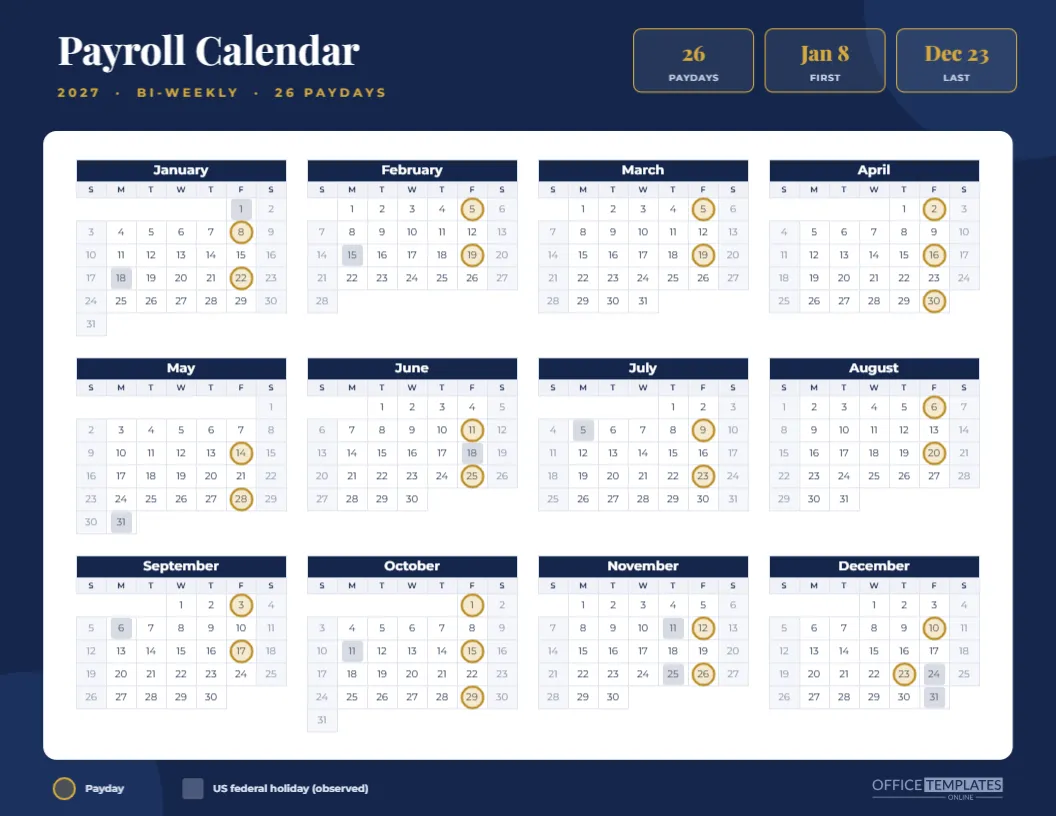
Semi-monthly pay gives exactly two rings per month, which keeps the small calendars uncluttered. A bi-weekly or weekly layout would crowd the cells at this size. For those schedules, use the other quarterly and year pages in the set, which have bigger cells.
Using Colours to Assign Owners
If different people own different quarters of the payroll year, such as a temporary cover in summer, tie each person to a colour. A name written on the header bar makes the page a simple responsibility chart, and the structure of the page helps people see their own windows.
Editing the Month Calendars
Each month calendar can be changed in Calendar Options, which shows the month, year, week start, and colours. If you change one, check the ring group afterwards. Because there are twelve separate objects, a global change such as the year must be repeated twelve times, so plan edits before you start.
Recolouring the Four Quarter Colours
Pick a colour per quarter and apply it to the header bar, the month label, the day name row of each month calendar, and the rings. It is the most time-consuming edit on this page, but it is also the one that makes the page yours. Keep the four colours distinct, and avoid pairs that look the same in greyscale.
Printing the Small Grids
Print landscape on Letter at actual size. The small numerals are readable at nine points, though a fine printer helps. Avoid scaling down. If your readers struggle with small type, use the year pages with bigger cells in the collection instead and keep this as the overview.
Pairing With the Quarterly Pages
The quarterly payroll calendar pages in this collection have four pages with bigger month grids and a strip of paydays per quarter. This one page is the summary of those four. Use it as the cover and the pages as the detail, since the colours match.
Using the Page for Planning Leave
Managers can print a copy and mark planned leave in each month with a highlighter. The colour coding helps them see which quarter is heavy, and the rings show which weeks contain a payday. Staff then know when it is wise to book time off without disturbing the payroll cycle.
Cautions on Accuracy
The page follows one rule and a US federal holiday list. Your provider may use different dates, and your location may have other holidays. Confirm each date before sharing it with employees, and adjust the rings and squares if they differ.
The Colour Coded Page in Brief
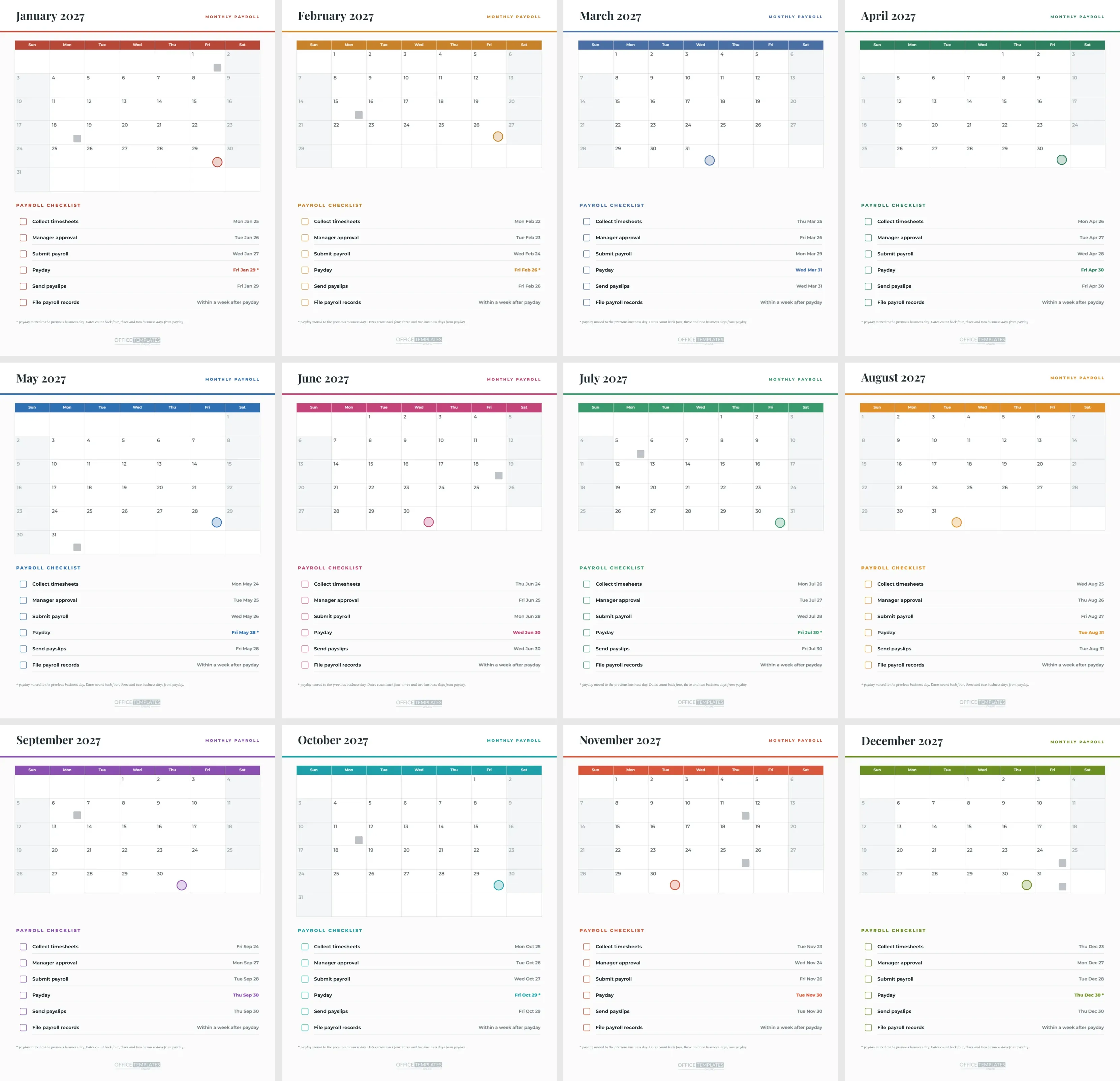
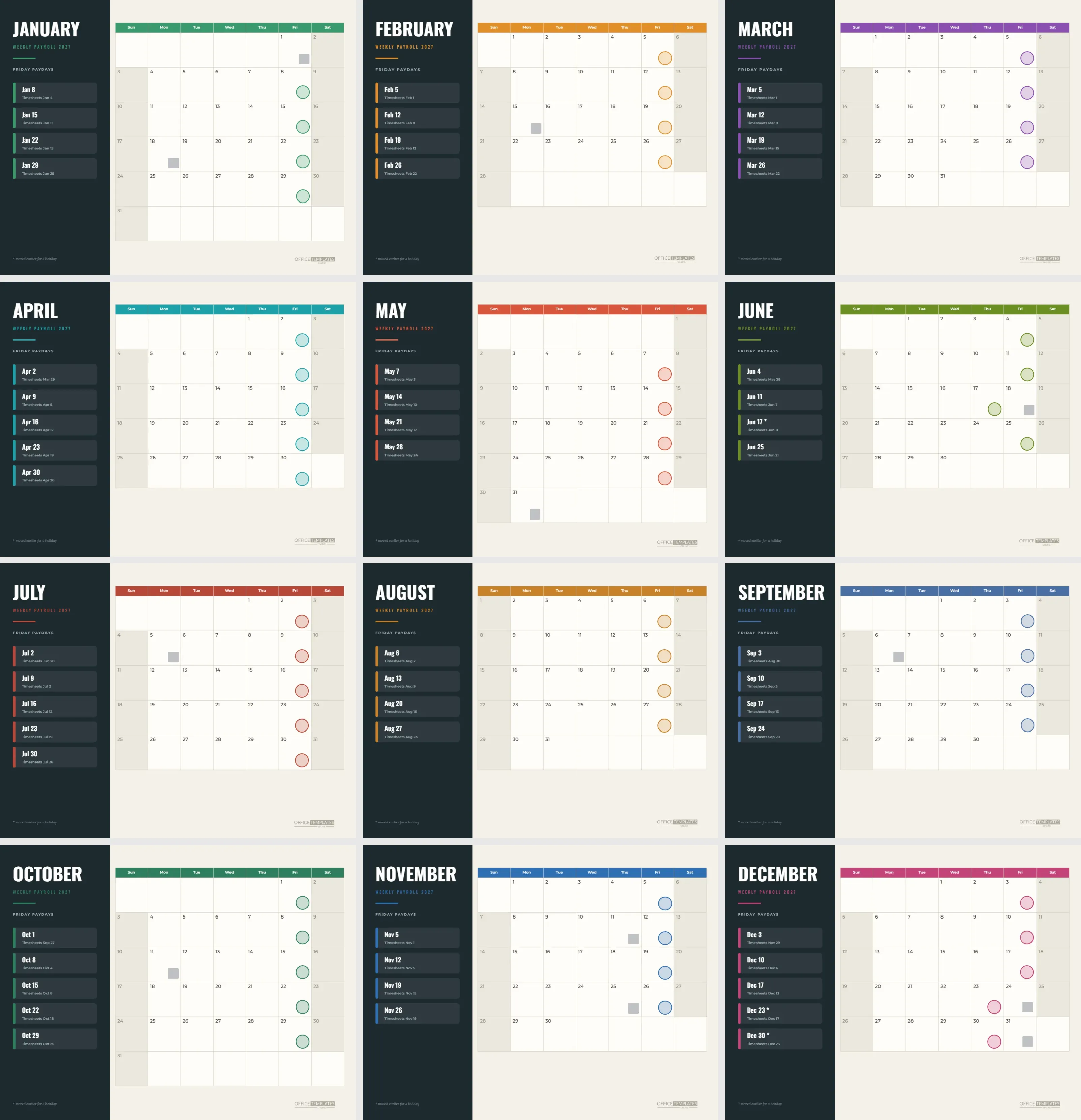
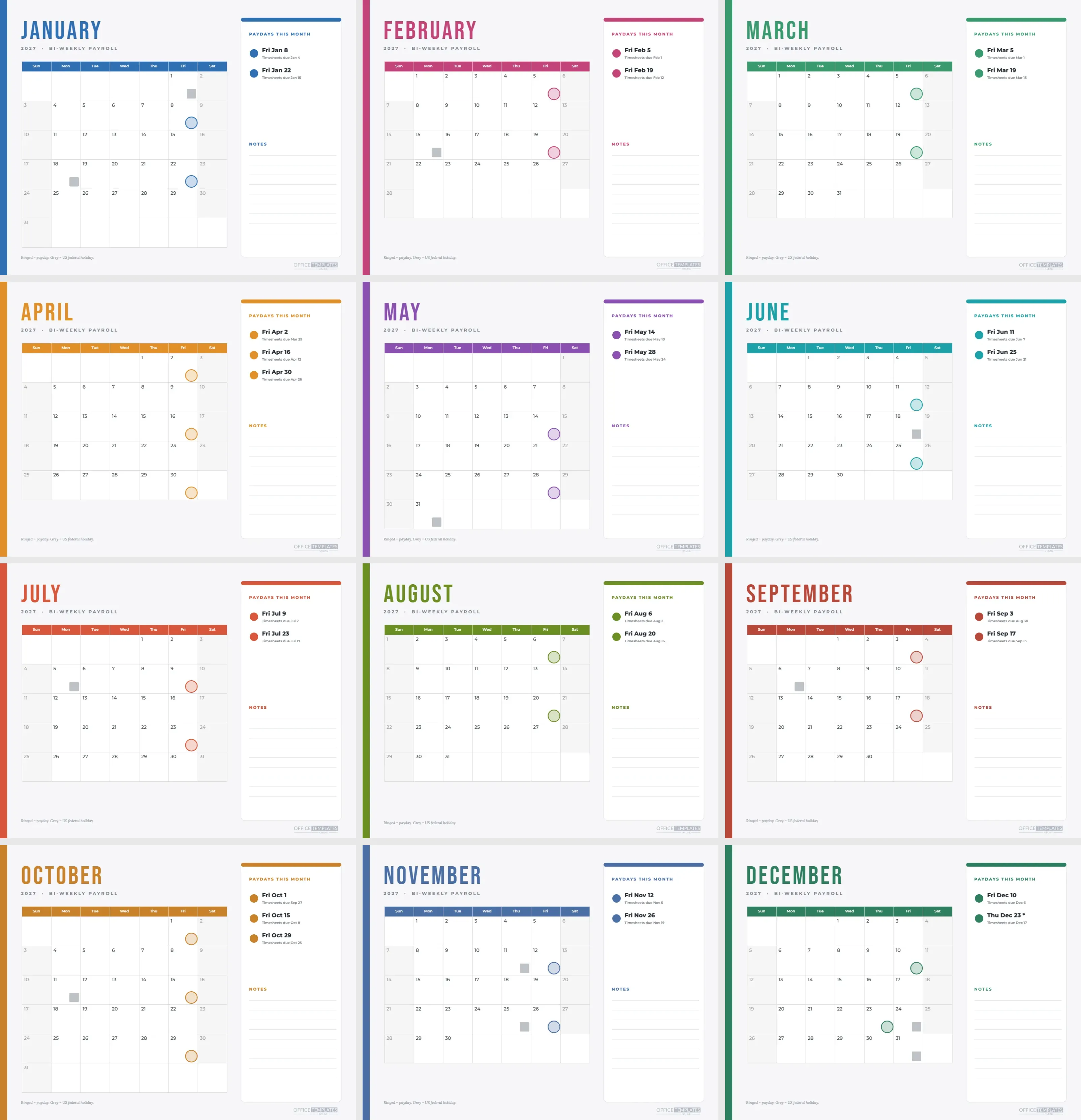
Four quarter columns, twelve small calendars, twenty-four rings. Blue, green, orange and purple. Nine moved paydays. Letter landscape. Every shape and calendar editable.
A Worked Example Using the Q3 Column
July shows rings on the 15th and the 30th, with the 30th moved from Saturday the 31st. August shows rings on the 13th and the 31st, with the 13th moved from Sunday the 15th. September shows rings on the 15th and the 30th. A grey square sits on Monday, July 5 and Monday, September 6. In one glance, you can read six paydays and two holidays.
A Worked Example Using the Q4 Column
October has rings on the 15th and the 29th, with the 29th moved from Sunday the 31st. November has the 15th and the 30th, and grey squares on the 11th and 25th. December has the 15th and the 30th, with the 30th moved because the 31st is an observed holiday, and a grey square on the 24th as well. It is the busiest column on the page.
Using the Page as a Team Briefing Sheet
At the start of a quarter, lay the page on the table and walk the relevant column with your team. Ask each person to name the one date that matters most to them, such as the day a bonus is processed or a leave request is due, and mark it on the page. The briefing takes five minutes and turns a calendar into a shared plan.
Why Small Multiples Work
Twelve identical small calendars side by side let your eye compare months instantly, which a single big grid cannot do as well. You can see that May and August both have paydays on the 13th or 14th, or that February has no sixth week row. That comparative view is the quiet strength of this layout.