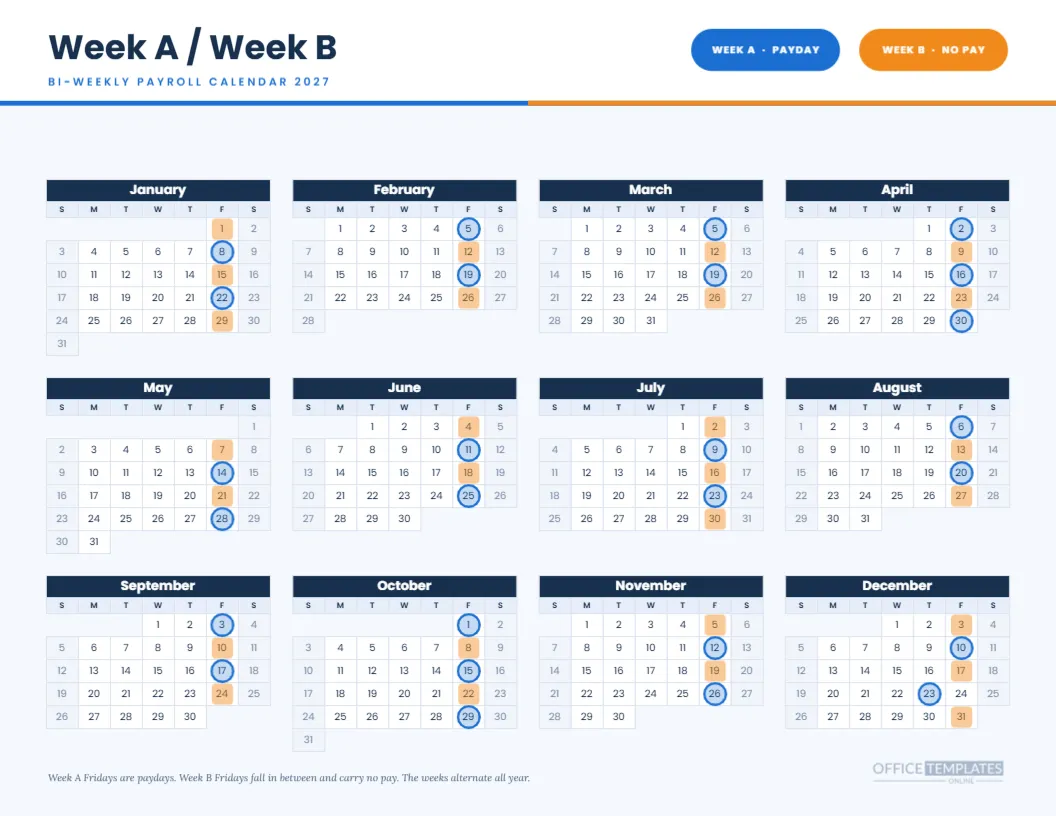
Anyone who works an alternating schedule knows the question: is this a pay week or an off week? This Week A Week B payroll calendar for 2027 answers it for every Friday of the year. Blue rings mark the Week A paydays, orange squares tint the Week B Fridays when no payday happens, and a pair of pills at the top acts as the key. The result is a year you can read in colour.
Blue and Orange, Chosen for Contrast
The two colours sit opposite each other on the colour wheel, which is why they work together without muddying. Week A is blue and sits with solid rings, because a payday is a solid event. Week B is orange and appears as a softer tinted square, because it is a quiet week. The page also uses a navy for month headers.
The Header and the Two Pills
The top of the page is white, with the title Week A/Week B in Poppins and the subtitle BI-WEEKLY PAYROLL CALENDAR 2027. A half blue, half orange rule runs under it. On the right, two rounded pills read WEEK A PAYDAY in blue and WEEK B NO PAY in orange. They act as the legend, so no separate key is needed.
How Week A and Week B Compare
| Feature | Week A | Week B |
|---|---|---|
| Payday | Yes, on Friday | No payday |
| Marker on the page | Blue ring | Orange tinted square |
| First one in 2027 | Fri Jan 8 | Fri Jan 1 |
| Last one in 2027 | Thu Dec 23 | Fri Dec 31 |
Reading January
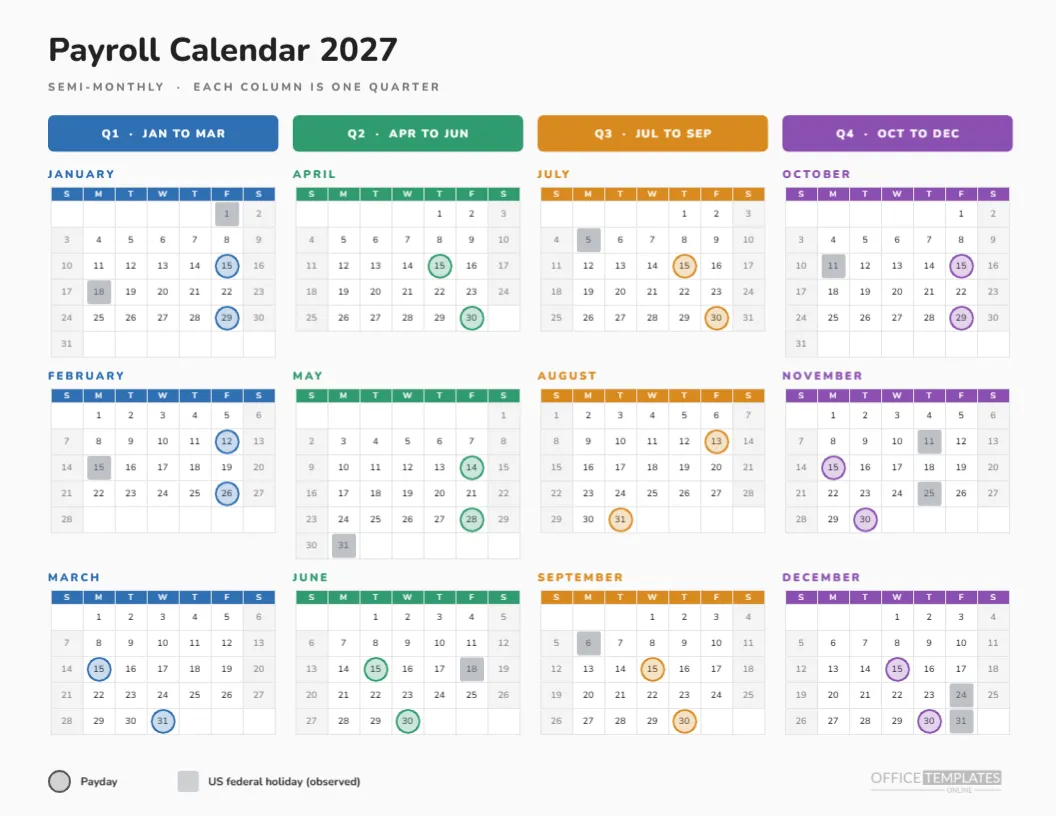
January starts with an orange square on Friday the 1st, which is a Week B Friday and New Year’s Day. The first blue ring sits on Friday the 8th, then orange on the 15th, blue on the 22nd, and orange on the 29th. The alternation is the whole idea of the page, and January shows it in five cells.
The December Wrinkle
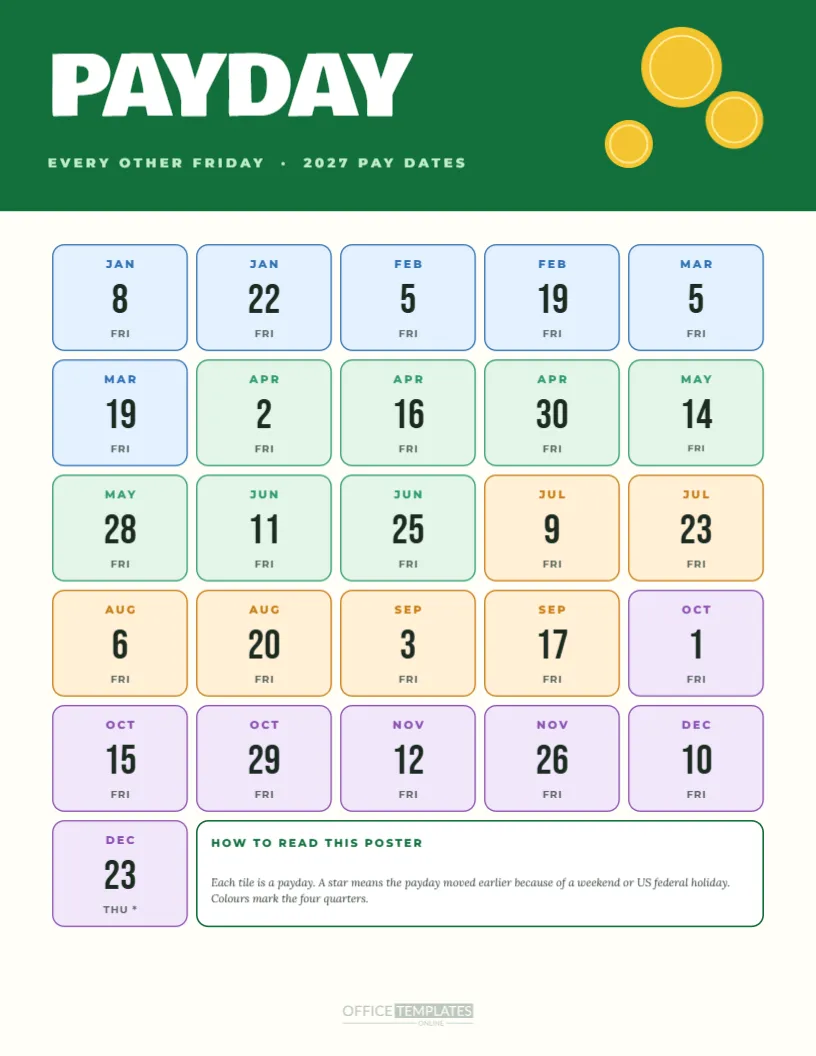
In late December, the pattern bends. Friday, December 24 would be a Week A Friday, but it is the observed Christmas holiday, so the payday moves to Thursday, December 23, and the blue ring sits there. Friday, December 31 is a Week B Friday and shows orange. The page shows this with ordinary markers, no special symbol.
Who Uses Week A and Week B
Teams that rotate shifts, schools with alternating timetables, clinics, factories and some retailers all use week labels. In those places, a payroll calendar that speaks the same language as the rota, A and B, is easier to follow than a list of dates. This page is meant for them.
Using the Week Labels in Rotas
If your rota also alternates, label the weeks on the printed page by writing A or B beside the first Monday of each cycle. Staff then connect the rota to the payday visually. It is a small act, but it turns the calendar into an everyday tool instead of an annual poster.
The Calendar Object Behind It
The twelve mini months are one Full Year Calendar object, and you can change the year or week start in Calendar Options. The rings and tinted squares are shapes grouped over the calendar, so they do not move when the calendar changes. Treat the marker group like a transparent sheet laid over a printed calendar.
Switching Which Week Is Which
If your company calls the other week Week A, swap the colours. Select the blue rings and change their stroke to orange, then change the orange squares to blue, and swap the two pills at the top. That is a two-minute edit, and it keeps the layout intact.
Adding a Third Week
Some rotas run three weeks. The page can be adapted by adding a third marker colour, such as green, to every third Friday, and a third pill in the header. Plan the colours first, then place the markers so no two sit on the same cell.
Printing Colour Pairs
Print landscape on Letter with background graphics on. In greyscale, the blue ring and the orange tint read as different shapes, so the page still works, though a colour print is more pleasant. A laminated copy makes a good break room reference.
Keeping Holidays Visible
The Calendar object shows weekends in a pale tone. Holidays are not marked separately on this page to keep the two-week colours clear. If you want them, add small grey dots beside the date numbers, or refer to the holiday-adjusted calendar in this collection.
Using It With a Pay Period Table
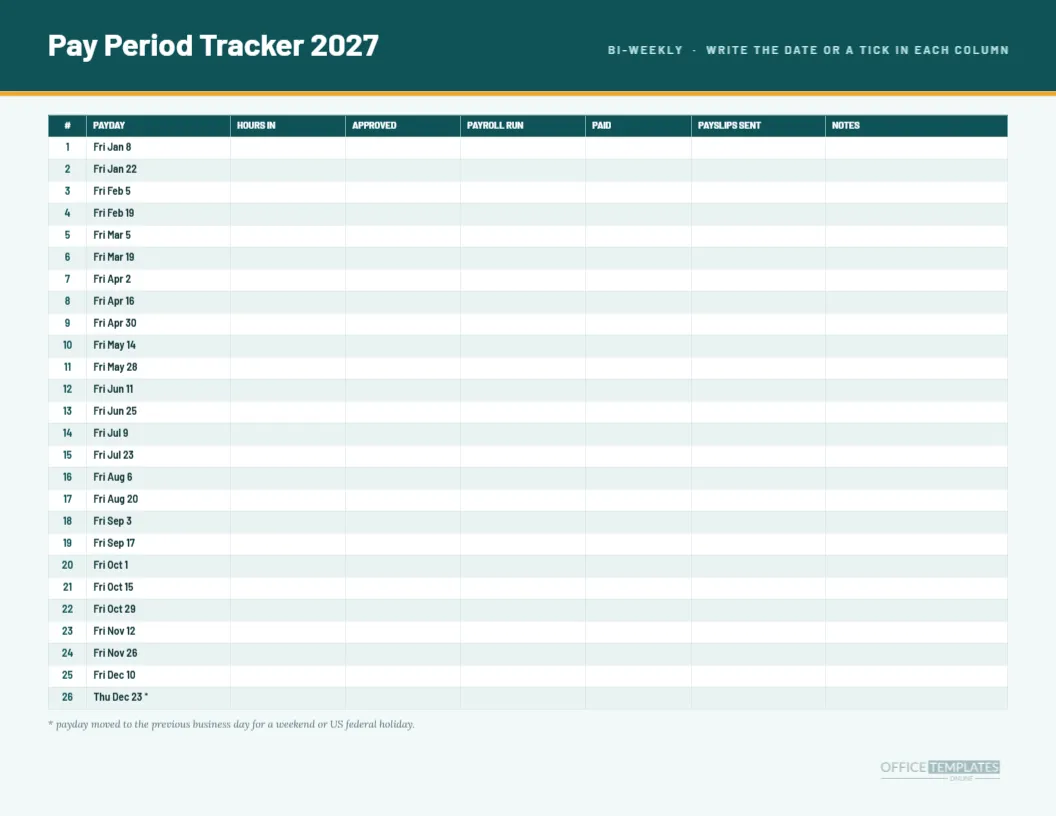
For exact deadlines, pair this page with the bi-weekly pay period schedule. The two use the same Week A dates, so a reader can find a blue ring here and the matching row there. Together they give the visual and the precise views of the same cycle.
Sharing With Staff
Send the finished PDF in your staff chat and ask people to add the dates to their phones. The coloured page explains the rhythm faster than a list of dates, which is a good first step toward fewer pay week questions.
Limits and Honesty
The page assumes your Week A Fridays are the January 8 cycle. If your own cycle differs, the markers will be wrong until you move them. Confirm your first payday with your payroll provider before printing, and edit the rings to match.
Four Quick Facts About Pay Weeks
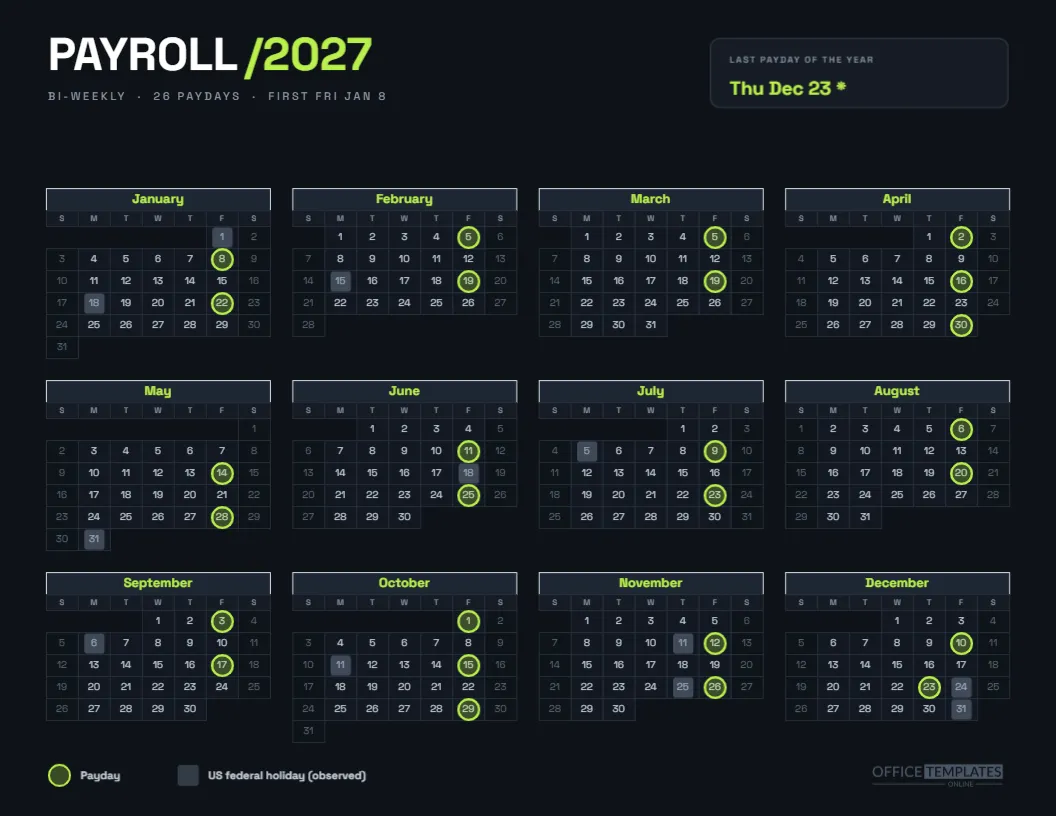
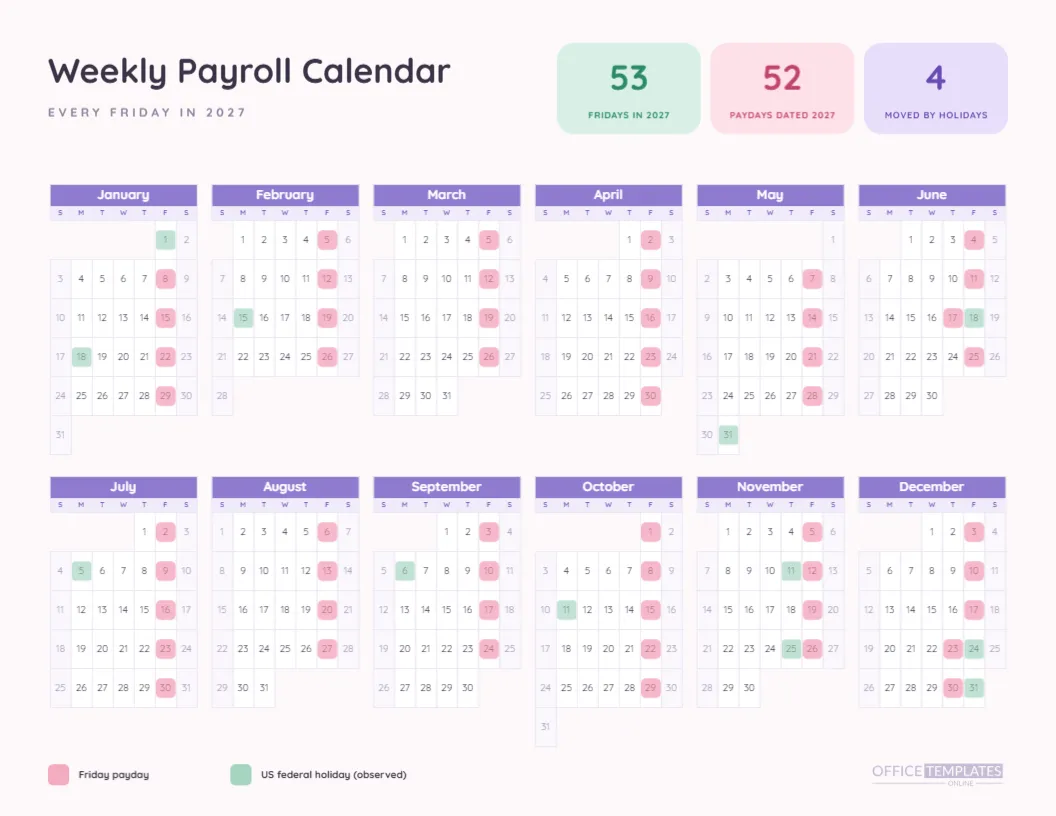
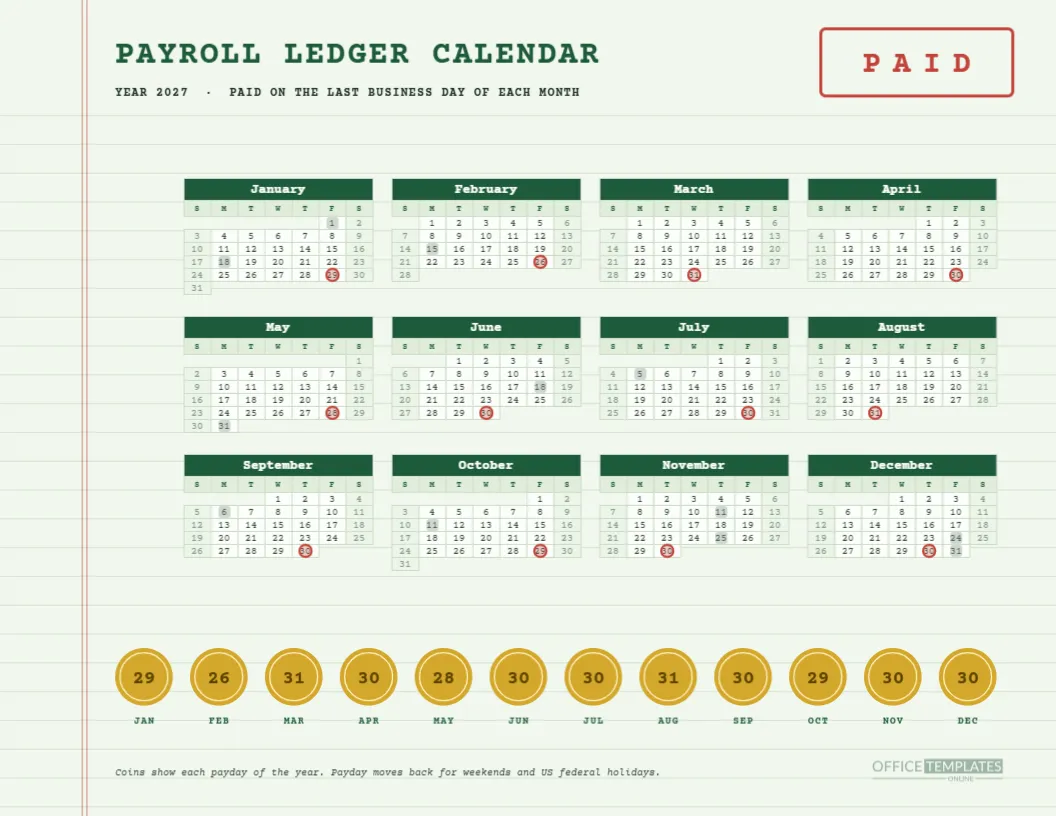
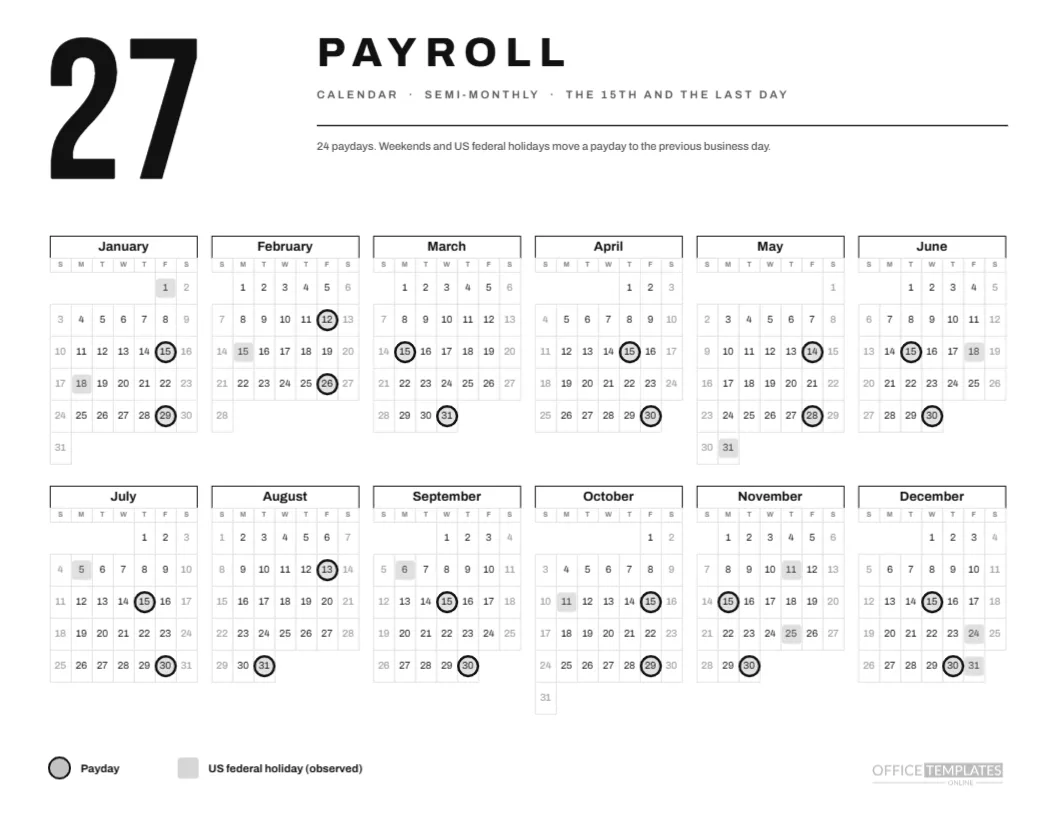
Which week is Week A here? The week with a payday. How many Week A Fridays are there? Twenty-six. Is Week B ever a payday? No. What about December 24? It is a Week A Friday that moves to Thursday.
Teaching Newcomers the Alternating Pattern
A new hire handed an alternating calendar on day one will usually grasp the pattern in a minute: blue means pay, orange means no pay. Point at January and let them count forward two squares. Most people can then place their first paycheck without help, and they will remember the rhythm after that first look.
Colour Choices for Colour Blind Readers
Blue and orange are among the safest pairings for readers with common colour blindness, which is one reason the page uses them. The shapes also differ, a ring versus a filled square, so the meaning does not rely on colour alone. If you recolour the page, keep that double signal.