A Girl Leaning on a Stack of Books for School Labels
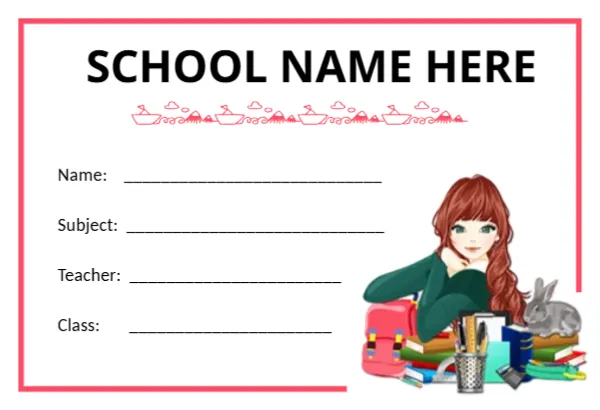
A thick red frame runs around three sides of this white tag, opening at the lower right where an illustration of a red haired girl in a green jumper leans on a pile of colourful books, a backpack, a pencil pot and a grey rabbit. SCHOOL NAME HERE sits across the top in bold black capitals, with a delicate pink line drawing of tiny boats and houses beneath it. Name, Subject, Teacher and Class labels sit on the left with long ruled lines.
Bold School Name and Four Lines
The tag is 3.38 x 2.31 inches, the same as a standard book label. The school name is large, which makes the tag look official enough for school notebooks and folders.
A Large School Name
SCHOOL NAME HERE is set in big capitals. Long school names may need a smaller size or two lines, so check the fit after typing. The four lines below are for the student’s name, subject, teacher and class.
Preparing the School Labels
- Type the school name.
- Check the name fits.
- Print on sticker paper or card.
- Cut along the red frame.
- Fill in each label.
Older Students and Teenagers
The girl in the picture looks a little older than a toddler, which suits primary and middle school students. For older students, a simpler label may suit better, but this one works well up to about age twelve.
Label Folders and Files Too
The tag fits on folders, lever arch files and pencil cases. Use one design for everything so a student’s belongings are easy to spot.
Cutting Along the Red Frame
The frame gives a clear cutting guide. Cut just outside it so the red line stays visible on all sides. A paper trimmer gives straight edges.
Print Quality for the Pink Ornament
The pink line drawing under the school name is fine and delicate. Print at a high quality setting so the tiny shapes do not blur.
Replacing the Illustration
If you prefer a different picture, replace the girl with the school mascot or a simple book icon. Keep it in the lower right corner so the lines stay clear.
Using the School Labels
Print a sheet at the start of each term.
Step by Step Editing of the School Student Red Frame Girl Books Design
- On the school student red frame girl books design, click the main headline and type your own words, keeping a similar length.
- Retype every name, date and contact line on the school student red frame girl books design, checking each against a trusted source.
- Search the school student red frame girl books design for the words Lorem and Company so that no placeholder remains.
- Click any logo or photo on the school student red frame girl books design, choose Replace Image and resize the new picture to fit.
- Zoom the school student red frame girl books design to full size and read each line aloud before you save it.
- Keep a clean master of the school student red frame girl books design without private details, so later versions start tidy.
Another option is the pre school notebook name tag. A related layout is the princess notebook name tag. Also worth a look: school bag name tag. Looking beyond the school student red frame girl books design? See all name tag templates.