A Navy and Teal Wave for a Personal Name Badge
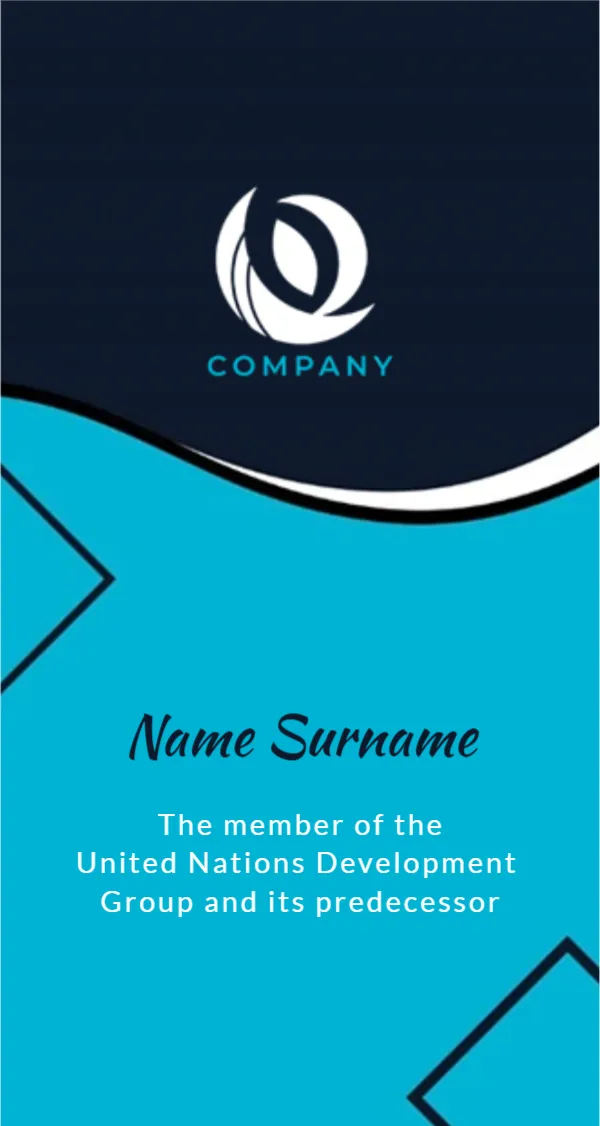
The top half of this badge is deep navy with a white leaf shaped swirl logo and COMPANY in teal. A white and black wave divides it from a bright teal lower half, where dark navy chevron lines peek in from the left and lower right. The name runs in a dark navy script, and three lines of white spaced capitals sit below as a role or description.
Two Tone Badge
The badge is 2.13 x 4 inches, portrait. The strong contrast between navy and teal makes it easy to spot in a crowd.
Replace the United Nations Line
The sample role text reads The member of the United Nations Development Group and its predecessor. Replace it with your own role or organisation. Do not leave a reference to the United Nations or any real body on a badge unless you are authorised to represent it, since that can mislead people.
Preparing the Personal Badge
- Type the person’s name.
- Replace the United Nations line.
- Swap the logo and company name.
- Print on card.
- Insert into a holder.
Volunteers and Event Staff
The badge suits volunteers, stewards and event crew. Type Volunteer or Event Staff in the role lines and the organisation name under the logo.
A Script Name for a Personal Touch
The script name feels warmer than block capitals. For large venues, a bold block font may be easier to read from a distance. If you keep the script, make the name a little larger so it reads well on a lanyard at chest height.
Printing Navy and Teal
Both colours print well on matte card. Check that the white role text stays sharp on the teal. Satin card makes the teal brighter, while matte card is easier to write on if you add details by hand.
Adding a Photo
For security, add a small photo in the navy area. That turns the badge into a simple ID for staff areas.
Organisation Rules
Some workplaces have rules for ID badges. Check before replacing an official badge with this design.
Using the Personal Badges
Print them for each team member.
Step by Step Editing of the Personal Id Navy Teal Wave Design
- On the personal id navy teal wave design, click the main headline and type your own words, keeping a similar length.
- Retype every name, date and contact line on the personal id navy teal wave design, checking each against a trusted source.
- Search the personal id navy teal wave design for the words Lorem and Company so that no placeholder remains.
- Click any logo or photo on the personal id navy teal wave design, choose Replace Image and resize the new picture to fit.
- Zoom the personal id navy teal wave design to full size and read each line aloud before you save it.
- Keep a clean master of the personal id navy teal wave design without private details, so later versions start tidy.
For comparison, open the desk name tag. Consider the conference badge. Similar designs include the hello my name is badge. Every personal id navy teal wave style alternative sits in name tag templates.