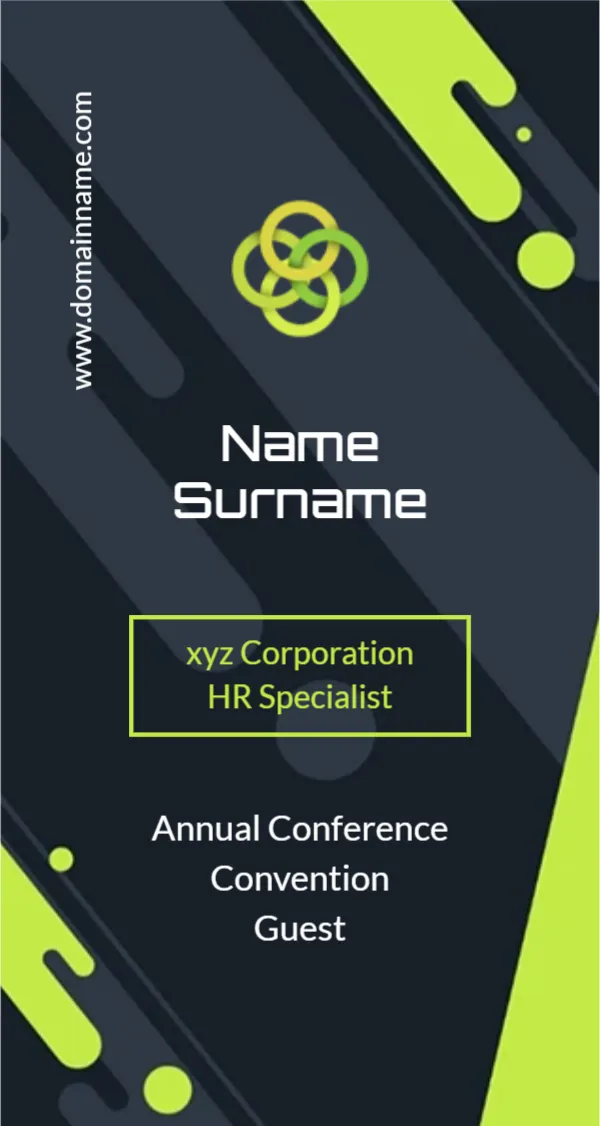
Lime Green Rings and Diagonal Shapes for a Conference Badge
A dark charcoal badge carries bold lime green diagonal shapes and dots that sweep from the top right to the bottom left, like a modern tech brand. A logo of three interlocking lime and yellow rings sits near the top. Name Surname runs in large white letters, a lime outlined box holds xyz Corporation and HR Specialist in lime, and Annual Conference Convention Guest sits below in white. A website runs vertically up the left edge.
Portrait Badge for a Holder
The badge is 2.13 x 4 inches, portrait, which fits many vertical badge holders and lanyard pouches. The name is the largest text, so people can read it from a few steps away.
Name, Company, Role and Event
Type each attendee’s name in the large white text, their company and job title in the lime box and the event name below. The sample event line reads Annual Conference Convention Guest, which repeats two similar words, so you may shorten it to Annual Conference 2027, Guest. Change the vertical website to the event site.
Preparing the Conference Badges
- Type each attendee’s name.
- Add the company and role.
- Set the event name and type.
- Change the website.
- Print and slip into holders.
Badges for Hundreds of Guests
For large events, use a mail merge or print service that fills names from a spreadsheet. For a smaller event, duplicate the page and type each name. Check spellings against the registration list, since name errors are the most common complaint at events.
Colour Coding by Guest Type
Change the lime to a different colour for speakers, staff and sponsors. Guests and staff can then tell roles apart at a glance. Keep the same layout so the badges still look like one set.
Making Names Readable
Use first names larger than surnames if people will mingle. Keep the font bold and avoid long titles that crowd the box. White on charcoal is very readable in dim halls.
Printing Dark Badges
The charcoal background uses a lot of ink. Print on smooth card or ask a print shop for a full run. Let badges dry before inserting them into holders.
QR Codes for Networking
Add a small QR code on the back that links to each attendee’s LinkedIn or the event app. It makes swapping contacts quick and saves business cards.
Using the Conference Badges
Print a few spares for walk ins.
Step by Step Editing of the Conference Lime Charcoal Rings Design
- On the conference lime charcoal rings design, click the main headline and type your own words, keeping a similar length.
- Retype every name, date and contact line on the conference lime charcoal rings design, checking each against a trusted source.
- Search the conference lime charcoal rings design for the words Lorem and Company so that no placeholder remains.
- Click any logo or photo on the conference lime charcoal rings design, choose Replace Image and resize the new picture to fit.
- Zoom the conference lime charcoal rings design to full size and read each line aloud before you save it.
- Keep a clean master of the conference lime charcoal rings design without private details, so later versions start tidy.
For comparison, open the roadshow name badge. Consider the hello my name is badge. Similar designs include the real estate agent badge. Every conference lime charcoal rings style alternative sits in name tag templates.