A Waving Teacher and Black Stars for Pre School Notebooks
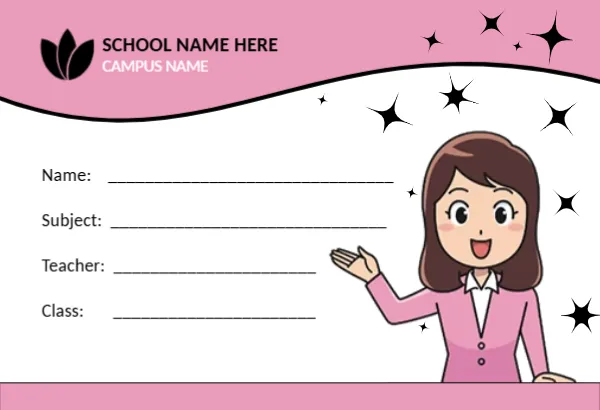
A pink wave runs across the top of this tag, holding a black leaf logo with SCHOOL NAME HERE in black and CAMPUS NAME in white. A smiling cartoon teacher in a pink jacket waves from the lower right, surrounded by sparkling black stars. Name, Subject, Teacher and Class labels sit on the left beside ruled lines, and a pink band closes the bottom edge. It looks bright and welcoming on a child’s exercise book.
A Notebook Label Size
The tag is 3.38 x 2.31 inches, a common size for notebook and exercise book labels. It sits neatly on the front cover of an A5 or composition book, with room around it for the cover design.
School Name, Campus and Four Lines
Replace SCHOOL NAME HERE and CAMPUS NAME with your school’s name and branch, or delete the campus line if you have only one site. The four ruled lines ask for the child’s name, the subject, the teacher and the class. Parents usually fill these in by hand once per book.
Preparing the Notebook Labels
- Type the school and campus names.
- Swap the leaf logo for the school badge.
- Print on sticker paper.
- Cut out each label.
- Write details on each book.
Printing on Sticker Paper
Full sheet sticker paper turns the tag into a label that sticks straight onto the book. Print a full sheet of labels, cut them out and peel off the backing. Matte sticker paper takes pencil and pen well.
One Label per Subject
Children often have a book for each subject. Print enough labels for all of them at once, and fill in the Subject line on each one. A colour coded ribbon or sticker beside each label can help young children find the right book.
Schools Ordering in Bulk
Schools can type the school name and campus, then send a PDF to a print shop for a full year’s supply. Matching labels across a class look neat on display days and parent evenings.
Covering Books With Clear Film
After the label is on, cover the book with clear contact film. The label stays clean and readable all year. Smooth out bubbles with a ruler as you go.
Writing Clearly for Teachers
Write the child’s name in capital letters so teachers can read it quickly when marking. Add the class number in the Class line, such as KG2 or Nursery B.
Using the Notebook Tags
Label all books before the first week of school.
Step by Step Editing of the Pre School Teacher Pink Stars Design
- On the pre school teacher pink stars design, click the main headline and type your own words, keeping a similar length.
- Retype every name, date and contact line on the pre school teacher pink stars design, checking each against a trusted source.
- Search the pre school teacher pink stars design for the words Lorem and Company so that no placeholder remains.
- Click any logo or photo on the pre school teacher pink stars design, choose Replace Image and resize the new picture to fit.
- Zoom the pre school teacher pink stars design to full size and read each line aloud before you save it.
- Keep a clean master of the pre school teacher pink stars design without private details, so later versions start tidy.
A related layout is the school student name tag. Also worth a look: animal friends notebook tag. Next to try is the kids bag name tag. Find more designs next to the pre school teacher pink stars design in name tag templates.