A Broad Orange Stripe Across a Peach Page
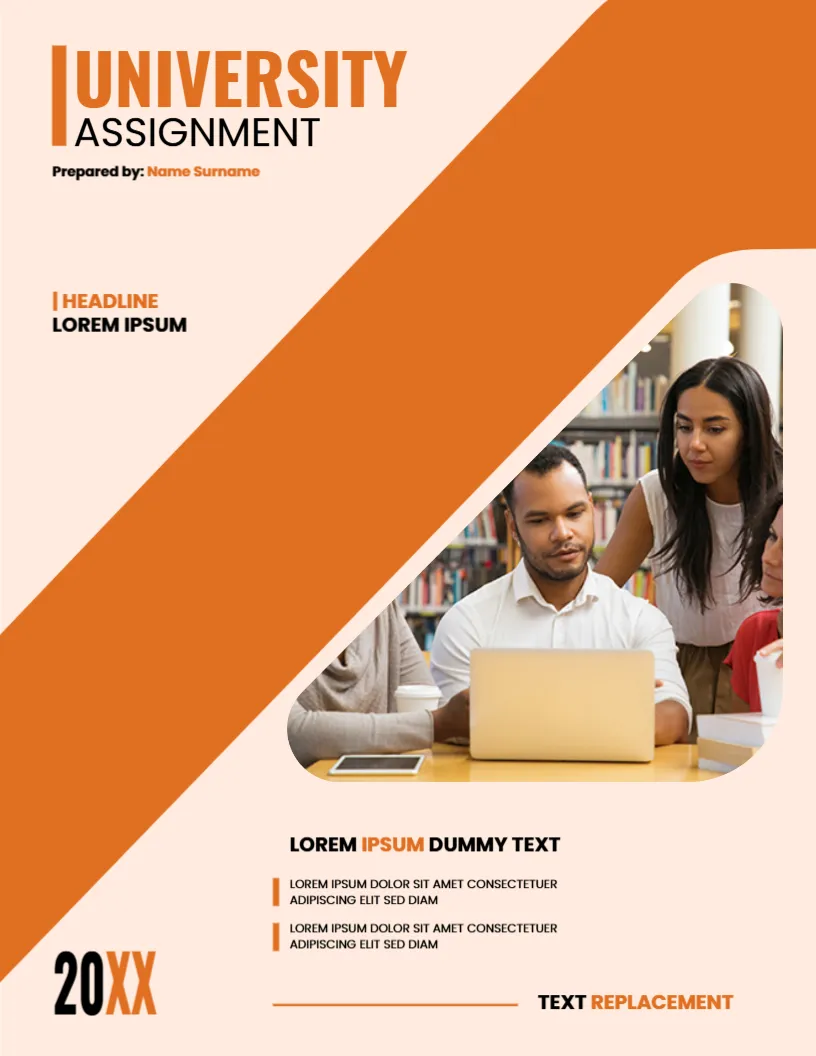
A wide orange diagonal runs from the lower left to the upper right on this cover, and a rounded photo of students gathered around a laptop sits in its path. The title UNIVERSITY ASSIGNMENT is in black and orange. It suits modern, friendly assignments in any subject.
Diagonal, Rounded Photo and Bullet Lines
The page is 8.5 x 11 inches, portrait, one page. The page colour is a soft peach. The title stands at the upper left with a vertical bar. A HEADLINE label sits in the middle left. Two short bullet lines sit under a bold line at the lower right. The year 20XX is large at the lower left.
Title, Headline and Foot Text
UNIVERSITY ASSIGNMENT sits above Prepared by: Name Surname. HEADLINE and LOREM IPSUM can hold the course name. The bold line LOREM IPSUM DUMMY TEXT introduces two lines that you can use for the lecturer and the due date. TEXT REPLACEMENT closes the page with a rule. Replace them all.
Using the Two Bullet Lines
- Line one: the lecturer.
- Line two: the due date.
- Keep each to one line.
- Use the rule for the course code.
- Delete if not needed.
Peach and Orange in Print
Warm colours print softly. A home inkjet gives a good result. A laser will be sharper.
Using the Orange Cover Headline Label
The HEADLINE label is a small tag. Replace it with the module name, for example Marketing 201.
Printing the Orange Diagonal Cover
Print on 120 gsm paper in colour. Check that the peach does not look pink.
Step by Step Editing of the Orange Diagonal Library Design
- On the orange diagonal library design, click the main headline and type your own words, keeping a similar length.
- Retype every name, date and contact line on the orange diagonal library design, checking each against a trusted source.
- Search the orange diagonal library design for the words Lorem and Company so that no placeholder remains.
- Click any logo or photo on the orange diagonal library design, choose Replace Image and resize the new picture to fit.
- Zoom the orange diagonal library design to full size and read each line aloud before you save it.
- Keep a clean master of the orange diagonal library design without private details, so later versions start tidy.
Keeping the Cover Short
A modern cover is simple. Use only the details the department asks for. Extra lines make a page look crowded and can push text outside the safe area when printed.
Choosing Paper for a Printed Submission
If you submit on paper, use plain white 80 to 100 gsm. Coloured paper can look dull and may be hard to scan.
Saving the Cover as a Template
Keep a clean copy of the cover with the placeholders restored. Each term you can fill in the new course and date in a minute, and you will not forget to update a name or a year.
Also worth a look: creative university assignment cover. Next to try is the academic assignment cover page. Have a look at the student assignment cover page. The rest of the series around the orange diagonal library design is in assignment cover pages.