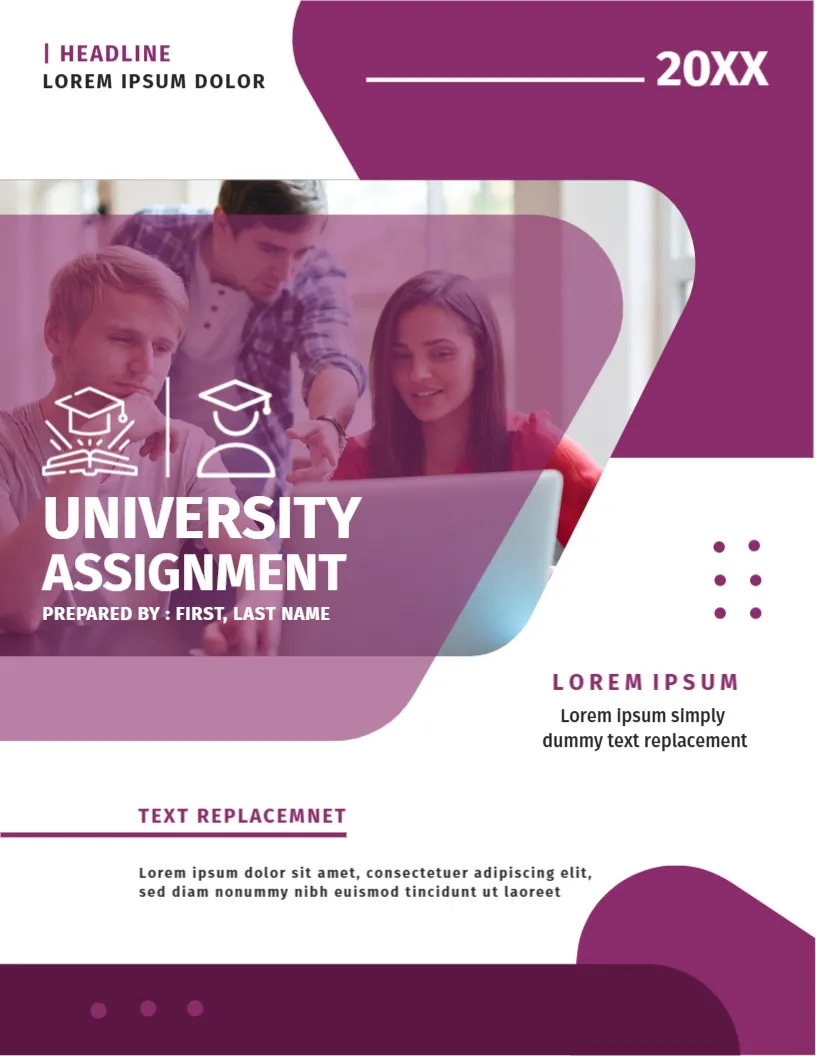
A Plum Overlay on a Group at a Laptop
Three students gather around a laptop in a photo covered by a translucent plum shape, with the title UNIVERSITY ASSIGNMENT in white across it. Plum bars frame the top and the foot. It suits formal presentations of group work in business, education and the arts.
Plum Overlay, Photo and Bars
The page is 8.5 x 11 inches, portrait, one page. The overlay is rounded. The year 20XX sits at the top right on a plum bar with a white line. Dots in plum decorate the right side. A short paragraph sits under a plum rule.
A Typo in the Placeholder
The rule label reads TEXT REPLACEMNET, with a missing letter. Replace the whole line with a real phrase such as Course Project. The title area reads PREPARED BY : FIRST, LAST NAME. The headline and the spaced letters L O R E M I P S U M are placeholders for the course and the unit. Delete any leftover lines.
Cleaning Up Placeholder Text
- Retype TEXT REPLACEMNET.
- Replace spaced letters with a word.
- Delete leftover paragraphs.
- Search for Lorem.
- Check the year.
Why Placeholders Cause Errors
A leftover placeholder line is easy to miss. Search the page for the words Lorem and Text before you save.
Plum Overlay Photos
A translucent shape can hide faces. Choose a photo with the subjects towards the left.
Printing the Plum Cover
Print in colour. The plum bars are large, so use a laser.
Step by Step Editing of the Plum Purple Students Laptop Design
- On the plum purple students laptop design, click the main headline and type your own words, keeping a similar length.
- Retype every name, date and contact line on the plum purple students laptop design, checking each against a trusted source.
- Search the plum purple students laptop design for the words Lorem and Company so that no placeholder remains.
- Click any logo or photo on the plum purple students laptop design, choose Replace Image and resize the new picture to fit.
- Zoom the plum purple students laptop design to full size and read each line aloud before you save it.
- Keep a clean master of the plum purple students laptop design without private details, so later versions start tidy.
Citing Group Contributions
If the paper is a group project, state each member’s contribution on a separate page. Fair credit prevents disputes and satisfies markers who ask for it.
Proofreading Placeholders
Search the whole file for Lorem and Replacement before you submit. One forgotten placeholder on the cover can cost presentation marks.
Checking Printed Colours Before Submission
If you must print, run a single copy first. Plum can look dark brown on some printers, and a translucent overlay can hide faces. Adjust the picture or the colour profile if the test looks wrong.
You may also like the creative university assignment cover. For comparison, open the student assignment cover page. Consider the academic assignment cover page. Looking beyond the plum purple students laptop design? See all assignment cover pages.