Six Things You Notice First on This Voucher
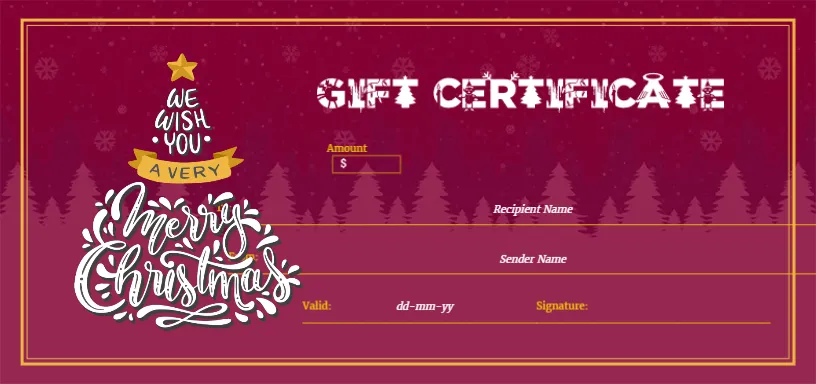
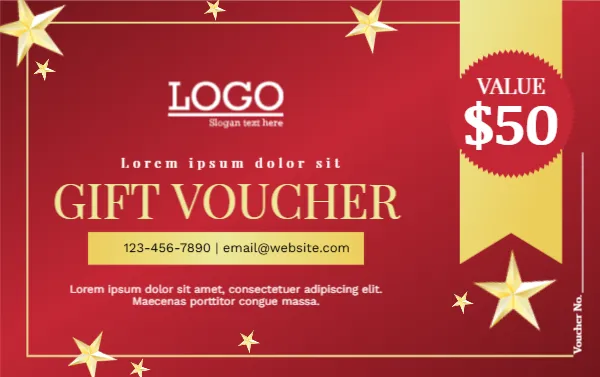
- The red background. A deep crimson gradient fills the whole card, a little darker at the edges, so it looks rich on paper and on screen.
- Gold stars. Large and small metallic stars sit in the corners and along the edges, with a thin gold frame drawn inside the card.
- The ribbon banner. On the right side hangs a gold ribbon with a red rosette on it, reading VALUE and $50. It is the first thing the eye lands on, which is exactly what a voucher needs.
- GIFT VOUCHER. The title is set in large gold capitals in a classic serif typeface, Libre Baskerville, which gives a traditional, trustworthy look.
- A logo area. In white at the top left of the centre is the word LOGO with a slogan line under it.
- A contact bar. A gold strip carries a phone number and email address, and a short line of text sits below it.
Size and Orientation
The voucher is landscape and measures 3.375 x 2.125 inches, the same dimensions as a credit card. It fits in a wallet or small envelope, and eight copies fit on one letter sheet with ordinary printer margins.
What You Replace
Open the template in the editor and click each piece of text to change it:
- The word LOGO and the slogan, which you can replace with your own logo image.
- The small tagline above the title, currently placeholder text.
- The value, which you type over the $50 in the ribbon.
- The phone and email in the gold bar.
- The paragraph under the bar, ideal for a short offer or a line of terms.
- The Voucher No. printed up the right edge, which you can fill by hand when you issue each voucher.
Making It Work for Your Business
A red and gold voucher suits shops, salons, restaurants and local service businesses. Because the value is in a big ribbon, it works well when you sell fixed amounts such as $25, $50 and $100. Print the amount for each in a separate file. If you want a calmer look, recolour the red to deep green and keep the gold, which gives a traditional Christmas feel.
The stars are pictures placed on the background. If you find them busy, select and delete a few, and the card still keeps its shape.
Printing Advice
Gold on red is a classic combination and it prints well on glossy or silk card stock. Use 250 to 300 gsm for a firm feel. Print one test sheet first to check that the rich red does not darken too much on your printer. Trim along the card edges with a guillotine, and keep a record of voucher numbers.
Choosing Values That Sell
If you sell vouchers at fixed prices, a ladder of three amounts works well: a small value for an impulse gift, a middle value close to your average sale, and a premium value for the generous giver. The ribbon banner makes each amount obvious at a glance. Save one file per value, name them clearly, and keep a small stack of each at the till so that a customer can walk out with a finished gift in seconds.
For other looks in the same size, see the Christmas gift voucher template with a scalloped edge or the Christmas and New Year gift voucher in a darker maroon. The whole set is in the Christmas gift certificate collection.